

NVIDIA GeForce RTX 5080 The Last of Us Part One Benchmark & DLSS4 Performance Breakdown
Performance results of the RTX 5080 in intensive gameplay areas using DLSS4, native rendering, and 8K experiments.
Hardware by Godrics01 on Dec 10, 2025
The tests are mostly done with the GeForce RTX 5080 Founders Edition, a Ryzen 7 9800X3D, and 32GB of RAM. We test the game at several resolutions using the latest Nvidia drivers, with DLSS 4 override enabled in the Nvidia app.
The settings are 4K resolution with Nvidia DAA, a 100% resolution scaling, and the highest advanced settings except for motion blur.

4K Max Settings with DAA
We begin at 4K with DAA and DLSS override set to DLSS 4. The game loads into one of the busier regions. In the first outdoor part, frame rates stay around 65 fps and, in most cases, remain above 60 fps.
Performance declines more substantially in the capital area. There are times when the frame rate drops to 55 fps or even 49 fps in areas with dense plant life and heavy shadows. These drops make aiming less responsive, but the experience is still smooth.
Power use remains rather modest, at about 200W. The GPU works as expected, with fewer draws depending on the scene's complexity. Even though the visuals stay the same, the 40–50 fps drops make native 4K with DAA less suitable for stable 60 fps gaming.
Going to DLSS Quality
Next, we switch to DLSS quality mode, which renders at 2560x1440 and outputs at 4K. A slight 10% change is made to the sharpness. With DLSS quality, the picture stays similar to native 4K, and frame rates go up significantly, reaching 80 fps or higher outside and remaining stable in locations that used to be hard to run.
The frame rate never drops below 60fps, the camera movement is more responsive, and power use varies depending on scene detail. Areas with many plants still use a little more power, but overall performance improves. DLSS 4 keeps distant text clear and fixes oversharpening issues in the game's built-in DLSS. There is still a little shimmer on the sea.
DLSS Performance Mode at 4K
DLSS performance ranges from 1080p to 4K. The picture is still clear, but the barbed wire is a little fuzzy, and there is a distinct halo of noise around Joel's hair as he moves. There is also some noise on the water's surface. But you can still make out distant details, and the overall sharpness remains useful.
Frame rates often exceed 100 fps, resulting in a smoother high-refresh-rate experience. In places with a lot of people, the temperature can drop into the 80s. This mode is still useful for players who want faster response times without sacrificing visual stability.
Looking at the RTX 5080's Price and Position
We want to make it clear that a $ 1,000 GPU should be able to maintain 60 fps at native 4K. RTX 5080, on the other hand, performs like an overclocked RTX 4080 Super.
There is significant disagreement about its value, especially since the 5070 Ti performs just as well for less money. We also think that the 9070XT and 9070 are good alternatives; however, we couldn't test the 9070XT because we didn't have access to any samples.
Performance at 1440p Native
At 1440p with DAA, the frame rate is between 80 and 100 fps. The game is still hard, but it runs smoothly overall. Outside, the power draw stays approximately 230W. Using DLSS quality at 1440p is not a good idea because the internal resolution drops to 960p and adds noise from water. At this level, DAA with native resolution gives the most consistent image quality.
Performance at 1080p
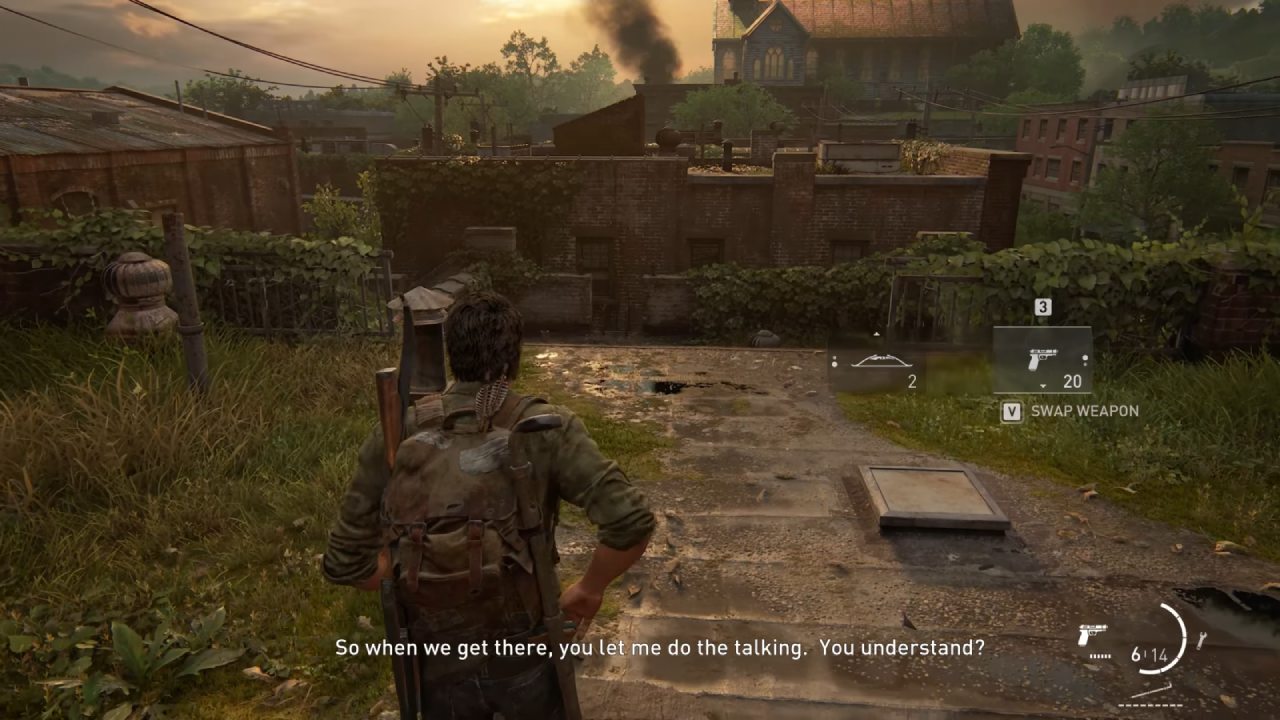
Frame rates get even better at 1080p, though the picture isn't as sharp as at higher resolutions. DLSS used to give you frame rates about the same as 4K, but made the picture look sharper. If you have a 1080p display, you should upgrade to a 4K monitor before playing single-player games with great detail. The picture doesn't look horrible, but it isn't as clear as 1440p native or 4K DLSS output.
Testing the 8K Resolution
We quickly test 7680x4320 (8K) by changing the desktop resolution. When you set DAA to the highest settings, it requires more than 21GB of VRAM, so it switches to system RAM right away and uses 25 GB. Because of how swapping works, the VRAM allotment appears to be less than 16GB. Frame rates dropped to 1–5 fps, rendering the game unplayable, even though it was quite sharp.
When you switch to DLSS performance at 8K, the internal rendering goes down to 4K. With this setup, the RTX 5080 can get about 30 fps in some scenarios. Overclocking allows you to maintain 30 fps or more. However, the improvements aren't worth it because the image quality doesn't match 4K.
Final Thoughts
We observe that the RTX 5080 performs well with DLSS 4, delivering stability and clarity at 4K in both quality and performance modes. Native 4K is still hard to run, as frame rates drop below 60fps.
The GPU maintains good frame rates at 1440p and 1080p, though the trade-offs in quality are more noticeable at lower resolutions. 8K testing shows that VRAM and performance can't go that far.
Also, check our other NVIDIA articles below:
- NVIDIA GeForce RTX 5080 Review (2025): Still A 4K Gaming Powerhouse?
- NVIDIA RTX 5070 Review: Mid-Range Muscle or Marketing Hype?
- RTX 5070 Ti Review: Performance, Thermals & Power Efficiency Tested
- ASUS GeForce RTX 5090 LC Liquid Cooled GPU Review: Unmatched Silence & Speed
- MSI GeForce RTX 5090 32GB SUPRIM SOC Review: Power Efficiency, Cooling, and Gaming Performance
- INNO3D RTX 5060 Ti 16 GB X2 Review: Gaming Benchmarks, Temps, and Power Efficiency
- HP Omen 45L Review: RTX 5090 Performance, Thermals, and Value Analysis
- ASUS TUF Gaming GeForce RTX 5060 Ti Review: DLSS 4, Power Efficiency, and Gaming
- ASUS Prime RTX 5060 Ti OC 16GB Review: DLSS 4, Ray Tracing, & Thermals Tested
- NVIDIA GeForce RTX 5060 Review: Specs, Gaming, and Cost per Frame
- MSI GeForce RTX 5090 GAMING TRIO OC Review: A Monster Power GPU
Editor, NoobFeed
Latest Articles
No Data.