
NVIDIA vs. AMD: Which Graphics Card Brand Is Best for Gaming in 2025
Choosing between Nvidia's premium power and AMD's value depends on personal gaming goals and spending limits.
Hardware by Tanisha Aria on Oct 18, 2025
When someone is thinking about getting a new graphics card, the first thing they think about is whether to get an Nvidia or AMD card. The choice can have an effect on your VRAM, features, drivers, noise levels, and performance in the game. It's important to make a smart choice because it will affect how you play games in the long run.
Performance
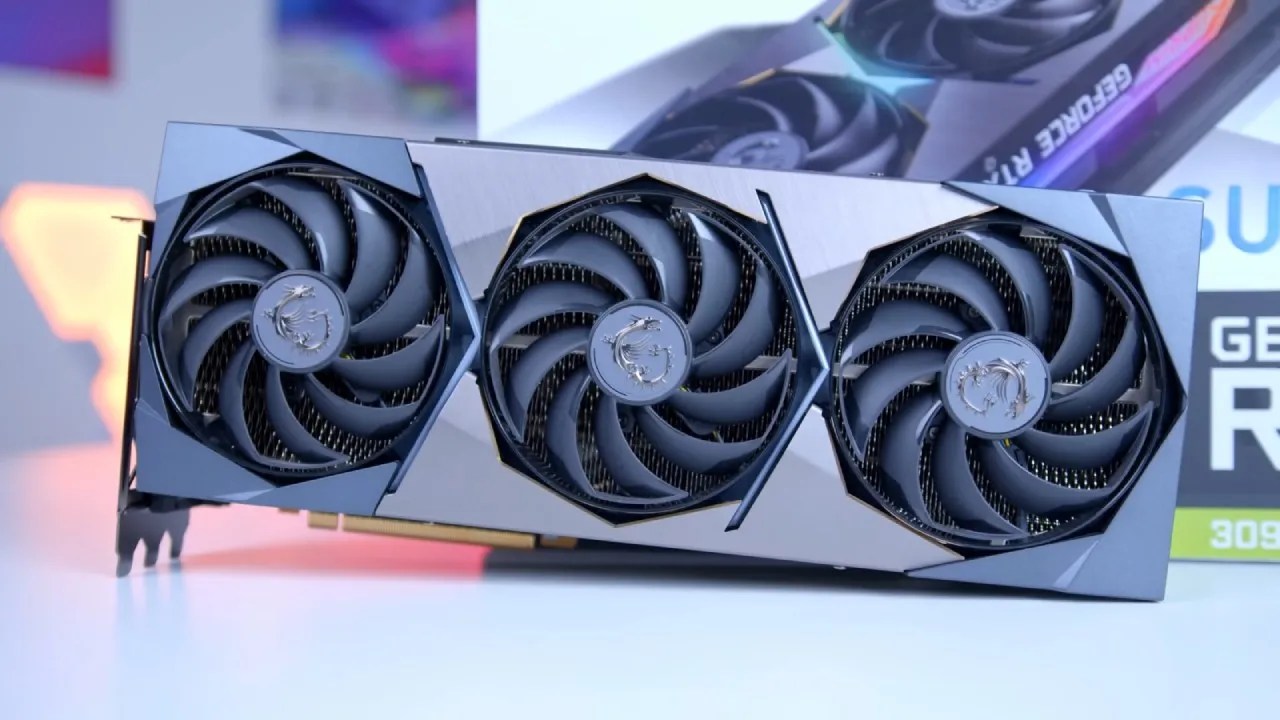
It can be very different between Nvidia and AMD cards, but it's not just the hardware. A big part of it is also optimizing the software. At any price or performance level, you'll usually find two cards competing with each other. AMD cards are usually a little cheaper.
Even though they cost different amounts, their performance is usually about the same. The word "average" is important here, though, because some games may work better with one brand than the other because of optimizations or workloads that work better with a certain type of silicon.
If you play a game that works better with either AMD or Nvidia, that could be a big reason for your choice. But when deciding which brand to buy, the price-to-performance ratio is very important.
Why AMD is Cheaper
AMD's graphics cards are usually less expensive than Nvidia's. The reason for this is simple: Nvidia has a market share of 74.88%, which means that most people choose it, even though there are still arguments about it in the comments section. Nvidia's GPUs are more valuable because they come with extra features like PhysX, DLSS, and frame generation. This makes them a better deal for gamers. NVIDIA's strong position in the market has made it a bit slow to respond to the growing VRAM needs of newer games.
AMD's cards, on the other hand, are often cheaper, which makes them a good choice for people who don't need every feature that Nvidia offers or who are on a budget.
Upscaling Technologies: DLSS and FSR
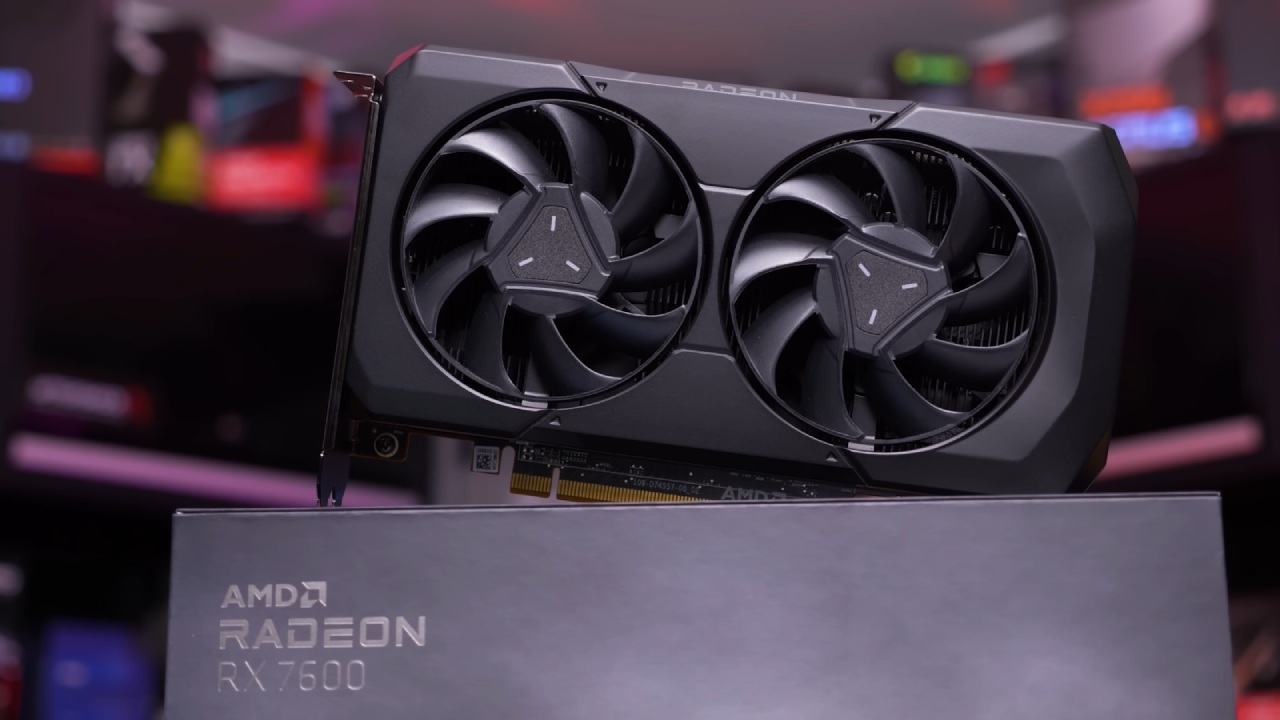
DLSS and FSR are two examples of upscaling technologies that are now important parts of modern gaming. These technologies help improve performance by upscaling images with lower resolutions. This makes frame rates higher and visual quality better.
DLSS 4, the newest version of Nvidia's DLSS technology, uses AI Transformers to give better results. This makes DLSS the best choice for visual quality.
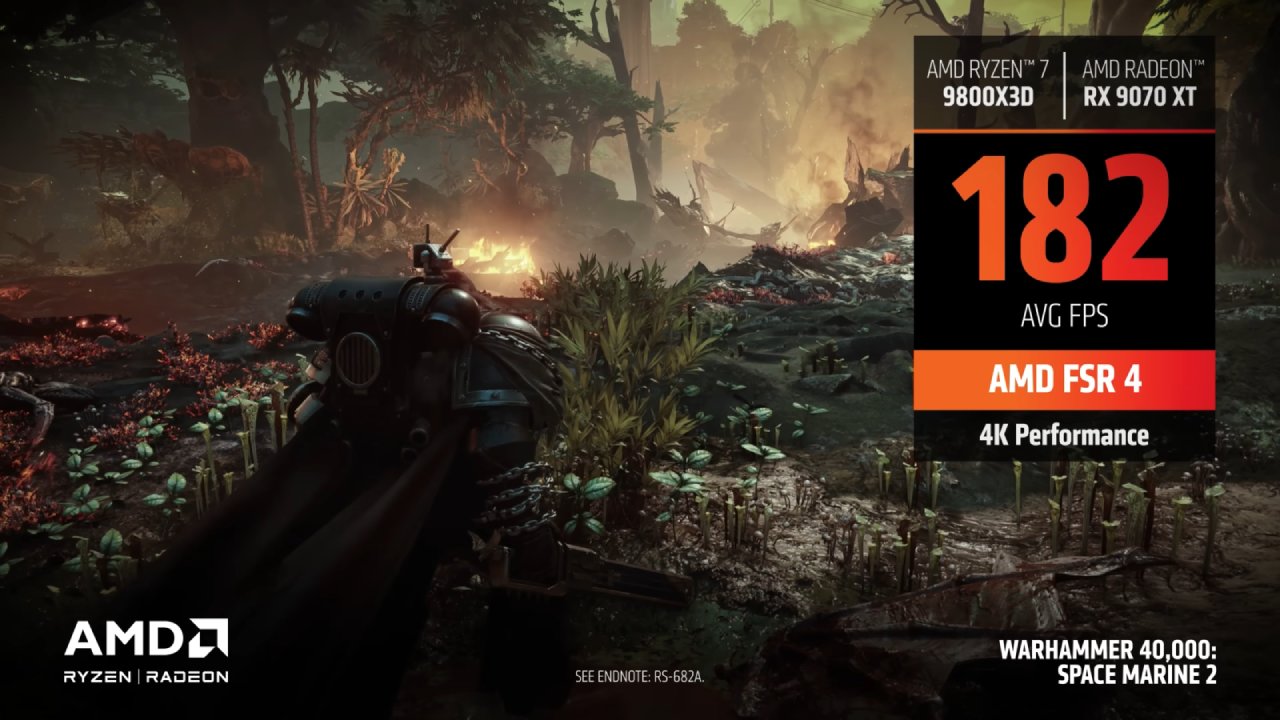
AMD, on the other hand, has made a lot of progress with its FSR 4, which now runs many games at the same level as its competitors. DLSS is still the best for picture quality, but FSR 4 is getting better, and more games are supporting it. Most gamers probably won't notice a difference in performance or visual quality, especially if they play at 1440p or 4K resolution.
There are pros and cons to both technologies, but if your game works with one of these upscalers, you should pick the card that works better with it. DLSS has been around longer and is supported by more games, but FSR is growing quickly and works just as well in many cases.
Ray Tracing: Nvidia's Lead
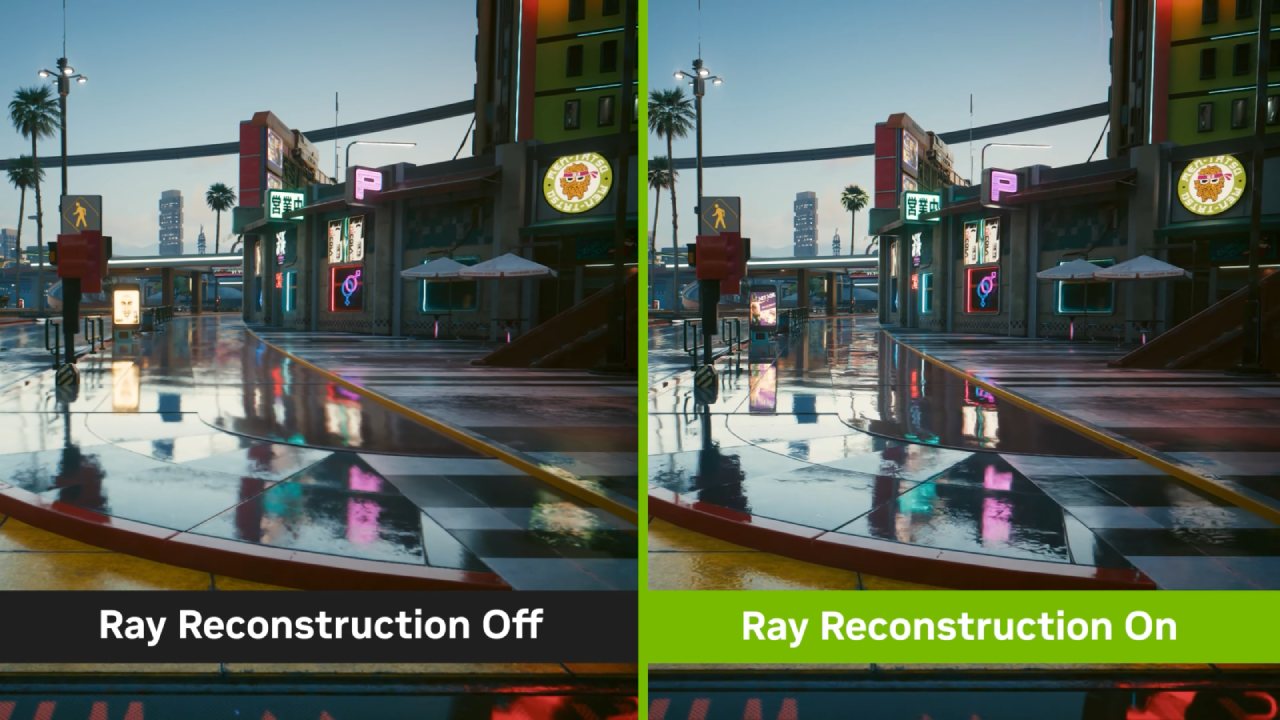
Nvidia's ray tracing technology, especially path tracing, can make FPS go down a lot, but it makes the visuals look much better.
AMD has made progress in ray tracing, but if ray tracing is important to you, Nvidia is still the best choice. AMD's ray tracing abilities are getting better, but Nvidia is still better, especially when you think about how much power it takes to use this technology.
VRAM: The Memory Issue
VRAM (video memory) has been a big topic of conversation in the last few years. People have said that Nvidia's current lineup, especially the RTX 5050, 5060, and 5070 models, doesn't have enough VRAM for modern games. For example, the RTX 5070 only has 12GB of VRAM, which may not be enough for some games that need a lot of it, even though 12GB sounds like a lot.
The issue is more pronounced in certain models, especially the more budget-friendly cards. AMD's cards, on the other hand, usually have more VRAM, which can be very important for making sure your system will work in the future. It's best to get a graphics card with at least 12GB of VRAM. To make sure that graphics cards last a long time and work well, especially since modern games need more memory.
Nvidia has listened to what people have said and plans to add more VRAM to future models like the 5070, 5070 Ti, and 5080. These models will probably have 50% more VRAM.
Subbrands and Cooling Solutions
When picking a graphics card, you should think about more than just the brand of the GPU (AMD or Nvidia). You should also think about the subbrand. AMD and Nvidia make graphics cards, but companies that make add-in boards, like Asus, MSI, and Gigabyte, actually make the products. These subbrands can have different ways of cooling, levels of noise, and ways to make things work better. A better cooling solution can make a card quieter and maybe even let it overclock more.
Some brands charge more for fancy cooling systems that don't really make a big difference in how well the computer works. If you don't have a lot of money, it's best to find a balance between your needs. Before making a choice, read reviews, check the noise levels, and see how well it works.
Power Utilization and Connectivity
Power use is another thing to think about. The 12V high-power connector that Nvidia uses for its high-end graphics cards is smaller and cleaner, but it can be hard to plug in correctly at times.
But problems with this connector don't happen very often. AMD's cards, on the other hand, usually have more standard power connectors, which might be easier for some people to install correctly.
Also, keep in mind that some cards use less power than others. This can save you money in the long run by lowering your electricity bill. A card that uses less power can also make your system quieter and require a smaller, less expensive power supply.
Frame Generation: Smoothing vs Latency
Frame generation is a feature that adds extra frames between frames to make games look smoother. This sounds like it could double your FPS, but it's more of a frame-smoothing technology that adds some lag.
Nvidia's frame generation works better because it is more closely linked to the hardware and software. However, AMD's version is also worth looking into.
It's up to you whether or not to use frame generation. Some players turn it off because it adds a little bit of lag.
Ratio of Price to Performance
The price-to-performance ratio is what really matters when choosing between Nvidia and AMD. Nvidia has a full-featured solution, but AMD is often a better value for money, especially for gamers who don't need all of Nvidia's extra features. Look up the benchmarks for the games you play, decide what frame rate you want, and then see which card gives you that performance at a price you can afford.
Final Thoughts
When you look at everything, you can see that both Nvidia and AMD make great graphics cards. It all depends on what you want and how much money you have to spend. Nvidia's GPUs usually have better features, like DLSS and ray tracing. AMD's GPUs, on the other hand, are often cheaper and still perform well.
If you're willing to pay a little more, Nvidia might be a better choice for you. If you want to save money, though, AMD's cards are a great choice because they come with the newer FSR4 technology, which gives you the opportunity to play more games. The most important thing is to find the proper balance among features, price, and performance for your gaming needs.
Also, check our other articles below:
- GeForce RTX 5090 Unleashed: Is NVIDIA's New Flagship the Ultimate 4K Gaming GPU?
- NVIDIA GeForce RTX 5080 Review (2025): Still A 4K Gaming Powerhouse?
- RTX 5090 Performance Testing In GTA 5 – 1080p, 1440p, and 4K Max Settings Benchmark
- NVIDIA RTX 5070 Review: Mid-Range Muscle or Marketing Hype?
- RTX 5070 Ti Review: Performance, Thermals & Power Efficiency Tested
- ASUS GeForce RTX 5090 LC Liquid Cooled GPU Review: Unmatched Silence & Speed
- MSI GeForce RTX 5090 32GB SUPRIM SOC Review: Power Efficiency, Cooling, and Gaming Performance
- INNO3D RTX 5060 Ti 16 GB X2 Review: Gaming Benchmarks, Temps, and Power Efficiency
- HP Omen 45L Review: RTX 5090 Performance, Thermals, and Value Analysis
- ASUS TUF Gaming GeForce RTX 5060 Ti Review: DLSS 4, Power Efficiency, and Gaming
- ASUS Prime RTX 5060 Ti OC 16GB Review: DLSS 4, Ray Tracing, & Thermals Tested
- NVIDIA GeForce RTX 5060 Review: Specs, Gaming, and Cost per Frame
- MSI GeForce RTX 5090 GAMING TRIO OC Review: A Monster Power GPU
- AMD Ryzen 9 9950X3D Review: Setting The Standard For 2025 Gaming CPU
- AMD Ryzen 7 9800X3D Review: 3D V-Cache Goes God Mode with Stunning Gaming Performance
- AMD RX 9070 Performance Review: Thermals, Clocks, and Real-World FPS
- AMD Ryzen 5 7600 Review: Best Budget Gaming CPU of 2025?
- AMD Radeon RX 7800 XT Review: RDNA 3 Power For Midrange Gaming
- Sapphire NITRO+ AMD Radeon RX 9070 XT Review: The Ultimate 4K Gaming GPU
- AMD Ryzen 7 7800X3D: Delivers Gaming Performance Far Beyond Expectations
- AMD Ryzen 9 7900X Review: Powering the AM5 Era with DDR5 & PCIe 5.0
- ASRock Radeon RX 7800 XT Challenger OC Review: Best Price-to-Performance GPU of 2025
- Intel Core i9‑14900K vs. AMD Ryzen 7 7800X3D: Power Profiles & Gaming Benchmarks
Contributor, NoobFeed
Gaming Hardware Updates
No Data.