
27-inch vs. 32-inch OLED: Choosing the Best Size for Gaming
Choosing the ideal OLED monitor depends on balancing size, pixel density, brightness, and overall visual comfort.
Hardware by Tanvir Kabbo on Oct 23, 2025
LED technology has changed the way we play games and make video by giving us the best contrast, perfect blacks, and stunning graphics. But there are a lot of choices, such the 27-inch, 32-inch, and LG's unusual 4K model that can also be used as a 1080p 480hz display, so it can be hard to pick the appropriate one.
Each has its own qualities, such as pixel density, brightness, and general comfort. This means that the choice is up to the user and their needs.
.jpg)
Comparing the 27-inch and 32-inch Samsung QD OLED Panels
The most common debate among OLED enthusiasts centers on the Samsung QD-OLED 27-inch and 32-inch variants. The first and most noticeable difference is the size, but pixel density also plays a crucial role. The 32-inch display offers roughly 37% more screen space. Yet, its pixel density is about 138 pixels per inch (PPI), compared to approximately 162 PPI on the 27-inch display.
When considering density, it's important to view it in square measurements. The 32-inch model delivers about 19,000 pixels per inch squared, while the 27-inch model reaches around 26,000 pixels per inch squared. This results in a sharper image on the smaller panel. However, higher density doesn't always translate to a better experience. The 27-inch can appear oversharpened at times, and for the best results, you need to sit closer—around 40cm—to fully appreciate its clarity.
On the other hand, the 32in feels more balanced. It's immersive, comfortable for longer sessions, and easier on the eyes when positioned further back. The bigger screen makes everything look better without being too sharp, which can make your eyes tired after a long time of use.
Brightness and Uniformity Performance
OLED panels need to be bright and even. The Dell got about 210 nits during standard-definition-range brightness tests, and the brightness was very even. The Gigabyte 32-inch version reached about 240 nits, providing slightly more brightness across the screen. The LG 32-inch panel topped the charts with approximately 265 nits at 4K 240Hz.
While the LG's brightness performance is superior, the 32-inch Samsung still offers around 10% more brightness than the 27-inch model. This change, along with the bigger, more immersive screen, makes the overall experience better, especially in gaming environments that are darker.
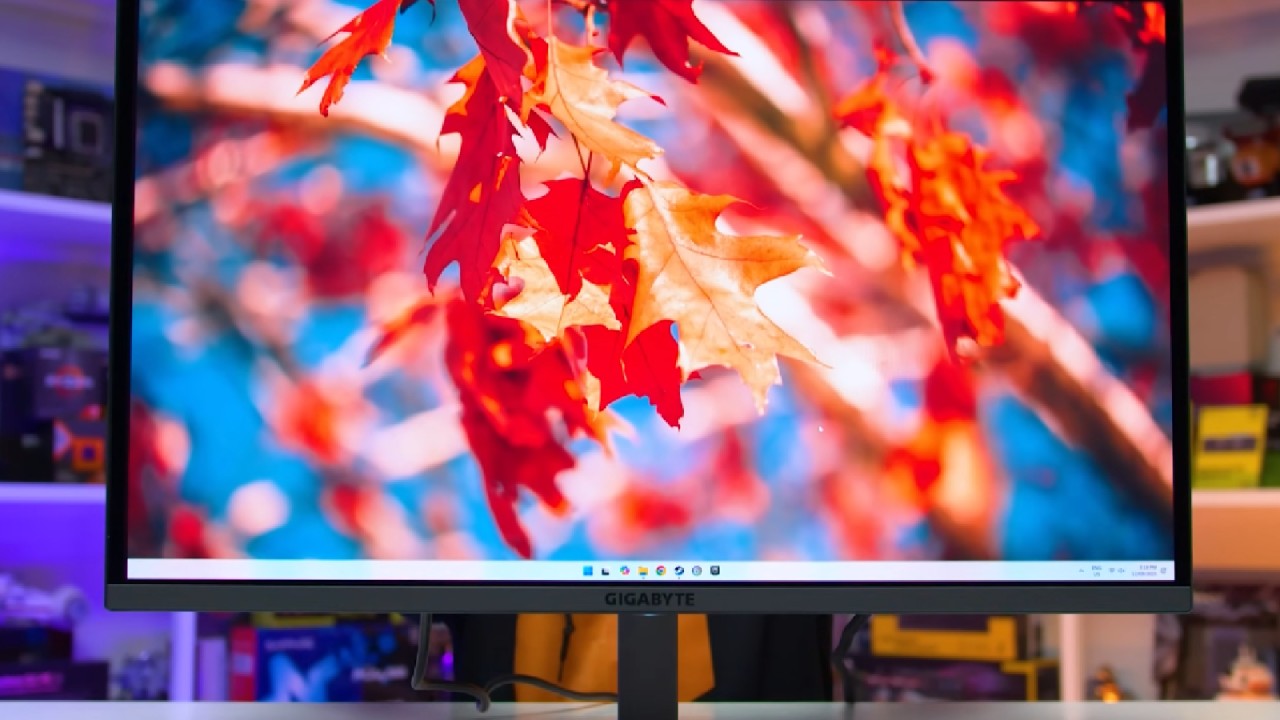
Samsung vs. LG: The Battle of 32-inch OLED Panels
When deciding between the 32-inch Samsung QD OLED and LG's 32-inch 4K 480Hz display, it typically boils down to what is most important to you. The colors are richer and the picture is clearer on the Samsung panel. This is largely due to Samsung's glossy coating, while LG opts for a semi-matte finish.
The LG's semi-matte coating is one of the best implementations seen yet. It minimizes glare effectively but slightly reduces saturation and clarity. Samsung's glossy display gives customers who can regulate their lighting and like darker gaming situations a more vibrant, spectacular visual experience. On the other hand, if you play games in a room with a lot of light or sunlight, the LG's semi-matte finish might be better.
The 480Hz Experience on LG's 4K Screen
The best thing about LG is that it can go from 4K 240Hz to 1080p 480Hz. At first, it might sound like a trick only professional esports players use. Even for people who only play games for fun, the difference is clear. When I tested it with Counter-Strike 2, the performance got a lot better, with smoother aim tracking and faster response times.
The change in how 240Hz, 360Hz, and 480Hz look is little, but the higher refresh rate can make the game more responsive. This option is a huge plus for gamers who want to get better.
.jpg)
Price and Value Considerations
The price is a big part in the decision-making process. The 27-inch Samsung QD OLED is usually the cheapest, costing about $800 in the US. The 32-inch ones, on the other hand, cost about $1,000. The LG 4K 480Hz variant usually costs more, around $1,100.
The 27-inch screen is a great deal for gamers who want to compete or who have small desks. It has a smaller footprint, a crisper image, and great performance, making it perfect for fast-paced games. But for people who want the best overall mix between immersion, comfort, and bright graphics, the 32-inch Samsung QD OLED is the ideal choice.
Performance, Calibration, and Usability
All three panels—Samsung, LG, and ASRock—excel in response time and input lag, consistently achieving sub-5ms results. The key differences lie in factory calibration. Among them, only the Gigabyte implementation of the Samsung QD OLED offers near-accurate color profiles out of the box, particularly in sRGB mode.
The LG and Alienware models miss the mark slightly, which could affect tasks like video or photo editing. For creators needing color accuracy without professional calibration tools, the Gigabyte version stands out as the most versatile option.
Each manufacturer's OSD (On-Screen Display) features also vary slightly. All three include excellent black equalizers that enhance visibility in dark areas while maintaining contrast without washing out the image. Features like crosshair overlays and customizable gaming modes perform well across all models.
Design, Ergonomics, and Build Quality
Physically, there are notable differences. The 32-inch Gigabyte is the heaviest, followed by the Alienware, while the ASRock is the lightest. The ASRock version features ambient rear lighting that produces a pleasant back glow, enhancing immersion when positioned against a wall.
The RGB lighting on the Gigabyte and Alienware models is weaker and less effective by comparison.
The ASRock model doesn't have rotation adjustment; it just has tilt, swivel, and height settings. The Gigabyte and Alienware are more useful for different configurations because they are fully ergonomic and can rotate.
.jpg)
Final Thoughts
The 32-inch Samsung QD OLED is the best choice after a lot of testing and comparison. It has the right mix of size, immersion, comfort, and visual brilliance. The glossy coating makes the colors pop, and the brightness is much higher than that of the 27-inch model.
The LG 32in 4K 480hz monitor is impressive since it can do a lot of things and performs well compared to other monitors. However, the Samsung monitor is better for gaming and everyday usage because it has a richer, more immersive experience.
OLED displays have changed the way games look, giving new vitality to older ones. At 4K, games like Warcraft 3 look amazing, and the color depth and clarity change what can be done on a PC.
Prices are going down, and OLED monitors have become one of the nicest things for gamers. The graphics are so good that they make even old games feel new again.
Also, check our other Monitor articles below:
- ASUS ROG Strix XG27AQWMG Review: 280Hz 1440p OLED Gaming Performance
- Samsung Odyssey OLED G81SF Review 2025: Ultimate 32-Inch QD-OLED Gaming Monitor
- Adaptive Sync Explained: FreeSync vs. G-Sync for Modern Gaming Monitors
- Gigabyte MO27Q2 QD OLED Review: Performance, HDR, and Gaming Experience
- ASUS ROG Swift PG27UCDM Review: Blazing Fast 240hz 4K OLED Performance
Senior Editor, NoobFeed
Latest Articles
No Data.