

Affordable High-Performance PC Builds in a Volatile Market
High-end GPUs and DDR5 memory costs continue to disrupt traditional expectations around affordable performance-focused PC builds.
Hardware by Katmin on Feb 07, 2026
You can still build a cheap, mainstream-level PC, but there are several important things to keep in mind. To get a high-performance configuration, especially if you want something like a 9800X3D with a 4090, you need to prepare carefully.
High-end parts like the 4090 are huge, make a lot of heat, and make it harder to build smaller systems. The idea is frequently to have a second system that is portable enough to move around, conduct capturing chores, and still provide you the best gaming experience possible.
.jpg)
When putting together a high-end system, the size and shape are quite important. The 4090 Founders Edition is huge, and because of how hot it gets, it limits how tiny your PC can be. A tiny tower might work, but you'll need to pick a casing that fits your GPU and lets air flow through it. MicroATX might be a better choice for a board than miniITX because the latter might not be able to handle such a powerful GPU.
Another important issue is memory. Some people think that 16GB of DDR5 is enough, while others think that 32GB is better. 16GB is ample for most situations, but it's hard to get, and Ryzen boards are only stable at lower speeds when you use four sticks.
If you play games that employ a lot of VRAM or ray tracing, you usually need more system memory than GPU VRAM. But for gaming at 1080p without maxing up all the settings, 16GB might be enough. You can always upgrade later when memory is cheaper.
Things to think about in this case
Finding a case that is both portable and compatible is quite important. For example, Fractal offers small, high-quality cases like the Terra that can fit a 4090 FE. The tight fit doesn't go in the way of airflow, which could make it hard to build a tiny, high-end PC that looks beautiful.
Looking into how other people have built in similar situations can help you learn and lower your risk.
Mainstream and Entry-Level Builds
When looking at more common designs, DDR4 memory is still a good way to save money, even though it limits future upgrades. Intel makes entry-level GPUs that are well enough for competitive shooters, MOBAs, and extraction-style games. They work well and cost less.
A build that doesn't cost too much is one that costs about $670 and comes with an Intel GPU. Entry-level motherboards and CPUs, like the Intel 12400F, enable PCIe4.0, which is important for newer GPUs like the 5060.
DDR5 kits are getting more and more expensive, but DDR4 kits are still affordable at about $100 for 16GB. Pre-built computers can also be a better deal than building your own, especially when vendors have inventory reductions or fire sales. They come with a warranty and make it easier to find the parts you need.
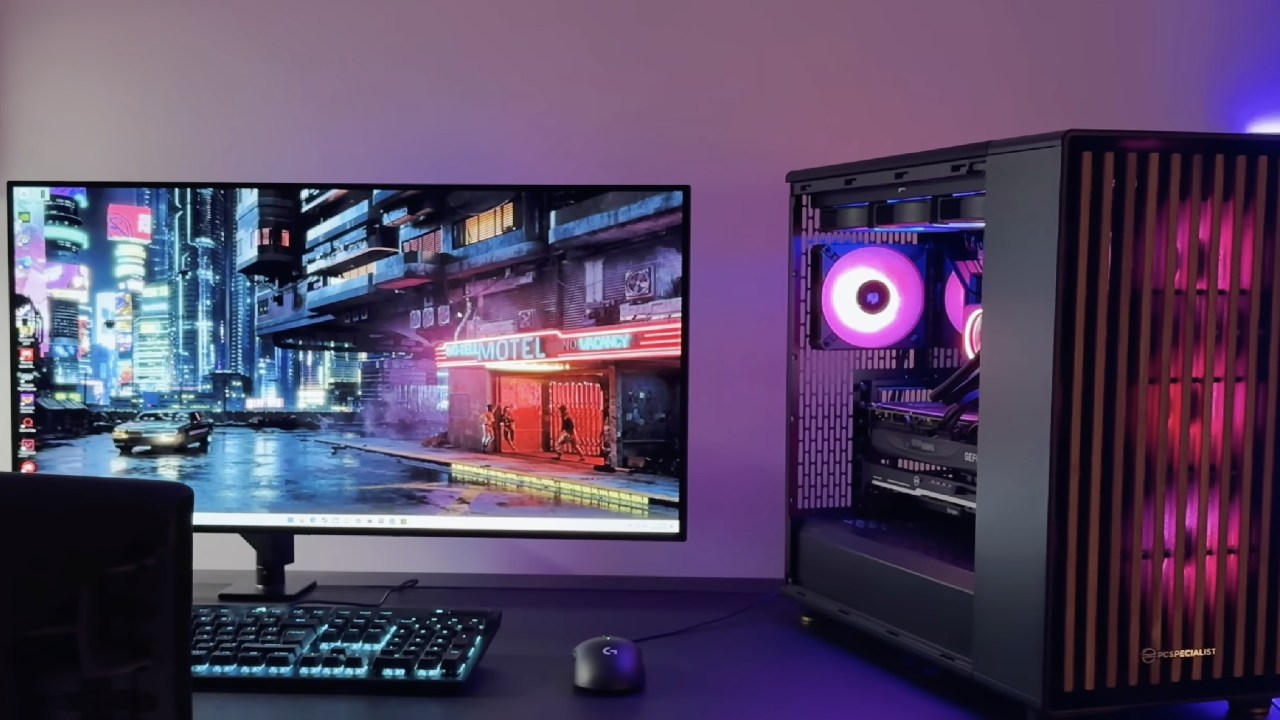
Pre-Built vs. DIY
In unstable markets, pre-built homes are often more cost-effective and reliable. DIY projects provide you more freedom and the joy of making your own system, but they also come with risks like parts not being available, prices being different, and warranties being different.
Keeping an eye on pre-built bargains might be a smart approach to get high-end parts for less money, especially when DDR5 memory or GPUs are hard to come by.
Trends in the memory and GPU markets
The RAM and GPU market right now is still hard to deal with. Prices for DDR5 are still high, with 32GB kits costing roughly $320 and specialist kits costing considerably more. Because they are hard to find, GPU costs, especially for the 4090 and 5090 series, are sometimes more than the manufacturer's suggested retail price (MSRP).
If the system is going to be used for more than just gaming, you might want to look into pre-built or slightly older GPUs. They might provide you a better price-to-performance ratio.
.jpg)
Legacy Options and Worth
Even if driver support may limit their long-term usefulness, older GPUs like the Radeon 7 or R9 Fury X can still be used for video editing or workstation tasks.
Refurbished desktops with an i7-8700 processor and 16GB of DDR4 RAM can also provide you performance close to that of a Ryzen 3600 at a much lower price. This makes them a good choice for testing or secondary computers.
Final Thoughts
Building or buying a high-performance PC is hard right now since there aren't enough parts, prices are changing, and RAM is hard to find. To avoid paying too much, you need to carefully think about the form factor, memory, and GPU options, as well as pre-built systems.
Finding the right mix between mobility, performance, and cost takes time, study, and sometimes giving up on looks or the option to upgrade in the future.
Also, check our other articles below:
- AMD Ryzen 9 9950X3D Review: Setting The Standard For 2025 Gaming CPU
- AMD Ryzen 7 9800X3D Review: 3D V-Cache Goes God Mode with Stunning Gaming Performance
- AMD RX 9070 Performance Review: Thermals, Clocks, and Real-World FPS
- AMD Ryzen 5 7600 Review: Best Budget Gaming CPU of 2025?
- AMD Radeon RX 7800 XT Review: RDNA 3 Power For Midrange Gaming
- Sapphire NITRO+ AMD Radeon RX 9070 XT Review: The Ultimate 4K Gaming GPU
- AMD Ryzen 7 7800X3D: Delivers Gaming Performance Far Beyond Expectations
- AMD Ryzen 9 7900X Review: Powering the AM5 Era with DDR5 & PCIe 5.0
- Intel Core i9‑14900K vs. AMD Ryzen 7 7800X3D: Power Profiles & Gaming Benchmarks
- NVIDIA GeForce RTX 5080 Review (2025): Still A 4K Gaming Powerhouse?
- NVIDIA RTX 5070 Review: Mid-Range Muscle or Marketing Hype?
- RTX 5070 Ti Review: Performance, Thermals & Power Efficiency Tested
- ASUS GeForce RTX 5090 LC Liquid Cooled GPU Review: Unmatched Silence & Speed
- MSI GeForce RTX 5090 32GB SUPRIM SOC Review: Power Efficiency, Cooling, and Gaming Performance
- INNO3D RTX 5060 Ti 16 GB X2 Review: Gaming Benchmarks, Temps, and Power Efficiency
- HP Omen 45L Review: RTX 5090 Performance, Thermals, and Value Analysis
- ASUS TUF Gaming GeForce RTX 5060 Ti Review: DLSS 4, Power Efficiency, and Gaming
- ASUS Prime RTX 5060 Ti OC 16GB Review: DLSS 4, Ray Tracing, & Thermals Tested
- NVIDIA GeForce RTX 5060 Review: Specs, Gaming, and Cost per Frame
- MSI GeForce RTX 5090 GAMING TRIO OC Review: A Monster Power GPU
Senior Editor, NoobFeed
Latest Articles
No Data.