

NVIDIA GeForce RTX 5090 Tested in Avatar Frontiers of Pandora Ultra and Unoptanium Settings
RTX 5090 testing reveals extreme performance demands when ray reconstruction and unoptanium settings are fully enabled at high resolutions
Hardware by Godrics01 on Dec 27, 2025
The game Avatar: Frontiers of Pandora, released in 2023, requires a lot of graphics power. It has a lot of ray tracing and detailed scenery. The test setup has a Ryzen 9 7980X3D, a GeForce RTX 5090 Founders Edition, and 32GB of RAM.
You don't need to overclock it to install the newest Nvidia drivers manually. The most important thing to look at is how well the game runs at multiple resolutions, with different DLSS modes, frame generation options, and the secret unoptanium settings.

Setting Up the Test and the First Steps
The game is played in full-screen mode at 4K quality. Initially, making frames is not allowed. DLSS is on, but there is no upscaling, thus DAA is utilized. Ray reconstruction is on, which is one of the hardest parts of the game. Ray tracing is always on because it can't be turned off, and all settings are set to Ultra. At this stage, the GPU usually utilizes more power than its TDP limits.
Ultra Settings at a 4K Native Resolution
When ray reconstruction is active, performance drops to the low 30s in hard areas at 4K Ultra. RTX 5090 struggles to maintain playable framerates, especially in crowded areas. The texture quality remains the same; however, performance decreases. This is because the materials are high-resolution and the foliage is entirely dynamic. There isn't much shadow exploding, and you can only see it from a long way away.
Turning off ray reconstruction right away improves performance, with frame rates rising to 40 and staying above 30. The pictures are still great, but the reflections aren't as crisp. Ray reconstruction has the greatest impact on performance; thus, whether to enable it depends on whether you care more about performance or visual quality.
DLSS Quality Mode at 4K
Performance is much better with DLSS Quality enabled. Frame rates stay between 55 and 60 fps in crowded locations, but they can increase up to 80 to 90 fps in less busy regions. There isn't any softness, and the picture is still pretty close to real 4K. When you play the game, there isn't much of a difference between DLSS and native DAA.
The frame rate increases significantly in third-person mode because the FOV is smaller. When you go between first and third person, you can frequently see a difference of more than 5 fps in how well the game runs.
Latency and the way frames are made
When frame generation is turned on, overall smoothness improves, but latency remains around 30-35ms. Generating the frame twice keeps the system fast without introducing any obvious problems. The gameplay seems stable and under control, even when things get challenging.
Four times frame generation significantly increases the frame rate; however, when the baseline FPS drops below 80, it produces clear artifacts. It's easy to observe warping and flickering, especially when there are a lot of leaves and particles about. Four times frame generation only works if the baseline performance is already very good.
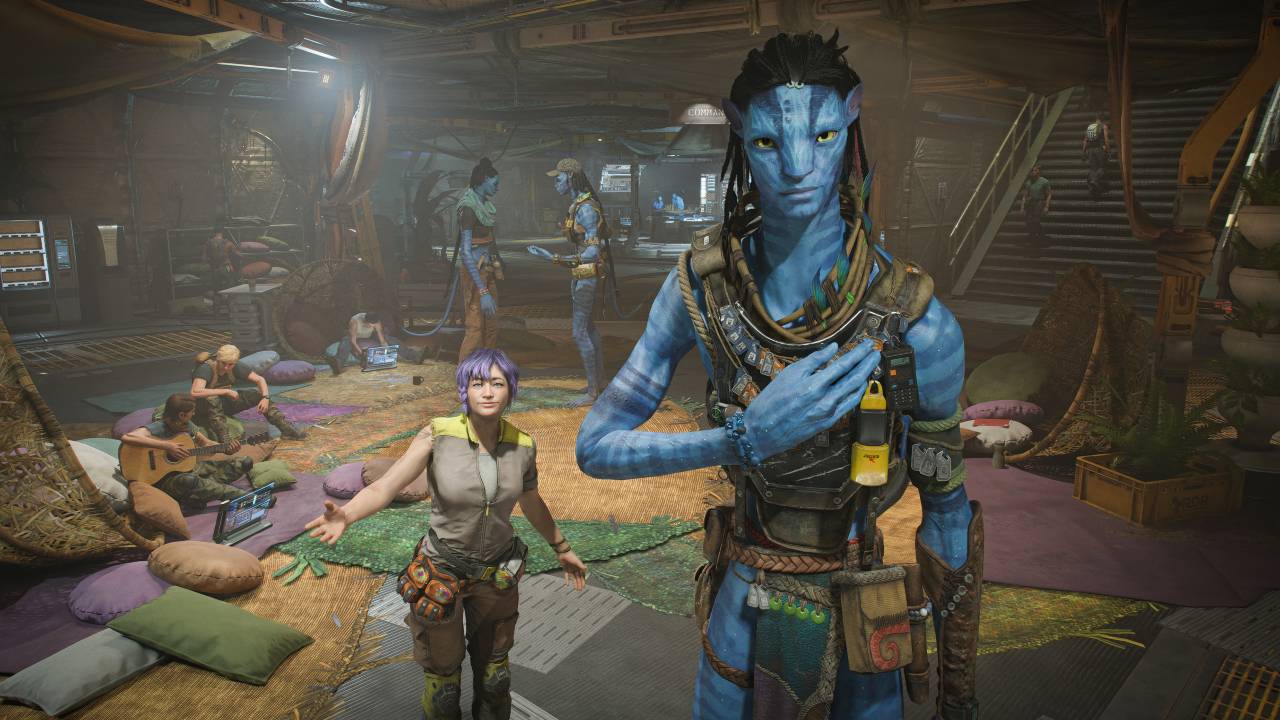
DLSS Performance at 4K
DLSS Performance boosts the framerates even higher, but it also makes the picture look blurry. DLSS Quality appears better, but it still looks fine. When using 4K Performance DLSS without frame generation, the framerates stay around 60 fps in the best conditions, but they do drop in hard parts.
How well it works: DLSS with 2x frame generation delivers stable performance in the 80-90 fps range, with acceptable latency. Four times frame generation is still not sufficient, as low baseline FPS causes artifacts.
How to unlock the Unoptanium settings
You can access the hidden unoptanium settings using a launch command. The GPU load rises immediately after it is turned on. At 4K native resolution, frame rates drop to the mid-20s in tougher areas. Even scenes with menus go slower than when Ultra settings are off.
The differences in visuals between Ultra and regular games are negligible while you play. The way shadows operate and the details in the plants stay essentially the same. Unoptanium settings aren't good for everyday play because the performance cost is far higher than the visual improvements they offer.
DLSS and Frame Generation with Unoptanium Settings
At 4K DLSS Quality, performance reaches the mid-50s in lighter areas, though it drops into the 40s around settlements. DLSS Performance struggles to maintain 60 fps consistently. Things run more smoothly with a two-frame generation, but latency rises to 40-50ms.
At a low baseline FPS, four times frame generation makes artifacts that won't go away, thus it's not a good idea. It's easy to see that the picture is unsteady when items are moving, like plants and leaves dropping.
Tests for Scaling at Lower Resolutions
Performance improves slightly with unoptanium settings and a native 1440p resolution; however, it still drops to the low 40s. RTX 5090 can't keep up at 60 fps at 1080p native, often dipping into the low 50s.
DLSS Quality at 1080p makes things look a little softer because it renders at 720p in-game. Frame generation is necessary to keep the game operating properly. Frame generation works fine twice, but it still generates artifacts four times.
The performance is 80 fps at 720p resolution. Even at low resolution, ray reconstruction remains expensive. There is no stuttering in the frame rate.
When using DLSS Performance at 360p internal resolution, frame rates exceed 100fps without creating new frames. Increasing the frame generation rate by a factor of 4 raises the framerate to over 300 fps, but it also introduces significant visual artifacts and makes it harder to see.

Final Thoughts
Even though the GPU is doing a lot of work, the frame time stays steady during testing. The game doesn't stutter very much, even with the harshest settings. Ray tracing is always on and can't be turned off, which means performance requirements are significantly higher.
Ultra settings seem almost the same as unoptanium, but they work. Quality and 2x frame generation work best together on the RTX 5090. The Unoptanium settings feel more like a technical demo than a good way to play the game.
Avatar Frontiers of Pandora is still one of the most difficult PC games. It pushes even the most powerful graphics cards to the limit while maintaining a consistent frame rate and visual stability.
Also, check our other NVIDIA articles below:
- NVIDIA GeForce RTX 5080 Review (2025): Still A 4K Gaming Powerhouse?
- NVIDIA RTX 5070 Review: Mid-Range Muscle or Marketing Hype?
- RTX 5070 Ti Review: Performance, Thermals & Power Efficiency Tested
- ASUS GeForce RTX 5090 LC Liquid Cooled GPU Review: Unmatched Silence & Speed
- MSI GeForce RTX 5090 32GB SUPRIM SOC Review: Power Efficiency, Cooling, and Gaming Performance
- INNO3D RTX 5060 Ti 16 GB X2 Review: Gaming Benchmarks, Temps, and Power Efficiency
- HP Omen 45L Review: RTX 5090 Performance, Thermals, and Value Analysis
- ASUS TUF Gaming GeForce RTX 5060 Ti Review: DLSS 4, Power Efficiency, and Gaming
- ASUS Prime RTX 5060 Ti OC 16GB Review: DLSS 4, Ray Tracing, & Thermals Tested
- NVIDIA GeForce RTX 5060 Review: Specs, Gaming, and Cost per Frame
- MSI GeForce RTX 5090 GAMING TRIO OC Review: A Monster Power GPU
Editor, NoobFeed
Latest Articles
No Data.