
Insper DGX V100 Review: Tesla V100 AI Server, LLM, Multi-GPU Scaling
A detailed evaluation of DGX V100 server showcasing single-GPU and multi-GPU performance, large-model inference capability, and real-world AI workflow efficiency
Hardware by Tasnim Yoshi on Dec 11, 2025
Insper DGX V100, the newest server in the fleet, has been around for a few months. In the past few weeks, a lot of testing has been done to see how well it works when running AI models. The goal is to eventually make the server available to Patreon users, enabling AI models to be hosted in the cloud.
Before that can happen, performance reviews and access management must be finished. Benchmarks, how useful an 8-GPU system is even though it's old, and comparisons with the best consumer GPUs give us an idea of how useful it could be today.
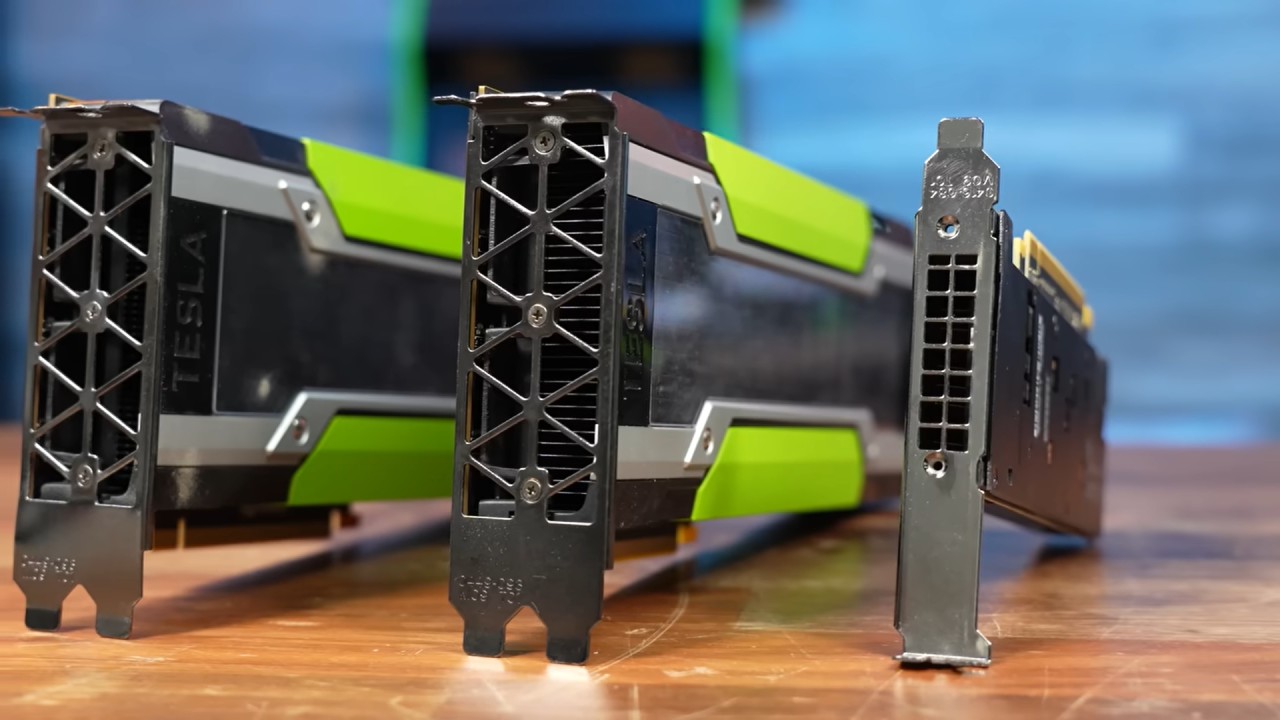
Overview and Specs of the System
First, let's talk about the hardware that this project is based on. There are eight Nvidia Tesla V100 GPUs in the SXM2 form factor in the system. Each one has 5,120 CUDA cores based on the Volta architecture.
They are between Pascal and Turing in Nvidia's lineup. Each V100 has 32GB of HBM2 on a 496-bit bus, which gives each card about 900GB/s of bandwidth. The system has 256GB of VRAM. Memory configuration remains important, even with today's AI hardware.
Insper DGX V100 is one of the cheapest ways to run high-demand LLMs, costing just over $6,000. For people who want to try out AI workflows without spending a lot of money upfront, cloud GPUs and other similar solutions can also be very helpful.
The server has two Intel Cascade Lake Xeon 8260 CPUs, each with 24 cores and 48 threads, for a total of 96 threads. This is in addition to the GPU power. It also has 512GB of DDR4 ECC memory, which lets models that use more GPU memory spill over. However, we try to keep all workloads in VRAM for the best performance.
Originally, the storage consisted of eight Patriot Burst 1.92TB SSDs in RAIDZ2. However, because some of the drives failed early on, they were replaced with eight Samsung 1.92TB enterprise SSDs, which fixed the problem.
We use Proxmox because it gives us flexibility. It lets us pass through GPUs on a per-VM basis, so we can test 1, 2, or all 8 GPUs without having to change the system or reinstall the OS. The server is hosted off-site, so all testing is done remotely.
Single-GPU Benchmarking (MLPerf)
We started testing with MLPerf, a standardized set of tests from MLCommons that measures how well AI and machine learning work. MLPerf can test both CPU and GPU hardware, but it only tests one GPU at a time, so it can't compare how well multiple GPUs work together. Results are still useful, especially since V100 is old.
Performance of Llama 3.1 8B
- A single V100 took 0.33 seconds to get the first token.
- 84.6 tokens per second
RTX 5090 was about 2.5 times faster, reaching 211 tokens/s, but it also drew 475W, while V100 drew 175W. This means the older GPU was slightly more efficient at token generation.
.jpg)
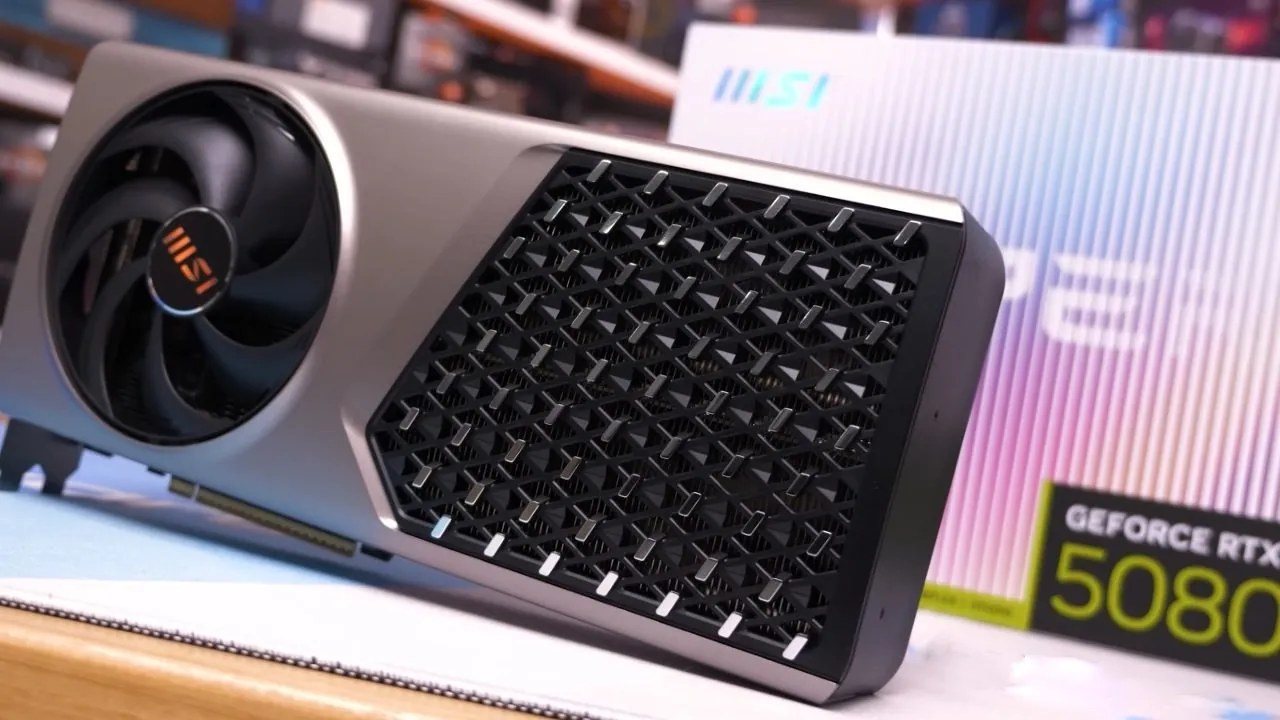
RTX 5080 delivered 143 tokens per second, which is well above half of 5090's performance and again beat V100 in both performance and efficiency.
Finding the modern equivalent
We wanted to identify which modern GPU has performance most similar to the V100. RTX 4070 Super achieved 88.6 tokens per second, nearly matching the V100, with a 5% difference across all metrics. The 4070 Super has only 12GB of VRAM, which is a lot less than V100's 32GB. Also, it's almost impossible to fit eight consumer cards into a small 2U system.
Results for Phi-4 Reasoning 14B
V100 produced 59.7 tokens/s in the Phi-4 14B MLPerf benchmark, while 5090 produced 138 tokens/s, which is about 2.3 times faster. 5080 was once again in the middle. V100 did about 15% better than 4070 Super here.
These benchmarks help set expectations for single-GPU local inference performance, even though 14B models don't stress VRAM on any tested GPU.
Running Large Models in LM Studio
Llama 3.3 70B
LM Studio makes it easy to run large models on your own computer without an internet connection. It works with Windows, Linux, macOS, and GPUs from Nvidia, AMD, Intel, and Apple. The main problem with it is that it is only available locally, with no web interface for remote access. This makes it less suitable for multiple users but great for local testing.
A 70B model like Llama 3.3 can need as much as 280GB of memory for weights, but in reality:
- Using four V100s, each with about 12GB of VRAM
- ~48GB of VRAM used
- The system RAM is about 52GB, and LM Studio itself uses about 3.5GB.
The average performance was 14.5 tokens per second, with a time-to-first-token of about 6 seconds and about 0.3 seconds per response thereafter. Using all eight GPUs did not help.
This supports what was said earlier: once a model fits comfortably in memory, additional compute doesn't improve inference much. With just 2 V100s, performance actually hit 15.5 tokens/s, which is even faster.
This means that we could run four 70B models on the same server at full speed.
120B GPT-OSS
GPT-OSS uses a more efficient mixture-of-experts approach rather than the dense Llama 3.3 architecture, yielding up to 70% more FLOPs per token. The amount of VRAM used went up to about 60GB, which meant that at least four V100s were needed.
But inference ran into problems with context windows:
- Default LM Studio context: 4,096 tokens
- Bigger models get context faster
- During testing, the model stopped working due to an overflow.
Tokens take up space (an FP16 token is about 256KB), so 100,000 tokens equal 25GB of context. GPT-OSS can handle up to about 130,000 tokens, but 32,000 is the maximum before things become unstable.
Even so, performance on 4 V100s was about 60 tokens per second, which is what the model predicted for this hardware.
Thoughts on LLM Accuracy and Hallucinations
We saw some interesting things when we asked GPT-OSS about Craft Computing. This was a test to see if offline LLMs can hallucinate in predictable ways. When asked about the channel, the model confidently gave wrong answers about things like the channel's name, history, content focus, community size, and more.
Even worse, when asked, it confidently used fake sources like fake Wayback Machine snapshots, SocialBlade listings, and Patreon information, linking to correct URLs but giving wrong information.
Every time the tests were run, they produced new, fabricated claims. The only time it was consistent was when it started with the prompt asking for the model's data cutoff (September 2023) and then asked questions about the channel. Only then did it answer honestly: "I don't know."
This shows that generalized LLMs are better at generating language that sounds real than at fact-checking. This pattern can even happen with "reasoning models."
How to Use LLMs Responsibly
We know that LLMs can be used in a lot of good ways. They are very good at tasks that don't involve research, such as:
- Checking the tone of emails
- Rewording or shortening text
- Helping with writing
But they shouldn't be used as sources for factual research because their design favors confident answers over verified truth.
Server Review and Final Thoughts
Insper DGX V100 works very well overall, and we are impressed. Even though it's out of reach for most people, it's still a good choice for small businesses or advanced home lab users who want to learn more about AI workloads. The system can run multiple high-parameter models at full speed at the same time because it has 256GB of VRAM and up to 1.5TB of RAM.
Also, check our other NVIDIA articles below:
- NVIDIA GeForce RTX 5080 Review (2025): Still A 4K Gaming Powerhouse?
- NVIDIA RTX 5070 Review: Mid-Range Muscle or Marketing Hype?
- RTX 5070 Ti Review: Performance, Thermals & Power Efficiency Tested
- ASUS GeForce RTX 5090 LC Liquid Cooled GPU Review: Unmatched Silence & Speed
- MSI GeForce RTX 5090 32GB SUPRIM SOC Review: Power Efficiency, Cooling, and Gaming Performance
- INNO3D RTX 5060 Ti 16 GB X2 Review: Gaming Benchmarks, Temps, and Power Efficiency
- HP Omen 45L Review: RTX 5090 Performance, Thermals, and Value Analysis
- ASUS TUF Gaming GeForce RTX 5060 Ti Review: DLSS 4, Power Efficiency, and Gaming
- ASUS Prime RTX 5060 Ti OC 16GB Review: DLSS 4, Ray Tracing, & Thermals Tested
- NVIDIA GeForce RTX 5060 Review: Specs, Gaming, and Cost per Frame
- MSI GeForce RTX 5090 GAMING TRIO OC Review: A Monster Power GPU
Subscriber, NoobFeed
Latest Articles
No Data.