
Adaptive Sync Explained: FreeSync vs. G-Sync for Modern Gaming Monitors
Adaptive sync technology synchronizes a display's refresh rate with GPU output to provide smoother, tear-free, and low-latency gaming performance.
Hardware by Masaru Hoshino on Aug 28, 2025
Adaptive sync technology has become a standard feature in modern gaming monitors, as they are designed to provide smoother and more responsive gameplay. By synchronizing a display's refresh rate with the GPU's frame output, adaptive sync eliminates common visual issues such as screen tearing, stutter, and input lag.
Over the years, both AMD and Nvidia have developed branded implementations—FreeSync and G-Sync, respectively—but the core technology has largely standardized, offering broad compatibility across different GPUs and monitors.
You can choose a gaming monitor more wisely if you understand how adaptive sync works and how different brands differ from one another.
Comprehending Adaptive Sync
One essential component of contemporary gaming monitors is adaptive sync. It allows the display's refresh rate—the number of times it updates the image on screen per second—to synchronize with your PC's render rate, or how many frames per second your GPU is rendering.
When the refresh rate and render rate are synchronized, the display refresh rate adapts to the output from your PC or other input device, varying as necessary. This is why it is known as adaptive sync, also referred to as variable refresh rate (VRR).
When adaptive sync is enabled and working correctly, the refresh rate of your display will match the FPS you're getting in your game, provided this FPS falls within the refresh rate range of your monitor. For example, a game running at 126fps on a 144Hz monitor with adaptive sync enabled will see the monitor run at 126Hz instead of 144Hz.
If the game drops to 114fps, the monitor will reduce its refresh rate to 114hz, adapting to the FPS output.
Adaptive sync offers several benefits while gaming. If there is a mismatch between FPS output and refresh rate on a fixed refresh monitor, one of two issues can occur. Without VSync, screen tearing may occur when the GPU renders a new frame while the display is in the middle of a refresh, resulting in a visual tear. With VSync, the GPU holds back its freshly rendered frame until the next display refresh, preventing tearing.
However, this can cause duplicated frames, resulting in stutter or jitter, and increases input latency since the GPU buffers each frame. Adaptive sync solves both problems by synchronizing the display refresh cycle with the GPU output, preventing tearing, avoiding frame duplication, and lowering input lag.
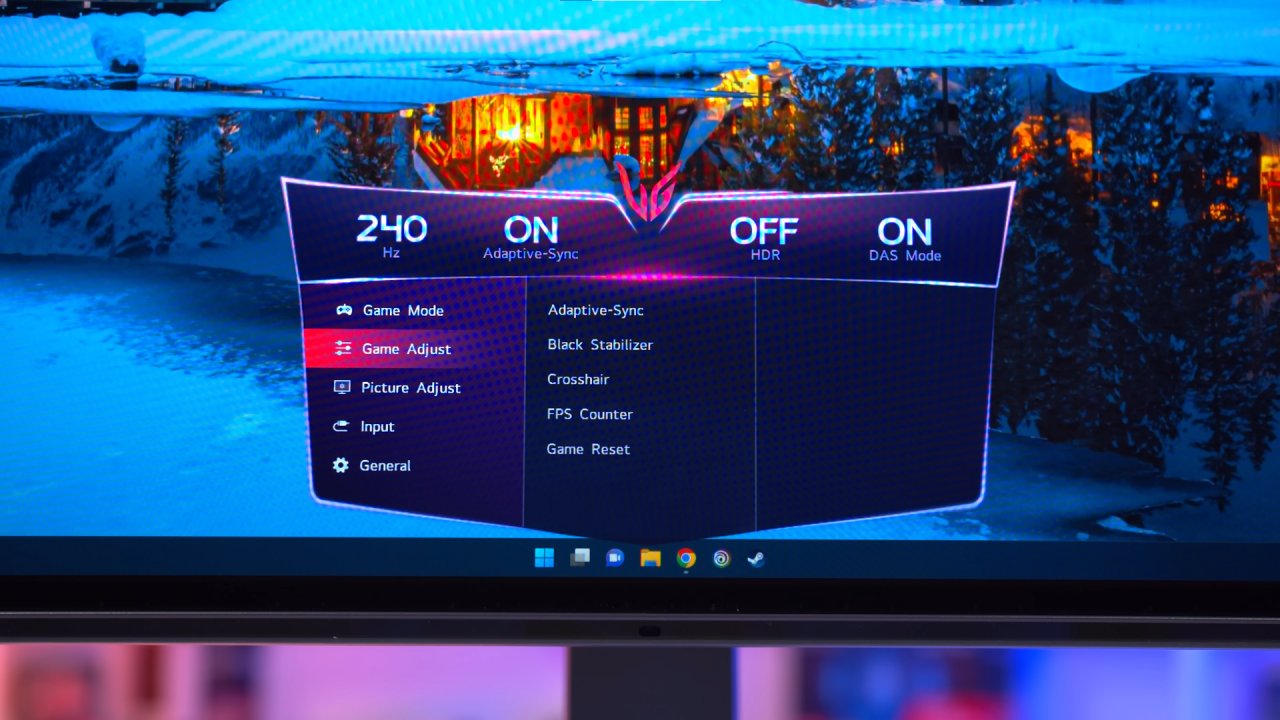
FreeSync and G-Sync Monitor Compatibility
Modern implementations of adaptive sync use brand names from AMD and Nvidia: FreeSync for AMD and G-Sync for Nvidia. Initially, these brands were closely tied to their respective GPUs, but now FreeSync and G-Sync monitors are compatible with both AMD and Nvidia graphics cards.
FreeSync monitors are compatible with Nvidia GPUs, while G-Sync monitors are compatible with AMD GPUs; the distinction is largely marketing-based in 2023.
For Nvidia GPUs, full adaptive sync compatibility is possible over DisplayPort on GTX 10 series GPUs or newer, and over both DisplayPort and HDMI on GTX 16 and RTX 20 series GPUs or newer. AMD GPU owners can also access adaptive sync functionality on all G-Sync compatible monitors and monitors using a G-Sync module released since late 2019.
Essentially, most adaptive sync monitors released in the last four years are compatible with both Nvidia and AMD GPUs, and some even support Intel GPUs and modern consoles.
Nvidia G-Sync Branding Explained
Nvidia markets adaptive sync under three classes: G-Sync Compatible, G-Sync, and G-Sync Ultimate. G-Sync Compatible refers to monitors that support generic adaptive sync, validated by Nvidia to prevent flicker, pulse, or artifacts.
G-Sync-branded monitors utilize Nvidia's proprietary G-Sync module, providing features such as variable overdrive, color calibration, and exclusive functions like ULMB2 and Reflex Analyzer.
G-Sync Ultimate monitors feature the G-Sync module and enhanced HDR support, boasting 1,000 nits of brightness, multi-zone backlights, and wide color gamut support. However, true HDR implementation varies, and many modern monitors with HDR may not qualify as G-Sync Ultimate due to the use of edge-lit panels instead of full-array backlights.
The main difference between a G-Sync Compatible monitor and a non-branded monitor is that adaptive sync may not be enabled by default on Nvidia GPUs. If needed, you can enable it manually in the NVIDIA Control Panel.
AMD FreeSync Branding Explained
AMD's FreeSync branding is divided into three categories: FreeSync, FreeSync Premium, and FreeSync Premium Pro. Standard FreeSync ensures the monitor supports adaptive sync. At the same time, FreeSync Premium adds a minimum 120Hz refresh rate, 1080p resolution, and Low Frame Rate Compensation (LFC), which extends VRR below the monitor's rated minimum by duplicating frames to maintain a smooth image.
FreeSync Premium Pro adds HDR support and AMD's proprietary HDR processing pipeline, featuring certified color and luminance.
Even monitors without FreeSync branding can support adaptive sync on both AMD and Nvidia GPUs. Most new gaming monitors with refresh rates of 144Hz or higher support LFC, allowing effective VRR down to 1Hz.
Branding is more marketing than performance guarantee, but G-Sync monitors with the module generally deliver higher performance levels.
Enabling FreeSync and Adaptive Sync
To ensure adaptive sync is active, open your AMD Radeon software or Nvidia Control Panel. Under gaming display settings, you can toggle between FreeSync and adaptive sync, depending on your monitor's branding. Most of the time, this feature is enabled by default; however, it is recommended to check.
Final Thoughts
The adaptive sync landscape has matured, with most gaming monitors now supporting some form of VRR, regardless of the brand. FreeSync and G-Sync are largely marketing terms now rather than indicators of superior performance.
Stickers or brand names on the box do not determine monitor quality—performance features, refresh rates, and price are the most important factors.
Choosing a monitor without worrying about FreeSync, G-Sync, or G-Sync Compatible branding is entirely reasonable, as most modern gaming displays offer reliable adaptive sync support.
Also, check our other hardware articles:
- AMD Ryzen 9 9950X3D Review: Setting The Standard For 2025 Gaming CPU
- Amazon Luna 2025 Review: Is Prime Gaming's Cloud Service Your Go-To For Casual Fun?
- AMD RX 9070 XT Review: AMD's RDNA 4 Champion for 1440p Gaming
- GeForce Now Ultimate: Ditching Your Gaming PC For Cloud RTX 4080 Power?
- NVIDIA GeForce RTX 5080 Review (2025): Still A 4K Gaming Powerhouse?
- Intel Core Ultra 9 285K Review And Performance Breakdown (2025)
- AMD Ryzen 7 9800X3D Review: 3D V-Cache Goes God Mode with Stunning Gaming Performance
- Intel Core Ultra 9 285K vs AMD Ryzen 7 9800X3D: In-Depth Gaming Performance and Benchmark Comparison
- NVIDIA GeForce RTX 5080 Super Performance In Cyberpunk 2077: Path Tracing & DLSS 4.0 Tested
- RTX 5090 Performance Testing In GTA 5 – 1080p, 1440p, and 4K Max Settings Benchmark
- AMD Radeon RX 9070 XT In Cyberpunk 2077: Ray Tracing & FSR 4.0 Tested
- Intel Arc B580 Review: The $250 GPU Revolutionizing 1440p Gaming
- Intel Arc B570 Vs. B580: Value, Specs, And Real-World Gaming Performance
- Intel Arc B570 Review: Efficient Xe2 Performance At An Affordable Price
- RTX 5090 Laptop Vs. M4 Max MacBook Pro: Ultimate Raw Performance Vs. Battery Endurance
- Intel Arc b580 Vs. RTX 4060: Game Performance And Value Analysis
- RTX5090 Hell Is Us Demo 4K Ultra Benchmark: DLSS Vs. Native Performance Guide
- NVIDIA RTX 5070 Review: Mid-Range Muscle or Marketing Hype?
- Nintendo Switch 2 Review: Handheld Performance, Features & Value Breakdown
- RTX 5070 Ti Review: Performance, Thermals & Power Efficiency Tested
- Samsung Odyssey OLED G81SF Review 2025: Ultimate 32-Inch QD-OLED Gaming Monitor
- AMD RX 9070 Performance Review: Thermals, Clocks, and Real-World FPS
- AMD Ryzen 5 7600 Review: Best Budget Gaming CPU of 2025?
- AMD Radeon RX 7800 XT Review: RDNA 3 Power For Midrange Gaming
- Asus ROG RTX 5090 Astral OC Vs. Founders Edition: The 4K Gaming Benchmark
- ASUS ROG Astral RTX 5090 OC Edition Review: 32GB GDDR7 & 4K Gaming Benchmark
- Intel Core i5-13400F Gaming Performance: Still Worth It in 2025?
- ASUS GeForce RTX 5090 LC Liquid Cooled GPU Review: Unmatched Silence & Speed
- ASUS ROG Ally X Handheld Review: Double the Battery, Double the Comfort
- Lenovo Legion Go S Review: The Ultimate Steam Deck 2 Alternative
- Sapphire NITRO+ AMD Radeon RX 9070 XT Review: The Ultimate 4K Gaming GPU
- Alienware 16 Area 51 Review: The Ultimate 2025 Gaming Laptop
- Alienware Area-51 Review: Unmatched 4K, Thermal, and Acoustic Performance
- AMD Ryzen 7 7800X3D: Delivers Gaming Performance Far Beyond Expectations
- AMD Ryzen 9 7900X Review: Powering the AM5 Era with DDR5 & PCIe 5.0
- Intel Core i9‑14900K vs. AMD Ryzen 7 7800X3D: Power Profiles & Gaming Benchmarks
- Intel Core i9 14900K: Specs, Benchmarks, and Competitor Comparison
- ASRock Radeon RX 7800 XT Challenger OC Review: Best Price-to-Performance GPU of 2025
Editor, NoobFeed
Gaming Hardware Updates
No Data.