
Top Affordable Gaming Monitors for 2026: Performance, HDR, and High Refresh Rates
High-performance IPS panels with fast refresh rates delivering competitive gaming without breaking the bank.
Hardware by Mitsuba Miyu on Jan 02, 2026
It can be hard to pick the right game monitor when you're on a budget, especially with how quickly panel technology and specs are changing. How well it works, how clear the motion is, how good the HDR is, and how easy it is to use all matter.
But you can get very different things based on your budget. We've grouped the suggestions below by price level. We kept the original wording to help you pick the best monitor for your needs.
Best Gaming Monitors Under $200
These are the best cheap game monitors that we would buy if we only had $200.
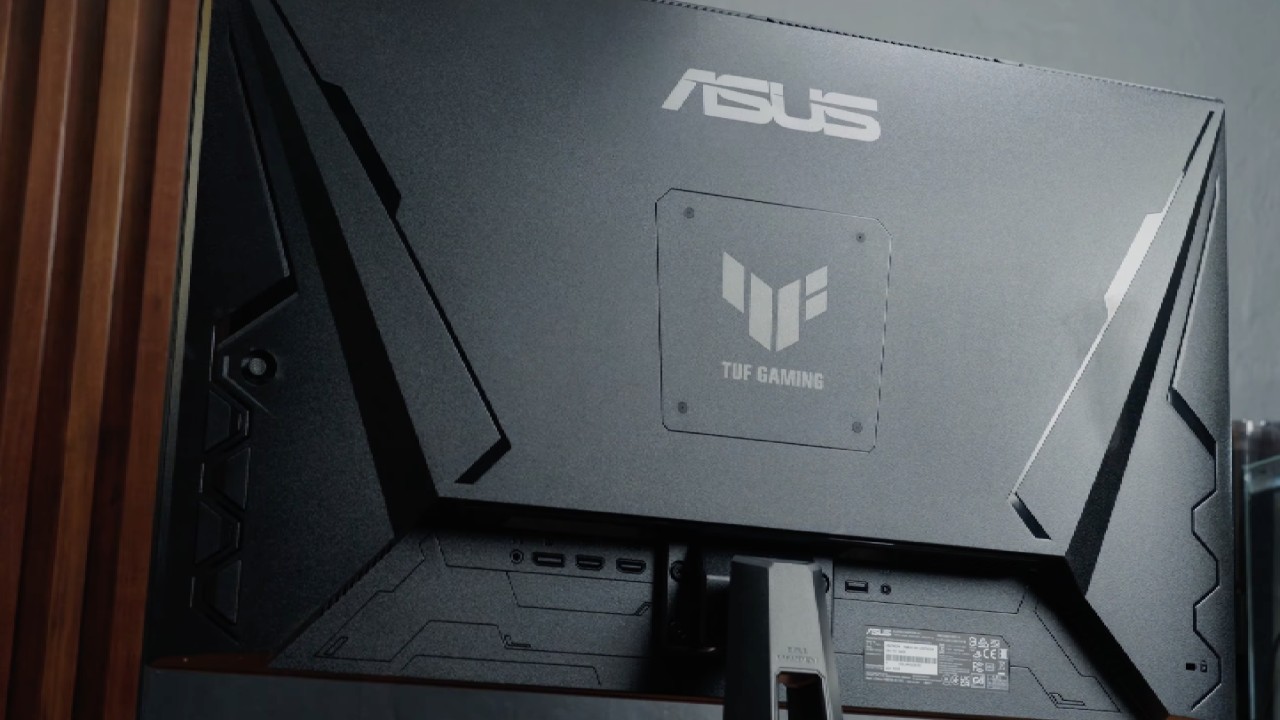
ASUS TUF VG27AQ3A
The ASUS TUF VG27AQ3A is a true example of "you get what you pay for," offering speed that surprised us for the price. The 180Hz refresh rate on its fast IPS screen felt very smooth in our tests, and the response time was sharp enough to keep up with pricier 240Hz models when overdrive was set just right.
The input lag was much lower than we expected, and the fast-paced shooter games felt crisp and quick. The colors are brighter than you might think; they cover 130% of the sRGB range, which makes games look better and even good enough for some light video editing.
The built-in speakers are the only big letdown. You will need headphones because they are too quiet and don't have enough bass. If you're a competitive gamer who cares most about speed and performance and doesn't have much money to spend, this is the best monitor for you.
AW2725DM by Alienware
The Alienware AW2725DM has a high-quality build that makes it stand out from the start. It just feels like a better monitor than others in this price range. The specifications are very similar to the ASUS, but this one is all about the looks.
The IPS screen with QHD resolution makes sharp, detailed pictures, and the HDR feature is better than expected, making game colors look bright and rich. The 180Hz refresh rate is more than enough for most players, and the gameplay feels smooth.
In competitive games, the refresh rate makes the game feel very responsive. Not having a headphone jack feels like an unnecessary omission, requiring you to run audio straight from your PC. This is the right monitor for you if you want something that works well and looks and feels like an expensive piece of gaming equipment for both gaming and daily use.
We would buy the ASUS TUF VG27AQ3A if we had to spend our own $200, because it seems to offer better overall gaming performance and motion clarity for competitive play.
Best Gaming Monitors Under $300
Our top picks for budget game monitors would be these if we had $300 to spend.
AOC Q27G3XMN
The AOC Q27G3XMN has been the best HDR display for a long time, and it's still hard to beat at this price for picture quality. When we started playing Cyberpunk 2077, the difference with the VA screen and its 336 mini LED dimming zones was clear right away.
Black colors look black and not gray. But you will feel the effects of some spending cuts. We had to spend about 20 minutes changing the settings until the colors looked right because they didn't look right at first. The refresh rate of 180 Hz is very smooth, but we saw some black smearing in dark scenes, which is something that happens a lot with VA panels.
When your frame rate drops to 60 fps, the input lag also feels a lot worse. It's great for getting into the game, but not the best choice for pros. This monitor is a great choice if you want to see true HDR and movie-like pictures without spending $600.
KTC M27T6
If the AOC is the king, the KTC M27T6 is the disruptor that changes everything about the spec sheet. We really don't know how that $300 monitor has 1152 dimmable areas. In our tests, that high zone count led to a lot less blooming around bright items.
The HDR brightness, on the other hand, is just as amazing, reaching levels that the AOC can't match. It has an HVA panel that seemed a little snappier than the AOC's normal VA panel, but it still shows some ghosting. The catch is that it needs polishing.
We had to change settings more often than we wanted to because the screen kept flickering when local dimming was fully on. It seems less polished, but there is no other ability per dollar that can match it. This is great for deal hunters who want top HDR specs and are okay with changing settings.
We would buy the KTC M27T6 if it were our money because the jump to 1152 zones makes the HDR picture much cleaner, which makes the firmware issues worth tolerating.
.jpg)
Best Gaming Monitors Under $400
Our first choices would be these if we had $400.
LG 27GP850-B
For years, the LG 27GP850-B has set the standard for 1440p gaming in the mid-range, and its Nano IPS panel still performs amazingly well against newer options. In our tests, the motion clarity at the 180 Hz setting, which was overclocked, was snappy enough that we could hardly tell the difference from 240 Hz screens that cost more.
That's how tight the response times are. This monitor is really great at showing colors. The wide color range makes games look bright and interesting right from the start. However, that efficiency does have a cost.
In a dark room, the contrast is bad; black looks like a cloudy gray, and the IPS glow is hard to miss during loading screens or scenes with little light. The build feels a little plasticky next to Alienware, but the stand works fine. This is best for gamers who want to see every detail in motion and have bright colors without spending more on a well-made product.
Alienware AW2723DF
When you put this next to the LG, you can immediately tell why it was more expensive. The build quality is much better, and the 280Hz overclocked frame rate feels very smooth in fast games like Valorant. The screen covering was what surprised us the most.
Many gaming monitors have a grainy matte finish. Still, Alienware uses a semi-gloss finish that makes the picture look sharper and cleaner. We also liked how bright it got—it can reach up to 600 nits! That level of brightness makes HDR useful for casual games, which is not something we usually say about IPS panels.
Like the LG, the contrast is still poor, so don't expect deep black colors. Having said that, the cost for speed and looks is worth it. This is great for people who play games competitively and want their setup to look high-end while also getting the clearest movements possible.
We would buy the Alienware AW2723DF if we had $400, because it feels much more high-end for the price, with the jump to 280 Hz and a better semi-gloss finish.

Best Gaming Monitors Under $500
These are the gaming monitors we'd buy if $500 was our only cash.
ASUS ROG Strix XG27UCG
The ASUS ROG Strix XG27UCG feels like a magic trick. It's the first dual-mode monitor that makes sense for the average player. In our tests, it felt like having two different screens: hitting a hotkey to quickly switch from sharp 4 K 160Hz for Cyberpunk 2077 to super-fast 1080p 320Hz for Valorant.
The fast IPS panel is bright and quick, but the 1080p mode looks a little less sharp than a screen that is natively 1080p. It isn't hazy; it's just not perfect.
The small stand makes it easy to use, but you can really notice the IPS glow in dark rooms after you've tried OLED blacks. If you use spreadsheets for work and then play ranked games at night, this is great.
AOC AGON Pro AG276QZD2
Around the $500 mark, it's hard to believe we finally have a QD-OLED this great. In comparison, traditional IPS screens look old next to this one. It was amazing to see games on this shiny 1440p screen. The endless contrast and 0.03ms pixel response time eliminated all motion blur.
On an LCD, it makes 240Hz feel like it's moving faster than 360Hz. We did see that peak brightness is more strictly limited, so white scenes look dimmer than on the ASUS, and not having HDMI 2.1 is a problem if you want to connect a console.
Even so, the colors are so bright that it looks like the picture was drawn on the glass. This is only for gamers who care more about deep immersion in visuals and smooth movement than sharp text or productivity.
The AOC AGON Pro AG276QZD2 would be our choice if we had $500 because the difference in picture and motion sharpness from OLED really feels like a new generation of technology.
Best Gaming Monitors Under $600
These are the affordable game monitors we'd choose if we had $600 to spend.
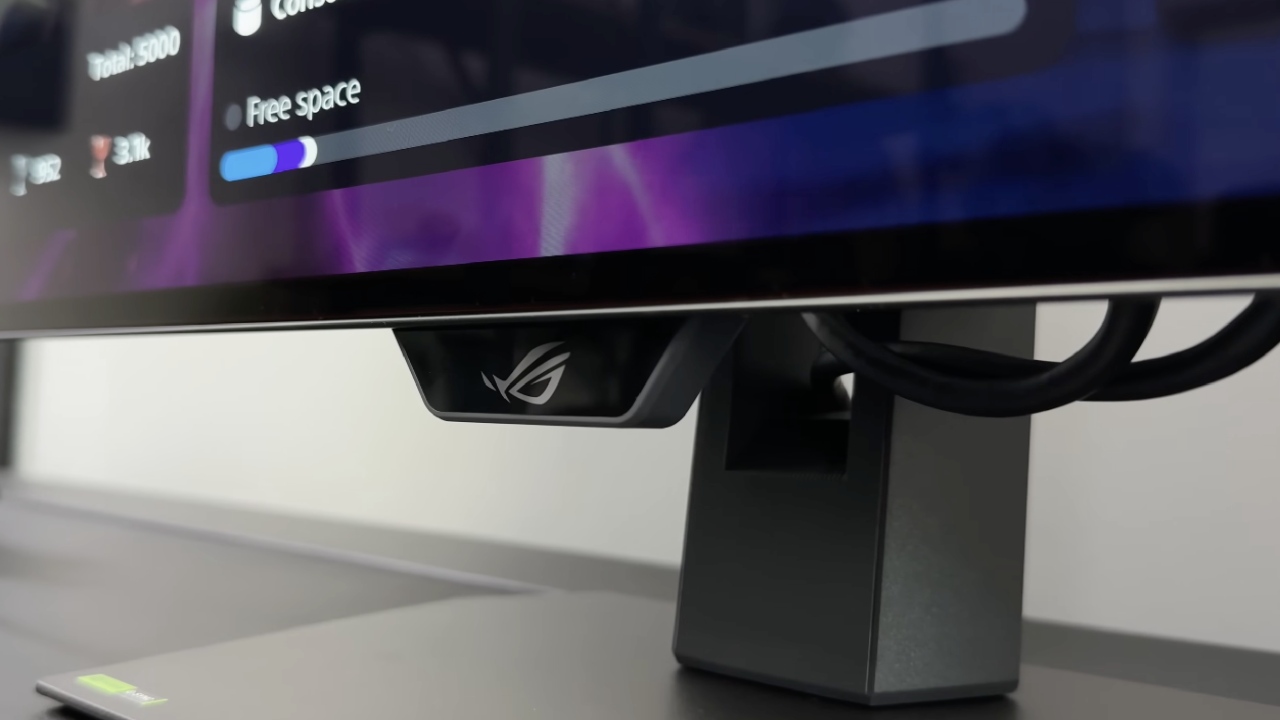
ASUS ROG Strix XG27AQDMG
This monitor is one of only a few WOLED panels with a glossy coating, which totally changes what you can expect at this price. That makes a huge difference. Our tests showed that the screen surface looked much better than the matte ones used for comparison.
The colors were bright and vivid, like inky wetness, and made games like Cyberpunk 2077 look like a really expensive TV. We also liked that it runs quietly because ASUS used a special passive heatsink instead of a fan.
The bad thing is that you have to be very careful with your lights. Just one desk lamp behind you can create sharp reflections that illuminate dark areas. If you play games in a dark room and want the best possible picture quality, this is the right choice.
LG 27GS93QE
The LG 27GS93QE is the better choice if you want a more flexible OLED that works in a normal living area. The matte finish spreads out light really well, so you can comfortably game during the day without annoying glares. We really liked the remote control that came with it.
Being able to change settings or inputs without having to move behind the monitor is a great convenience feature we wish more brands would copy. The text is only moderately clear, however, because of the subpixel layout, you'll see some color bleeding on small types.
This causes long reading sessions to feel a little less clear than on a regular 4K IPS screen. It is best for people who play games in bright rooms and prefer ease of use over the largest possible contrast.
We would buy the ASUS ROG Strix XG27AQDMG if we had $600 because the glossy cover really enhances OLED contrast and makes the picture look much better than LG's matte finish.
Also, check our other hardware articles:
- AMD Ryzen 9 9950X3D Review: Setting The Standard For 2025 Gaming CPU
- Amazon Luna 2025 Review: Is Prime Gaming's Cloud Service Your Go-To For Casual Fun?
- AMD RX 9070 XT Review: AMD's RDNA 4 Champion for 1440p Gaming
- GeForce Now Ultimate: Ditching Your Gaming PC For Cloud RTX 4080 Power?
- NVIDIA GeForce RTX 5080 Review (2025): Still A 4K Gaming Powerhouse?
- Intel Core Ultra 9 285K Review And Performance Breakdown (2025)
- AMD Ryzen 7 9800X3D Review: 3D V-Cache Goes God Mode with Stunning Gaming Performance
- Intel Core Ultra 9 285K vs AMD Ryzen 7 9800X3D: In-Depth Gaming Performance and Benchmark Comparison
- NVIDIA GeForce RTX 5080 Super Performance In Cyberpunk 2077: Path Tracing & DLSS 4.0 Tested
- AMD Radeon RX 9070 XT In Cyberpunk 2077: Ray Tracing & FSR 4.0 Tested
- Intel Arc B580 Review: The $250 GPU Revolutionizing 1440p Gaming
- Intel Arc B570 Vs. B580: Value, Specs, And Real-World Gaming Performance
- RTX 5090 Laptop Vs. M4 Max MacBook Pro: Ultimate Raw Performance Vs. Battery Endurance
- Intel Arc b580 Vs. RTX 4060: Game Performance And Value Analysis
- RTX5090 Hell Is Us Demo 4K Ultra Benchmark: DLSS Vs. Native Performance Guide
- NVIDIA RTX 5070 Review: Mid-Range Muscle or Marketing Hype?
- Nintendo Switch 2 Review: Handheld Performance, Features & Value Breakdown
- RTX 5070 Ti Review: Performance, Thermals & Power Efficiency Tested
- Samsung Odyssey OLED G81SF Review 2025: Ultimate 32-Inch QD-OLED Gaming Monitor
- AMD RX 9070 Performance Review: Thermals, Clocks, and Real-World FPS
- AMD Ryzen 5 7600 Review: Best Budget Gaming CPU of 2025?
- AMD Radeon RX 7800 XT Review: RDNA 3 Power For Midrange Gaming
- Asus ROG RTX 5090 Astral OC Vs. Founders Edition: The 4K Gaming Benchmark
- Intel Core i5-13400F Gaming Performance: Still Worth It in 2025?
- ASUS GeForce RTX 5090 LC Liquid Cooled GPU Review: Unmatched Silence & Speed
- ASUS ROG Ally X Handheld Review: Double the Battery, Double the Comfort
- Lenovo Legion Go S Review: The Ultimate Steam Deck 2 Alternative
- Sapphire NITRO+ AMD Radeon RX 9070 XT Review: The Ultimate 4K Gaming GPU
- Alienware 16 Area 51 Review: The Ultimate 2025 Gaming Laptop
- Alienware Area-51 Review: Unmatched 4K, Thermal, and Acoustic Performance
- AMD Ryzen 7 7800X3D: Delivers Gaming Performance Far Beyond Expectations
- AMD Ryzen 9 7900X Review: Powering the AM5 Era with DDR5 & PCIe 5.0
- Intel Core i9‑14900K vs. AMD Ryzen 7 7800X3D: Power Profiles & Gaming Benchmarks
- Intel Core i9 14900K: Specs, Benchmarks, and Competitor Comparison
- ASRock Radeon RX 7800 XT Challenger OC Review: Best Price-to-Performance GPU of 2025
Editor, NoobFeed
Gaming Hardware Updates
No Data.