
AMD FSR Redstone vs DLSS: Image Quality, Shadows, and Particle Effects Compared
Compare FSR Redstone and DLSS frame generation for image quality, shadow stability, particle effects, and visual clarity.
Hardware by Mitsuba Miyu on Dec 14, 2025
FSR Redstone is the newest graphics technology from AMD, released under the FSR name and considered a new era of game innovation. But the release comes with some big problems.
The top frame generation feature has obvious issues in real-world use, and the most important new features are only available on RDNA4 GPUs. Hopes for a significant change that will make AMD work just like other options aren't met, especially when it comes to frame generation behavior.
.jpg)
What Is Redstone AMD FSR?
FSR Redstone is a group of AMD features and technologies that are coming out together under the name "FSR." FSR4 upscaling, released earlier this year, is now part of Redstone. AMD has quietly removed version numbers and now just calls it FSR upscaling. There are no changes in how things are done technically; this is just the same FSR4 technology with a new name.
Frame generation for FSR is the first of the truly new features. AI drives this one and uses a machine learning model to improve the visuals. Next to it is FSR ray regeneration, a neural network denoiser for ray tracing that looks a lot like Nvidia's ray reconstruction. FSR radiance caching is another option. It uses a neural network to store and adapt lighting data, thereby speeding up the ray tracing process.
None of these important Redstone technologies work with anything else; they are compatible only with the RX9000 line and the RDNA4 architecture. This level of uniqueness applies to both AI-powered FSR upscaling and the new frame generation model.
Even though there were reports of greater support for older architectures, Redstone is only compatible with RDNA4 and designs built after it. On older GPUs, not all features have a backup. Radiance caching and ray regeneration for FSR do not work at all on RDNA3 and older systems.
With FSR upscaling and frame generation, there is a fallback choice that isn't new. GPUs from RDNA1 to RDNA3.5 use the current FSR3 analysis model. RDNA4 is the only architecture to receive the new Redstone features enabled by machine learning. This means that people who already have Radeon graphics cards won't notice much of a change.
Missing FSR4 INT8 Support
Not having FSR4 INT8 support is one of the most disappointing things. AMD has released source code for an INT8 version of FSR4, and tests show it works really well on RDNA2 and RDNA3 hardware. Since the systems in question don't have access to FP8 instructions used by full FSR4 but do have access to INT8, this would have been a great backup choice.
At the start, though, FSR upscaling still falls back on the older FSR3 analytical model. Even though it's possible to get FSR4 INT8 working through third-party means, AMD hasn't said anything about whether the feature will ever be officially released.
Availability of Redstone Features
Even though it has problems, Redstone does add several new machine-learning-based technologies for users with the latest hardware. Ray regeneration is already in Call of Duty: Black Ops 7 online, and the wider Redstone release didn't include any changes. Right now, this is the only title that has this ability.
Radiance caching in FSR is not yet available, but it is scheduled to be released sometime in 2026. That makes FSR frame creation the easiest-to-use Redstone feature when it first comes out.
FSR Redstone frame creation works by upgrading at the driver level. If a game already works with FSR 3.1.4 or later, the latest Radeon driver can switch it to the new ML-based version. At launch, about 30 games are enabled, such as Cyberpunk 2077, Black Myth: Wukong, Hogwarts Legacy, and Call of Duty: Black Ops 7. Developers can also add Redstone directly, but right now, the driver option is the only way to do so.
Frame Pacing Problems
The main problem with FSR Redstone frame creation is that it doesn't perform well in real life due to ongoing frame pacing issues. These problems were found in the first version of FSR3 almost 2 years ago, and they are still present in Redstone. The update probably doesn't make it any better how frames are given to the display, since there is no evidence that it does.
Using a high-speed camera to film a real monitor is the most accurate way to see frame pace. Software and fixed-refresh capture cards don't display frames correctly, particularly when flexible sync is enabled. Slow-motion video shows how frames are spread in real life.
When adaptive sync is turned on, frame delivery is steady and smooth, even with frame generation disabled and the game running at 4K and about 60 frames per second. When FSR Redstone frame generation is on, the result often gets choppy and jittery. Frames don't come at regular intervals, so sometimes there are two frames in a row, followed by a longer pause, which is like a double-tap effect. This happens not just when the camera is moving quickly, but also when it's just moving forward.
DLSS frame creation on similar hardware, on the other hand, produces a much smoother, more evenly paced output. Nvidia's fix always avoids the inconsistent frame rate that FSR exhibits in a number of games.
Consistency Across Games and Systems
Many of the titles tested with FSR Redstone frame generation exhibit frame pacing issues. God of War Ragnarok, Hogwarts Legacy, GTA 5 Enhanced Edition, F1 25, and Cyberpunk 2077 are a few of them. On the other hand, the same games with DLSS frame creation stay smooth and well-timed.
There are a few cases. The Mafia: The Old Country has a fairly steady frame rate, which makes it look very similar to DLSS. Myth of the Black Wukong also does a better job than most, with only a little choppiness in some scenes. But these are the cases, not the rule.
Testing across different computers and displays shows the problem isn't limited to one setup. The same frame-pacing issues appear across different sets of hardware. This means there is a fundamental problem with how FSR frame creation works right now.
Why Frame Pacing Breaks
On a scientific level, the issue appears to stem from frame delays that aren't properly configured. For instance, if a game runs at 100 fps and frame generation delivers 200 fps, the frames should be shown every 5ms. This needs delaying frames that are created so that they are evenly spaced with frames that are rendered.
If created frames are shown too soon after rendered frames, the timing will be off. Adaptive sync monitors make this problem worse by trying to display frames as soon as they are ready. The result is noticeable judder and screen tearing, even with flexible sync enabled. In most variable sync setups, VSync doesn't fix the problem.
The issue is more evident on screens with high refresh rates, such as 240 Hz or higher. These screens show the uneven pacing more clearly. On the other hand, displays with lower refresh rates may hide some of the problem, but with the tradeoff of more tearing.
AMD has said these results are accurate and is looking into the problem. Since FSR3, similar issues have persisted, so it's probably not a simple driver toggle that will fix everything.
Frame Generation Image Quality
If frame pacing were fixed, FSR Redstone's picture quality would be really competitive. In controlled test settings with fixed frame rates and forced VSync, side-by-side comparisons show clear differences compared to the older analytical model.
In Mafia: The Old Country, Redstone makes shadow stability much better than FSR3.1, bringing it closer to the quality of DLSS. Moving trees are handled especially well, and they sometimes look better than DLSS. Grass looks a little blurrier but steadier from one frame to the next.
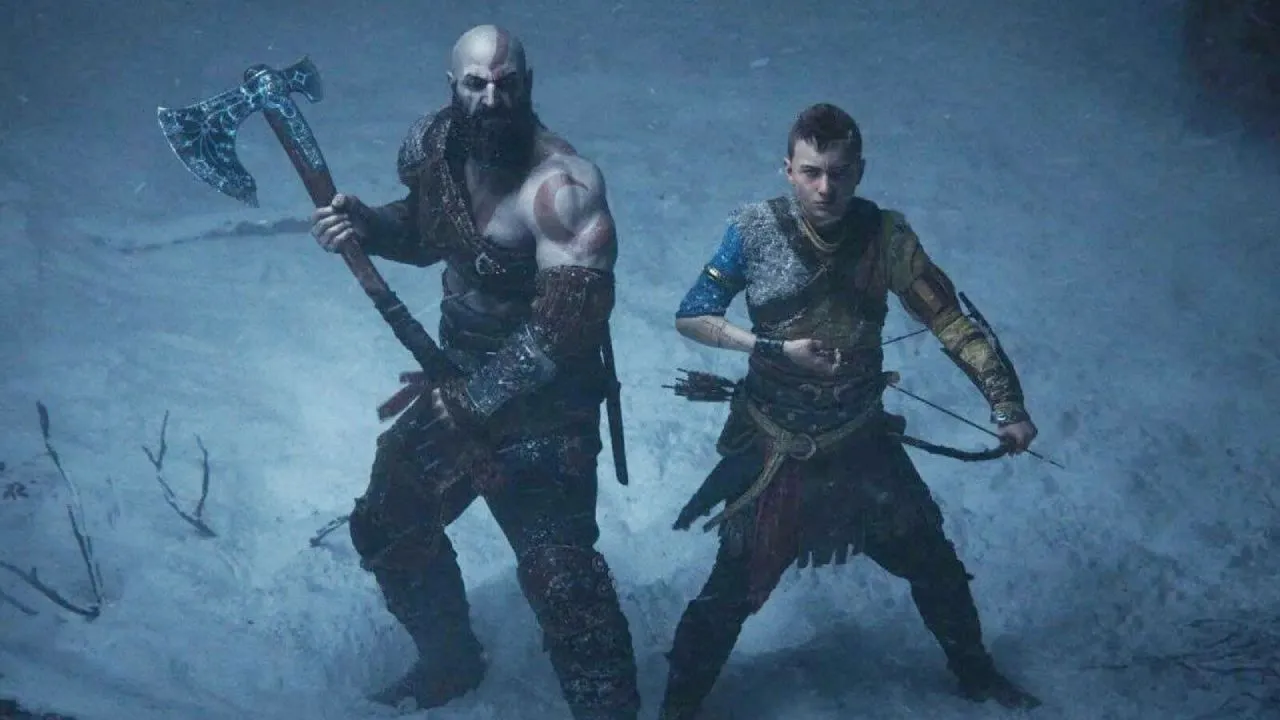
In God of War Ragnarok, each technology has its own pros and cons in different scenes. FSR Redstone makes some surfaces look more stable, but DLSS performs better in other motion cases. In F1 25, Redstone improves shadow stability and fine-detail interpolation over FSR3.1, but DLSS is better at preserving road surfaces.
Hogwarts Legacy shows how each piece of technology shows different kinds of items at different times. Particle effects work a little better with DLSS. Still, FSR Redstone works well and is much better than the older mathematical model.
FSR Redstone works the worst with Cyberpunk 2077. The output has blur and grain that aren't seen in other games. This could be due to poor implementation or limitations in the engine.
Performance and FPS Output
FSR Redstone frame generation doesn't add much extra time compared to the analytical form. In some cases, it even goes a little faster. In high-frame-rate situations, total FPS only drops by a few frames or about 3% in most games.
When compared directly, frame generation with FSR usually has a little less cost than DLSS on the same hardware. In some cases, Redstone output frame rate increases are equal to or better than DLSS gains, which range from about 40% to over 70% based on the title.
Final Thoughts
FSR Redstone frame generation improves image quality with little impact on speed. However, frame pacing remains broken in real-world setups. The whole point of frame generation is defeated when the output on adaptive sync monitors, which are the standard for modern games, is often choppy and jittery.
Image quality has gotten close to DLSS in many situations. However, Nvidia's frame generation remains smooth across every game tested. If you're into frame generation today, a GeForce GPU is still the best option.
If AMD can fully fix frame pacing problems, FSR Redstone frame creation could become a good option. Up to that point, the technology was not as good as it could have been. Radiance caching has been pushed back to 2026, ray regeneration is only available for one game, and there is no official FSR4 INT8 support, so Redstone's overall effect is still pretty small. It's clear that AMD is putting a lot of work into its graphics software stack, but gamers won't see big improvements for a while, and the software will need to be fixed in a big way.
Also, check our other hardware articles:
- AMD Ryzen 9 9950X3D Review: Setting The Standard For 2025 Gaming CPU
- Amazon Luna 2025 Review: Is Prime Gaming's Cloud Service Your Go-To For Casual Fun?
- AMD RX 9070 XT Review: AMD's RDNA 4 Champion for 1440p Gaming
- GeForce Now Ultimate: Ditching Your Gaming PC For Cloud RTX 4080 Power?
- NVIDIA GeForce RTX 5080 Review (2025): Still A 4K Gaming Powerhouse?
- Intel Core Ultra 9 285K Review And Performance Breakdown (2025)
- AMD Ryzen 7 9800X3D Review: 3D V-Cache Goes God Mode with Stunning Gaming Performance
- Intel Core Ultra 9 285K vs AMD Ryzen 7 9800X3D: In-Depth Gaming Performance and Benchmark Comparison
- NVIDIA GeForce RTX 5080 Super Performance In Cyberpunk 2077: Path Tracing & DLSS 4.0 Tested
- AMD Radeon RX 9070 XT In Cyberpunk 2077: Ray Tracing & FSR 4.0 Tested
- Intel Arc B580 Review: The $250 GPU Revolutionizing 1440p Gaming
- Intel Arc B570 Vs. B580: Value, Specs, And Real-World Gaming Performance
- RTX 5090 Laptop Vs. M4 Max MacBook Pro: Ultimate Raw Performance Vs. Battery Endurance
- Intel Arc b580 Vs. RTX 4060: Game Performance And Value Analysis
- RTX5090 Hell Is Us Demo 4K Ultra Benchmark: DLSS Vs. Native Performance Guide
- NVIDIA RTX 5070 Review: Mid-Range Muscle or Marketing Hype?
- Nintendo Switch 2 Review: Handheld Performance, Features & Value Breakdown
- RTX 5070 Ti Review: Performance, Thermals & Power Efficiency Tested
- Samsung Odyssey OLED G81SF Review 2025: Ultimate 32-Inch QD-OLED Gaming Monitor
- AMD RX 9070 Performance Review: Thermals, Clocks, and Real-World FPS
- AMD Ryzen 5 7600 Review: Best Budget Gaming CPU of 2025?
- AMD Radeon RX 7800 XT Review: RDNA 3 Power For Midrange Gaming
- Asus ROG RTX 5090 Astral OC Vs. Founders Edition: The 4K Gaming Benchmark
Editor, NoobFeed
Gaming Hardware Updates
No Data.