
Full ASRock Hardware Setup: GPU and Motherboard Performance Review
Benchmarking the ASRock Challenger 970 XT and B850i Lightning Wi-Fi motherboard to evaluate performance, reliability, and overall value.
Hardware by Tanisha Aria on Nov 23, 2025
A full ASRock setup was the subject of a hardware experiment not long ago. An ASRock CPU and GPU were chosen to see how well they work together.
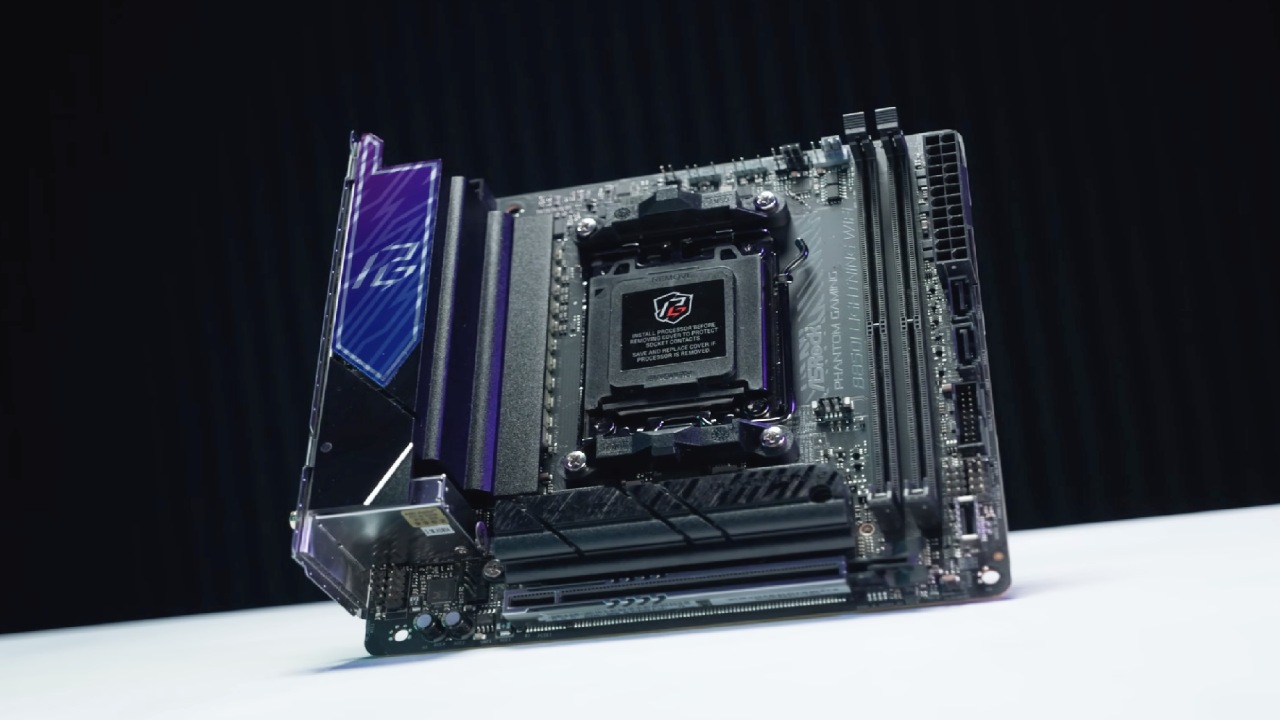
The ASRock Challenger 9070 XT GPU and the ASRock B850i Lightning Wi-Fi processor were two of the parts. The only MSRP choice available in our area was the 9070 XT, and the B850i Lightning Wi-Fi has a bad name for being linked to problems with the 9800 X3D CPUs.
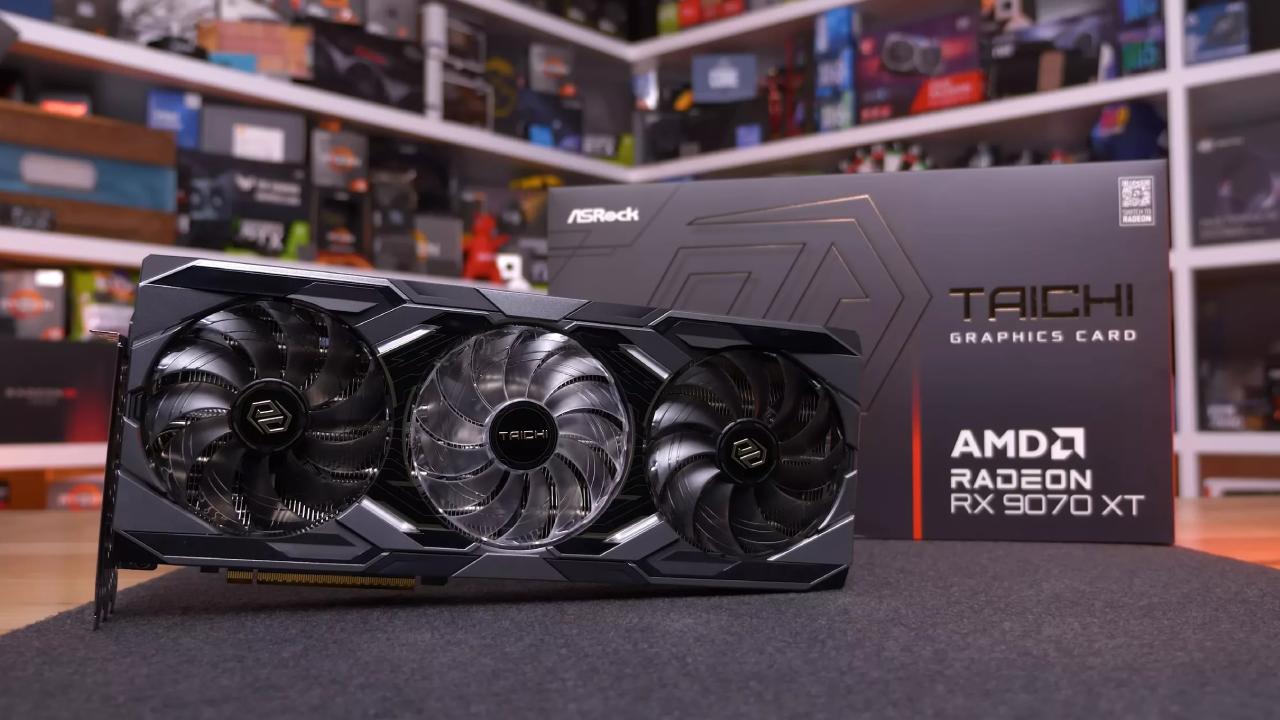
Even though the price and specs of this computer are appealing, you can't ignore the risks that come with it. Some deals in this price range look good, but you should be very careful.
Hardware Side by Side
The changes in speed and cost were looked at before and after switching to the ASRock setup. Overall, the move saved a little more than $60, which isn't much given the hardware risks.
The ASRock B850i PG Lightning was replaced with the Gigabyte B650i Aorus Ultra. This means switching from a system that works well to one that might hurt the CPU.
The change to the GPU was bigger. The Power Color Hellhound 9070 XT costs $629.99 before taxes, but the ASRock Challenger 9070 XT costs about $3217 after taxes. There were, however, some downsides to this.
The Power Color comes with a two-year guarantee, but the ASRock GPU only has a one-year guarantee. It takes 317 watts to run the Power Color, while the ASRock uses only 304 watts.
The Power Color also has a dual BIOS switch and a larger card, both of which help cool the computer and make it more stable overall. This is a big step backwards in terms of Tech.
Summary of the CPU Benchmark
These tests were conducted on Call of Duty: Warzone, Lords of the Fallen, Hogwarts Legacy, and Cyberpunk 2077 at 1080p across a variety of settings. The results showed a 3-5% performance gap, which was a little bigger than expected. This difference could be due to differences in processors and power delivery.
Because the B850i Lightning has been known to kill 9800 X3D CPUs, ASRock may have changed the voltages or power limits to protect the CPU. This could explain why performance has gone down.
Summary of the GPU Benchmark
Built-in benchmarks for Cyberpunk 2077, GTA 5 Enhanced, Forza Horizon 5, and Black Myth Wukong were used to test the GPU at 4K with a variety of settings. Both the ASRock Challenger and the Power Color Hellhound performed about the same overall.
Even though the result was good enough, it was hard to go all the way with ASRock. The Power Color card won out because it was reliable, came with a warranty, and offered features such as dual BIOS switches. It was kept and used again.
Hardware Choices
In the end, the ASRock motherboard was kept to see if ASRock could fix or improve it. Still, the PowerColor Hellhound 9070 XT stayed in use because it offered a better warranty and more features.
The ASRock Challenger worked fine, but the Power Color GPU was a better choice because it had a dual BIOS switch, a two-year guarantee, and better heat dissipation. It was interesting to see how ASRock's hardware works with powerful CPUs in the ASRock system.
Looking Forward
It's hard to choose between the MSI Vector 16 and the Lenovo Legion Pro 5i. The Lenovo model has 6400 RAM and an OLED screen that runs at 240Hz, while the MSI Vector 16 has only half as much RAM and a slightly slower memory setup.
After taxes, the price difference is about $450, which makes me wonder if the higher price is worth it. By comparing and benchmarking these models, you can better understand their value.
The MSI Vector 16 is a great choice for gamers who want good quality without spending a lot of money. It costs $1,300 and has great performance and features.
Also, check our other hardware articles:
- AMD Ryzen 9 9950X3D Review: Setting The Standard For 2025 Gaming CPU
- Amazon Luna 2025 Review: Is Prime Gaming's Cloud Service Your Go-To For Casual Fun?
- AMD RX 9070 XT Review: AMD's RDNA 4 Champion for 1440p Gaming
- GeForce Now Ultimate: Ditching Your Gaming PC For Cloud RTX 4080 Power?
- NVIDIA GeForce RTX 5080 Review (2025): Still A 4K Gaming Powerhouse?
- Intel Core Ultra 9 285K Review And Performance Breakdown (2025)
- AMD Ryzen 7 9800X3D Review: 3D V-Cache Goes God Mode with Stunning Gaming Performance
- Intel Core Ultra 9 285K vs AMD Ryzen 7 9800X3D: In-Depth Gaming Performance and Benchmark Comparison
- NVIDIA GeForce RTX 5080 Super Performance In Cyberpunk 2077: Path Tracing & DLSS 4.0 Tested
- AMD Radeon RX 9070 XT In Cyberpunk 2077: Ray Tracing & FSR 4.0 Tested
- Intel Arc B580 Review: The $250 GPU Revolutionizing 1440p Gaming
- Intel Arc B570 Vs. B580: Value, Specs, And Real-World Gaming Performance
- RTX 5090 Laptop Vs. M4 Max MacBook Pro: Ultimate Raw Performance Vs. Battery Endurance
- Intel Arc b580 Vs. RTX 4060: Game Performance And Value Analysis
- RTX5090 Hell Is Us Demo 4K Ultra Benchmark: DLSS Vs. Native Performance Guide
- NVIDIA RTX 5070 Review: Mid-Range Muscle or Marketing Hype?
- Nintendo Switch 2 Review: Handheld Performance, Features & Value Breakdown
- RTX 5070 Ti Review: Performance, Thermals & Power Efficiency Tested
- Samsung Odyssey OLED G81SF Review 2025: Ultimate 32-Inch QD-OLED Gaming Monitor
- AMD RX 9070 Performance Review: Thermals, Clocks, and Real-World FPS
- AMD Ryzen 5 7600 Review: Best Budget Gaming CPU of 2025?
- AMD Radeon RX 7800 XT Review: RDNA 3 Power For Midrange Gaming
- Asus ROG RTX 5090 Astral OC Vs. Founders Edition: The 4K Gaming Benchmark
- Intel Core i5-13400F Gaming Performance: Still Worth It in 2025?
- ASUS GeForce RTX 5090 LC Liquid Cooled GPU Review: Unmatched Silence & Speed
- ASUS ROG Ally X Handheld Review: Double the Battery, Double the Comfort
- Lenovo Legion Go S Review: The Ultimate Steam Deck 2 Alternative
Contributor, NoobFeed
Gaming Hardware Updates
No Data.