
GeForce RTX 5070 Ti Forza Horizon5 Benchmark From 1080p to 8K Performance Tested
Detailed Forza Horizon 5 benchmark results highlighting RTX 5070 Ti performance from1080p to 8K across multiple graphics configurations.
Hardware by Shinji Okazaki on Jan 26, 2026
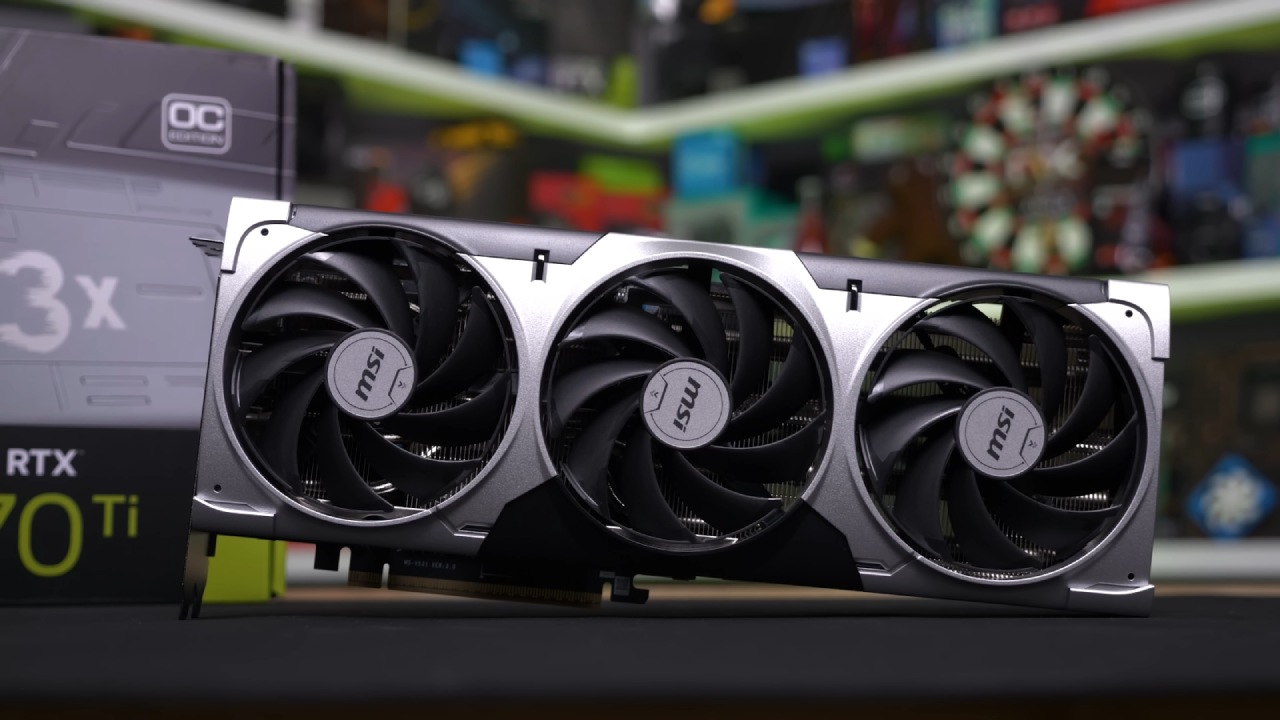
GeForce RTX 5070 Ti was tried with the newest Nvidia drivers and without any overclocking done by hand. The exact one that was used was the MSI Ventus 3X. It had 32GB of RAM and a Ryzen 9 7980X3D CPU.
GPU-Z proved that all of the GPU's specs were correct. Picture quality, performance scaling, DLSS behavior, frame generation, and resolution scaling from 1080p to 8K were the major things that were looked at.
Settings for graphics and the baseline configuration
All tests were run at 3840x2160 resolution with the game's highest settings. Even if it came out in 2021, Forza Horizon 5 is still well-optimized. We used the Nvidia program to set up TAA, DLAA, and DLSS presets for anti-aliasing tests. For DLSS quality and balanced modes, presetK was used; for DLSS performance, presetM was used. This is how DLSS 4.5 worked.
Native 4K Performance with TAA
With TAA on and native 4K, the average frame rate was about 121fps. The picture remained clear, with no obvious ghosting of faraway birds, power lines, or trees. This title's TAA doesn't add the softness thatis common in other games, especially at 4K resolution.
Analysis of DLAA and DLSS 4.0 PresetK
When I switched to DLAA using the DLSS 4.0 presetK, my frame rate dropped from 121 to about 107. Compared to TAA, image clarity improved slightly. Still, in scenes with heavy motion, some ghosting became noticeable. Even though the clarity of still images was high, some ghosting artifacts appeared when things moved quickly. Since DLAA operates at its own resolution, the performance drop wasn't worth it, especially since TAA is stable.
DLSS Performance Mode with PresetM
When using DLSS performance mode with presetM, the frame rate reached about 127 fps while rendering at 1080p and upscaling to 4K. Compared to presetK, ghosting was much less of a problem, but several scenes still had some ghosting. Even on faraway things, the picture was still very clear. Performance was about the same as, or slightly better than, native TAA results. However, TAA was the better choice for consistency because it still showed some ghosting.
Final4K Verdict and Image Stability Comparison
Going back to native 4K with TAA brought performance back up to about 120fps. Ghosting was completely gone, and the look of all the scenes was more consistent. Even though DLSS 4.5's performance mode gave identical frame rates, TAA still handled motion better. The slight improvement in performance of about 10 fps was not enough to offset the benefit of consistent image quality. Forza Horizon 5 runs best at its native resolution without scaling.
Frame Creation and Latency Behavior
Performance increased to about 140 fps when 2x frame creation was enabled. Frame generation turned on Reflex automatically, and latency stayed between 30 and 38 milliseconds, based on how complicated the scenario was. When you turned off frame creation, Reflex was also turned off, so the delay stayed the same. Frame generation made the game run more easily without adding lag. This meant that players who wanted higher refresh rates could still react quickly.
Testing at 1440 p.m.In open places, the frame rate ranged from 170 to 180 fps, while in crowded city areas, it decreased to around 140 fps. Changing to the DLSS 4.5 presetpreset M reduced performance to about 120 fps, but the visuals were a little clearer. TAA was the better choice at 1440p because it lost about 50fps in performance. The image was stable, with very few motion artifacts.
Results for 1080p Performance
In racing, the frame rate was over 170 fps at 1920x1080, and it was close to 200 fps in other scenarios. The quality of the images stayed the same, and the performance increased in a straight line. Even with a lot of cars on the screen, frame rates stayed above 160 fps. The experience didn't need to be upscaled or have frames made because it was already smooth.
Testing Native 8K at the Highest Settings
At 7680x4320 resolution with the highest settings and TAA disabled, the average frame rate was 40-45 fps. The images were clearer, but the shimmering in the distance was still noticeable on thin geometry. Even though the resolution was high, the game was still playable. The engine's efficiency was demonstrated by its ability to reach 40 fps at native 8K, surpassing most other recent games.
Performance at 8K High Settings
The performance went up to about 90 fps when I set the settings to high at native 8K. There was less surface texture, ambient occlusion, and reflections, but the picture quality was still good overall. This shows how well the game works at lower levels because the score gains were big.

Scaling for 4K High Settings Optimization
Performance reached about 200 fps at 4K resolution with TAA enabled and set to high. This was about twice as fast as the fastest setting, which was around 100 fps. The visual quality remained good, indicating that the optimization settings worked. When you scaled performance, it was a lot better than in most games.
Overall Performance Observations
Forza Horizon 5 works well on all screen sizes. Native 4K with TAA gets you the best picture quality and speed. DLSS settings still work, but you don't need to use them because they don't change much and can make things look bad. When the settings are changed, the RTX 5070 Ti works well with images up to 8K. In any setting, the game works well, even on older devices.
Final Thoughts
Tests showed that the RTX 5070 Ti performs well at all tested resolutions without requiring much upscaling. Native rendering is still the best choice because it makes images stable and performance behavior predictable. Forza Horizon 5 is still a great example of how to optimize an engine and make it work across a wide range of modern hardware.
Also, check our other NVIDIA articles below:
- NVIDIA GeForce RTX 5080 Review (2025): Still A 4K Gaming Powerhouse?
- NVIDIA RTX 5070 Review: Mid-Range Muscle or Marketing Hype?
- RTX 5070 Ti Review: Performance, Thermals & Power Efficiency Tested
- ASUS GeForce RTX 5090 LC Liquid Cooled GPU Review: Unmatched Silence & Speed
- MSI GeForce RTX 5090 32GB SUPRIM SOC Review: Power Efficiency, Cooling, and Gaming Performance
- INNO3D RTX 5060 Ti 16 GB X2 Review: Gaming Benchmarks, Temps, and Power Efficiency
- HP Omen 45L Review: RTX 5090 Performance, Thermals, and Value Analysis
- ASUS TUF Gaming GeForce RTX 5060 Ti Review: DLSS 4, Power Efficiency, and Gaming
- ASUS Prime RTX 5060 Ti OC 16GB Review: DLSS 4, Ray Tracing, & Thermals Tested
- NVIDIA GeForce RTX 5060 Review: Specs, Gaming, and Cost per Frame
- MSI GeForce RTX 5090 GAMING TRIO OC Review: A Monster Power GPU
Editor, NoobFeed
Gaming Hardware Updates
No Data.