
NVIDIA GeForce RTX 5090 Hogwarts Legacy Performance Test at4K With DLSS and Frame Generation
A detailed performance breakdown of Hogwarts Legacy at4K resolution using RTX5090 with DLSS frame generation and ray tracing.
Hardware by Shinji Okazaki on Dec 13, 2025
Hogwarts Legacy is still a tough Unreal Engine 4 game, especially when played at high resolutions and with advanced rendering settings turned on. Epic Games Store is currently offering a limited-time free-to-play period for the game until December 18, 2025.
This is a great chance to test how well it works on high-end hardware.
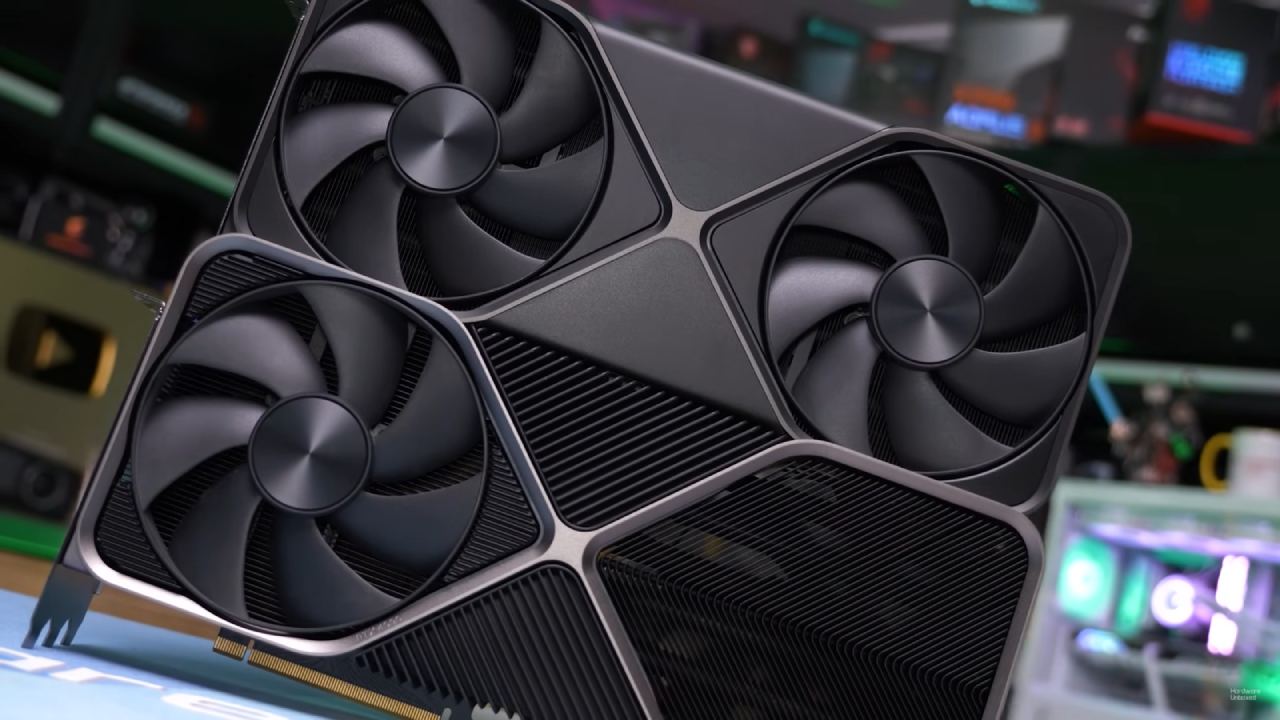
System and Setup for Testing
The testing system has a GeForce RTX 5090 Founders Edition, a Ryzen 79800X3D, and 32GB of DDR5 RAM running at 6000 MT/s CL28 in dual-channel mode. The graphics card uses the most recent NVIDIA drivers and has not been manually overclocked. GPU-Z checks the GPU's parameters.
An Overview of Graphics Settings
You can't use exclusive full-screen mode; thus, testing starts at native resolution in windowed full-screen mode. At first, NVIDIA DLAA is on, and the resolution scale stays at 100% with no upscaling. During baseline testing, frame generation is turned off. You select the Ultra preset, which sets all settings to their highest levels except for ray tracing, which you verify yourself.
Performance in Native4K Without Ray Tracing
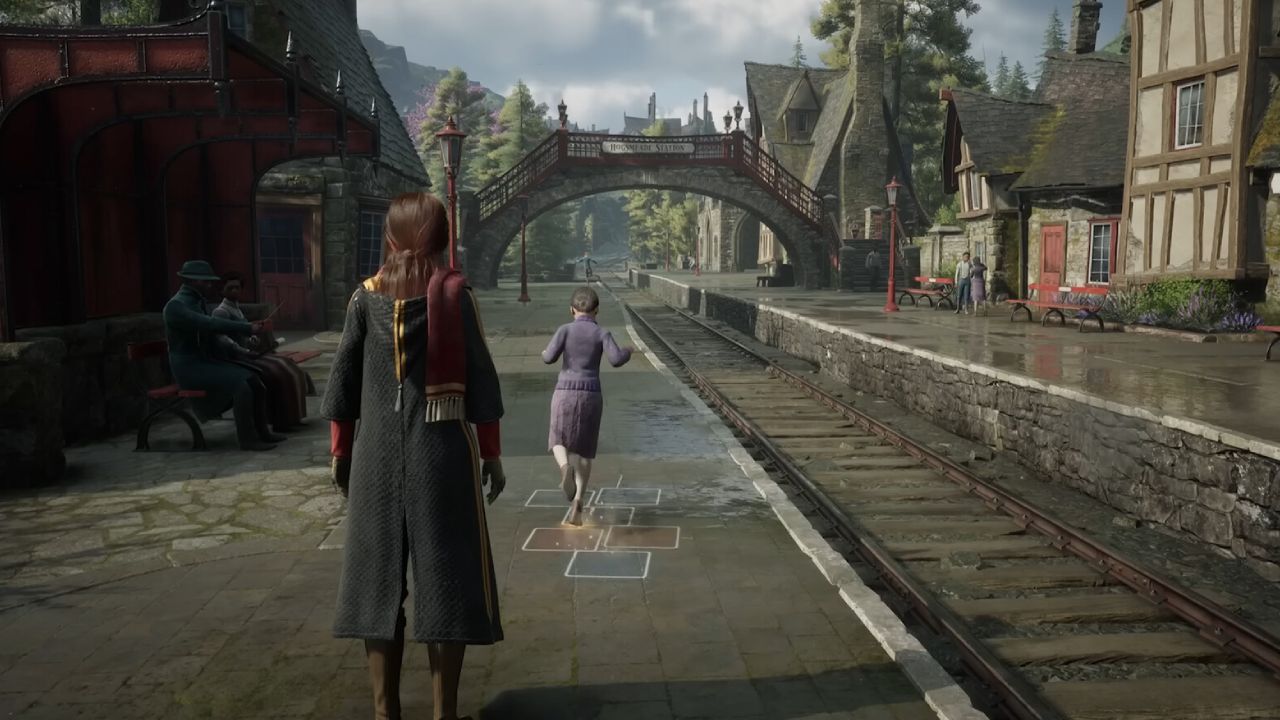
The lowest frame rates settle around 69fps, and the average frame rates go up as you walk about and fly on a broom. When you fly across open spaces, the GPU has to work harder, which keeps it at almost 100% utilization and frame rates often in the low 100s. Dense flora and forest areas can cause frame rates to drop to the 90fps range, while overall performance remains the same outside CPU-bound areas.
Evaluation of DLSS Quality Mode
When you switch to DLSS Quality, the game is rendered at 1440p and then upscaled to 4K. There aren't many visual variations between DLAA and this one. The only noise heard is a little when the camera moves quickly through the trees. Compared to the game's built-in TAA solution, which used to seem soft due to Unreal Engine 4's limitations, the image quality is better.
Performance improves slightly in parts limited by the GPU, but remains mostly the same in sections limited by the CPU, such as Hogsmeade. DLSS Quality is a good choice for achieving higher native frame rates without using frame generation. It also keeps the visual quality close to native resolution.
DLSS Performance Mode
Before upscaling to 4K, DLSS Performance decreases the internal resolution to 1080p. When you move around in an open environment, the frame rates go up a lot, typically hitting 170 to 190 fps. Even with this improvement, CPU-bound behavior still occurs when there are many NPCs or at certain camera angles, making the GPU less useful and causing stuttering.
Analysis of Frame Generation
To create frames, you need to enable DLSS upscaling. When DLSS Quality and 2x frame generation are enabled, frame rates increase significantly, especially in regions where the CPU is most important. Hogsmeade benefits the most because it has smoother frame pacing and less microstutter than native rendering. In many cases, frame rates exceed 200 fps, making high-refresh displays look smoother.
4x frame generation further improves performance, often exceeding 300 fps and sometimes reaching 500 fps. However, visual stability starts to deteriorate, especially around leaves and small details near the player character. Artifacts from reconstruction and more noise become more obvious. This makes 2x frame generation the best choice for a good mix between smoothness and image stability.
How Ray Tracing Affects Performance
Enabling native ray tracing significantly affects performance. Reflections are fully ray-traced, and you can see exact ambient mirroring on reflective armor and surfaces. Even though RTX5090 is powerful, the CPU often limits its performance, causing serious microstutter and frame rates to plummet to the 40fps range in Hogsmeade.
Ray Tracing: A Visual Test
Ray-traced reflections and lighting make indoor sceneries, shop interiors, and water surfaces look much better. Ray reconstruction makes reflections much more accurate, providing visual benefits that screen-space approaches can't. Even with these improvements, ray tracing makes the game less stable, which makes it less fun to play.
Final Thoughts
RTX 5090 runs Hogwarts Legacy smoothly in native 4K without ray tracing, with rapid frame rates and good image quality. DLSS Quality is an excellent compromise between speed and clarity, and 2x frame generation makes things smoother when the CPU is the problem.
Ray tracing improves graphics, but it is still limited by CPU optimization, so even the best hardware can't always run it smoothly. Disabling ray tracing and using DLSS Quality with optional 2x frame generation yields the most stable results.
Also, check our other NVIDIA articles below:
- NVIDIA GeForce RTX 5080 Review (2025): Still A 4K Gaming Powerhouse?
- NVIDIA RTX 5070 Review: Mid-Range Muscle or Marketing Hype?
- RTX 5070 Ti Review: Performance, Thermals & Power Efficiency Tested
- ASUS GeForce RTX 5090 LC Liquid Cooled GPU Review: Unmatched Silence & Speed
- MSI GeForce RTX 5090 32GB SUPRIM SOC Review: Power Efficiency, Cooling, and Gaming Performance
- INNO3D RTX 5060 Ti 16 GB X2 Review: Gaming Benchmarks, Temps, and Power Efficiency
- HP Omen 45L Review: RTX 5090 Performance, Thermals, and Value Analysis
- ASUS TUF Gaming GeForce RTX 5060 Ti Review: DLSS 4, Power Efficiency, and Gaming
- ASUS Prime RTX 5060 Ti OC 16GB Review: DLSS 4, Ray Tracing, & Thermals Tested
- NVIDIA GeForce RTX 5060 Review: Specs, Gaming, and Cost per Frame
- MSI GeForce RTX 5090 GAMING TRIO OC Review: A Monster Power GPU
Editor, NoobFeed
Gaming Hardware Updates
No Data.