
Intel Ultra 7 270K Plus Review Performance Benchmarks Gaming and Production Analysis
Strong compile and rendering results position the 270K Plus as a competitive midrange CPU despite platform limitations.
Hardware by Nahe Yan on Mar 26, 2026
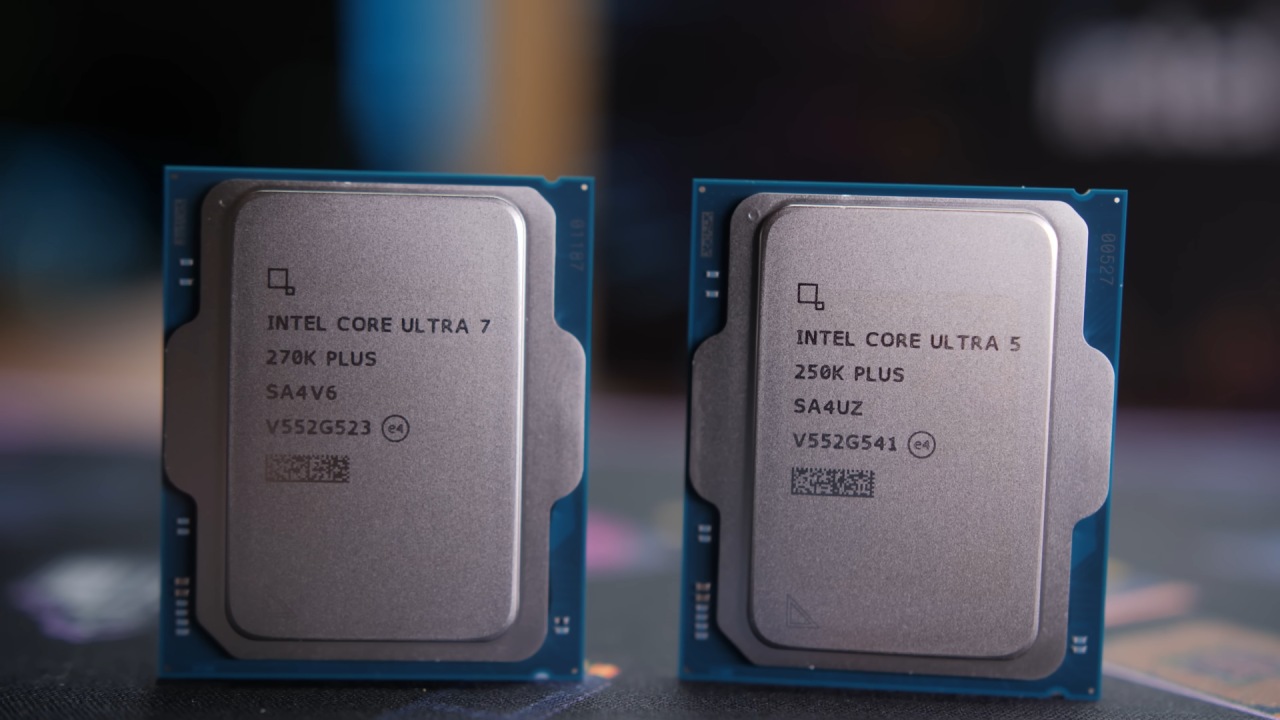
Intel is starting to show some signs of life and even some evidence of intelligence, albeit it is still far away. It doesn't look like a chilly, faraway asteroid on a collision path with death anymore. It is performing well with the 270K Plus we're looking at today. It was not considered a waste of sand with the 250K Plus that was looked at before. As many people have said, that's the best thing any CPU could ever say. The standard is that sand is not wasted.
250K Plus was already looking better. Strangely, the 270K Plus is better at some tasks than the 270K. The worst part is that it is on a platform that doesn't work. 270K Plus is a CPU that costs $300. It got the best result in the Chromium code compile test, which took 103 minutes. It is only two minutes slower than the 9950X, which costs between $500 and $520. Being so close puts pressure on higher-end options. It also beats the 14700K by 14% in compile time.
When testing DaVinci Resolve, the 270K Plus comes out on top in similar setups. In some cases, it even works better than more expensive CPUs. Even though it costs $200 less, it is just 7.7% slower than the 9950X when rendering in Blender. It doesn't always win, like in Photoshop, but it still does well overall.
Gaming is becoming better, but AMD still has the best X3D parts. Intel is getting closer, especially in situations where the CPU is the most important thing. It looks like the earlier Ryzen generations, when production workloads were high, but gaming was a little slow. The main problem is still the question of how long the platform will last. In single-thread tests, the CPU also falls short of its declared boost clock by 100MHz. This could be due to problems with the firmware or the platform.
Prices and Specifications
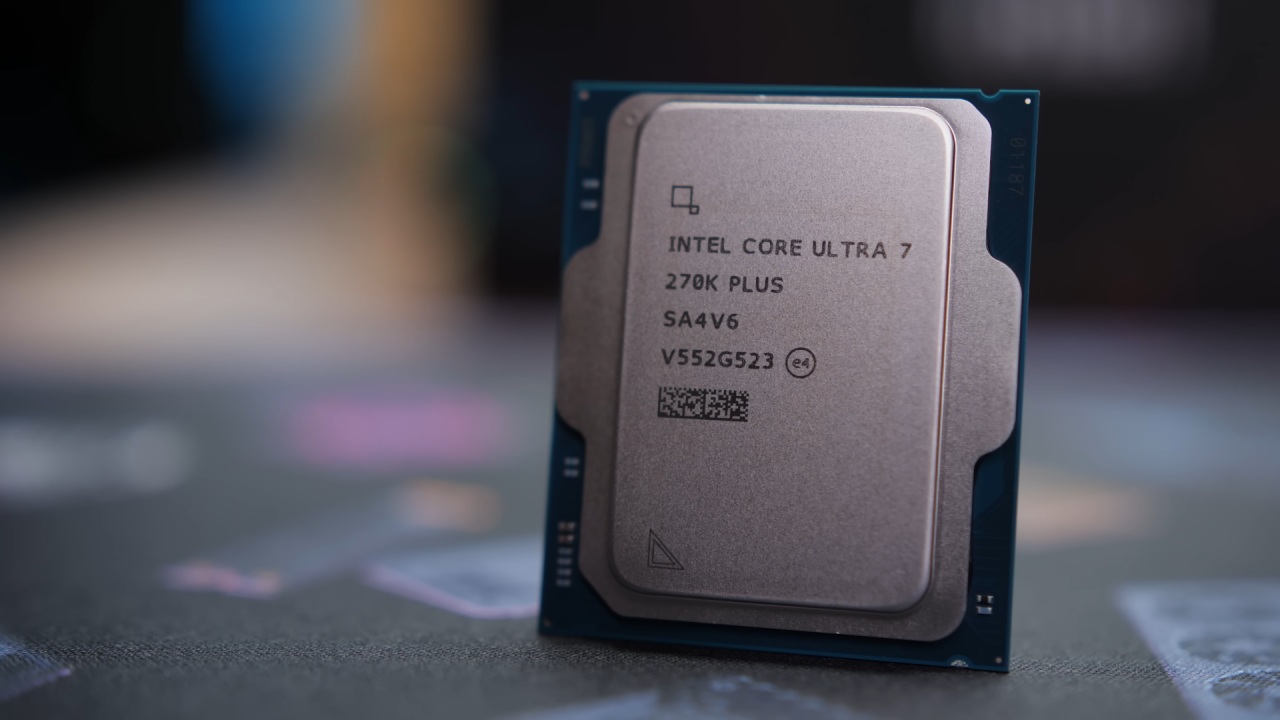
Ultra 7 270K Plus has 24 cores and 24 threads, including 8P cores and 16E cores. The L2 cache is 40MB. This is an improvement over the 265K, which has 20 cores and 36MB of cache. Both CPUs have a TDP of about 250W and a boost clock speed of 5.5GHz.
270K Plus is estimated to cost $300 when it comes out. At the moment, the 265K costs $285. 9700X costs $296, and the 7800X3D costs between $350 and $375. Even though it costs more, the 7800X3D is still a great choice for gaming.
How often does it Happen
270K Plus can reach 5400MHz on P-cores and 4700MHz on E-cores when all its cores are active. This is what we expect to happen when the load is on. But in single-thread tests, it doesn't reach the stated 5.5GHz; instead, it peaks at 5400MHz. This result was confirmed by repeated tests.
This is not how well it was supposed to work. It could have something to do with how the firmware or motherboard works. But it doesn't meet the claimed specifications.
How well it Plays Games
The CPU gets 114–115 fps in Baldur's Gate 3. It is as good as some AMD parts and is 5% better than the 250K Plus. But a 50% price increase only gives you 5% extra performance.
The CPU can attain 133 fps at 1080p in newer games like Outer Worlds 2. It stays close to more expensive competitors, with only a 4.5% difference in some circumstances. At 1440p, the results stay the same, and there are no GPU bottlenecks.
In Stellaris, the simulation takes 36 seconds to finish, which is the same as earlier flagship CPUs but 15% slower than newer AMD choices. In Kingdom Come: Deliverance 2, it reaches 238 fps, which is 5.3% better than the 250K Plus.
Cyberpunk 2077 runs at 176 fps on medium settings and 165 fps on high settings. It is slower than X3D CPUs but faster than older Intel CPUs. It runs at about 277–278 fps in F1 25, which keeps it competitive.
There are some improvements in gaming, but they don't make the price rise over the 250K Plus worth it. AMD is still the best choice for most gaming situations.
Performance in Production
When measuring Chromium's build speed, the CPU completes the job in 103 minutes, which is only 1.9% slower than more expensive options. This is one of the best results.
Blender rendering takes 6.5 minutes, which is quite close to what higher-end CPUs can do. When compressed with 7-Zip, it gets to 183000MIPS, which is 18% faster than the 250K Plus. Performance when decompressing can improve by up to 31%.
The CPU in DaVinci Resolve gets more than 14,000 points, which is better than many more expensive CPUs. Photoshop, on the other hand, isn't as competitive in terms of performance, falling behind certain other programs by 15.7%.
Compared to earlier Intel versions, production workloads are clearly superior and offer greater value.
Using Power
When running Blender, the system's total power is 284W, and the CPU package power is between 230W and 251W. This is in line with the rated TDP.
When playing games, power use drops to 125–140W; it can reach 250W during loading. Power use changes with platform improvements, but it stays under control.
250K Plus uses less electricity overall, but the 270K Plus is still efficient enough.
Things to Think about when it Comes to Platform and Value
The platform is the key problem. The socket is basically a dead end, so there aren't many upgrade options. This lowers the value over time.
Memory pricing also has a significant effect on the overall build cost, sometimes accounting for approximately 30% or more of the total budget. This affects systems from both Intel and AMD.
Even yet, the CPU itself is a fantastic deal at $300, especially for production applications. It works better than past high-end CPUs and is better than previous versions.
Final Thoughts
270K Plus offers better gaming and production performance than its predecessors. X3D CPUs are still the best for gaming, but the gap is narrower in some circumstances.
Compared to more expensive options, the CPU works well for the price. The biggest problem is still that the platform doesn't last long.
This release shows that Intel is making progress. If the platform keeps improving and lasts longer, the biggest problem could go away.
Also, check our other hardware articles:
- AMD Ryzen 9 9950X3D Review: Setting The Standard For 2025 Gaming CPU
- Amazon Luna 2025 Review: Is Prime Gaming's Cloud Service Your Go-To For Casual Fun?
- AMD RX 9070 XT Review: AMD's RDNA 4 Champion for 1440p Gaming
- GeForce Now Ultimate: Ditching Your Gaming PC For Cloud RTX 4080 Power?
- NVIDIA GeForce RTX 5080 Review (2025): Still A 4K Gaming Powerhouse?
- Intel Core Ultra 9 285K Review And Performance Breakdown (2025)
- AMD Ryzen 7 9800X3D Review: 3D V-Cache Goes God Mode with Stunning Gaming Performance
- Intel Core Ultra 9 285K vs AMD Ryzen 7 9800X3D: In-Depth Gaming Performance and Benchmark Comparison
- NVIDIA GeForce RTX 5080 Super Performance In Cyberpunk 2077: Path Tracing & DLSS 4.0 Tested
- AMD Radeon RX 9070 XT In Cyberpunk 2077: Ray Tracing & FSR 4.0 Tested
- Intel Arc B580 Review: The $250 GPU Revolutionizing 1440p Gaming
- Intel Arc B570 Vs. B580: Value, Specs, And Real-World Gaming Performance
- RTX 5090 Laptop Vs. M4 Max MacBook Pro: Ultimate Raw Performance Vs. Battery Endurance
- Intel Arc b580 Vs. RTX 4060: Game Performance And Value Analysis
- RTX5090 Hell Is Us Demo 4K Ultra Benchmark: DLSS Vs. Native Performance Guide
- NVIDIA RTX 5070 Review: Mid-Range Muscle or Marketing Hype?
- Nintendo Switch 2 Review: Handheld Performance, Features & Value Breakdown
- RTX 5070 Ti Review: Performance, Thermals & Power Efficiency Tested
- Samsung Odyssey OLED G81SF Review 2025: Ultimate 32-Inch QD-OLED Gaming Monitor
- AMD RX 9070 Performance Review: Thermals, Clocks, and Real-World FPS
- AMD Ryzen 5 7600 Review: Best Budget Gaming CPU of 2025?
- AMD Radeon RX 7800 XT Review: RDNA 3 Power For Midrange Gaming
- Asus ROG RTX 5090 Astral OC Vs. Founders Edition: The 4K Gaming Benchmark
Editor, NoobFeed
Gaming Hardware Updates
No Data.