
Over-Upgrading the Legion Go 2 Can Ruin the Handheld Experience
Attempts to perfect the Legion Go 2 highlighted how excess upgrades can negatively impact handheld gaming enjoyment.
Hardware by Nahe Yan on Jan 26, 2026
It took more time and money to strive to make the Legion Go 2 the best handheld gaming device possible. Storage was increased to 4TB, Windows was removed to allow Bazzite to be installed for a SteamOS-like experience, and a high-end protective casing was added.
It's funny that all of these advancements made people play with the device less. Here are three big mistakes I made during that process that I want to share to help you avoid them.
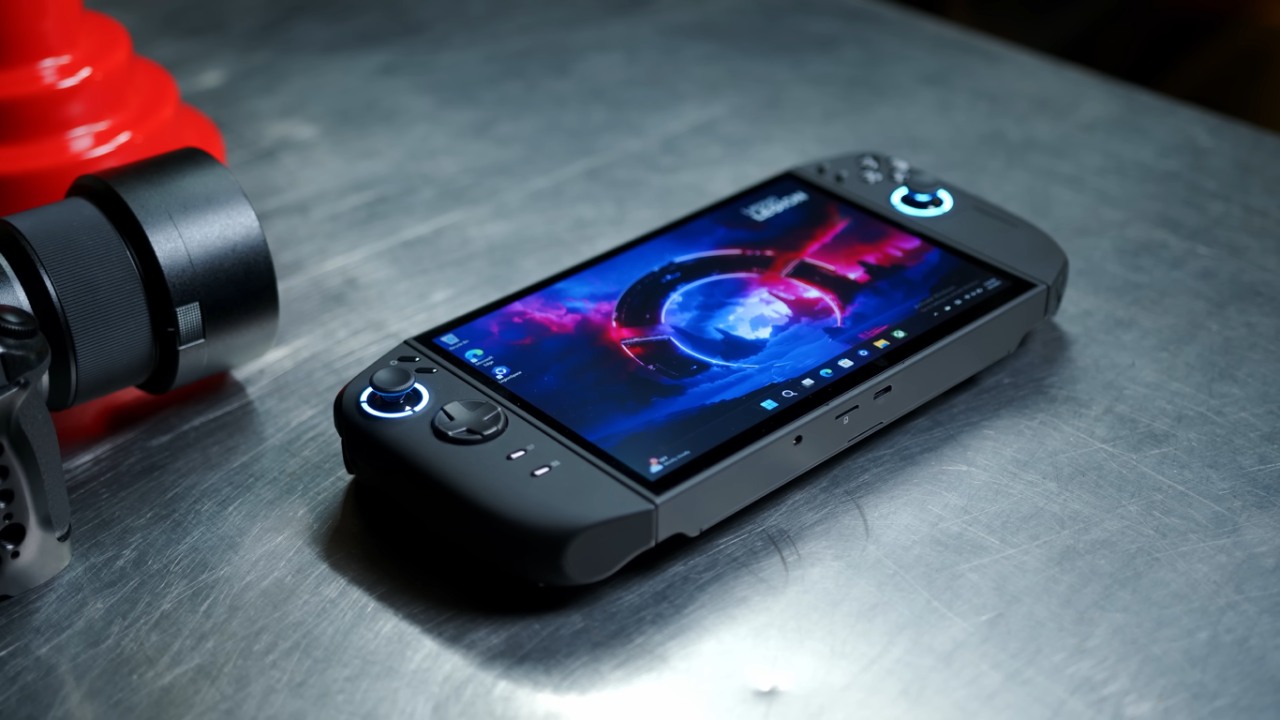
Too Much Storage and Losing Sight of the Goal
The first thing I wish I hadn't done was get 4TB of local storage. That much space made it possible to run a lot of games at once, even AAA games with big files. Too many options were the problem, not how well it worked or how long it took to start. They put in too many games, so none of them were played.
Before, having only 512GB of storage on a handheld made it impossible to use. Before you could install new games, you had to finish or delete the ones you already had. This helped you stay focused and finish. That limitation went away with 4TB. People downloaded a lot of games, set up old emulators for hours, and didn't play any of them.
1TB is certainly a good amount for a lot of people. Two terabytes can be more than plenty. After that point, storage stops being useful and starts to get in the way. The price also goes up, with high-capacity drives costing close to $400. Before upgrading, stop and play the games you already have to see if you really need extra capacity.
The system has a shared partition on the 4TB drive and could boot into two different operating systems. At first, Linux didn't correctly identify the shared storage, which prevented updates and game installs. It took over a week of troubleshooting, using terminal commands and third-party tools, to fix that problem.
After fixing the storage problems, new ones emerged on the Windows side following driver changes, especially with Wi-Fi. Wi-Fi didn't connect properly every time the gadget woke up from sleep. To fix it, you had to turn off Wi-Fi, then turn it back on, and then reconnect to the network, sometimes more than once. The problem was not fixed by rolling back system images, changing settings, or implementing suggested remedies.
Instead of playing games, people spent their time figuring out what was wrong. The equipment needed regular care even while in use in public. Bazzite works well for many people because it doesn't have official support, and bugs can happen at any time. For individuals who are afflicted, the problems outweigh the benefits.
Going Back to Windows is the Best Option
The Windows experience is more stable than expected, thanks to recent updates and plugins. It makes more sense to wait for an official SteamOS release for the Legion Go 2 than to use an unofficial fix that messes up the game.
Adding a TPU Case and Making it less Portable
The last thing you regret is putting on a TPU protective case. The first reason was clear. One of the controllers wiggled a bit, making the device feel less secure at first. The case fixed that problem, but it also made a new one.
.jpg)
Legion Go 2 is already a big handheld. Adding a TPU case made it larger and heavier, making it less comfortable to handle for long periods. Over time, this made it less likely that someone would pick it up at all. What should have felt like a handheld started to feel more like a stationary device.
Some accessories don't fit into this group. A screen protector is still important and beneficial. For months, other attachments, such as the controller grip, were hardly used. It was better to keep the gadget basic and uncluttered than to add layers of defense.
Final Thoughts
There are plans for several adjustments in the future. If you don't need the larger drive for an external GPU setup, the storage space may drop from 4TB to 1TB. With an eGPU, the device can hold more AAA titles and switch between portable and high-performance desktop gaming with only one cable. 1TB is still the more balanced choice without that arrangement.
There will be no more Bazzite; only Windows will be left. When you don't have much time to play games, stability and convenience of usage are more important than theoretical benefits. The case will be maintained for special occasions, but it won't be used every day.
Every mistake teaches you something. Limits can help people play games better, official software support is important, and accessories should make things easier to use, not harder. These experiences offer useful advice to anyone considering upgrading to the Legion Go 2.
Also, check our other articles below :
- ASUS ROG Ally X Handheld Review: Double the Battery, Double the Comfort
- Nintendo Switch 2 Vs. Original Switch 1: A Full Comparison
- How To Connect A Camera And Join Voice Chat With Nintendo Switch 2
- Nintendo Switch 2 Review: Handheld Performance, Features & Value Breakdown
- ROG Xbox Ally X Vs. ROG Ally X: Display, Battery & Controls
- ASUS ROG Ally X vs. Steam Deck OLED: Display, Battery & Gaming Benchmarks
- MSI Claw 8 AI+ Review: Display, Controls & Gaming
- Nintendo Switch 2 vs. Steam Deck OLED: Gaming, Performance, Battery, Display and Value
- PlayStation Portal Review: Remote Play, Cloud Streaming & Travel Gaming
- PlayStation Portal vs. Lenovo Legion Go: Best Portable Gameplay
- Cyberpunk 2077 Patch 2.3 FPS Test on MSI Claw 8 AI+
Editor, NoobFeed
Gaming Hardware Updates
No Data.