
MSI GeForce RTX 5080 Vanguard Review: Performance and Cooling Tested
MSI RTX 5080 Vanguard delivers premium construction, advanced cooling hardware, and strong thermal efficiency across demanding gaming workloads.
Hardware by Masaru Hoshino on Nov 16, 2025
The MSI RTX 5080 Vanguard is part of MSI's new enthusiast lineup, positioned just below the Supreme series. Other series include the mainstream Gaming Trio, the creator-focused Inspire range, and the entry-level Ventus range.
The Vanguard Series represents MSI's high-end design philosophy, offering premium features, robust cooling, and overclocking potential for gamers and enthusiasts alike.
Design, Weight, and Dimensions
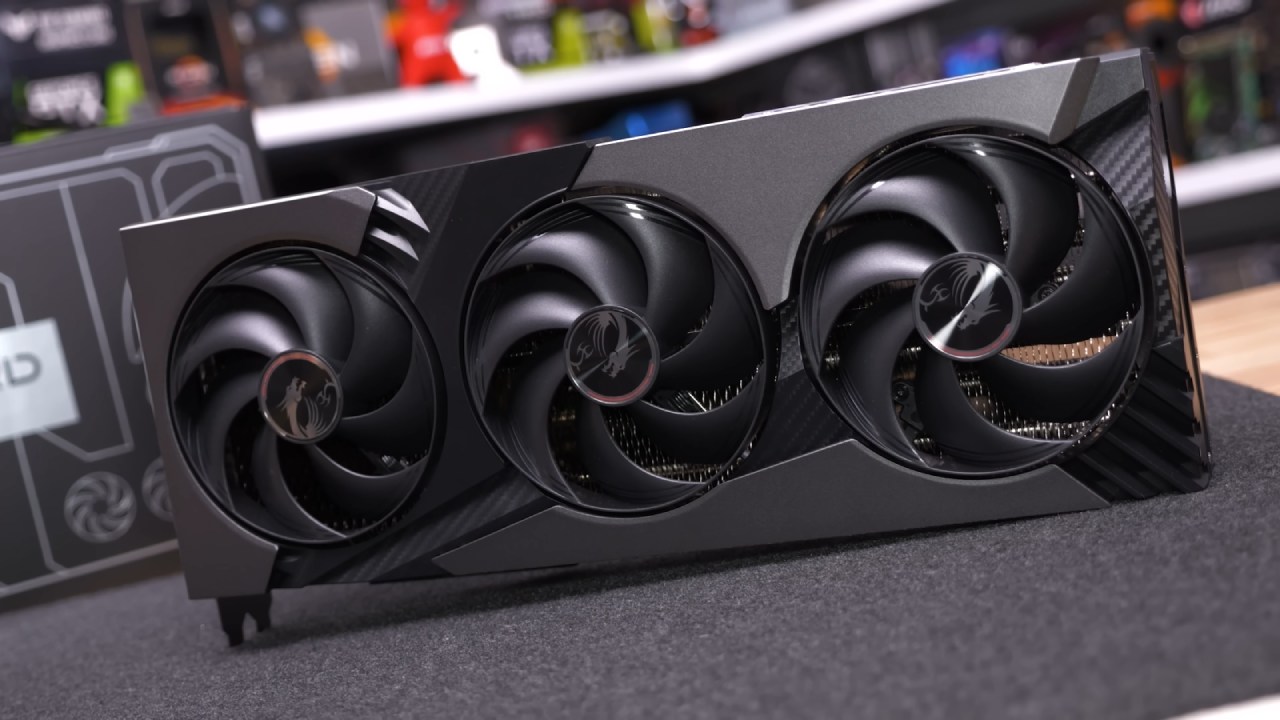
The RTX 5080 Vanguard weighs 1,936G, which is heavy but typical for a high-end graphics card. It measures 357mm long, 66mm wide, and 151mm high. The front of the card features a large fan shroud predominantly constructed from plastic, enhanced with three aluminum pieces for a premium look and some fake carbon fiber texture that adds visual appeal.
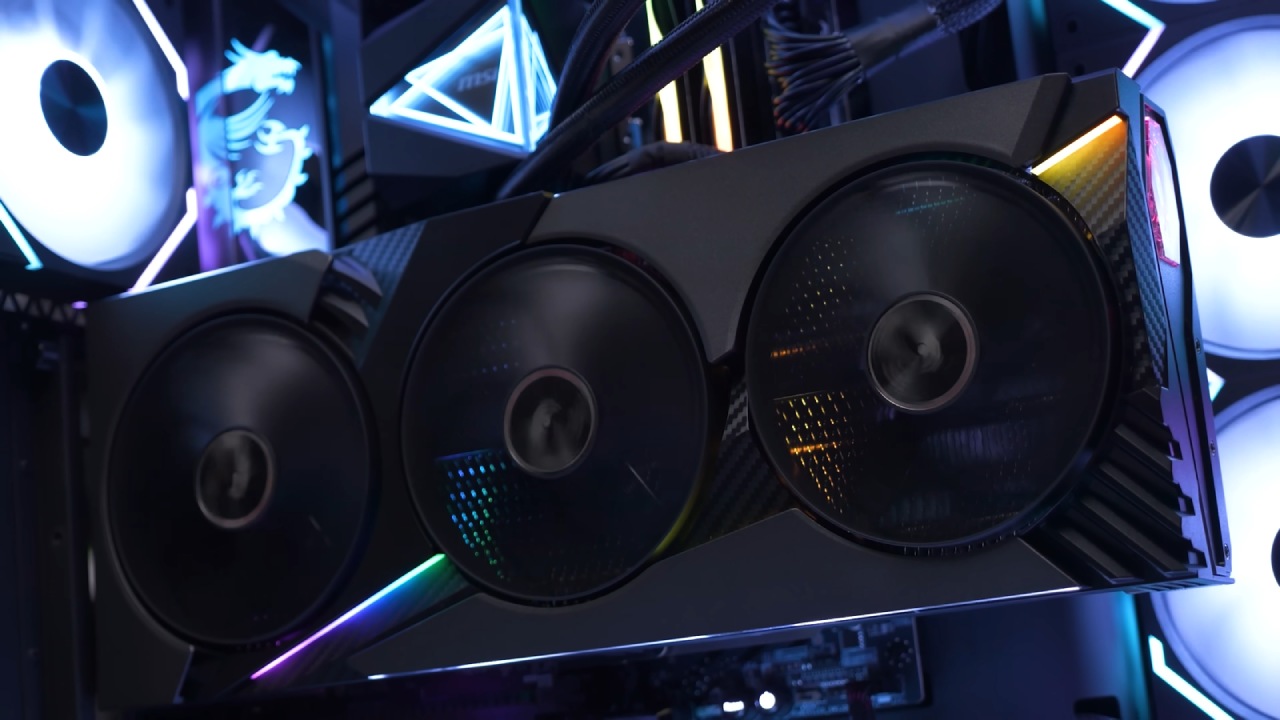
Embedded within the shroud are 315mm fans, the same ones used on MSI Supreme models. However, the Vanguard's LED lighting is more discreet, suitable for those who prefer less aggressive RGB setups.
The side profile is clean, featuring an MSI logo over a fake carbon fiber design that is LED backlit. At the opposite end, the black GeForce RTX logo blends well without being too flashy.
The 12-pin high-powered connector is recessed within the card, and MSI provides an adapter with yellow pin protectors to ensure proper seating and prevent potential damage from incorrect installation. The back end of the card is clean and features lighting, as well as a few mounting points for additional GPU support.
The I/O panel includes three DisplayPort 2.1a outputs and a single HDMI 2.1b output. The card uses a two-slot bracket, which is sufficient with the GPU stand included by MSI. However, the stand is mostly plastic, which feels inexpensive for a high-end card, though it should suffice for most quality cases.
The Vanguard also features a large backplate with a few cutouts for airflow, decorated with MSI's classic dragon logo and some fake carbon fiber decals. The dual BIOS switch is included, with the silent BIOS as the default.
Internal Build and Cooling System
Disassembling the Vanguard involves removing nine screws from the backplate, revealing a massive heat sink. Unlike the Supreme, the Vanguard does not have additional structural support, such as an aluminum cage, yet the card remains extremely rigid.
Removing 12 additional screws allows the PCB to detach from the heat sink, which measures 180mm in length and houses 12 50A power stages for the GPU and 6 for the GDDR7 memory. Each of the three fans features independent speed control, along with several RGB connectors.
The heat sink itself weighs 975G, accounting for 50% of the card's total weight. It features a 7mm thick nickel-plated copper vapor chamber that makes direct contact with the GPU die, connected to the memory via an aluminum heat spreader.
Eight heat pipes extract heat, with three 8mm pipes and five 6mm pipes. The fan shroud gains rigidity from a mild steel brace behind the fans. Overall, the Vanguard is easy to disassemble and reassemble, making fan replacement or maintenance simpler than many other graphics cards.
.jpg)
Thermal Performance
Testing was conducted in a 21°C room with the card installed in an ATX case, with the doors closed. Playing The Last of Us Part One at 4K with maximum settings, the GPU reached a peak temperature of 63° at a fan speed of 1,100 RPM, making it virtually silent.
The GDDR7 memory peaked at 62°. Switching to the secondary gaming BIOS increased fan speed to 1,400 RPM, lowering the peak GPU temperature to 58 °C and memory temperature to 60 °C. The Vanguard's cooling system performed exceptionally well.
Overclocking Potential
By default, the Vanguard SOC features a boost clock of 2.73 GHz and a memory bandwidth of 30 GB/s. We overclocked the core to 3,200MHz and memory to 31.6GBits, resulting in an average power draw of 315W.
This raised the GPU temperature to 58°C and the memory temperature to 60°C at an auto fan speed of 1,400 RPM. The overclocking headroom proved impressive, yielding performance gains of 10-15% over the stock Founders Edition in multiple games.
Gaming Performance Comparison
The stock performance of the Vanguard SOC was slightly better than that of the Founders Edition, running quieter and 3° cooler. Using the gaming BIOS, the card ran 5° cooler and slightly quieter than the FE model. When noise-normalized to 40DB, the Vanguard ran 7° cooler. Memory temperatures showed even larger improvements, running 10-14 °C cooler, depending on the settings.
In specific game testing, the Vanguard SOC achieved:
Dying Light 2: 4% faster than Founders Edition, with overclocking boosting an additional 8%
The Last of Us Part One: 6% faster than Founders Edition, with overclocking increasing total gains to 14%
Delta Force: 4% faster than FE, with overclocking reducing the gap with RTX 5090 to just 6%
Marvel Rivals: 5% faster than FE, with overclocking increasing the advantage to 15%
Power consumption was moderate, only 7-9% higher than FE, which yielded 4-5% performance improvement.
Final Thoughts
MSI RTX 5080 Vanguard SOC is a well-designed high-end graphics card with excellent cooling, quiet operation, and significant overclocking potential. While the card is large and the included GPU stand feels basic, the overall build quality is excellent, and the thermal performance is outstanding.
Gamers and enthusiasts looking for a premium experience with substantial OC headroom will find the Vanguard SOC to be an impressive option. Further reviews of other RTX 5080 partner cards, including Asus, Palit, and Gigabyte models, are expected to provide additional performance comparisons in the near future.
Also, check our other NVIDIA articles:
- NVIDIA GeForce RTX 5080 Review (2025): Still A 4K Gaming Powerhouse?
- NVIDIA RTX 5070 Review: Mid-Range Muscle or Marketing Hype?
- RTX 5070 Ti Review: Performance, Thermals & Power Efficiency Tested
- ASUS GeForce RTX 5090 LC Liquid Cooled GPU Review: Unmatched Silence & Speed
- INNO3D RTX 5060 Ti 16 GB X2 Review: Gaming Benchmarks, Temps, and Power Efficiency
- HP Omen 45L Review: RTX 5090 Performance, Thermals, and Value Analysis
- ASUS TUF Gaming GeForce RTX 5060 Ti Review: DLSS 4, Power Efficiency, and Gaming
- ASUS Prime RTX 5060 Ti OC 16GB Review: DLSS 4, Ray Tracing, & Thermals Tested
- NVIDIA GeForce RTX 5060 Review: Specs, Gaming, and Cost per Frame
- MSI GeForce RTX 5090 GAMING TRIO OC Review: A Monster Power GPU
Editor, NoobFeed
Gaming Hardware Updates
No Data.