
Nintendo Switch 2 Display Comparison: OLED vs LCD VRR Explained
OLED and LCD technologies each introduce distinct advantages that impact immersion, visual depth, and overall gaming fluidity on portable consoles.
Hardware by Tanisha Aria on Nov 15, 2025
Display technology plays a crucial role in shaping the evolution of portable games and the player's experience. People have long praised the Nintendo Switch for its flexibility.
Still, the screen you choose—an OLED panel or an upgraded LCD with a changeable refresh rate—can make a significant difference in how games look and feel. Each technology has its pros and cons. The OLED screen offers the best color vibrancy and contrast.
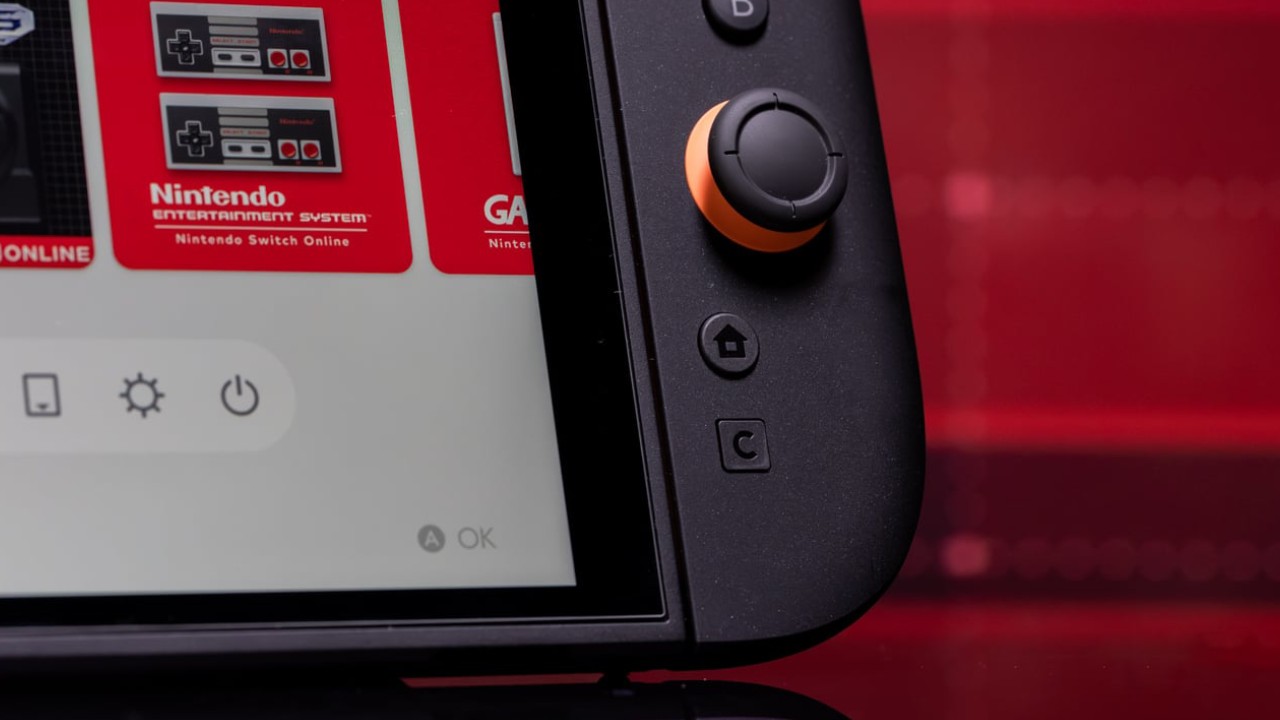
In contrast, the Switch 2's LCD screen focuses on smooth performance and fluid movements. For gamers seeking the optimal balance between visual detail and responsive gameplay, it's essential to understand what these screens can and can't do.
Comparing the Screens
When playing mobile games, the quality of the screen can make a huge difference. The Switch OLED and Switch 2 are two distinct ways to display visuals, and each has its own advantages. With its strong contrast and deep blacks, the OLED screen immediately stands out.
Its color profile is bright and precise, making the picture look alive and interesting. The Switch 2, on the other hand, doesn't have an OLED screen, but its HDR upgrade and higher peak brightness can make the screen feel brighter in some scenes.
Accessories That Enhance the Experience
Before we proceed with the comparison, it's worth mentioning some extras that can significantly enhance your Switch 2 experience. There are a lot of grips, cases, and thumbstick covers for the Savage Raven that make it easier to hold and more comfortable to use.
Their anti-glare screen covers are different because they cut down on glare without lowering the quality of the image. These extras are cheap and helpful for people who want to get the most out of their gadgets.
OLED Vibrancy vs LCD Performance
The bright colors and deeper contrast of the OLED screen make it stand out right away. The Switch 2's LCD screen doesn't display color elements, such as a teal tint in the fog, in scenes like the starting cave in Breath of the Wild. Instead, the mist looks white and washed out on that screen.
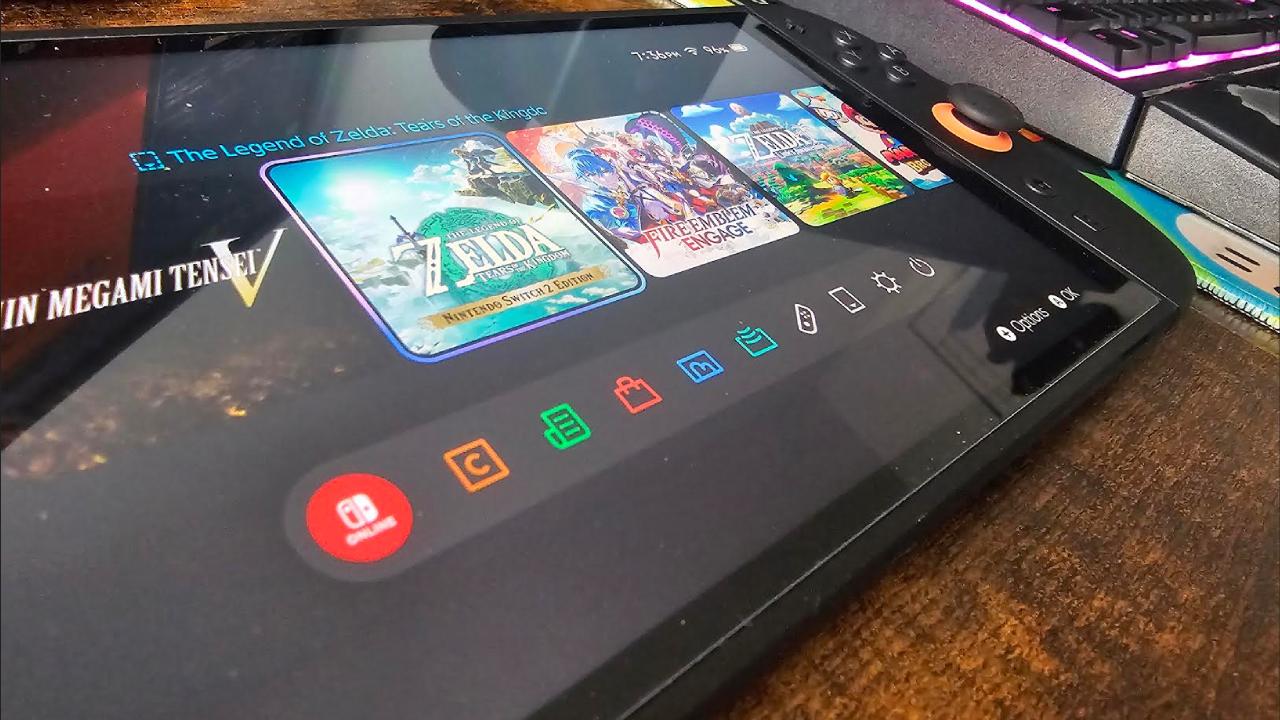
The Switch 2, on the other hand, appears brighter overall, and its variable frame rate (VRR) enables smooth gameplay. The OLED is great for still images, but the Switch 2 is particularly well-suited for moving games, as it maintains smooth motion without any noticeable frame drops.
The Trade-Off: Visual Quality or Smoothness?
In the end, picking between the OLED and Switch 2's display means picking between better graphics and better performance. OLED has better color accuracy and contrast, which makes scenes look great. It really shines in dark areas, where it shows shadows well.
Switch 2's VRR technology makes frame rates smoother and stops screen tearing, which makes the gaming experience more consistent and immersive. If speed is more important to you than looks, VRR on a handheld device is a better choice.
Screen Size and Perceived Quality
From our perspective, screen size is also essential. The Switch 2's screen is slightly larger than the Switch OLED's, which can make the OLED screen appear smaller by comparison.
When you hold the two devices, you can tell they are designed differently, and that the Switch 2 feels more solid and capable, while the OLED makes you miss older mobile games.
The Switch OLED also sharpens the image to compensate for its 720p resolution, resulting in a clearer but slightly "gamey" appearance. The Switch 2's LCD, on the other hand, shows images that are softer and have more realistic depth.
Understanding VRR and Why It Matters
One great feature of the Switch 2 is its support for variable frame rate technology. VRR synchronizes the update rate of the screen with the GPU, ensuring that frames are sent exactly when they are ready. Frame dips, stuttering, and screen tearing often occur on 60Hz panels, such as the Switch OLED.
This stops them. VRR makes gameplay smoother, even in challenging scenes, on handheld devices with low-power processors. It smooths out changes in frame rates, providing players with a seamless visual experience that they may not even be aware of, but will definitely notice in how smoothly the game runs.
LED Limitations in Handhelds
Although OLED displays offer better visual quality, it's not currently possible to utilize VRR on an OLED screen for a low-power handheld device. Handheld APUs lack sufficient power to maintain 1% lows at a high enough level to prevent flashing, which would compromise the experience.
When ow-wattage devices try to pair OLED with VRR, they often experience contrast flicker and other visual flaws. Nintendo chose VRR over OLED for the Switch 2 because it strikes a good balance between what is possible with technology and what players want, making sure that the game runs smoothly without any problems that could have been avoided.
.jpg)
Final Thoughts
Ultimately, the choice between the Switch OLED and the Switch 2 comes down to personal preference. The colors and images on OLED are stunning, making it perfect for still images or those es when you want to pause.
With VRR and speed improvements, Switch 2 gives you the smoothest gameplay, which is especially important for games that move quickly.
On mobile devices, you can't have both without spending a lot of money on a powerful setup. For now, VRR is the best option for immersive mobile games, while OLED remains a dream for those who want a static picture.
Also, check our other Handheld articles :
- ASUS ROG Ally X Handheld Review: Double the Battery, Double the Comfort
- Nintendo Switch 2 Vs. Original Switch 1: A Full Comparison
- How To Connect A Camera And Join Voice Chat With Nintendo Switch 2
- Nintendo Switch 2 Review: Handheld Performance, Features & Value Breakdown
- ROG Xbox Ally X Vs. ROG Ally X: Display, Battery & Controls
- ASUS ROG Ally X vs. Steam Deck OLED: Display, Battery & Gaming Benchmarks
- MSI Claw 8 AI+ Review: Display, Controls & Gaming
- Nintendo Switch 2 vs. Steam Deck OLED: Gaming, Performance, Battery, Display and Value
- NVIDIA GeForce Now on Steam Deck: Battery Life, Gameplay, Streaming
Contributor, NoobFeed
Gaming Hardware Updates
No Data.