
ROG Ally X vs. ASUS ROG Zephyrus G14: Power, Portability, and Performance
Detailed analysis of build materials, port selection, and input methods for seamless portability and usability
Hardware by Masaru Hoshino on Aug 02, 2025
Gaming on a PC offers amazing graphics and speed, but sitting at a desk all the time can feel tiring and restrictive. Handheld gaming devices and lightweight gaming laptops let you play your favorite games almost anywhere—in the living room, on a train, or even outside.
These portable options bring freedom but also raise questions: How much power do you give up for mobility? Can they run modern games smoothly? In this comparison, we look at two popular choices—a small but powerful gaming laptop and a compact gaming handheld—to see how they balance performance, battery life, and ease of use.
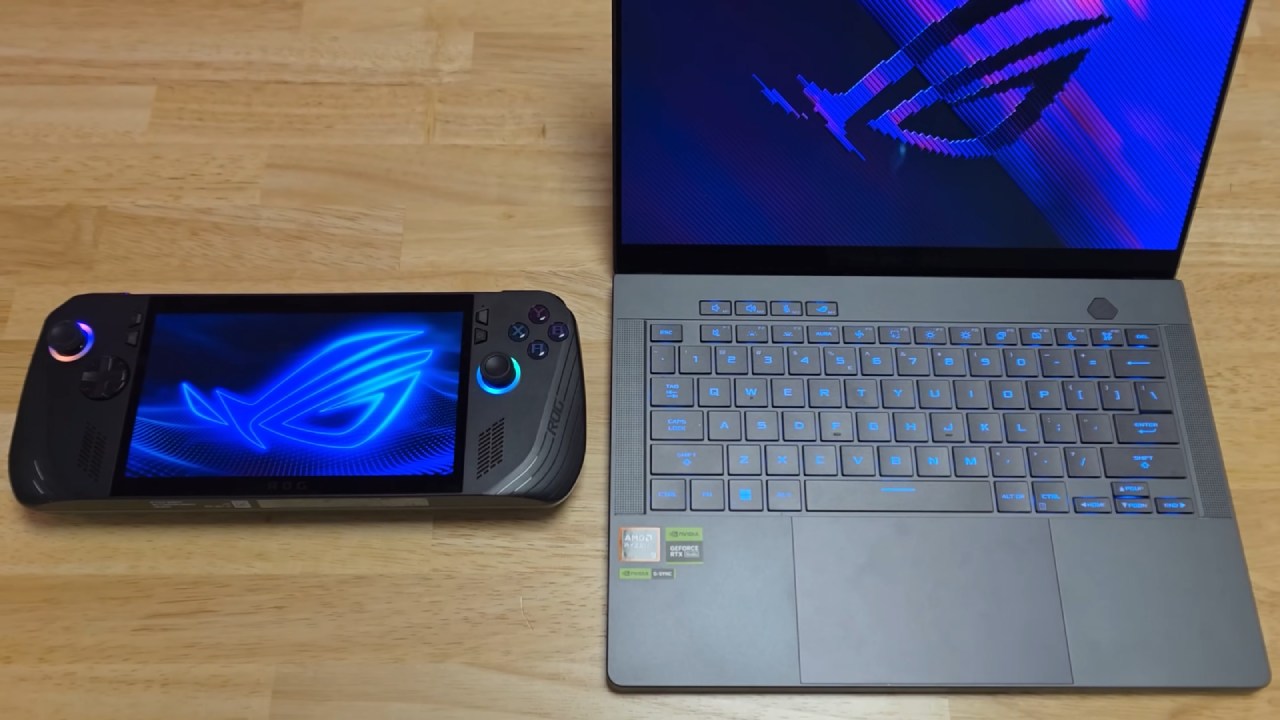
Whether you care most about raw speed or the ability to play on the move, this article will help you decide which device fits your needs best.
Build Quality and Portability
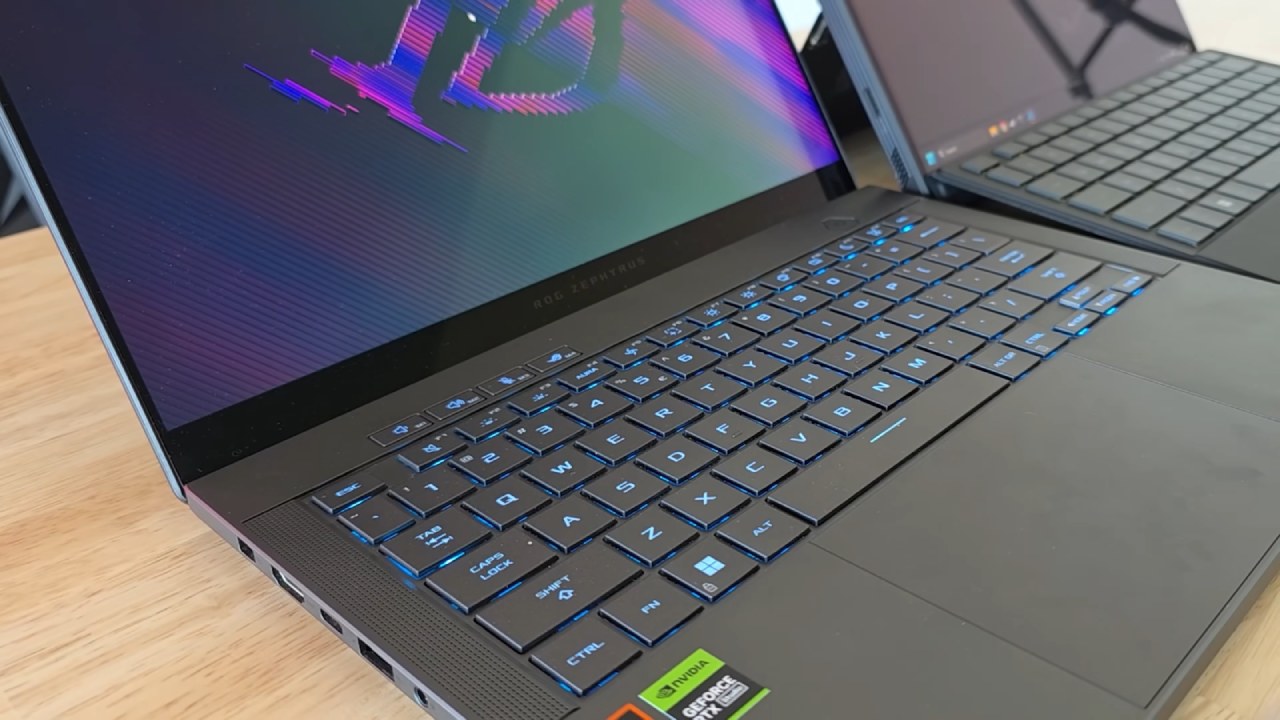
Zephrus G14 is a 14-inch gaming laptop enclosed in an all-aluminum chassis that feels exceptionally premium, akin to a MacBook in hand. In contrast, ROG Ally X features a 7-inch plastic body. Although plastic might sound less sturdy, Ally X's high quality polymer construction keeps its weight under 700g (and only slightly more with its charger).
Both devices support USB C charging, making it easy to swap to a smaller power brick and further lighten your load. We found out that while G14 remains one of the lightest gaming laptops available, Ally X's compact form factor and lower weight give it a clear edge in true on the go portability.
Specifications
Under the hood, these devices diverge significantly in raw power. Zephrus G14 houses a 90W RTX 4070 GPU alongside a high end CPU, delivering desktop class performance. ROG Ally X relies on a custom AMD Ryzen Z1 Extreme APU, combining CPU and integrated graphics in a single low wattage chip.
Although Ally X cannot match G14's peak frame rates, its APU is no slouch and enables surprisingly smooth gameplay for its power envelope. We noticed that this difference in power consumption also influences battery life and thermal output, topics we'll explore later.
Ports and Connectivity
A larger chassis means more ports. Zephrus G14 offers virtually every port you might need—USB A, USB C, HDMI, and more (though no built in Ethernet). By contrast, ROG Ally X provides two USB C ports and a microSD card slot.
While you can attach an external GPU to Ally X via a USB C dock, doing so negates its wireless advantage by tethering it to a power outlet, at which point you're better off using a laptop.

Input Methods: Keyboard and Mouse versus Buttons and Sticks
Interacting with Windows is second nature on G14's full keyboard and trackpad setup. Ally X, however, uses joystick controls to move the cursor and assign mouse clicks, and you'll typically rely on its touchscreen for precise navigation.
A virtual keyboard appears when typing is required, but the 7-inch form factor makes extended text entry feel cramped.
We wouldn't recommend using Ally X for daily productivity; it shines as a dedicated gaming device, unless you hook up an external keyboard and mouse—again tying you to a desk.
Display and Screen
Both devices boast high refresh rate screens. G14's 14-inch OLED panel delivers perfect blacks and vibrant colors at up to 500nits of brightness and a 120 Hz refresh rate. Ally X's 7in IPS display also reaches 500nits and 120hz, but lacks the contrast and color depth of OLED.
When you see true OLED blacks, returning to LCD feels like a downgrade, though Ally X's screen remains perfectly adequate for its size.
Speakers and Sound
Zephrus G14 features some of the best speakers available on a Windows laptop, delivering clear highs and ample volume. Ally X surprised us with surprisingly robust bass and fullness for such a small device.
It doesn't quite match G14's peak loudness, but in every other respect, it offers nearly equivalent audio quality.
Webcam and Microphone
G14 includes a webcam; Ally X does not. In microphone tests, Ally X's built in mic holds its own against G14's. However, if video calls are part of your routine, you'll need an external webcam for Ally X, adding to the accessory load.
Benchmarks
In Cinebench R23, Ally X trails G14's Ryzen 9 CPU but performs impressively given its power constraints. In 3DMark Time Spy, Ally X's integrated GPU score falls well behind G14's dedicated RTX 4070, underscoring the performance gap. Nevertheless, Ally X's scores are commendable for a handheld.
In Game Performance
When we tested games like Battlefield 1, Counter Strike 2, Cyberpunk 2077, Rust, and Red Dead Redemption 2, G14 often delivered close to triple the frame rates of Ally X, with far stronger 1% lows.
Yet Ally X maintained playable frame rates across every title, and its smaller screen softens the impact of lower resolution or reduced graphical settings. For a portable experience, it held up remarkably well.
Battery Life
Battery endurance varies by scenario. In light use (full brightness, 60Hz, silent profile), G14 lasted about 9–10 hours, while Ally X achieved 6–8 hours.
Under gaming conditions (full brightness, 1120Hz turbo mode), G14 ran for just 1–1.5 hours, whereas Ally X extended playtime to 2–2.5 hours. In very light titles like Terraria, Ally X even stretched to nearly 4 hours by dialing back performance settings.
Temperatures and Fan Noise
Lower power consumption translates to cooler operation. On battery, Ally X peaks around 75 °C and reaches 85 °C when plugged in.
G14's CPU frequently hits 95 °C under load. Reduced heat also means quieter fans: Ally X remains noticeably quieter during gaming sessions.
Upgradeability
Neither device offers much in the way of upgrades. Both include a single M.2 SSD slot for storage expansion. G14 adds an upgradeable Wi Fi card but does not permit RAM upgrades. Ally X remains fixed beyond its SSD slot.

Pricing
Price differences are substantial. The ROG Ally X starts at $599, with the standard Ally model at $499. Zephrus G14 begins at $1,599, though deals in the US can bring it down to around $1,199–$1,399.
Depending on where you live and which promotions you find, the laptop can cost nearly twice as much as the handheld.
Final Thoughts
Choosing between these two devices depends on your priorities. If you want desktop class performance and a full laptop experience for both work and play, Zephrus G14 is a top tier all around machine.
If you value true handheld portability and gaming on the go, ROG Ally X delivers remarkably playable performance in a pocketable form factor. For gaming anywhere—on the couch, in bed, or during travel—Ally X (or any comparable gaming handheld) wins.
If you need to get work done or prefer gaming at a desk, G14 remains the superior choice.
Check our Other Handheld Articles :
- ASUS ROG Ally X Handheld Review: Double the Battery, Double the Comfort
- Nintendo Switch 2 Vs. Original Switch 1: A Full Comparison
- How To Connect A Camera And Join Voice Chat With Nintendo Switch 2
- Nintendo Switch 2 Review: Handheld Performance, Features & Value Breakdown
- ROG Xbox Ally X Vs. ROG Ally X: Display, Battery & Controls
- MSI Claw 8 AI+ Review: Display, Controls & Gaming
- Nintendo Switch 2 vs. Steam Deck OLED: Gaming, Performance, Battery, Display and Value
- PlayStation Portal vs. Lenovo Legion Go: Best Portable Gameplay
- Cyberpunk 2077 Patch 2.3 FPS Test on MSI Claw 8 AI+
- Zotac Zone Handheld Review: Balancing Battery Life and High‑Performance Gaming
Editor, NoobFeed
Gaming Hardware Updates
No Data.