
RTX 5080 Laptop vs Desktop Performance Comparison: FPS, Power, and Value
Performance differences between the RTX 5080 desktop and laptop GPUs are significant despite sharing the same GPU die and VRAM.
Hardware by Tanisha Aria on Nov 15, 2025
There is a name difference between Nvidia's RTX 5080 PC card and laptop GPU, even though they use the same die and have the same name.
It is easy to see the differences between the two versions after examining 25 games at three different levels: power usage, temperature, fan noise, and price. Although they all share the same name, each GPU has distinct features and behaves differently when tested.
GPU Spec Differences
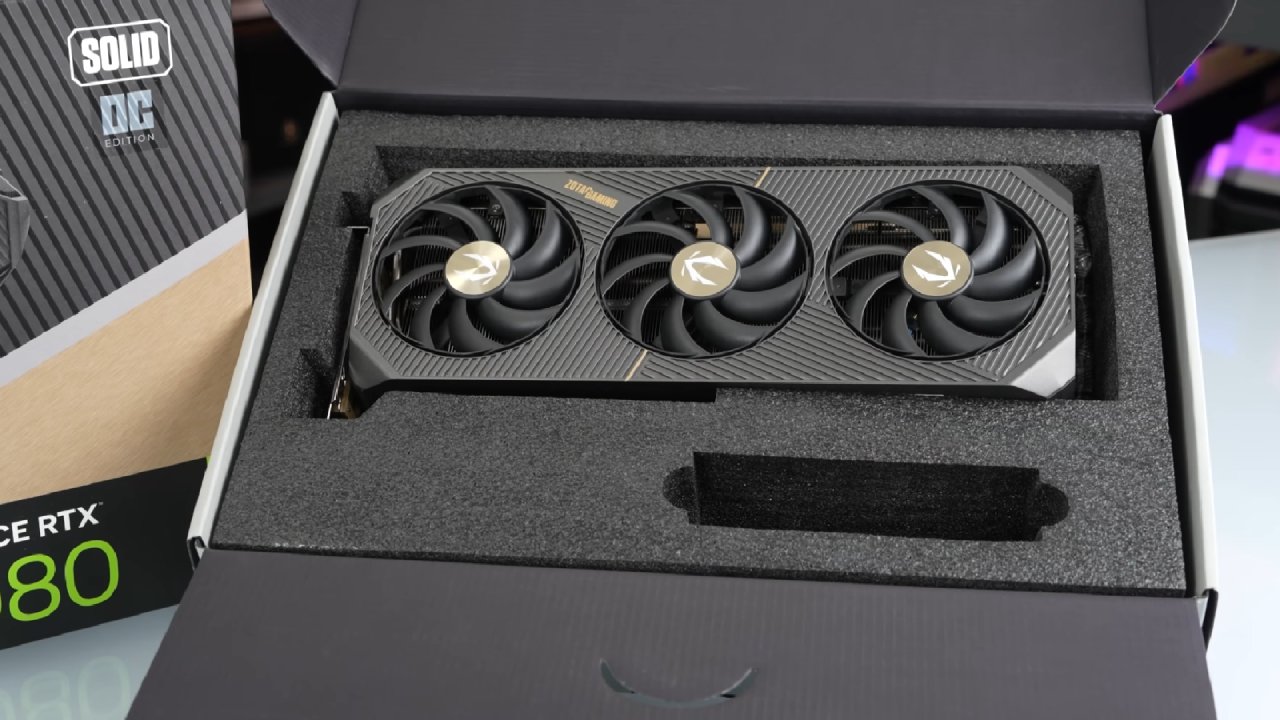
The Nvidia GB203-400 die is used by both the laptop and desktop versions of the 5080. This makes them the only laptop and desktop GPUs this generation with the same name that are on the same die. The desktop 5080 has 40% more CUDA cores than the laptop version.
However, it can utilize more than twice the power, which allows it to maintain higher clock speeds. The memory bus for both GPUs is 16GB of GDDR7 memory; however, the PC card features faster memory and higher memory bandwidth.
Although they both have the name "RTX 5080" and are based on the same GPU die with the same amount of VRAM, they differ significantly in terms of speed, which can be confusing for those unfamiliar with the differences.
Today, Nvidia names its mobile GPUs with "laptop GPU." Still, it was easier to understand the names when the "M" term was used to indicate mobile parts, which AMD still does.
Laptop test system
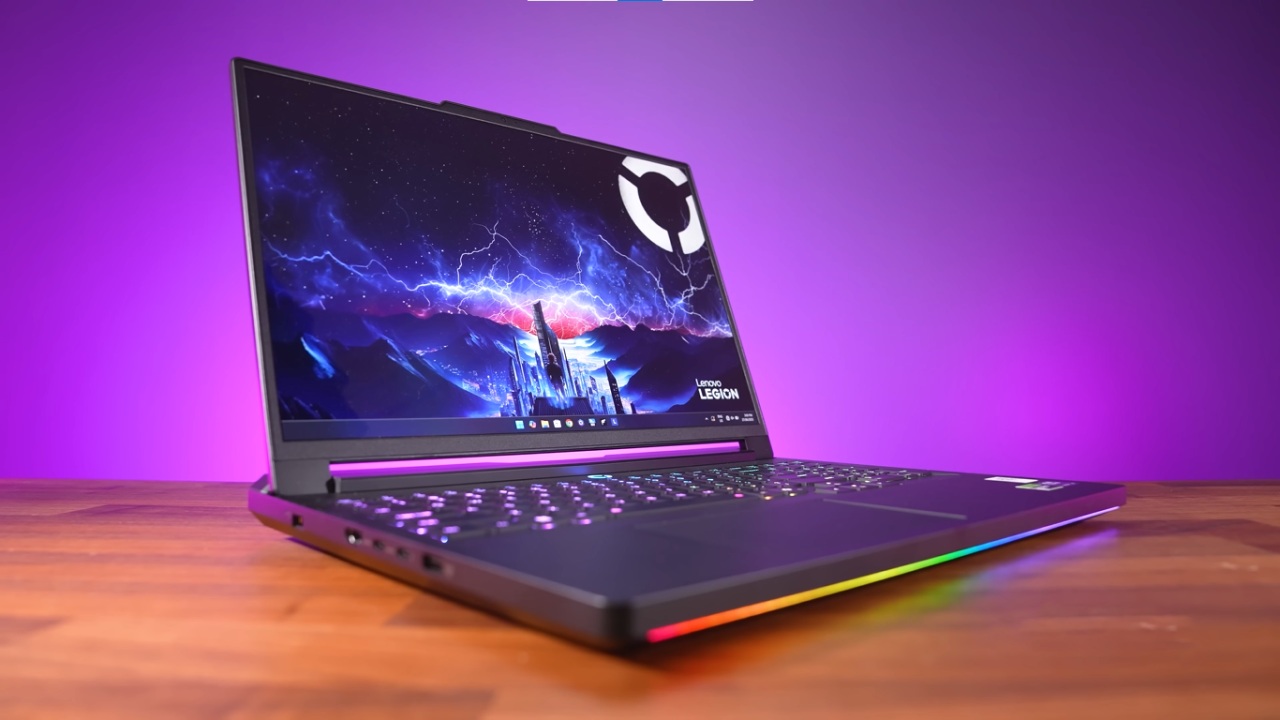
The XMG Neo 16 was chosen as the laptop for testing because it is the most powerful gaming laptop with an RTX 5080 GPU that has been seen so far. It features an option for liquid cooling, which would further increase FPS. However, testing was conducted with standard air cooling to simulate the use of a 5080 laptop.
Desktop Test System
New parts were added to the motherboard, power supply, SSD, case, and cooler for the desktop system this year, along with an overall hardware update. The all-white build worked perfectly during tests, and the part list is easily accessible for anyone in the US who wants to create a similar rig.
Differences Between the Laptop and Desktop Platforms
Laptop and desktop gear will always differ in some way, and this is no exception. The 275HX processor in the laptop is basically the mobile version of the 285K processor in the desktop.
However, the desktop CPU has higher power levels and better cooling. Both systems feature 32GB of DDR5-6400 memory; however, the PC's memory has tighter timings due to its greater thermal headroom and more extensive tuning options.
Power Scaling and Performance at Varying Power Limits
The Neo 16's 5080 laptop GPU runs at a full 175W, which is the most power a mobile 5080 can handle. The GPU can operate with as little as 80W of power, so laptops that are thinner and have tighter thermal constraints will not perform as well.
Because laptops have smaller internal spaces, they cannot dissipate heat as effectively as desktop towers, so they require stricter power limits. This is because more power directly means more heat.
Fan Noise Differences
There is a big difference in size between a desktop GPU cooler and a laptop frame. Because of this, laptop fans have to spin much faster and louder than desktop coolers, which are quieter and bigger, to keep the computer safe.
Power Draw Differences
Even though it runs cooler and quieter, the desktop machine uses about 70% to 90% more power at the wall when playing games than the laptop.
Temperature Differences
The desktop 5080 runs cooler than the laptop 5080, despite using more power. This illustrates how the smaller thermal environment of laptops can be a problem.
Clock Speed Differences
The desktop GPU can maintain much higher clock speeds during games because it receives more power, which further widens the performance gap.
Performance-Per-Watt (Efficiency)
When comparing FPS to power use, the laptop GPU is more efficient in the long run. The desktop 5080 indeed has better raw speed in every game, but it consumes significantly more power.
Cyberpunk 2077 (Ray Tracing & DLSS)
The laptop 5080 can handle 1080p and 1440p frame rates in Cyberpunk 2077, but it struggles with 4K resolution without DLSS.
The desktop gets 58% more frames per second on average at 1440p. With DLSS and ray tracing at 4K, the desktop closes the gap to 67%, and even at the lowest resolutions, its 1% lows are faster than the laptop's average FPS. Even though they have the same name, Games With Smaller Differences – Baldur's Gate 3
For some games, like Baldur's Gate 3, CPU limits are more important than GPU power. So, the PC was only 11% faster at 1080p and 1440p, but it was over 50% faster at 4K, where the GPU became the bottleneck.
Alan Wake 2 (Ray Tracing & DLSS)
Alan Wake 2 barely reaches 60 FPS at 4K on the desktop without scaling up, and it's still 60% faster than on the laptop. Both devices run faster when ray tracing and upscaling are enabled, but the PC remains 56% faster. Considering how challenging the game is, the laptop still performs exceptionally well at 1440p.

Forza Horizon 5 – Smaller Gap
The only real change in Forza Horizon 5 at 4K is that the desktop is 34% faster. This gap is significantly smaller than in most other games, but it's still substantial.
Biggest Differences in Red Dead Redemption 2
Red Dead Redemption 2 has the largest difference, with an average of 76% more frames per second on PC at 4K. The laptop can still handle 60+FPS at 4K Ultra without upscaling, though.
Twenty Additional Games Tested
To obtain a more accurate average, twenty additional games were tested at 1080p, 1440p, and 4 K resolutions. A big dataset makes it easier to draw conclusions, and the overall results show that the desktop 5080 consistently wins at all resolutions.
Average Differences at 1080p
The RTX 5080 desktop GPU is 32% faster than the laptop version in 25 1080p games. Although 1080p is a high resolution, it doesn't put enough stress on either GPU to fully reveal speed differences.
Average Differences at 1440 p.m.
The desktop is 44% faster on average when it's set to 1440p. Ten games showed improvements of 50% or more, which is about the same as the original resolution of most new high-end laptops.
Average Differences at 4K
At 4K, the desktop is clearly the best option. Eighteen of the twenty-five games tested ran 50% faster or faster on it, and ten of them ran 60% faster or faster. The laptop can still handle many 4K tasks fairly well without upscaling, but it falls short of the desktop's capabilities.
Combined 25-Game Average
A clear graphic summary is created when averaging all games across all resolutions: the desktop 5080 always comes out on top. The laptop can still achieve close to 60 FPS at 4K, which is great, but the desktop still has significantly more raw output.
Price Differences
Prices for hardware change frequently; however, a PC with similar specifications currently costs approximately $3,137 in the US. The GPU makes up a big part of that price. If some parts are replaced with cheaper ones, costs can decrease without compromising overall performance.
In the US, the laptop used for testing costs approximately $3,300. Other computers with RTX 5080 graphics cards start at approximately $ 2,500 and should perform similarly.
The desktop wins in terms of cost per frame. The tested laptop costs more than this one, but it performs much better. There isn't much difference in value at 1080p, but not many people buy a 5080 for 1080p games. Even though the numbers are still close at 1440 p.m., the PC is still ahead.
Desktop or Laptop? Key Considerations
It all comes down to whether flexibility is important. It's not realistic to bring a full desktop system with you everywhere. A laptop, on the other hand, is portable and requires fewer accessories.
People who travel frequently or frequently relocate may find the additional cost of a compact machine worthwhile, as it is extremely convenient.
You can make a desktop much smaller, but you'll still need extra parts and power from outside the computer. A laptop, on the other hand, has a screen, keyboard, and battery built in. Form factors must be tailored to meet each specific need.
A Practical Hybrid Solution
For the best balance, a hybrid approach may be the most effective. Having a powerful desktop computer at home and a mid-range laptop for events or travel gives you options without spending too much on either platform's top-of-the-line versions.
It's much easier to update desktop PCs than laptops. Most computers only let you change the SSD, RAM, and Wi-Fi card. The CPU and GPU don't change. In a few years, you can easily upgrade the GPU in a desktop to a better model. But to upgrade the GPU in a laptop, you usually have to buy a whole new laptop.
Final Thoughts
In every test, the desktop RTX 5080 is much more powerful than the other two versions. Both can run current games very well at high settings. Ultimately, you must decide whether flexibility is more important than a desktop's raw power, value, and ability to be upgraded.
There is a deeper comparison between the RTX 5090 laptop and desktop versions as well, and the difference in speed is even bigger than what we saw with the 5080. If you need more power, the 5090 battle shows how dramatic the jump can be.
Also, check our other NVIDIA articles:
- NVIDIA GeForce RTX 5080 Review (2025): Still A 4K Gaming Powerhouse?
- NVIDIA RTX 5070 Review: Mid-Range Muscle or Marketing Hype?
- RTX 5070 Ti Review: Performance, Thermals & Power Efficiency Tested
- ASUS GeForce RTX 5090 LC Liquid Cooled GPU Review: Unmatched Silence & Speed
- MSI GeForce RTX 5090 32GB SUPRIM SOC Review: Power Efficiency, Cooling, and Gaming Performance
- INNO3D RTX 5060 Ti 16 GB X2 Review: Gaming Benchmarks, Temps, and Power Efficiency
- HP Omen 45L Review: RTX 5090 Performance, Thermals, and Value Analysis
- ASUS TUF Gaming GeForce RTX 5060 Ti Review: DLSS 4, Power Efficiency, and Gaming
- ASUS Prime RTX 5060 Ti OC 16GB Review: DLSS 4, Ray Tracing, & Thermals Tested
- NVIDIA GeForce RTX 5060 Review: Specs, Gaming, and Cost per Frame
- MSI GeForce RTX 5090 GAMING TRIO OC Review: A Monster Power GPU
Contributor, NoobFeed
Gaming Hardware Updates
No Data.