
Steam Deck Optimization Guide for Better Gaming Experience
Choosing optimized and older generation games ensures stable performance and better visual quality on handheld gaming devices.
Hardware by Shinji Okazaki on Apr 03, 2026
Every time a big game comes out, a cycle seems to start over. It starts with excitement, waiting for review embargoes to end and checking performance sources to see how the game operates.
That expectation builds into excitement when many performance videos come out, each showcasing a distinct environment. Then follows disillusionment when they realize that big, hard games don't work well on the Steam Deck.
The cycle continues as users make conflicting assertions. Some people say they get a "stable 30fps" with some modifications. Still, footage that is accessible typically shows inconsistent performance. Next, people try to make things better by changing settings, adding mods, and making graphics look worse.
After dropping the resolution to 480p, turning off most visual effects, and pushing the machine to its limits, the result is a broken version of the game that doesn't deliver the intended experience.
.jpg)
This isn't an unusual process. Many people go through it, partly because of algorithm-based recommendations that make them more interested and make them feel like they're missing out. People want high-end experiences on their handheld devices. Still, they get frustrated when their expectations exceed the hardware's limits.
Working with the Steam Deck instead of Against it
You can have a better time if you change your expectations and work with what the device can do. When that change happens, the whole experience improves, and people spend less time trying to make games better than they can be.
You don't have to avoid any type of game using this method. You can still get new releases, older games, and games from other genres. The most important thing is to pick the correct kind of experience for the hardware.
Playing New Games That Are Well-Optimized
Not every new game has problems on the Steam Deck. Some games are well-optimized and offer a steady experience. For instance, Monster Hunter Stories 3, a turn-based RPG, works well with high settings, FSR balanced, and a 30fps lock. There are a few drops to 29 fps during loading transitions on all platforms, so the experience stays the same.
Games with simple gameplay or stylized graphics frequently work well on portable devices. Even engines known to have performance problems might deliver consistent results when developers optimize them correctly.
Another example is racing games that look like arcade games and can get close to 60 fps when the parameters are changed. These experiences still respond and seem clear without too much compromise.
The focus should change from hype to how fun it is to play. It's best to support finished, optimized games.
The Sweet Spot: PS4 Games and Games from Other Generations
Games from the PS4 era or those that work on both generations offer a good mix of performance and visual quality. A lot of these games work well without many changes.
Games from well-known franchises usually work well right out of the box. Steam Deck now runs smoothly on even games that had bad PC launches in the past.
These games let you use higher settings, get stable frame rates, and make fewer trade-offs. They can often achieve high frame rates, such as 90 fps, at the highest settings, demonstrating how effectively they work with the hardware.
This category delivers the best results when we want a reliable experience without frequent changes.
Older AAA Games Are Still Worth Something
When you choose games from prior generations, AAA games are still playable on the Steam Deck. These games give you a full experience with reliable performance and less system needs.
Even if a newer version of a series is available, older versions sometimes have more active players and run better. Playing these versions eliminates the problems that come with releases that aren't finalized or aren't well-optimized.
Going back to earlier entries in a series typically makes the game run more smoothly and last longer on battery, without losing any of the fun.
Indie Games as a Main Experience
Steam Deck is quite good at playing indie games. They usually perform better, require fewer system resources, and offer gameplay that works well on mobile devices.
Terraria, Dead Cells, and other new independent games all run smoothly and give players a great experience. A lot of these games work perfectly and let you play for a long time without using up a lot of battery.
Steam Deck is a great platform for indie games because it offers many options at reduced prices.
Retro and Emulation Options
Steam Deck also works well with old games. Older games run well without any changes, so the original experience stays the same. Collections and remasters make classic games easier to play, and emulation adds many new games to the library. You may use emulators to play games on systems like the GameCube, PS2, PSP, and others. Setting up emulation makes things more flexible by letting you play games that aren't widely available through official sources anymore.
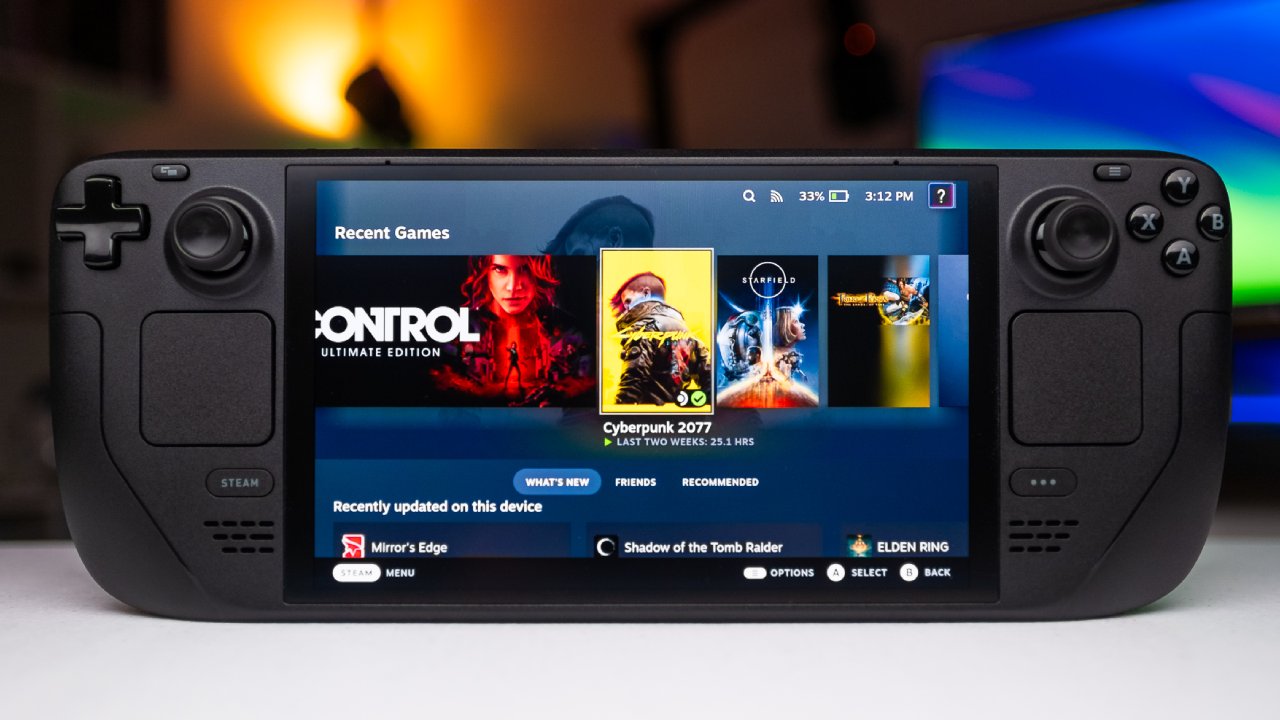
Make People have High-end Experiences
Using the Steam Deck instead of high-end systems is frustrating. Some new AAA games may work well because they are well-optimized, but most do not. It is best to play demanding games on consoles or gaming PCs designed for that level of performance rather than force them onto the device. Using the Steam Deck within its designated range makes the experience smoother and more consistent.
Final Thoughts
It's simple: don't push the gear too far; just use it. When choosing games for the Steam Deck, it's best to look for older games designed for handheld use.
It's the game itself that people are interested in when hopes match abilities. Because of that change, people spend more time playing and less time fixing problems.
The idea is still simple: play games more and spend less time changing settings.
Also, check our other hardware articles:
- AMD Ryzen 9 9950X3D Review: Setting The Standard For 2025 Gaming CPU
- Amazon Luna 2025 Review: Is Prime Gaming's Cloud Service Your Go-To For Casual Fun?
- AMD RX 9070 XT Review: AMD's RDNA 4 Champion for 1440p Gaming
- GeForce Now Ultimate: Ditching Your Gaming PC For Cloud RTX 4080 Power?
- NVIDIA GeForce RTX 5080 Review (2025): Still A 4K Gaming Powerhouse?
- Intel Core Ultra 9 285K Review And Performance Breakdown (2025)
- AMD Ryzen 7 9800X3D Review: 3D V-Cache Goes God Mode with Stunning Gaming Performance
- Intel Core Ultra 9 285K vs AMD Ryzen 7 9800X3D: In-Depth Gaming Performance and Benchmark Comparison
- NVIDIA GeForce RTX 5080 Super Performance In Cyberpunk 2077: Path Tracing & DLSS 4.0 Tested
- AMD Radeon RX 9070 XT In Cyberpunk 2077: Ray Tracing & FSR 4.0 Tested
- Intel Arc B580 Review: The $250 GPU Revolutionizing 1440p Gaming
- Intel Arc B570 Vs. B580: Value, Specs, And Real-World Gaming Performance
- RTX 5090 Laptop Vs. M4 Max MacBook Pro: Ultimate Raw Performance Vs. Battery Endurance
- Intel Arc b580 Vs. RTX 4060: Game Performance And Value Analysis
- RTX5090 Hell Is Us Demo 4K Ultra Benchmark: DLSS Vs. Native Performance Guide
- NVIDIA RTX 5070 Review: Mid-Range Muscle or Marketing Hype?
- Nintendo Switch 2 Review: Handheld Performance, Features & Value Breakdown
- RTX 5070 Ti Review: Performance, Thermals & Power Efficiency Tested
- Samsung Odyssey OLED G81SF Review 2025: Ultimate 32-Inch QD-OLED Gaming Monitor
- AMD RX 9070 Performance Review: Thermals, Clocks, and Real-World FPS
- AMD Ryzen 5 7600 Review: Best Budget Gaming CPU of 2025?
- AMD Radeon RX 7800 XT Review: RDNA 3 Power For Midrange Gaming
- Asus ROG RTX 5090 Astral OC Vs. Founders Edition: The 4K Gaming Benchmark
Editor, NoobFeed
Gaming Hardware Updates
No Data.