
Switch 2 DLSS vs. FSR 3: Image Quality, Performance, and Motion Analysis
Detailed comparison of Switch2 DLSS and FSR 3 highlighting performance behavior, motion clarity, and reconstruction quality across gameplay scenarios.
Hardware by Masaru Hoshino on Nov 27, 2025
The talk is about whether Switch 2 DLSS delivers better results than TAA alternatives that rely solely on filters, like FSR 3, and whether developers should choose one over the other when making games for 4K resolutions.
The comparison also shows how DLSS works when you move, the variations between light and full DLSS models, and how each one works in real gameplay situations.

How DLSS Behaves in Motion
When we look closely at movement, tiny DLSS tends to reduce or almost lose the spatial upscaling or reconstruction component that defines traditional DLSS. That is essentially the core difference in motion. We see that this reduced reconstruction makes the technique behave differently compared to its full models, especially at higher resolutions.
From our perspective, you generally would not want to choose FSR 3 over tiny DLSS for two key reasons. First, tiny DLSS is lighter on the GPU than FSR. When you compare DLSS 2 or DLSS 3 (non-transformer mode) with FSR 2 or FSR 3 on GPUs of similar class—such as comparing an RTX 4070 running FSR 3 and DLSS 3—you’ll notice that DLSS is usually a bit faster.
Tiny DLSS, however, cuts the cost down even further, often to about half on comparable hardware. That reduced cost becomes highly valuable when you're chasing specific performance at specific resolutions.
Second, tiny DLSS avoids some of the well-known artifacts in FSR, especially particle ghosting, which often appears in many FSR implementations. Because of that, we would typically prefer tiny DLSS unless a game is exceptionally fast—like something in the style of Fast Fusion—where most temporal reconstruction methods begin to struggle.
At very high speeds and low sample counts, only extremely high-quality models preserve clarity, and tiny DLSS may not hold up there. But in most scenarios, tiny DLSS is more desirable, especially as it continues to improve over time.
Evaluating Light DLSS and Full DLSS on Switch 2
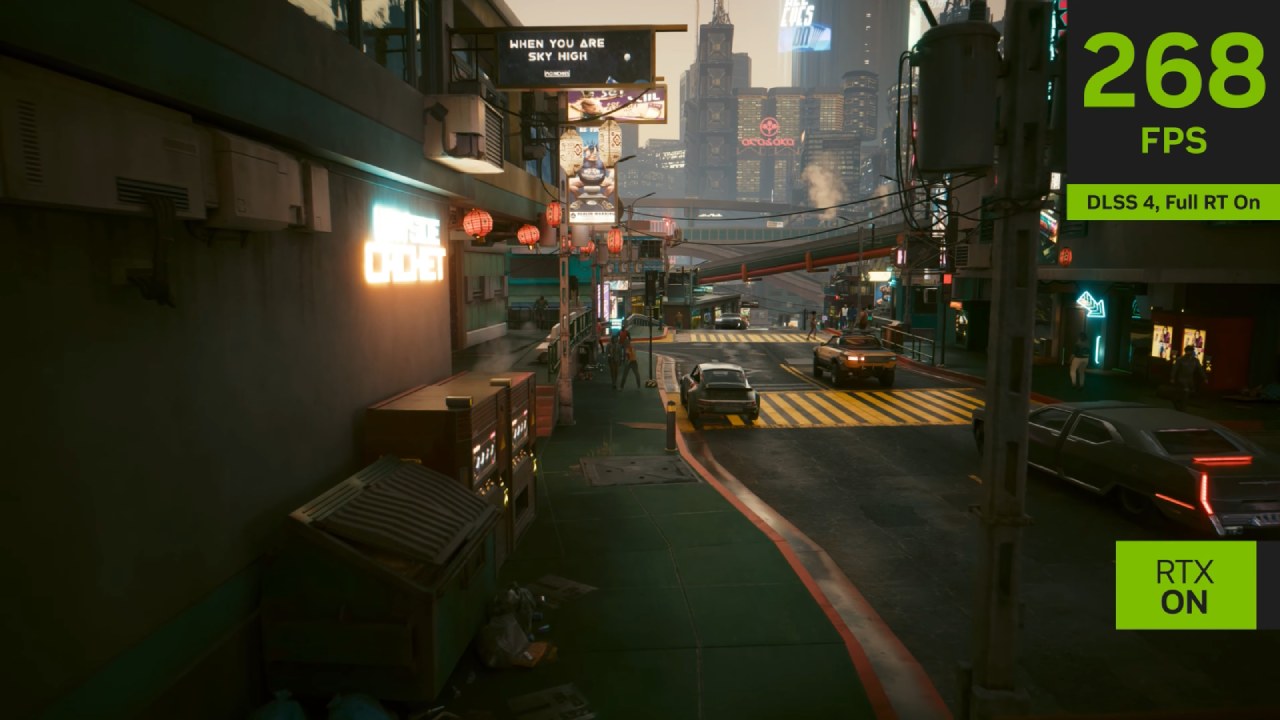
There is typically a clear line between the light DLSS model and the full DLSS model. The lite version is quite cheap to run, and we've seen it push games to 4K60fps in games like Fast Fusion, which was previously considered impossible. The full DLSS model, on the other hand, shows up in bigger games like Cyberpunk. It may be able to run at 1080p docked or even lower resolutions when played on the go, such as 720p or 900p. While softer, the full version provides strong anti-aliasing and an overall pleasing image quality in motion.
When we compare strictly on image quality, the light DLSS model falls behind FSR 2 and FSR 3 because it does not effectively address anti-aliasing during motion. However, some exceptions favor light DLSS. Particle artifacts, which frequently plague FSR, are handled better.
FSR 2 and FSR 3 can also suffer from disocclusion fizzing—those salt-and-pepper artifacts—. In contrast, light DLSS tends instead to display a section of the image that lacks anti-aliasing but avoids the heavy fizzle pattern. It is not hyper-sharp, but it avoids the odd over-sharpened look common in early FSR 2 games such as God of War.
Cost remains the deciding factor here. Light DLSS in many games, such as Hogwarts Legacy, delivers surprisingly acceptable results, avoiding objectionable artifacts while remaining extremely cheap. Beyond that, it offers another major advantage: the ability to consistently deliver 1440p docked or 1080p portable, matching the display panel resolution.
That is something other reconstruction techniques cannot easily achieve with very low inputs, such as 540p. Light DLSS handles those low-resolution inputs better than many other temporal upscalers, which frequently break down under the same conditions.
Final Thoughts
When we look at GPU load, motion clarity, reconstruction quality, and artifact behavior, we usually prefer micro or light DLSS over FSR 2 or FSR 3 in most games.
Full DLSS still offers the best picture quality among the alternatives, especially when stability and anti-aliasing are most important. Light DLSS trades some quality for dramatically improved performance but still avoids the common shortcomings of competing filter-based upscalers.
Also, check our other Handheld articles :
- ASUS ROG Ally X Handheld Review: Double the Battery, Double the Comfort
- Nintendo Switch 2 Vs. Original Switch 1: A Full Comparison
- How To Connect A Camera And Join Voice Chat With Nintendo Switch 2
- Nintendo Switch 2 Review: Handheld Performance, Features & Value Breakdown
- Lenovo Legion Go S Review: The Ultimate Steam Deck 2 Alternative
- ROG Xbox Ally X Vs. ROG Ally X: Display, Battery & Controls
- MSI Claw 8 AI+ Review: Display, Controls & Gaming
- ASUS ROG Ally X vs. Steam Deck OLED: Display, Battery & Gaming Benchmarks
Editor, NoobFeed
Gaming Hardware Updates
No Data.