
Xbox Ally X Review 2026 Performance Battery Life Features and Value Breakdown
A high-end gaming handheld combining Xbox-style ergonomics with PC flexibility, emulation support, and improved battery efficiency.
Hardware by Shinji Okazaki on Jan 31, 2026
Xbox Ally X is a high-priced handheld that focuses on performance, flexibility, and access to numerous gaming environments. People are talking about whether the experience is worth the $1,000 price tag and who the device is really for.
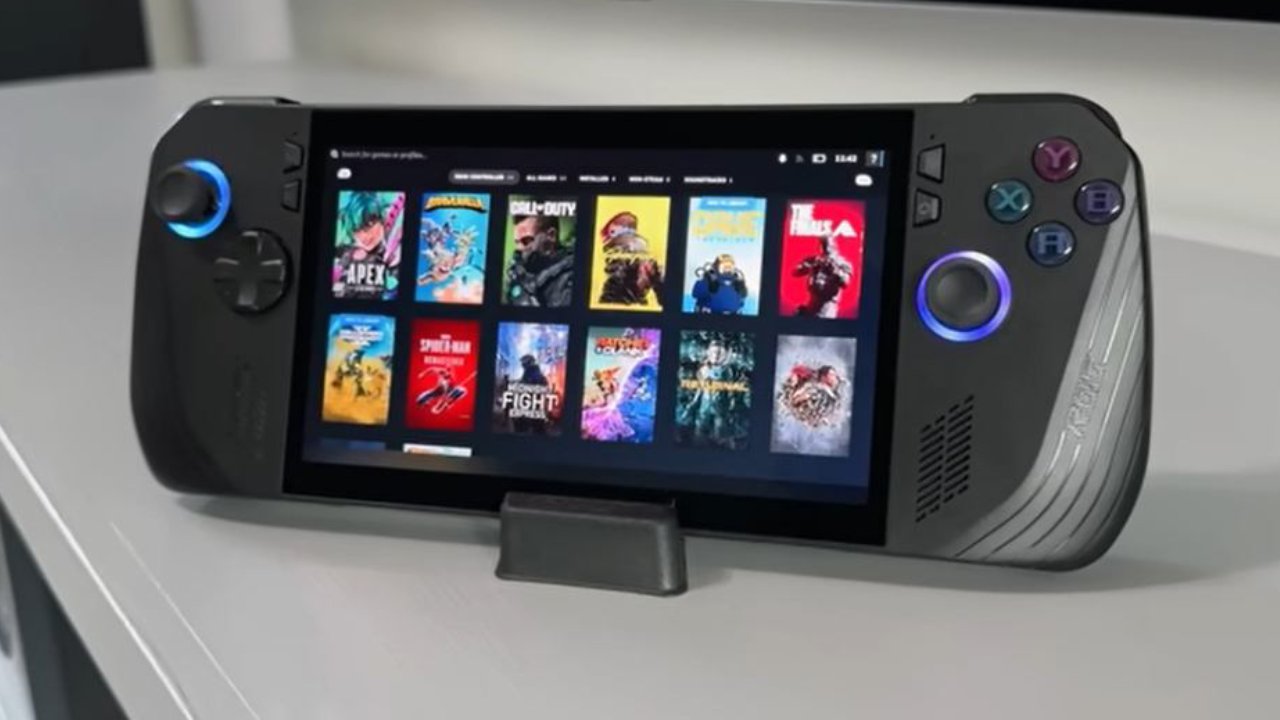
We can tell right away that the grips make the gadget feel like a real Xbox controller. It fits well in your hands, and the back buttons are helpful, especially while playing games like Call of Duty. A protective case gives you a better grip on the gadget and comes with a carrying case and a kickstand to hold it up. The power button has a fingerprint scanner that lets you log in right away without entering a password.
.jpg)
Choices for Software and Interface
Xbox home screen comes up when the device turns on. It shows games from Steam, Epic, Game Pass, the cloud, and remote play. You can use more than one store. You can use the Xbox experience if you like a console-style layout, but we usually go straight to Windows. When you have Windows on a portable, it seems like a full PC. Xbox software works well with Game Pass without needing the console-style interface.
Armory Crate and Command Center
The command center makes it easy to get to the resolution, gamepad mode, fps limiter, frame list, and other controls. Armory Crate is also very important because it serves as a single hub for games across all platforms. We can change basic settings, calibrate, adjust the gyro, change the illumination, acquire updates, and tune performance inside Armory Crate. These choices make it a necessary element of everyday life.
How well the GGame Runs
Xbox Ally X works nicely with most games. When using Xbox-optimized settings with a 60fps limit, Forza operates at 60fps or higher. The D-pad feels better than the Z1 Extreme's, which makes it easier to use combos in games like Tekken 8. Older games, like the old Star Wars games, run smoothly at 60 to 70 fps, with some parts reaching 80. The processor and built-in NPU still have significant promise.
Battlefield 6 works well in modes like Team Deathmatch; however, Conquest might have problems and even crash because it needs more resources. Games like Terminator2D and Silksong, which are smaller, run fine and work nicely with the hardware.
Audio Experience
The built-in speakers support Dolby Atmos, which delivers clear, robust sound. In many cases, you don't need headphones because gunfire in Call of Duty and engine noises in Ride5 come through clearly.
Ability to Emulate
RetroBat is what we use to emulate. Other handhelds can play games that are similar to them, but this one can play recent games, replicate them, and do everything else. Loading up older games like A Bug's Life makes you feel at home, and switching to Call of Duty on the same machine shows how flexible it is.
Streaming and Remote Play
As long as there is Wi-Fi, remote play works well. Remote play lets you play both PlayStation and Xbox SeriesX games, so you can play a lot of games on one device. You may also stream to a PC, but you need Steam running on the desktop. Most of the time, it's best to download games directly to the handheld because it works well.
Battery Life and the Ability to Resume
The battery life is much better. Harder games usually run 2.5 to 3 hours, whereas easier games can go much longer. The resume option is great because games often pick up right where they left off, even after the device shuts down due to a dead battery.
Gaming in the Cloud
You can play games in the cloud with PlayStation Plus Premium and Xbox Cloud Gaming. If you have an active membership, you can choose to stream games instead of installing them. It's easy to set up, and how well it works depends heavily on the network's quality.
Problems and Restrictions
There are times when the system doesn't respond, as when you move between games and apps or change settings in the middle of a game. When you start a game from Game Pass or another launcher like Epic, it can take a long time to load. Shader compilation is another difficulty, as some games require you to wait before you can play them to avoid performance issues.
Final Thoughts
This system makes sense if you want a handheld that performs better, supports games from other platforms, such as emulation, remote play, and cloud gaming, and lets you play native PC games. Xbox Ally X is the best handheld for you if you want one that can do as many things as possible.
Also, check our other articles below :
- ASUS ROG Ally X Handheld Review: Double the Battery, Double the Comfort
- Nintendo Switch 2 Vs. Original Switch 1: A Full Comparison
- How To Connect A Camera And Join Voice Chat With Nintendo Switch 2
- Nintendo Switch 2 Review: Handheld Performance, Features & Value Breakdown
- ROG Xbox Ally X Vs. ROG Ally X: Display, Battery & Controls
- ASUS ROG Ally X vs. Steam Deck OLED: Display, Battery & Gaming Benchmarks
- MSI Claw 8 AI+ Review: Display, Controls & Gaming
- Nintendo Switch 2 vs. Steam Deck OLED: Gaming, Performance, Battery, Display and Value
- PlayStation Portal Review: Remote Play, Cloud Streaming & Travel Gaming
- PlayStation Portal vs. Lenovo Legion Go: Best Portable Gameplay
- Cyberpunk 2077 Patch 2.3 FPS Test on MSI Claw 8 AI+
Editor, NoobFeed
Gaming Hardware Updates
No Data.