
Zephyrus G16 vs. Aurora 16X: Performance, Build, and Portability Compared
Comparing metal construction, thickness, weight, and overall durability between thin and thick gaming laptop designs.
Hardware by Mitsuba Miyu on Dec 24, 2025
A lot of the time, picking the right game laptop means picking between two very different shapes and sizes. Some tools are thin, light, and easy to carry, and they look sleek on one side.
On the other hand, there are thicker, heavier laptops that prioritize cooling and performance. Each method has clear pros and cons, and knowing these differences makes it easier to choose the one that meets your needs.
Build Quality and Design
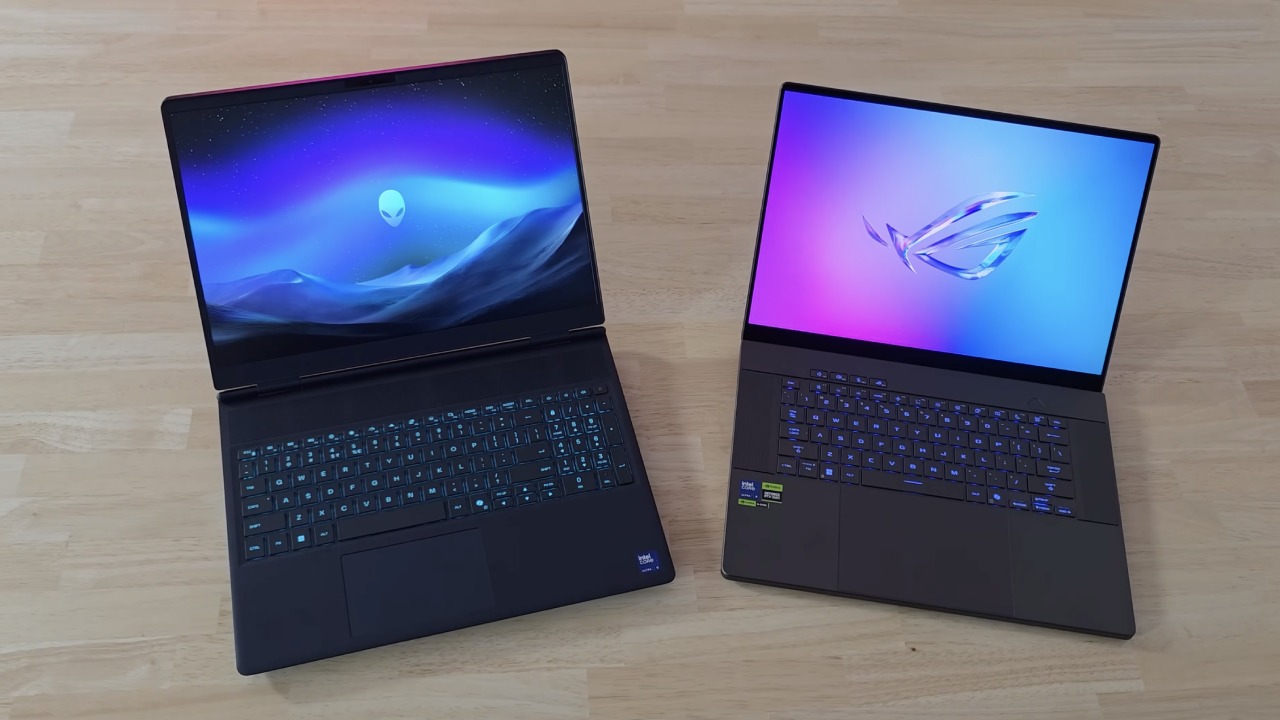
When it comes to how they're made, the Zephyrus G16 and Aurora 16X are two of the best gaming computers on the market. Both have tough metal frames that feel high-quality and solid, much like expensive ultrabooks, but have been changed to work with game hardware. When using each machine every day, they both feel very sturdy.
But there are a few important changes. The Aurora's piano deck is made of plastic, but the Zephyrus is made of metal all the way through. As a result, the Aurora bends a bit more in that spot, but the Zephyrus feels more even. The main difference is its thickness.
The Aurora is almost twice as thick as the Zephyrus, and the extra material makes it a lot heavier. The Aurora is one of the heaviest gaming laptops of its age because it can't be used comfortably with one hand like the Zephyrus can. We highly recommend avoiding the Aurora if you want to easily carry it around. But that extra size is important for efficiency.
Specifications and Performance Potential
Aurora's extra thickness and weight improve cooling and increase power limits. At first, the specs of both laptops seemed to be the same, but there are actually important changes when you look more closely.
The CPU in the Zephyrus is basically the same as the one in the Aurora, but runs at a lower speed. On paper, both GPUs are rated for similar power limits. Still, the Aurora reaches those limits and stays there much more easily.
The Zephyrus does have better setup options, so it's a better pick if you want more than 8GB of VRAM or a better GPU. If you plan to keep the laptop for a long time or do more demanding things besides games, this level of flexibility can be important.
Ports and Charging
Both computers have a lot of ports, but they are in different places, like the back of the computer. The Zephyrus has a spot for a full-size SD card, but the Aurora has an Ethernet port.
The power charger is one important difference between the two. The Zephyrus's charger is much smaller, but the Aurora's power brick is really big, even compared to other chargers with the same power output. Along with the laptop's weight, this makes the Aurora stand out more in a bag.
You can use a USB-C charger with both systems, so you can take a smaller charger with you when you don't need to use them at full power.
Keyboard Experience
Both keyboards have RGB lights in one zone, which lets you change them in simple ways. The Zephyrus keyboard is better for us because it has more key movement and a more even typing feel.
The keyboard on the Aurora feels shallower, and the keys are less even, so it's easy to miss inputs when working or playing games quickly.
The Aurora has a separate numpad, but the Zephyrus does not. If you do a lot of work or data entry that requires a numpad, this might affect your choice.
Trackpad Quality
The trackpads are clearly different in quality. The Zephyrus has a big glass trackpad and a high-quality, well-balanced, accurate, and satisfying click. The Aurora's plastic trackpad has a clicking device that feels dull and unresponsive. The Zephyrus trackpad feels much better after daily use.
Display Quality
Both computers have great screens, but the Zephyrus is clearly better because it has an OLED panel. Compared to any LCD screen, colors look brighter, contrast is a lot stronger, and black looks really black. The Aurora's display is still fine, but the difference is clearer in dark settings.
Both displays reach about 500 nits of brightness, which is enough for use outside. The Zephyrus's better contrast means that it can look a little lighter. Each panel refreshes 240 times per second, making the gameplay feel very smooth. OLED screens also have faster pixel response times, but this is a subtle difference that's hard to see without a direct side-by-side comparison.
Even though the Zephyrus has a shiny surface, it still has a great anti-reflective coating that handles reflections better than most computers. The Aurora features a matte finish that reduces reflections but increases glare. We usually prefer the way Zephyrus was done.
The Aurora can open up wider, which is generally helpful. Still, it's hard to open with one hand because the handle is stiff. It's easy to open the Zephyrus with just one hand, which makes it feel even more high-end.
Speakers and Audio
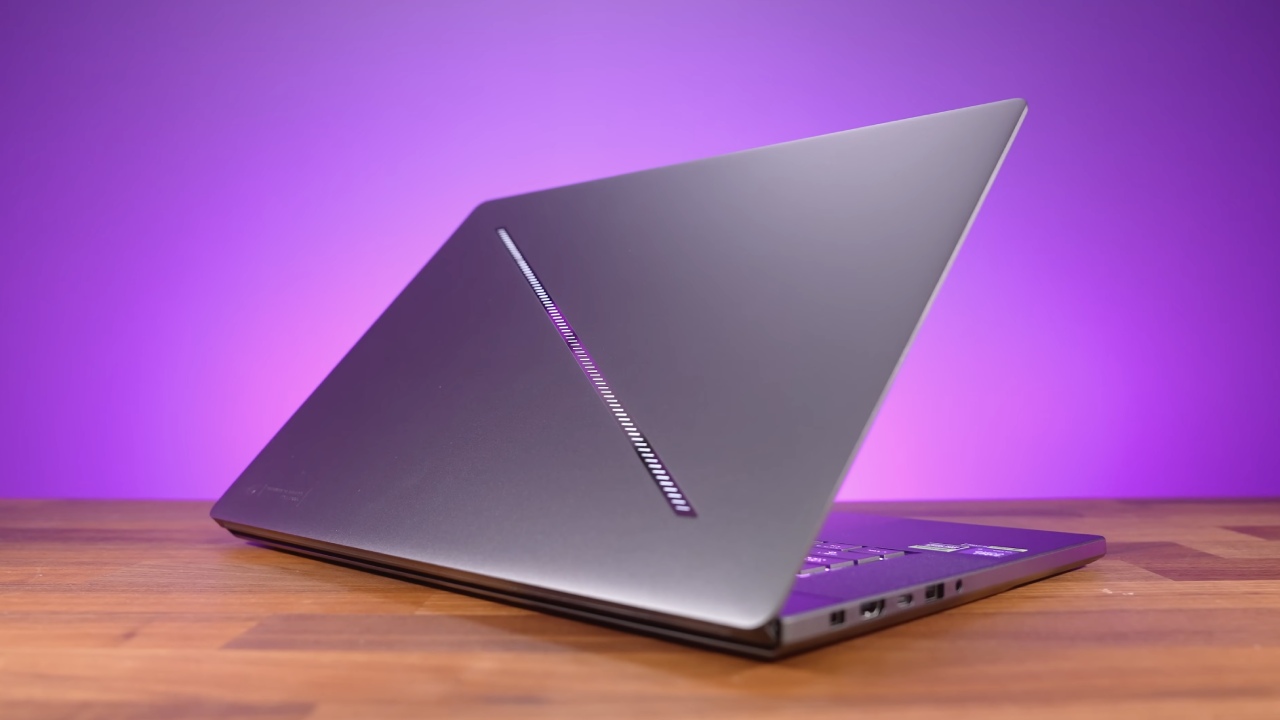
Speakers and Sound Gaming computers usually have bad speakers because they think most people will use headphones. The Zephyrus doesn't do that. Its speakers are much louder, deliver better bass, and even create a surround-sound effect. It's great for playing music or games in a room without headphones.
The Aurora's speakers can get pretty loud and sound clear, but they don't have much bass or effect. The Zephyrus is the obvious winner when it comes to music quality.
Webcam and Microphone
Neither laptop has a great camera, but there are some differences between them. The Zephyrus produces a sharper picture, and the Aurora produces a more realistic one. The Zephyrus's microphone quality really makes it stand out, and it's much better and more noticeable during calls or recordings.
Benchmarks and Gaming Performance
The Aurora pulls ahead in raw CPU performance because it has more cores and more power. In GPU-focused tests, the difference is smaller because both computers use the same graphics hardware. The big difference in performance shows up in tasks that use both the CPU and the GPU, like gaming.
In real-world game tests, the Aurora always gives higher average frame rates. It's cooler, which lets the GPU run at higher power levels, leading to wins of about 10% to 20% in many games that need a lot of GPU power. The Aurora's stronger CPU makes a big difference in the speed of CPU-heavy games.
Temperatures and Fan Noise
When both laptops are under load, they're close to their thermal limits, which is normal for high-performance gaming laptops. The Aurora's CPU can get close to 105° because of aggressive power settings that prioritize performance. These temperatures aren't inherently unsafe because the system is designed to handle them, and users can override thermal limits if they want to.
The Aurora's biggest problem is that the fans are noisy. When the fans are under load, they get very loud and make a high-pitched sound that can be annoying even when they're going slowly. This can be a big problem if you are sensitive to noise. The Zephyrus is clearly quieter and easier to use in places where other people are or where it's quiet.
Battery Life
The different goals of these machines are reflected in their battery life. The Zephyrus lasts much longer when only a little work is done, like playing a movie with the separate GPU turned off. Its CPU has efficiency parts that use very little power when running on battery. The Aurora's CPU is designed to perform well rather than be efficient, which drains the battery much faster.
Neither laptop works very well for gaming on battery power, so we wouldn't suggest getting either one for that purpose. For that purpose, a handheld gaming gadget is a better choice.
Upgradeability
The Aurora has a thicker build, making it easier to add new features. It has two RAM slots, so it's easy to add more memory later. Modular RAM upgrades won't work with the Zephyrus because it's too small.
Both laptops have two M.2 SSD slots for easy storage expansion, and both have a removable Wi-Fi card, which could be helpful for future upgrades.
Pricing Considerations
The Aurora is usually more affordable than the Zephyrus. However, prices may change based on sales and how the items are set up. The Zephyrus usually stays more expensive, even with deals. It costs more because it's hard to fit powerful gear into a thinner, lighter chassis.
Final Thoughts
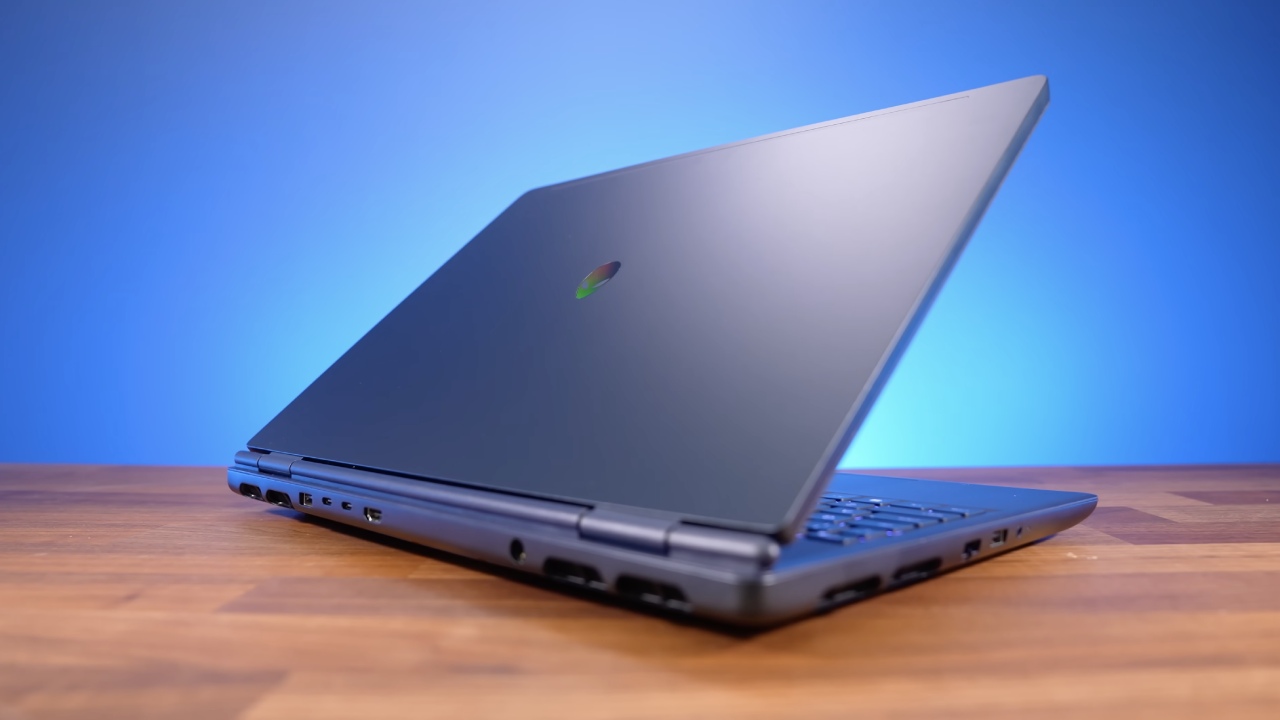
How you plan to use your machine should guide your choice between these two laptops. If you want the best gaming performance and often run heavy tasks with many threads, the Aurora is the better choice because it has higher power limits and a better CPU.
The Zephyrus is better if you care about easily carrying it around, a better screen, better speakers, quieter operation, and a more balanced daily experience. The Aurora is heavy and loud, but the Zephyrus is great at everything.
We would strongly suggest the Zephyrus if you frequently move around or work in quiet places. If your laptop is mostly used on a desk and you care most about speed, the Aurora makes more sense.
Also, check our other hardware articles:
- AMD Ryzen 9 9950X3D Review: Setting The Standard For 2025 Gaming CPU
- Amazon Luna 2025 Review: Is Prime Gaming's Cloud Service Your Go-To For Casual Fun?
- AMD RX 9070 XT Review: AMD's RDNA 4 Champion for 1440p Gaming
- GeForce Now Ultimate: Ditching Your Gaming PC For Cloud RTX 4080 Power?
- GeForce RTX 5090 Unleashed: Is NVIDIA's New Flagship the Ultimate 4K Gaming GPU?
- NVIDIA GeForce RTX 5080 Review (2025): Still A 4K Gaming Powerhouse?
- Intel Core Ultra 9 285K Review And Performance Breakdown (2025)
- AMD Ryzen 7 9800X3D Review: 3D V-Cache Goes God Mode with Stunning Gaming Performance
- Intel Core Ultra 9 285K vs AMD Ryzen 7 9800X3D: In-Depth Gaming Performance and Benchmark Comparison
- NVIDIA GeForce RTX 5080 Super Performance In Cyberpunk 2077: Path Tracing & DLSS 4.0 Tested
- AMD Radeon RX 9070 XT In Cyberpunk 2077: Ray Tracing & FSR 4.0 Tested
- Intel Arc B580 Review: The $250 GPU Revolutionizing 1440p Gaming
- Intel Arc B570 Vs. B580: Value, Specs, And Real-World Gaming Performance
- RTX 5090 Laptop Vs. M4 Max MacBook Pro: Ultimate Raw Performance Vs. Battery Endurance
- Intel Arc b580 Vs. RTX 4060: Game Performance And Value Analysis
- RTX5090 Hell Is Us Demo 4K Ultra Benchmark: DLSS Vs. Native Performance Guide
- NVIDIA RTX 5070 Review: Mid-Range Muscle or Marketing Hype?
- Nintendo Switch 2 Review: Handheld Performance, Features & Value Breakdown
- RTX 5070 Ti Review: Performance, Thermals & Power Efficiency Tested
- Samsung Odyssey OLED G81SF Review 2025: Ultimate 32-Inch QD-OLED Gaming Monitor
- AMD RX 9070 Performance Review: Thermals, Clocks, and Real-World FPS
- AMD Ryzen 5 7600 Review: Best Budget Gaming CPU of 2025?
- AMD Radeon RX 7800 XT Review: RDNA 3 Power For Midrange Gaming
- Asus ROG RTX 5090 Astral OC Vs. Founders Edition: The 4K Gaming Benchmark
- Intel Core i5-13400F Gaming Performance: Still Worth It in 2025?
- ASUS GeForce RTX 5090 LC Liquid Cooled GPU Review: Unmatched Silence & Speed
- ASUS ROG Ally X Handheld Review: Double the Battery, Double the Comfort
- Lenovo Legion Go S Review: The Ultimate Steam Deck 2 Alternative
Editor, NoobFeed
Gaming Hardware Updates
No Data.