

AMD X3D vs Intel Core Ultra: Which CPU Should You Actually Buy?
Understanding chiplet and tiled CPU designs and how scalability impacts gaming and productivity performance.
Hardware by RereRara on Mar 02, 2026
It's getting harder and harder to choose a CPU. Many builders feel they have to pick one "right" processor because there are so many architectures, overlapping generations, new packaging approaches, and highly promoted flagship models that dominate online discussions.
A lot of the time, the talk gets stuck on one SKU, which causes confusion and extra stress. The truth is that the best CPU is not based on hype alone, but on the use case, job balance, and platform.

The Current CPU Landscape: More Choice Than Ever
At this point, CPU design has changed fundamentally. The days of traditional monolithic plans are over. To make things more flexible and efficient, both of the big makers today use modular strategies.
On the AMD side, processors are built around CCDs (Core Complex Dies) and a separate I/O die in a chiplet-based design. A single-CCD CPU has one block of cores and cache.
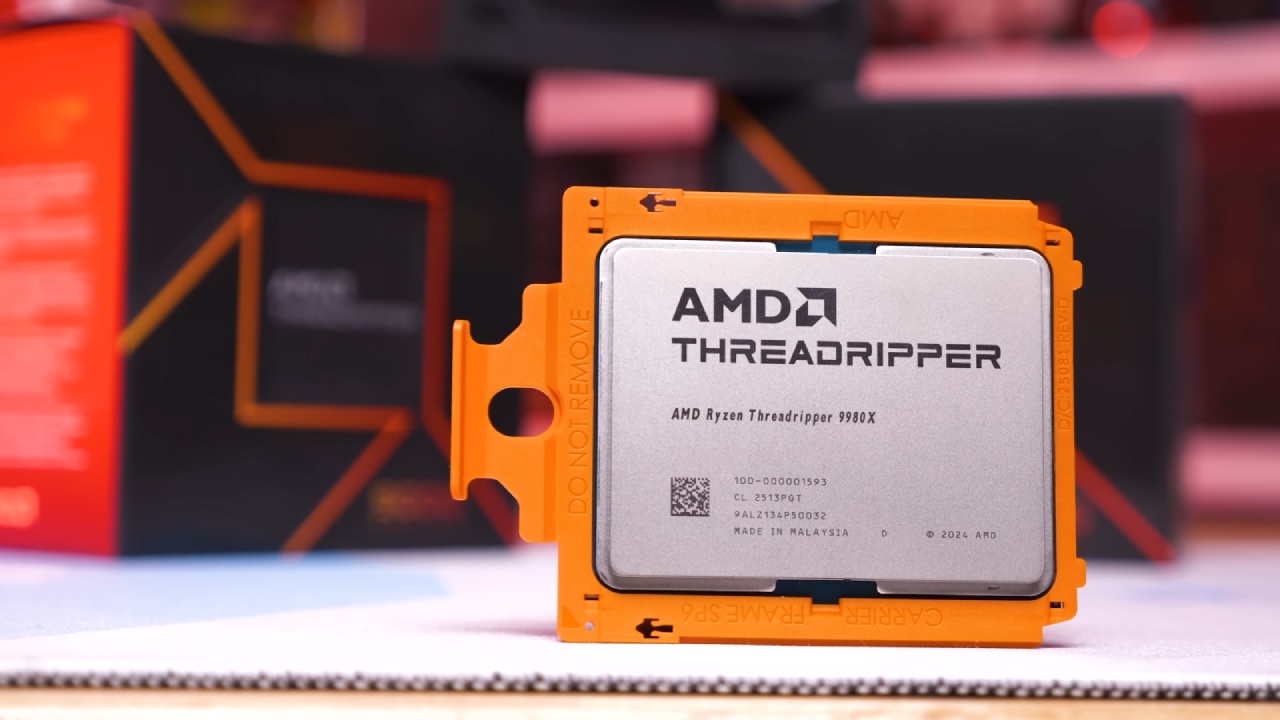
More powerful models add more CCDs to improve scalability. With this method, AMD can add more cores by simply increasing the base and adding more chiplets. The design works well with a wide range of parts, from standard PC components to Threadripper-class CPUs.
Intel has adopted a tiled architecture with its Core Ultra line, which is a little different from its other products. Intel does not use physically separated chiplets like AMD does with CCDs.
Instead, they place functional blocks, such as performance cores (P-cores), efficiency cores (E-cores), and other logic, in tiles next to each other on the same substrate. This lets Intel mix different silicon versions and scale different parts separately. The end result is a very flexible design that follows the general idea of scalability in the business world.
At the same time, Intel's 14th Gen keeps improving the hybrid P-core and E-core approach first launched with the 12th Gen Cores.
At first glance, these cores seemed to be in the background, but they have been shown to handle large amounts of multitasking and parallel work. Modern hybrid CPUs often work better than older designs with more threads because they are better at scheduling and layout.
Understanding X3D and 3D V-Cache
A lot of the talk about CPUs these days is about AMD's X3D processors, especially the 5800X3D, 7800X3D, and 9800X3D. These chips use 3D V-Cache to make a lot more L3 cache available by adding extra cache on top of the CPU die.
The performance advantage is easy to see. With more cache, the CPU can store more data locally. This reduces memory latency and increases frame rates in CPU-intensive games.
This new technology broke through a long-standing performance barrier without needing much faster clock speeds. But while these CPUs are great for some tasks, they aren't always better at everything.
Gaming Performance: Where X3D Truly Shines
When it comes to pure gaming speed, X3D processors really shine, especially at 1080p with a top-of-the-line GPU. When these CPUs are paired with GPUs like the 3090, 4080, 4090, or future high-core-count GPUs and run low-resolution games that can push very high frame rates, the extra cache lets them get ahead.
When the CPU is limited in these ways, 3D V-Cache can unlock big performance boosts, especially in e-sports games or games that can go over 200fps to 300fps. At 1080p, the CPU differences are evident because the GPU isn't the limiting factor.
But the dynamic changes when the quality rises to 1440p, especially 4K. Most current high-end GPUs start to slow down at 4 K resolution. When the GPU is fully used, the average FPS across all CPUs converge. Because the system is limited to the GPU, the 9800X3D isn't that different from other high-end CPUs.
That change is important. Often, being GPU-bound is better than being CPU-bound when it comes to games. After that, spending a lot of money on the best game CPU might not help much in the real world.
Productivity and Mixed Workloads
When productivity comes into play, the conversation changes significantly. Core count and thread count become more important if the system will be used for streaming, video editing, rendering, multitasking across multiple devices, or running apps in the background while gaming.
X3D engines might not be the best choice when used for more than one task. Even though they are great for gaming, they often give up clock-speed headroom and sometimes core allocation compared to processors that don't use X3D. Even though 16 threads may sound like a lot, heavy multitasking or computing tasks can quickly use them up.
CPUs like the 9900X or 9950X may be better for people who decode, compile, render, or do a lot of work in the background. In those tasks, higher sustained clocks and more available threads are much more important than more cache.
The Core Ultra line from Intel, especially the higher-end models like the 285K, also performs well for work. Even though some people were sceptical at first, efficiency benchmarks show that throughput is very high. In some cases, disabling hyperthreading hasn't prevented strong parallel performance, indicating that the architecture has become more efficient.
If the build is only for work and not for games, high-core-count processors from either maker are a much better choice than cache-optimised gaming chips.
Platform Considerations: Chipsets and Expansion
Modern platforms take into account more than just CPU speed. More PCIe Gen 5 lanes are now supported by chipsets, both directly from the CPU and through the chipset.
In older generations, adding a PCIe Gen 5 storage device could change some setups, forcing GPU lanes to go from x16 to x8. Even though it didn't have much of an effect in real life, it was still a deal. Newer chipsets support better lane sharing, allowing you to connect both full-bandwidth storage and GPUs simultaneously.
These platform changes are important for builders who want to set up fast storage arrays, multiple NVMe drives, or GPU upgrades in the future. Instead of just looking at FPS charts, CPU choices should take into account how long the platform will last and how much it can grow.
Pricing, Trust, and Value
Pricing and how reliable people think something is also play a role in choices. For example, the prices of 14th Gen processors have dropped, making them a much better deal. Many worries about power limits and decline can be eased if the product is bought brand new from a reputable store and the BIOS firmware is kept up to date.
It is important to update the motherboard's BIOS from the start. Fixing power limits and improving scheduler performance have greatly improved stability and performance across all systems. It's risky to buy used hardware without knowing much about its firmware background, especially if it was set up in a way that pushed too many voltages in the past.
Ultimately, value is based on performance in meeting actual goals. When you are playing 1440p or 4K games on an 80-class graphics card, then perhaps it is not worth spending 500 on an X3D chip at the end of the line. Here, a CPU with the range of about $300 could give the same or almost the same real-world performance, as the machine still is a constraint of the GPU.
Spending too much on the CPU and not enough on the GPU can lead to an imbalance. In real life, balanced builds always work better than skewed ones.
Scheduler Maturity and Architectural Growth
Often, new designs get better over time. Just like early Intel hybrid P-core/E-core implementations and Ryzen multi-CCD designs needed software optimisation, tiled and hybrid systems today still benefit from scheduling improvements.
Updates for Windows and improvements to the firmware have already made a big difference in some tasks. In some cases, performance gains of almost 30% show that early standards don't always set long-term performance ceilings.
Stock limits and adoption rates show that people are still buying across platforms, even when online conversations are focused on a single "must-have" SKU.
Avoiding the Cookie-Cutter Mentality
The common belief that there is only one engine worth looking at puts too much pressure on people. Even though X3D CPUs represent a significant technological advance and should be praised for it, they are not always the best choice.
An X3D processor makes sense if the system will only be used for competitive 1080p high-refresh games. If the machine is mostly used for 4K gaming, the differences get smaller. If the system does a lot of streaming, drawing, or switching between tasks, having more threads may be more important than having more cache.
We need to take a look at how we really use our tools. Instead of what the community thinks, you should focus on your task, resolution, GPU pairing, and expansion needs.
Final Thoughts
Buying a CPU these days can be hard because there are so many options. Prices change quickly, older generations are still available, and new designs use words that you may not be familiar with. That much is both exciting and hard to understand.
The key is being clear about your goal. It's much easier to choose the right CPU category when we know whether the machine is primarily used for gaming, work, or a mix of both. To make a great system, you don't have to stick with a single main model.
Keep the load in check, keep the software up to date, and only buy from reputable sources. When viewed rationally, the CPU market today offers more opportunities than problems.
Also, check our other hardware articles:
- AMD Ryzen 9 9950X3D Review: Setting The Standard For 2025 Gaming CPU
- Amazon Luna 2025 Review: Is Prime Gaming's Cloud Service Your Go-To For Casual Fun?
- AMD RX 9070 XT Review: AMD's RDNA 4 Champion for 1440p Gaming
- GeForce Now Ultimate: Ditching Your Gaming PC For Cloud RTX 4080 Power?
- NVIDIA GeForce RTX 5080 Review (2025): Still A 4K Gaming Powerhouse?
- Intel Core Ultra 9 285K Review And Performance Breakdown (2025)
- AMD Ryzen 7 9800X3D Review: 3D V-Cache Goes God Mode with Stunning Gaming Performance
- Intel Core Ultra 9 285K vs AMD Ryzen 7 9800X3D: In-Depth Gaming Performance and Benchmark Comparison
- NVIDIA GeForce RTX 5080 Super Performance In Cyberpunk 2077: Path Tracing & DLSS 4.0 Tested
- AMD Radeon RX 9070 XT In Cyberpunk 2077: Ray Tracing & FSR 4.0 Tested
- Intel Arc B580 Review: The $250 GPU Revolutionizing 1440p Gaming
- Intel Arc B570 Vs. B580: Value, Specs, And Real-World Gaming Performance
- RTX 5090 Laptop Vs. M4 Max MacBook Pro: Ultimate Raw Performance Vs. Battery Endurance
- Intel Arc b580 Vs. RTX 4060: Game Performance And Value Analysis
- RTX5090 Hell Is Us Demo 4K Ultra Benchmark: DLSS Vs. Native Performance Guide
- NVIDIA RTX 5070 Review: Mid-Range Muscle or Marketing Hype?
- Nintendo Switch 2 Review: Handheld Performance, Features & Value Breakdown
- RTX 5070 Ti Review: Performance, Thermals & Power Efficiency Tested
- Samsung Odyssey OLED G81SF Review 2025: Ultimate 32-Inch QD-OLED Gaming Monitor
- AMD RX 9070 Performance Review: Thermals, Clocks, and Real-World FPS
- AMD Ryzen 5 7600 Review: Best Budget Gaming CPU of 2025?
- AMD Radeon RX 7800 XT Review: RDNA 3 Power For Midrange Gaming
- Asus ROG RTX 5090 Astral OC Vs. Founders Edition: The 4K Gaming Benchmark
Contributor, NoobFeed
Latest Articles
No Data.