
Game Library Filters that Help You Choose in 5 To 10 Minutes
Other by Xiao Mei on Feb 09, 2026
You open a game library with just a few minutes to spare, and somehow, you spend the whole time scrolling, rather than actually playing. It feels as if the catalog will never end. Genres repeat under different names. "Recommended" appears to be a mix of trends and what you have played all at once.
So you back out, and then you default to the same two comfort games later. This is not a willpower issue. It is a discovery issue that has been affecting us for years and can now be found in every service, from storefronts to subscription apps to mobile catalogs, and even in services that ship new content weekly.
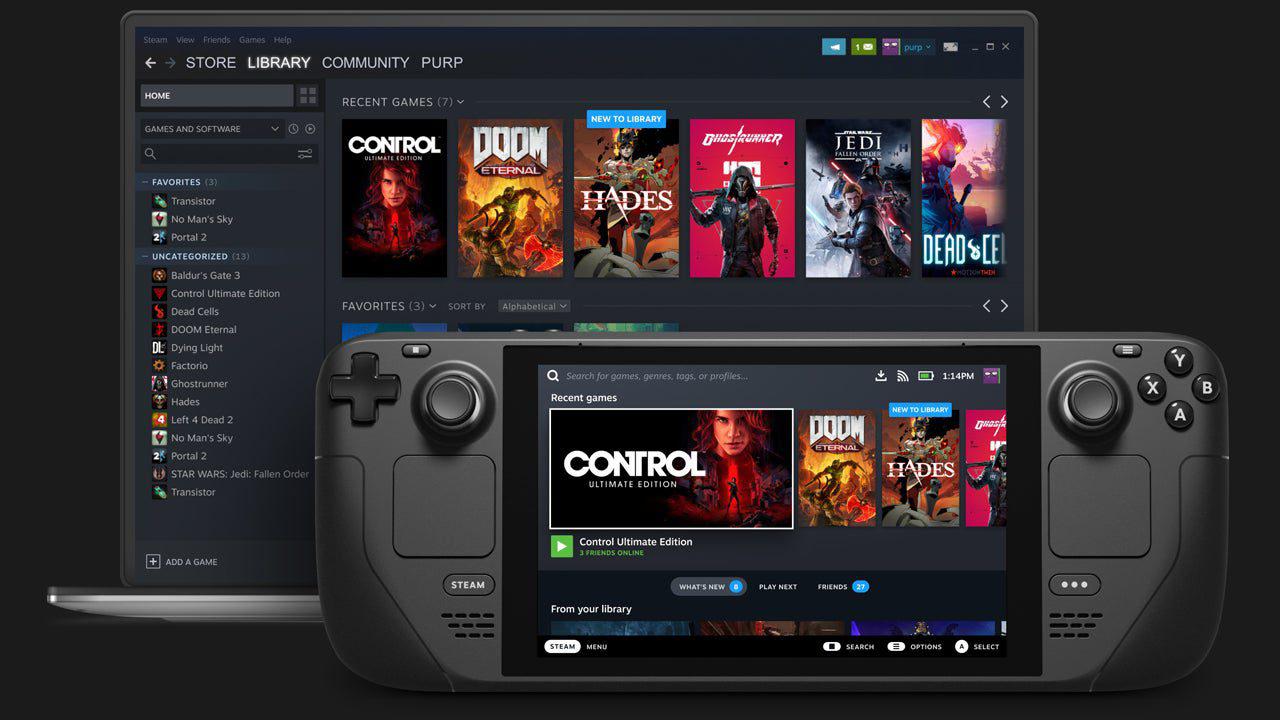
A Game Library UI That Filters Effortlessly
The answer is not to master every filter. It's to use filters in a logical sequence so your brain does less work. A simple approach involves three passes: select a lane, apply one hard limiter, and then use a stop rule so you actually choose something. The thing most libraries fail at is that "filtering" should feel like the initial default state of the interface. It should not be an extra task you do after you have already begun to scroll.
An example that illustrates this beautifully can be seen on Joe Fortune Casino Online. This site presents its game library with the filtering logic built into the first screen, not buried in a settings panel. Under "Online Casino Games," the UI provides you with clear top-level lanes as tabs, like "New & Exclusive,” "Pokies,” "Hold & Wins,” "Live Casino,” "Specialty Games,” "Table Games,” "Jackpots," and "Crypto."
This matters because each tab operates like a high signal filter, helping you start narrowing things down straight away. You do not have to keep in mind which sub-menu is where. There is no need to combine four checkboxes before anything changes. This also makes it easier to compare different game options.
To use the workflow we described above, start by clicking "New & Exclusive" to see what is currently displayed, identify a handful of titles that fit your mood, and then apply the stop rule. This makes it much easier to find what you want, and Joe Fortune has done the most challenging step for you by narrowing down the major categories.
Why Filters Crash in Big Libraries
Libraries are often ineffective because they try to employ the same controls for different jobs, and they try to do too much at once. Let's say you're searching for a game that ticks three boxes: it's new, it's got an upbeat theme, and it's got a bonus round. Unless the filter has been very well designed, it will struggle to handle all these different inputs, and rarely does so successfully.
By doing what Joe Fortune does and breaking down the major categories, websites can make their search filters more specific and ensure that they aren't trying to do too many tasks at once. That's especially true on platforms that have large numbers of games.
The 3-Pass Workflow for Short Sessions
Pass 1. Pick your lane.
Your initial click should not bring up the filter panel. The first click should be the one that will define the success of this session. The paths here are endless: "New,” "co-op,” "JRPG,” "puzzle,” "story,” "casual," whatever your game library supports. Be sure to commit early.
Pass 2. Apply one hard limiter.
Set one condition that will quickly eliminate some of the available choices. Examples can include "short,” "bonus round," or "high RTP." Avoid using stacked limiters if the interface does not clearly categorize them outright.
Pass 3. Use a stop rule.
If you do not apply any stop rule, the process of discovery will consume the entire evening, and you'll again find yourself scrolling endlessly, despite your best efforts. Choose and consistently apply one rule for a week:
- Time box: 7 minutes to browse, then choose from your top three picks.
- Tile cap: after 24 titles, you can stop and choose the best so far.
- Two loops: if you revisit the same row twice, commit.
The target here is momentum. You will quickly stop thinking "what else is out there?" once you start playing.
And what if you're someone who really struggles to commit? Well, that brings us to our final tip: create a "save for later" option. Maybe it's a playlist, a notes document, or an "interested" tab on the website.
Put anything that grabs your attention into that tab, and you'll make your current decision easier because you'll eliminate some of the fear of missing out. You can go back to those other titles later, which makes it easier to pick one for now.
So, hopefully that will help you overcome the challenge of constantly scrolling. Game libraries are constantly getting bigger, but this will give you a great way to handle them.
Moderator, NoobFeed
Latest Articles
No Data.