

GeForce RTX 5080 Performance in Red Dead Redemption 2
Comprehensive performance analysis of the GeForce RTX 5080 in Red Dead Redemption 2 across multiple resolutions and settings configurations.
Hardware by Godrics01 on Nov 11, 2025
Red Dead Redemption 2 remains one of the most challenging games to play, and its graphics continue to impress years after its release. The game's sophisticated visuals and complicated surroundings make it a good test for contemporary GPUs.
We tested the GeForce RTX 5080 with the Ryzen 7 9800X3D and 32GB of RAM across various resolutions and settings to evaluate its performance in real-world use.

Setting Up the Test and First Thoughts
We tested the RTX 5080 Founders Edition with the latest Nvidia drivers, without manual overclocking. The system setup ensured there weren't too many bottlenecks, keeping the test fair.
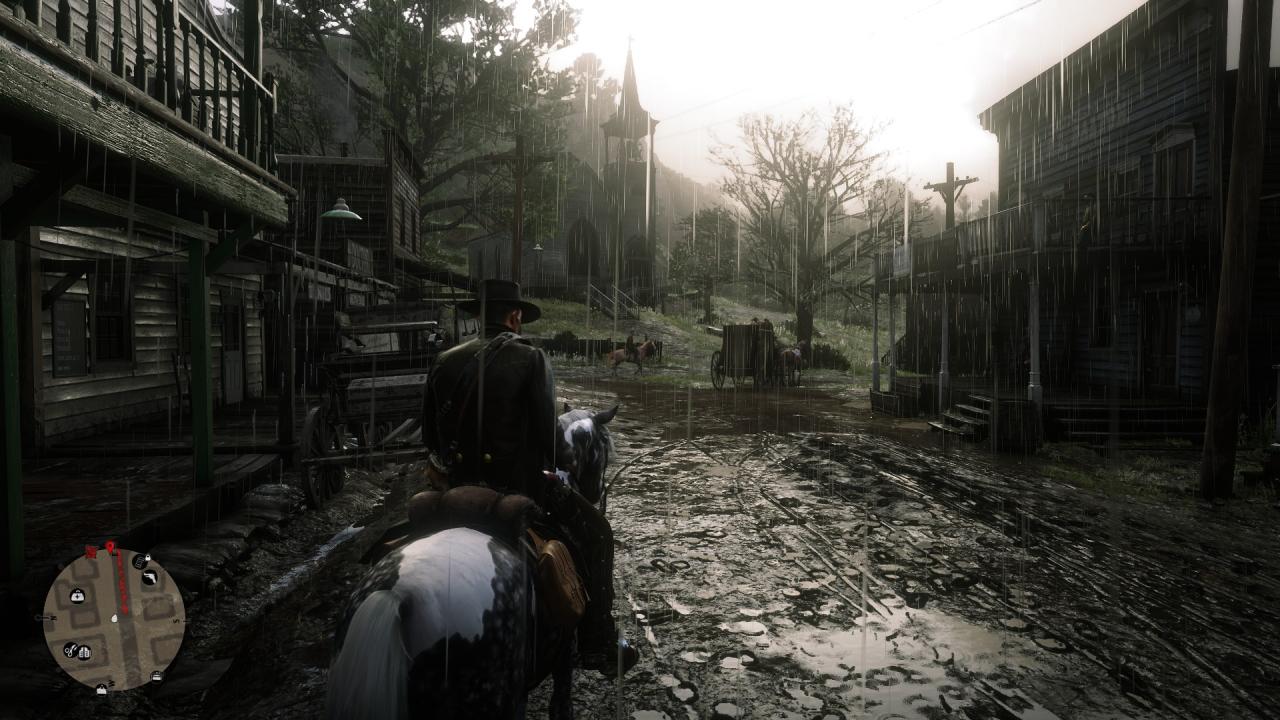
The game looked great in all environments at 4K resolution with the highest settings, including DLAA (Deep Learning Anti-Aliasing). We enabled reflection MSAA and tree tessellation, but disabled motion blur.
The game ran relatively consistently, with an average frame rate of around 60, but occasionally dropped into the high 50s. Even when the frames dropped slightly, the gameplay remained fluid.
The earlier TAA anti-aliasing in Red Dead Redemption 2 typically made things look softer, but DLSS4, which is employed here through Nvidia's driver override, made everything look clearer and improved the balance between performance and visuals.
4K Performance with DLSS Quality
When I run the game at 4K with maximum settings and DLSS quality mode, the frame rate ranges from 70 to 80 fps. There wasn't much difference in image quality between DLSS and DLAA. The only difference was that the motion was a little softer. The experience stayed smooth for single-player mode, with a steady frame rate and sharper visuals.
When DLSS performance mode was used at 4K, the resolution dropped to 1080p, and in some scenarios, it reached 100 fps. DLSS4's improved reconstruction maintained overall sharpness, though there was a slight loss of detail in vegetation and hair.
DLAA and 1440p Resolution
The DLAA implementation improved anti-aliasing significantly at 2560×1440. The picture was clearer than TAA, and the experience was stable, with an average frame rate of 97 fps. Most of the time, the game ran around 80 to 100 fps, depending on the setting.
It was clear that Rockstar hadn't released any upgrades for DLSS or FSR integration. Still, Nvidia's DLSS 4 override made up for it. DLAA kept things clear at 1440 p.m. without the blurriness that comes with other anti-aliasing algorithms. This was one of the best outcomes for RTX 5080 users with QHD monitors.

1080p Resolution Test
The RTX 5080 was not being used to its full potential at 1920×1080. Even at the highest settings, the frame rate remained high, averaging around 100 fps. However, the lower resolution did not showcase the GPU's full potential.
The performance overhead was high, and while it worked well for competitive gaming at 500Hz or higher, it didn't significantly enhance cinematic single-player games.
Even at maximum quality, 1080p didn't seem as good as Red Dead Redemption 2's demanding graphics. The GPU performs better at higher resolutions, such as 4K or 1440p.
4K Settings That Work Best
With Benchmark King's optimal settings, the RTX 5080 averaged close to 100 fps at 4K with DLAA enabled. Visual fidelity remained consistent at the highest settings, with only minor adjustments to shadows and textures.
Performance almost doubled compared to full extreme settings, while much of the visual depth stayed the same.
8K Resolution Tests
The RTX 5080 got 30–33 fps at 7680×4320 resolution with DLAA and optimal settings. It wasn't great for competitive play, but it was stable and consistent, demonstrating the GPU's power at very high resolutions. The maximum VRAM usage was approximately 13GB, indicating that memory was well-managed.
Switching to DLSS performance at 8K raised frame rates to about 60 fps. The upscaled 4K internal-resolution images remained very clear, with minimal loss of quality. There were minor stutters, but they didn't affect gameplay.
Overclocking and Making Things Better
The RTX 5080 was easy to overclock to approximately 3.0–3.1 GHz, which resulted in up to 10% more performance. This small boost enabled playing 4K DLAA games at more than 60 fps, keeping the system stable without overheating.
Rockstar's antiquated anti-aliasing and lack of certified DLSS 4 compatibility hindered potential enhancements. Still, Nvidia's DLSS 4 implementation at the driver level provided a significant performance boost without compromising quality.
Final Thoughts
The RTX 5080 averaged 60 fps at the highest settings in 4K. With DLSS quality, frame rates reached 80 fps, and with optimal settings, they approached 100 fps.
At 1440p, the GPU regularly delivered 90–100 fps, whereas at 1080p it achieved over 100 fps with lower GPU utilization. Depending on the scaling mode, playable results between 30 and 60 fps were possible at 8K.
DLAA at 4K offered the best balance of sharpness and realism for users who valued visual integrity most. DLSS quality or optimized presets were great options for higher refresh rate targets. The RTX 5080 ran Red Dead Redemption 2 smoothly on all of the setups we tested.
Overall, Red Dead Redemption 2 demonstrated that the RTX 5080 can handle demanding workloads while maintaining excellent graphics quality at resolutions ranging from 1440p to 8K.
Also, check our other NVIDIA articles:
- NVIDIA GeForce RTX 5080 Review (2025): Still A 4K Gaming Powerhouse?
- RTX 5090 Performance Testing In GTA 5 – 1080p, 1440p, and 4K Max Settings Benchmark
- NVIDIA RTX 5070 Review: Mid-Range Muscle or Marketing Hype?
- RTX 5070 Ti Review: Performance, Thermals & Power Efficiency Tested
- ASUS ROG Astral RTX 5090 OC Edition Review: 32GB GDDR7 & 4K Gaming Benchmark
- ASUS GeForce RTX 5090 LC Liquid Cooled GPU Review: Unmatched Silence & Speed
- MSI GeForce RTX 5090 32GB SUPRIM SOC Review: Power Efficiency, Cooling, and Gaming Performance
- INNO3D RTX 5060 Ti 16 GB X2 Review: Gaming Benchmarks, Temps, and Power Efficiency
- HP Omen 45L Review: RTX 5090 Performance, Thermals, and Value Analysis
- ASUS TUF Gaming GeForce RTX 5060 Ti Review: DLSS 4, Power Efficiency, and Gaming
- ASUS Prime RTX 5060 Ti OC 16GB Review: DLSS 4, Ray Tracing, & Thermals Tested
- NVIDIA GeForce RTX 5060 Review: Specs, Gaming, and Cost per Frame
- MSI GeForce RTX 5090 GAMING TRIO OC Review: A Monster Power GPU
Editor, NoobFeed
Latest Articles
No Data.