
Lenovo Legion 5 (2025) Review – OLED, Battery Life, Thermals & Gaming Benchmarks
Legion 5 2025 Is Significantly Lighter Than Last Year With a Stronger Focus on Portability.
Hardware by Tanisha Aria on Dec 04, 2025
For years, the Lenovo Legion 5 has been a reliable mid-range gaming laptop. But with the 2025 redesign, the series takes its most significant step forward in a long time. A beautiful new 15.1-inch OLED screen has been added, and it is lighter, much smaller, better cooled, and more efficient.
But picking between the Intel and AMD versions changes how the laptop works and how long the battery lasts. It also changes how well it connects and works with other devices, and even small things like how stable the USB port is. Because of this, comparing the two is essential for anyone trying to decide which one to buy.
Configurations and What's Actually Different
The only difference between our two review units was the computers. There was an RTX 5070 GPU, 16GB of DDR5 memory, a 1TB Gen 4 SSD, a new 15.1-inch 165Hz OLED panel, and an 80Wh battery in both.
Lenovo also sells a cheaper model with an IPS screen that is a bit bigger at 15.3 inches and Intel processors from the last generation. That cheaper model is bigger, heavier, and doesn't support as many high-end features, like Thunderbolt, so it's in a whole different class.
The real comparison is between Intel and AMD machines today. Intel is more interested in CPU power, while AMD is more interested in efficiency and running cooler. The style and build are the only differences between the two.
Design, Portability, and Build Quality
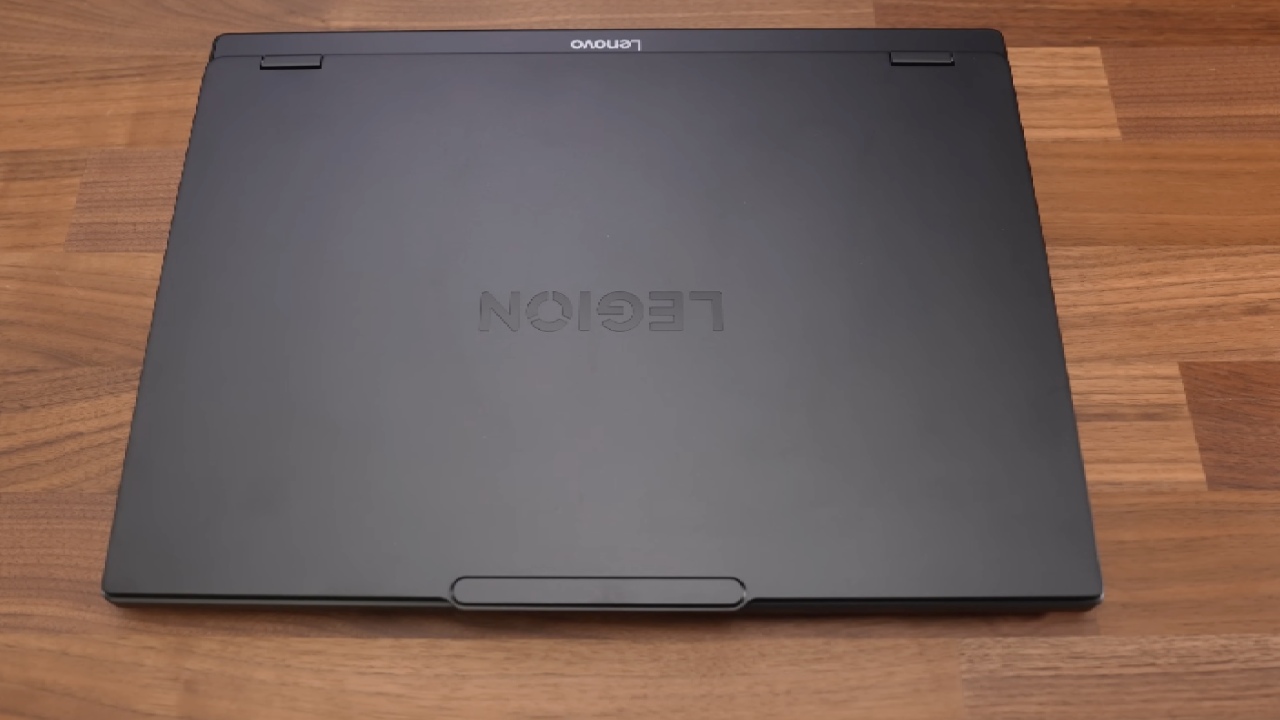
The 2025 Legion 5 is smaller and about 20% lighter than last year's model. It weighs about two kilos. The full travel weight stays around 2.7 kilograms, even with the 245-watt charger included.
This is a normal weight for a notebook that is designed to work well. Even though it's smaller, the body still feels strong.
The lid is metal, and the base is high-quality plastic that doesn't bend much when pressed. You can open the hinge with one hand, and it can lie flat, but you shouldn't push it past its horizontal limit.
The dark finish makes the item look expensive, but it gets dirty fast. Luckily, they're easy to remove. When you hold the Intel and AMD models, they feel the same. The cheaper IPS version, on the other hand, is slightly larger and heavier.
Keyboard, RGB, and Touchpad
Lenovo's signature key feel makes typing on the Legion 5 still fun—crisp, quick, and comfortable for long sessions. Lenovo's keyboards have lighting in multiple zones, and the secondary features are also lit up, which is helpful in low-light situations.
One strange thing missing is a straight keyboard shortcut to change brightness. You have to use Lenovo's software to do this. The touchpad is made of plastic instead of glass, but it works well, clicks reliably, and feels right for this type of gadget.
Ports and Connectivity
Overall, connectivity is good, but the side ports are positioned strangely far forward, making it difficult to work. Intel and AMD both have the same number and layout of ports, but the ways they connect are slightly different.
The more recent Intel models allow Thunderbolt, but the less expensive Intel configurations from the previous generation did not. AMD's version doesn't have any Thunderbolt at all.
Wi-Fi function is also not the same. Intel's own Wi-Fi processor is used in the system, which gave faster speeds in tests. The AMD model has a MediaTek RZ738 Wi-Fi 7 card, which runs much slower than the Intel model but is still faster than gigabit speeds.
While being tested, the AMD model had two short USB mouse disconnections that could not be repeated afterward. This wasn't a problem with the Intel version, so it could be a firmware bug or just a single unit, but it's still something to note.
Internals, Upgradeability, and Cooling
The laptop has two RAM slots, two M.2 SSD spots, the cooling system, the battery, and the Wi-Fi card all inside. The process of upgrading is easy. Both types have vapor chamber coolers that are about the same size and shape.
Still, the AMD version seems to boost within a different thermal envelope, especially when the GPU is under a lot of stress. In Performance Mode, both processors have the same 115-watt GPU power cap.
This means that most of the GPU's behavior depends on how well it cools and how often the CPU steals power during mixed workloads.
For a gaming laptop, the fans remain surprisingly quiet, maintaining a balanced sound profile even under heavy loads for extended periods. The Intel configuration gets hotter under heavy CPU stress. Still, the AMD setup tends to direct more heat toward the GPU during gaming, with a small impact on performance.
.jpg)
Display Quality
The 15.1-inch OLED screen that you can choose to add is the best thing about this year's Legion 5. The colors are bright without being too vibrant, and the contrast is very high, which makes dark game scenes look great. The screen is very bright, shows all colors well, and responds quickly.
The only problems with it are the standard ones with OLEDs: it could burn in over time, and the glossy surface makes bright room lighting reflect off it. Despite this, the OLED model feels much better than the traditional IPS model for normal use and gaming.
Battery Life
When it comes to battery life, AMD is miles ahead. For light tasks like reading and streaming, the AMD model lasts hours longer than the Intel model. Even though both use the same 80Wh battery, it is clear that one design is more efficient than the other.
The Intel configuration drains the battery faster, even for simple tasks. If you want to use the laptop without a power cord, AMD is the better choice.
Performance: Intel Power vs AMD Efficiency
Performance changes based on the work that needs to be done. Intel clearly has an edge in pure CPU tasks like graphics or decompression because it has more cores and uses power more aggressively.
When it comes to games, the changes are more subtle. Both systems have the same GPU power limit. Still, because the AMD model's processor draws less power, the GPU clocks are sometimes slightly higher or more stable in Performance Mode. This moves more of the possible cooling budget to the GPU.
There are small but obvious differences between games in the real world. Most competitive games prefer Intel's faster single-core performance. In contrast, games that depend more on the GPU tend to favor AMD.
Both versions produce significantly higher frame rates, but they behave in different ways, so the one you choose should depend on how you plan to use it.
Thermals and Noise
The way heat behaves stays well under control on both models. When the CPU is heavily used, the AMD model tends to run a little cooler, while the Intel model can reach higher temperatures. On the other hand, neither machine has heat runaway or loud fans.
This year, Lenovo's fan setting is much better than in previous generations. This means the laptops will perform at a higher level for longer periods without running loud, annoying fans.
.jpg)
Final Thoughts
No matter which processor you choose, the 2025 Lenovo Legion 5 is a great game laptop, and both feel like big improvements over last year's model. But they are good at different things.
If you care about battery life, running cooler, and more stable GPU power while gaming, the AMD version is the clear winner. It just feels more comfortable to use every day, and it works just as well with a lot less noise and heat.
The Intel model, on the other hand, is better if you need to use a lot of CPU power or if you need Thunderbolt for fast storage or extra GPUs. Its raw CPU performance is definitely better, but it uses more power, so the battery life is worse.
The 2025 Legion 5 is a well-built, well-balanced laptop that performs well, offers great display options, and features smart improvements across the board, no matter which configuration you choose. Which one you choose depends on how you use your machine and whether you value speed or strength.
Also, check our other articles below:
- AMD Ryzen 9 9950X3D Review: Setting The Standard For 2025 Gaming CPU
- AMD Ryzen 7 9800X3D Review: 3D V-Cache Goes God Mode with Stunning Gaming Performance
- AMD RX 9070 Performance Review: Thermals, Clocks, and Real-World FPS
- AMD Ryzen 5 7600 Review: Best Budget Gaming CPU of 2025?
- AMD Radeon RX 7800 XT Review: RDNA 3 Power For Midrange Gaming
- Sapphire NITRO+ AMD Radeon RX 9070 XT Review: The Ultimate 4K Gaming GPU
- AMD Ryzen 7 7800X3D: Delivers Gaming Performance Far Beyond Expectations
- AMD Ryzen 9 7900X Review: Powering the AM5 Era with DDR5 & PCIe 5.0
- Intel Core i9‑14900K vs. AMD Ryzen 7 7800X3D: Power Profiles & Gaming Benchmarks
Contributor, NoobFeed
Gaming Hardware Updates
No Data.