
Call of Duty Black Ops 7 GPU Rendering Differences Explained
Shadow and raytracing inconsistencies across AMD and Nvidia GPUs create rendering differences that affect image output in specific Call of Duty scenes.
Hardware by Shinji Okazaki on Dec 06, 2025
Call of Duty: Black Ops 7 shows that AMD and Nvidia GPUs render differently under the same settings. These discrepancies show up in certain scenarios and affect shadows and ray-traced reflections.
This makes us wonder about how well the hardware works and whether the images are always the same. The results show problems that occur when settings are set quite high, especially when ray tracing and shadow quality are enabled.
Reproducing the Differences in Image Quality
We were able to reproduce the identical differences in image quality that Digital Foundry found. There were two main problems found. One concerns the quality of the shadows, while the other concerns ray-traced reflections.
The shadow problem doesn't happen with all shadows; it only happens in settings with clear or see-through objects. Radeon GPUs don't show shadows from these objects, while GeForce GPUs do at native 4K using the extreme preset. Intel Arc hardware produces results equivalent to Nvidia's, so the goal is to achieve Nvidia/Intel rendering.
When all cards are set to the same settings, Nvidia and Intel GPUs show shadows from glass panels, glass walls, and even smoke sources. However, AMD GPUs do not show shadows. The disparity remains in different places, including on the training ground map and in indoor spaces where smoke shadows should appear.
Raytraced Reflection Differences
The second problem concerns ray-traced reflections. Some items that are reflected don't appear on Radeon hardware when ray tracing is enabled. Some scenes lack lighting or other features that work fine on GeForce GPUs.
This has nothing to do with the resolution of reflections or the distance at which they may be drawn. Geometry is missing in the reflection pass. Not all situations exhibit this problem, and many reflections appear the same across both GPU brands.
If ray tracing is turned off, both GPUs will use screen-space reflections instead. The difference only appears when ray-traced reflections are enabled.
Finding the Wrong Settings
The difference in shadows is directly related to the shadow quality setting. When you lower the shadow quality from ultra to high, both GPUs stop casting shadows on translucent objects, which makes the output match.
If you set the shadow quality to low, the smoke shadows will go away completely. When set to extreme, Radeon GPUs do improve the overall shadow resolution. However, they still don't show the extra translucent and smoke shadows that GeForce hardware does.
Ray-traced reflections are the only ones that cause the reflection problem. If you disable this feature, both GPUs will display the same picture. The missing reflections occur only on certain objects, not throughout the game.
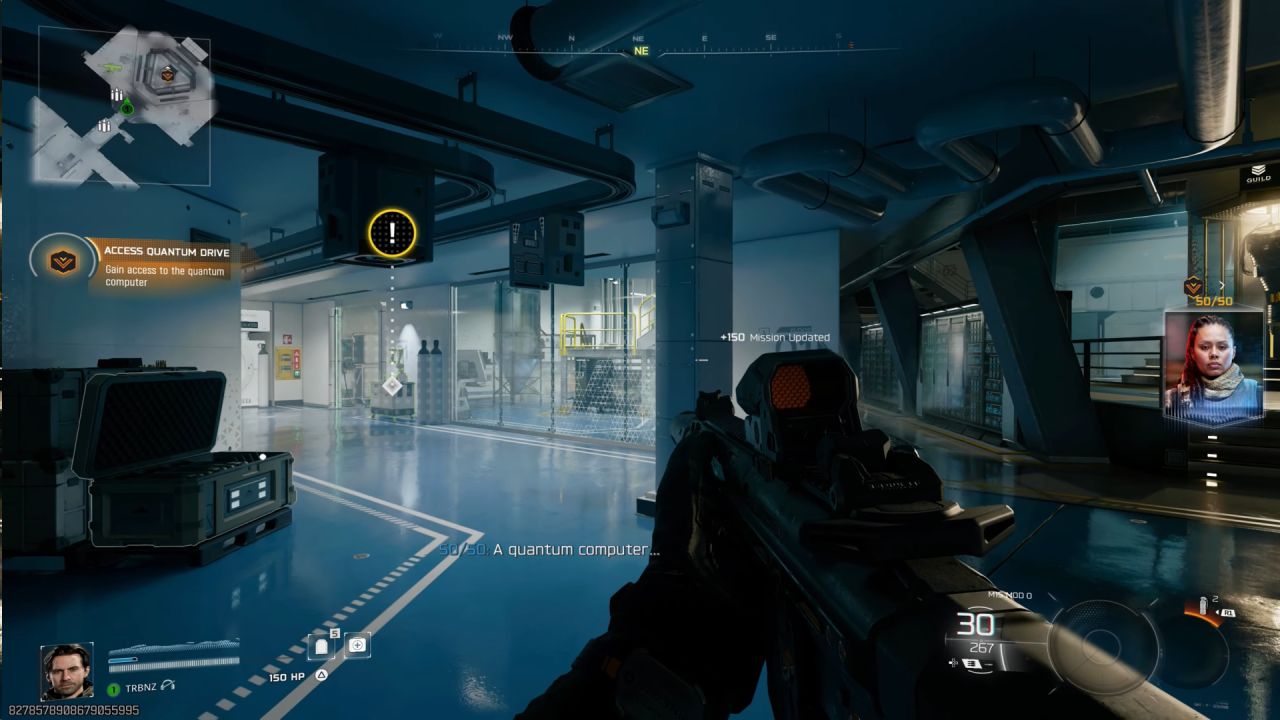
Effect on the Consistency of Built-In Benchmarks
The built-in benchmark also reveals these rendering discrepancies. When you use a GeForce GPU, a glass structure casts shadows on the house early in the run, but not with a Radeon GPU.
A skylight makes a shadow on Nvidia hardware that is see-through, but not on AMD gear. Raytraced reflections don't have a big effect in this benchmark scene because the objects they affect aren't there.
When using the same settings, older games like Black Ops 6 and Modern Warfare 3 don't show any differences in image quality across GPUs. Both Radeon and GeForce cards produce the same graphics, and the performance differences in such games are real.
Observations on Performance Margin
When you benchmark a GeForce RTX 5070 Ti and a Radeon RX 9070 XT at native 4K, you can see that the performance gaps stay around the same, even when you take into account the disparities in image quality.
Radeon card leads by 33% on the severe preset without ray tracing; however, the visual quality is not the same. Radeon remains 21% ahead when ray tracing is enabled. When both image outputs are set to poor shadow quality, Radeon maintains a 35% lead. Radeon is 30% ahead when using the balanced preset.
These data show that the differences between the shadow and the reflection do not significantly affect performance. When the output differs, lower settings that match the image quality produce margins equivalent to those of the severe settings.
Figuring Out If Differences in Image Quality Mean Cheating
There is no proof that people are cheating on the benchmark. Older Call of Duty games don't show any improvement in graphics quality, and Radeon technology is still ahead. The margins in Black Ops 7 are the same as they were in past games. The missing shadows or reflections don't explain why performance improved.
The same visual problems happen when you use an older AMD driver, version 25.5.1. If AMD deliberately lowered visual quality to improve performance in a newer driver, those changes would not be seen in an older version.
The game also completely turns off ray tracing with that older driver, suggesting the problem might lie in the game's driver checks or in how they interact with AMD hardware.
The information suggests a rendering fault in either the game engine or the AMD driver. Because the missing functionality occurs only in certain settings and under specific conditions, it's easy for developers to fix.
Things to Think About when Testing Ray Regeneration
Before the official Redstone release on December 10, Call of Duty had FSR ray regeneration. It is not apparent whether the implementation in the current game build is the final version or a build made before the game was released.
There are already problems with ray tracing working the same way on AMD and Nvidia hardware in Black Ops 7, thus the test conditions could not be perfect until the official Redstone launch. The mode is also only available in multiplayer, where ray-tracing performance is low and not useful to most players.
.jpg)
Final Thoughts
We looked into whether the discrepancies we saw between Nvidia and AMD GPUs in Black Ops 7 and our findings were related to the big performance gap between the two brands. The results reveal that the differences are real, though they don't have much impact on performance testing.
These problems are caused by a renderer or driver flaw, not AMD's deliberate adjustments to increase benchmark scores. This information should help you accurately benchmark and understand how the GPU works in Call of Duty: Black Ops 7.
Also, check our other NVIDIA articles below:
- NVIDIA GeForce RTX 5080 Review (2025): Still A 4K Gaming Powerhouse?
- NVIDIA RTX 5070 Review: Mid-Range Muscle or Marketing Hype?
- RTX 5070 Ti Review: Performance, Thermals & Power Efficiency Tested
- ASUS GeForce RTX 5090 LC Liquid Cooled GPU Review: Unmatched Silence & Speed
- MSI GeForce RTX 5090 32GB SUPRIM SOC Review: Power Efficiency, Cooling, and Gaming Performance
- INNO3D RTX 5060 Ti 16 GB X2 Review: Gaming Benchmarks, Temps, and Power Efficiency
- HP Omen 45L Review: RTX 5090 Performance, Thermals, and Value Analysis
- ASUS TUF Gaming GeForce RTX 5060 Ti Review: DLSS 4, Power Efficiency, and Gaming
- ASUS Prime RTX 5060 Ti OC 16GB Review: DLSS 4, Ray Tracing, & Thermals Tested
- NVIDIA GeForce RTX 5060 Review: Specs, Gaming, and Cost per Frame
- MSI GeForce RTX 5090 GAMING TRIO OC Review: A Monster Power GPU
Editor, NoobFeed
Gaming Hardware Updates
No Data.