
NVIDIA GeForce RTX 5090 Call of Duty Black Ops 7 Performance at 4K with DLSS and Ray Tracing
Frame rates, ray tracing, and DLSS performance were explored on RTX 5090 for competitive multiplayer gameplay at high resolution.
Hardware by Nahe Yan on Nov 16, 2025
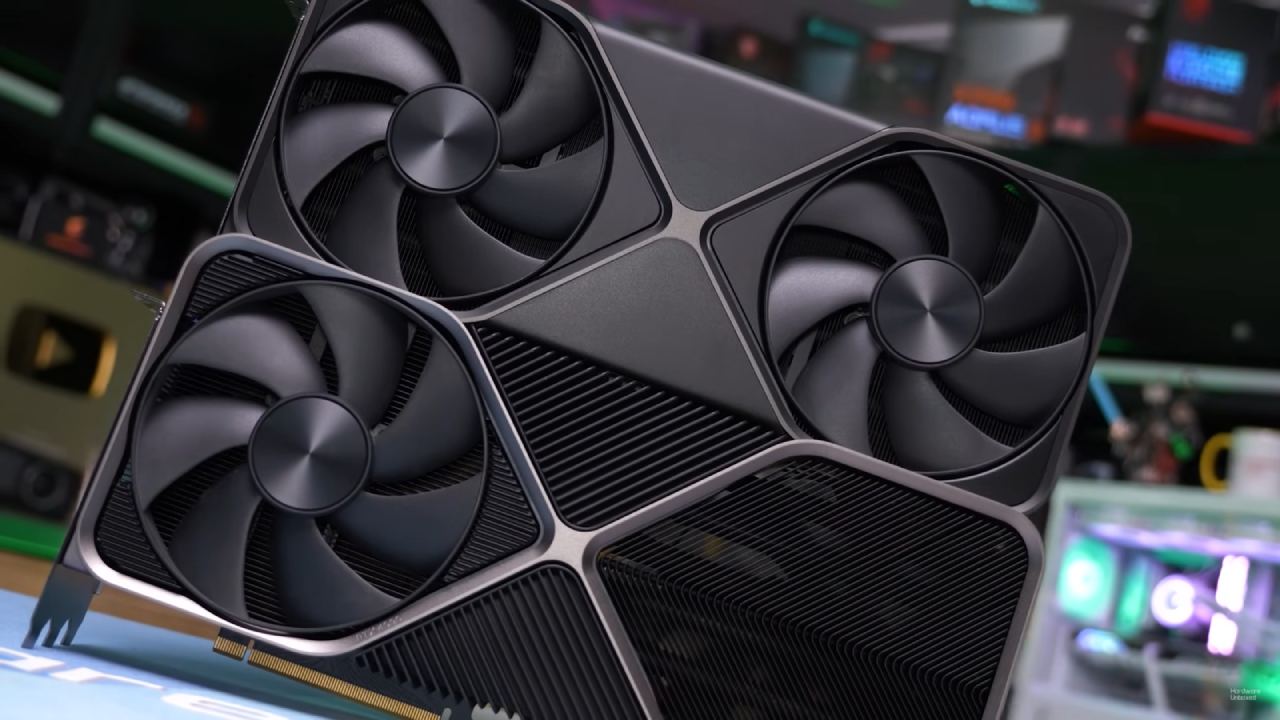
Using the current Nvidia drivers and without manually overclocking the GeForce RTX 5090, Call of Duty: Black Ops 7 shows how the GPU performs at 4K with varying upscaling and ray tracing settings.
The goal is to test native 4K, DLSS modes, ray tracing denoisers, and frame generation in normal multiplayer maps with a Ryzen 7 9800X3D and 32GB of DRAM.
4K Extreme Settings with Ray Tracing Turned On
We begin with 4K resolution and the extreme preset, with ray tracing set to high. There is now a denoiser option in ray tracing that may be set to either default or ray reconstruction. Ray reconstruction needs DLSS quality, balance, performance, or super performance.
This means that DAA can't be used at native resolution with ray reconstruction enabled. The depth-of-field setting is turned off because it looks bad, and the FOV is set to 110 with motion blur off.
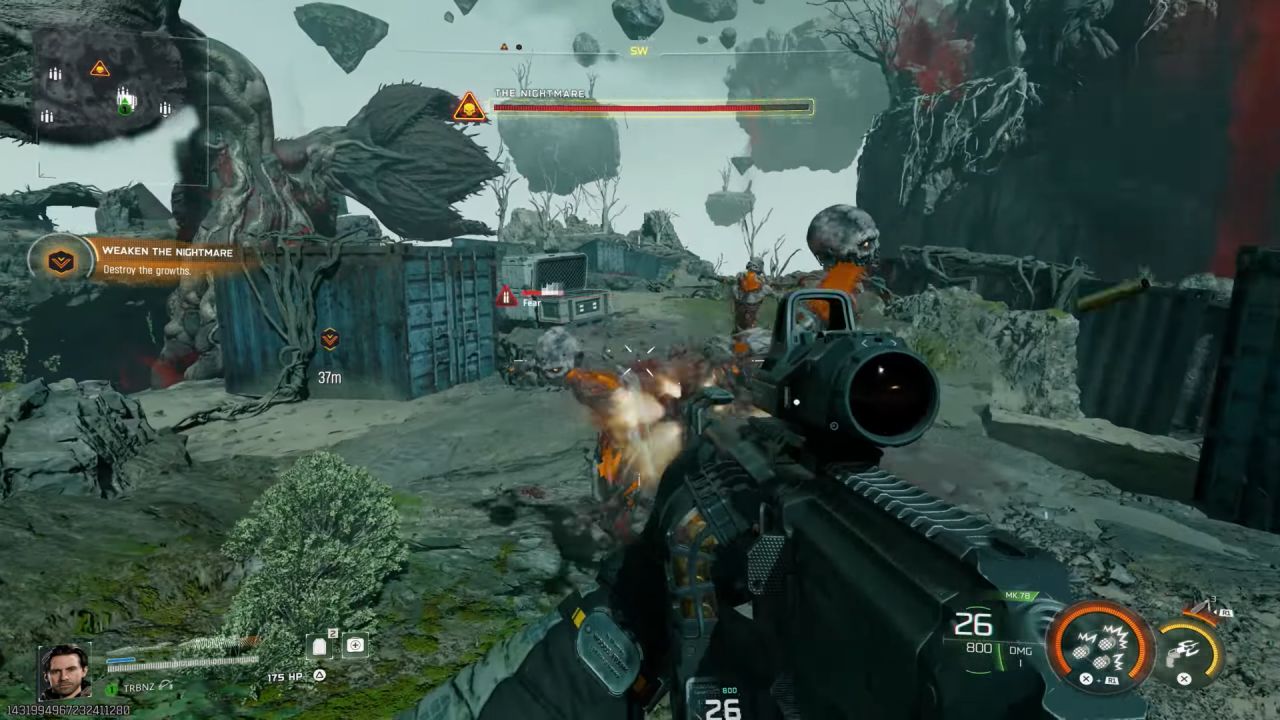
The first performance shows about 30 fps, but it drops to the 20s and sometimes even to 19 fps. The RTX 5090 can't maintain 60 fps at native 4K with ray tracing enabled. Reflections work as they should, showing character models that aren't on screen, yet they still have a big effect on performance.
Even on small maps, the performance is still bad, and it gets worse when there is a lot of fighting. The game's ray tracing implementation is difficult to implement and not optimized for 4K gameplay.
DLSS Quality with Ray Reconstruction
DLSS ray reconstruction only works with the transformer model (DLSS 4). This makes things clearer than DAA, which uses a CNN model. Performance is around twice as good, which makes battle scenes go more smoothly. However, when you get near character models, the frame rate can drop to around 50 fps.
The gameplay is steadier now, but it's still not entirely consistent. The lighting and reflections appear better, but the experience isn't at a high refresh rate, which is what most people want in multiplayer. How well it works, DLSS gives you more fps, but not enough for consistent high-refresh competitive gaming with RT on.
DLSS Performance Mode with 4K Graphics
DLSS performance renders at 1080p and then upscales to 4K. DLSS 4 keeps things sharp, which makes the game run smoothly and gives you a lot more fps. Fights go more smoothly, with fewer slowdowns.
The lighting and reflections still look good, and the map environments give stable performances in the 90fps range, with some dips into the 70s. Still, it's hard to maintain constant high-refresh gameplay with all RT options enabled.
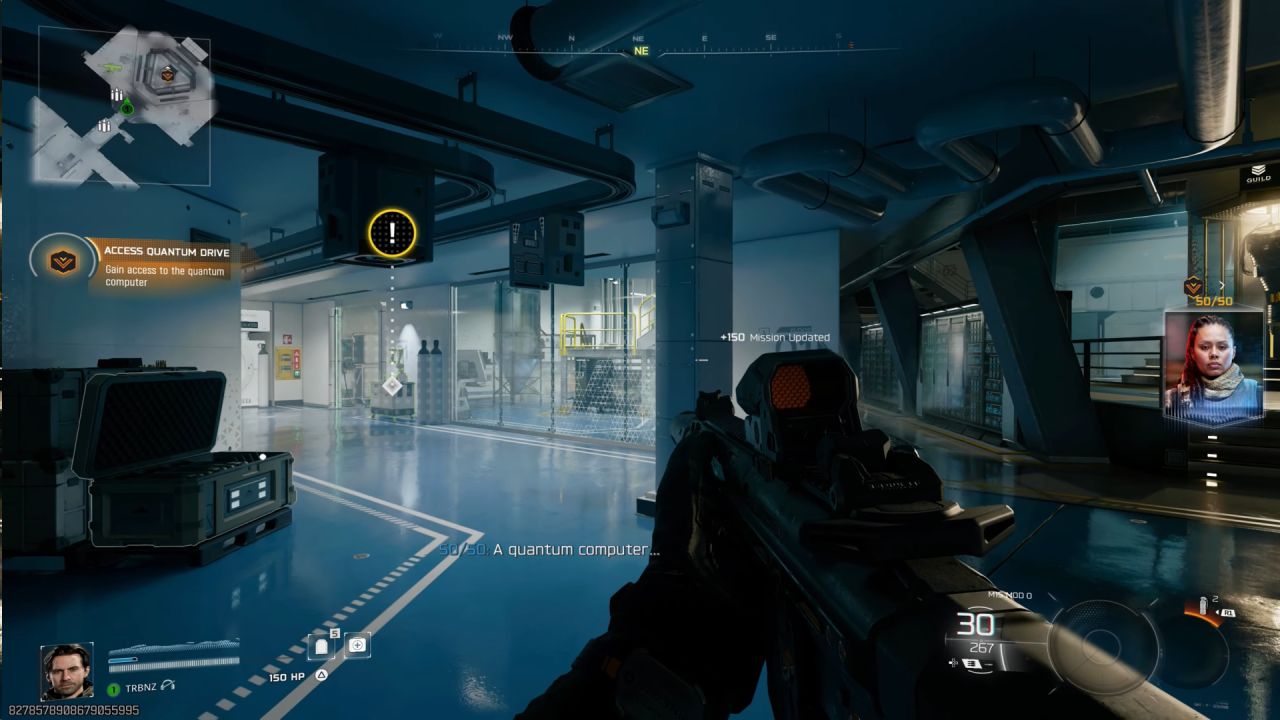
Ray Tracing for Frame Generation Turned On
Next, frame generation is checked to see how high the fps can go. Using a sniper rifle makes it easier to find input lag. With 4x frame generation, the game runs at about 240 fps, which is a high refresh rate. But the extra input lag is evident, making things less responsive. When the fps drops into the 200s, the baseline is approximately 60–70 fps, worsening input lag.
When FG is enabled, there are occasional stutters, indicating that ray tracing and frame generation are not perfectly optimized together. For a competitive experience, it's best to turn off ray tracing because the input lag is worse than the smoother framerate.
Turning off Ray Tracing for Better Performance
Ray tracing is disabled, and the game starts over with DAA enabled. When played in native 4K with DAA, the game runs at about 120 fps, never dropping below 100. Reflections aren't as accurate, but performance improves significantly. Turning off DAA can make the game run at 150–160 fps, but the shadows get worse and noisier. To maintain image quality, the transformer model with DLSS quality is best.
DLSS quality boosts performance to around 160 fps and makes images clearer than DAA. DLSS doesn't introduce any input lag, except when frame generation is enabled. This makes it the best choice for both visual quality and responsiveness.
DLSS Quality and Performance for High FPS
DLSS quality makes things quite clear at 1440p and upscales well to 4K. DLSS delivers graphics that look a lot like DAA, using a CNN model to enable high-FPS gaming. In performance mode, you can get close to 200fps without making new frames. The reduced input lag at these high framerates is good for competitive play, even on 120Hz monitors, because frames are delivered faster.
Different maps have a small effect on FPS. Some maps run at 170–180 fps instead of 200 fps, but the experience stays the same. Ray-traced modes improve combat response significantly. When ray tracing is disabled, the game performs similarly to typical competitive requirements. This is similar to earlier games that focus on optimizing multiplayer gameplay.
Playing Without Ray Tracing
This is a big improvement compared to gaming that supports RT. Ray tracing halves the framerate and adds input lag. The levels are smaller, there are fewer people, and the ambient dynamics aren't as good as in bigger games. Strangely, the game doesn't perform better with RT. Even so, the game still runs decently with RT off and works well on older GPUs like the GTX 970 and GTX 1050 Ti.
Final Thoughts
Testing shows that the RTX 5090 can run Call of Duty: Black Ops 7 quite well with ray tracing disabled. DLSS quality or performance keeps gameplay responsive and gives you high fps levels that are good for competitive settings. Ray tracing at 4K native has significant performance issues, dropping the frame rate to 20–30 fps. Even with DLSS and ray tracing, the FPS remains too unstable for competitive gaming.
DLSS quality without ray tracing delivers the best results for a balanced 4K experience, with good graphics and seamless gameplay. If you want even more fps, you can switch to DLSS performance. Frame generation can give you more frames, but it also causes input lag and microstutters, which makes it less good for competitive multiplayer.
The conclusion is simple: turning off ray tracing and using DLSS modes gives you a reliable, responsive, and visually strong experience on the RTX 5090 while keeping the framerate high enough for multiplayer gaming.
Also, check our other NVIDIA articles:
- NVIDIA GeForce RTX 5080 Review (2025): Still A 4K Gaming Powerhouse?
- NVIDIA RTX 5070 Review: Mid-Range Muscle or Marketing Hype?
- RTX 5070 Ti Review: Performance, Thermals & Power Efficiency Tested
- ASUS GeForce RTX 5090 LC Liquid Cooled GPU Review: Unmatched Silence & Speed
- MSI GeForce RTX 5090 32GB SUPRIM SOC Review: Power Efficiency, Cooling, and Gaming Performance
- INNO3D RTX 5060 Ti 16 GB X2 Review: Gaming Benchmarks, Temps, and Power Efficiency
- HP Omen 45L Review: RTX 5090 Performance, Thermals, and Value Analysis
- ASUS TUF Gaming GeForce RTX 5060 Ti Review: DLSS 4, Power Efficiency, and Gaming
- ASUS Prime RTX 5060 Ti OC 16GB Review: DLSS 4, Ray Tracing, & Thermals Tested
- NVIDIA GeForce RTX 5060 Review: Specs, Gaming, and Cost per Frame
- MSI GeForce RTX 5090 GAMING TRIO OC Review: A Monster Power GPU
Editor, NoobFeed
Gaming Hardware Updates
No Data.