
Sapphire RX 9070 XT vs. RX 7900 XTX: Which AMD GPU Should You Buy?
Growing industry momentum highlights increasing manufacturer interest in developing new Steam OS handheld devices for upcoming release cycles.
Hardware by Tanvir Kabbo on Dec 28, 2025
We put two of AMD's greatest gaming GPUs head-to-head to see which one has the best performance, value, and features for modern gaming. The main things to look at are how 19 games compare to each other in terms of benchmarks, how upscaling technologies work, how overclocking works, prices, and real-world efficiency.
Understanding FSR Upscaling
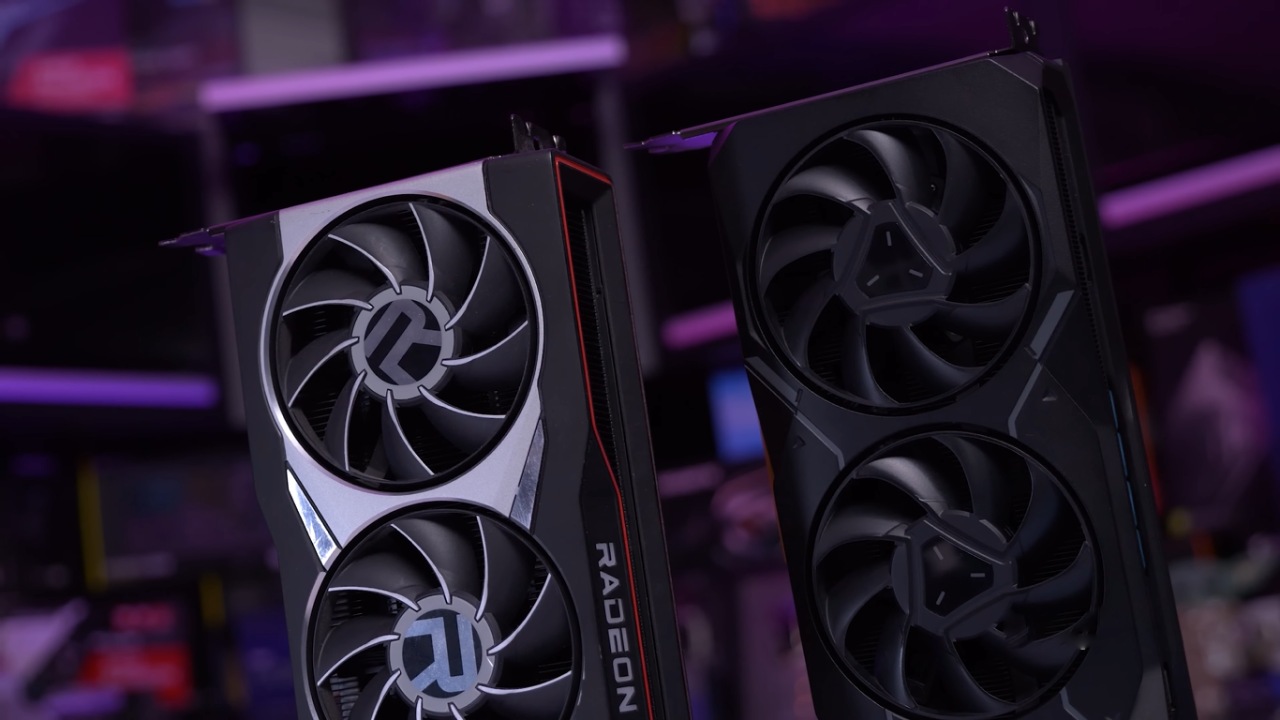
In the UPC FC series, we've been helping you make the right choice by pitting two components against each other in a PC octagon to see who wins. In this guide, our focus is on Sapphire Nitro Plus RX 9070 XT in the red corner, facing off against Sapphire Nitro Plus RX 7900 XTX Vapor X in the blue corner.
.jpg)
In addition to showing you benchmarks across 19 games, we also demystify AMD's FidelityFX Super Resolution (FSR), show how the performance of these cards changes with overclocking, and demonstrate how the value changes with real-world pricing.
Image upscaling has become a common graphics option in PC games. In most modern titles, depending on your GPU, you'll be presented with choices between Nvidia's Deep Learning Super Sampling or DLSS, AMD's FidelityFX Super Resolution or FSR, or Intel's Xe Super Sampling or XeSS. All are upscaling technologies that promise higher framerates in games. NVIDIA has enjoyed an early advantage in terms of image quality. However, AMD recently released a new version of FSR for their RDNA 4 graphics cards, promising significantly improved image quality compared to previous versions.
At a high level, upscaling technologies such as FSR render your game at a lower resolution to improve performance, then use algorithms to upscale the image to fit your monitor and fill in missing information. Although they achieve the same goal, FSR 3 and FSR 4 use very different approaches.
Older versions of FSR used an algorithm to upscale the image and fill in missing details before applying a sharpening filter. It was essentially temporal super resolution or TSR with AMD's branding. With the introduction of FSR 4, AMD moved to a machine-learning-based approach leveraging dedicated AI hardware.
AMD claims this significantly improves image quality over FSR 3 with better detail preservation and reduced ghosting and artifacts. The downside is that it's only available on 9000-series GPUs due to hardware requirements.
When comparing image quality in Horizon Forbidden West and Ratchet and Clank Rift Apart, it becomes apparent that FSR 4 is far superior, fixing many issues seen in FSR 3. Ghosting, for example, is dramatically improved with FSR 4.
However, there is a performance penalty: in Ratchet and Clank's opening cutscene at 4K in performance mode, FSR 4 is around 8% slower than FSR 3. This is expected given the extra computation for improved quality. NVIDIA still leads overall in image reconstruction, but AMD made a huge leap with FSR 4, making upscaling a feature you can now look forward to using on an AMD GPU.
Benchmarking Setup
The battle today is between AMD's two top gaming GPUs. The test system used to run the benchmarks is an AMD AM5 open bench table with the following components: an AMD Ryzen 7 9800X3D CPU, an ASUS ROG Crosshair X870E Hero motherboard, G.Skill Ripjaws M5 Neo RGB 32GB DDR5-6000 CL26 RAM, a Sapphire Nitro Plus RX 9070 XT, a Sapphire Nitro Plus RX 7900 XTX Vapor X, an ASUS ROG Ryujin3 360mm AIO cooler, a 4TB Samsung 990 Pro NVMe Gen4 M.2 SSD, and a Corsair HX1200i Platinum 1200W PSU.
All benchmark testing was performed with GPUs at their default clocks. Sapphire Nitro Plus XTX features a core clock increase of 210MHz and a boost increase of 180MHz over reference. In contrast, the Sapphire Nitro Plus 9070 XT features increases of 120 MHz and 90 MHz.
We applied performance-enhancing tweaks to the 9800X3D based on prior tuning guides. We ran all tests at ultra settings to put the most stress on the GPU. Only the game's default graphical settings can use upscaling.
.jpg)
Benchmark Results
The 9070 XT beat the 7900 XTX in many games at default clocks, which was quite good. We looked at automatic tuning before looking at the outcomes of overclocking. AMD GPUs support automatic or manual tuning via Adrenalin or third-party tools.
Automatic Overclocking Behavior
Using automatic tuning on the 9070 XT resulted in a 103MHz GPU boost clock. For the 7900 XTX, several options exist; the auto-overclock VRAM option produced the largest boost, with a 150MHz increase. These Sapphire Nitro Plus cards already ship heavily overclocked, so these boosts are on top of high baseline clocks.
In 3DMark Speedway, Port Royal, and Steel Nomad, the performance only got a little better—about 1% on the 9070 XT and 2% on the 7900 XTX. These results show that automatic tuning isn't worth it.
Manual Overclocking Results
We used Adrenalin's unique tuning settings. We were able to lower the voltage offset by 100 mV and the memory speed by 160 MHz for the 9070 XT. Fast timing increased some benchmark scores but caused instability in Steel Nomad, so we don't recommend it.
7900 XTX enabled a 90 mV drop in voltage, a 325 MHz boost clock increase, and a 330 MHz memory clock increase.
When we retested with these overclocks, the 9070 XT improved by about 7% and the 7900 XTX by about 11% in synthetic benchmarks. Both cards stay cool even when you manually overclock them. However, the 9070 XT's memory temperatures were noticeably greater, which may have limited VRAM overclocking.
The findings of game testing were the same: The XTX went up by 12.8%, and the 9070 XT went up by 6.9% in Total War Warhammer 3. In Cyberpunk 2077, the average increase was 8.9% and 6.9%. In Microsoft Flight Simulator 2020, it was 10.4% and 7.7%. In Call of Duty Black Ops 6, it was 9.4% and 6.2%. In Monster Hunter Wilds, it was 9% and 5.4%.
Performance Analysis
At lower resolutions, average gameplay performance is the same across all 18 games. The 7900 XTX wins at 4K. In rasterization-heavy games like Company of Heroes3, the XTX performs better. The 9070 XT works better in games that use a lot of ray tracing, such Cyberpunk 2077.
XTX is the clear winner for professional tasks like Blender and SPEC, with a 20–30% lead. This is mostly because it has 8GB greater VRAM.
Power Efficiency
With RDNA 4, AMD made huge improvements in efficiency. The 9070 XT uses around 17% less power than the 7900 XTX.
Pricing and Value
Sapphire Nitro Plus 7900 XTX Vapor X launched at $1,080, which is almost 40% more than the 9070 XT's debut price. When you change these prices into FPS-per-dollar at 4K, you can see that the 9070 XT is almost 30% better value in both average FPS and 1% lows. But taxes, supply, and scalpers make prices in the real world change constantly.
Final Thoughts
RX 9070 XT is a great GPU even at launch prices since it has great gaming performance, a good price, and more features. The Sapphire Nitro Plus RX 7900 XTX Vapor X is still a great card. There's no need to rush to update if you already have one, especially if you use it for business.
9070 XT is a wonderful pick if you play a lot of games that use upscaling or ray tracing. If you can sell your 7900 XTX to cover most of the expense, upgrading becomes even more enticing.
Also, check our other AMD articles below:
- AMD Ryzen 9 9950X3D Review: Setting The Standard For 2025 Gaming CPU
- AMD Ryzen 7 9800X3D Review: 3D V-Cache Goes God Mode with Stunning Gaming Performance
- AMD RX 9070 Performance Review: Thermals, Clocks, and Real-World FPS
- AMD Ryzen 5 7600 Review: Best Budget Gaming CPU of 2025?
- AMD Radeon RX 7800 XT Review: RDNA 3 Power For Midrange Gaming
- AMD Ryzen 7 7800X3D: Delivers Gaming Performance Far Beyond Expectations
- AMD Ryzen 9 7900X Review: Powering the AM5 Era with DDR5 & PCIe 5.0
- Intel Core i9‑14900K vs. AMD Ryzen 7 7800X3D: Power Profiles & Gaming Benchmarks
Senior Editor, NoobFeed
Gaming Hardware Updates
No Data.