
Sapphire Edge AI 370 Barebones Mini PC Review: Affordable, Quiet, and Upgrade-Friendly
Explore Sapphire Edge AI 370 pricing options and barebones configurations for budget-conscious yet performance-oriented mini PC users.
Hardware by Tanisha Aria on Dec 01, 2025
Sapphire has long been known for making high-quality graphics cards. Over the years, the company has tried Edge Plus and integrated solutions. Still, neither has been a popular choice among mini PC fans—until now.
That changes with the new Edge AI line, which includes a tiny PC with AMD's Ryzen AI 9 HX370 processor and Radeon 890M graphics. This system has a reasonable starting price of $650. It has a unique mix of small size, AI acceleration, and gaming-ready performance.
Pricing and Specifications
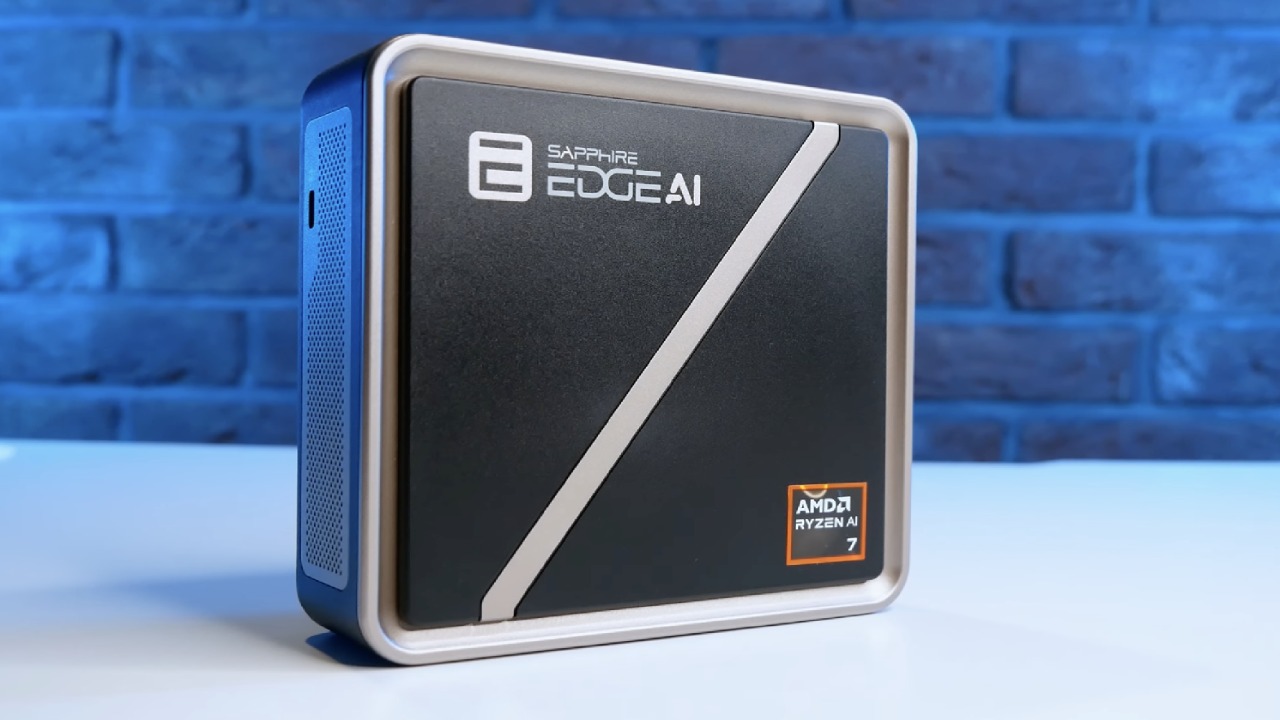
You can choose from three different Edge AI models based on the APU you pick. The top-of-the-line HX370 model we tried costs $649. There is also a Ryzen AI 7 350 model that costs $539 and a Ryzen AI 5 340 model that costs $439 for those on a tighter budget.
You will need to buy your own memory, storage, and operating system, since all of these are sold as "barebone" kits. This raises the price, but it gives you more options for configuring the system the way you want.
A 1TB Gen4 SSD and 32GB of DDR5 5600 memory were installed in our review unit. This was a good setup for the HX370 processor and Radeon 890M graphics.
The GeekCom A9 Max mini PC, which has the same processor, is sometimes mentioned in this report. Even though this isn't a straight head-to-head comparison, it gives you an idea of what to expect from their performance.
Design and First Impressions
The Edge AI has the classic small-cube shape common to tiny PCs. While Sapphire calls the color "golden black," it looks more like rose gold or bronze, which makes it stylish.
The case is made of plastic rather than metal, so it doesn't feel as high-end as some other small PCs, but it still feels solid when you hold it.
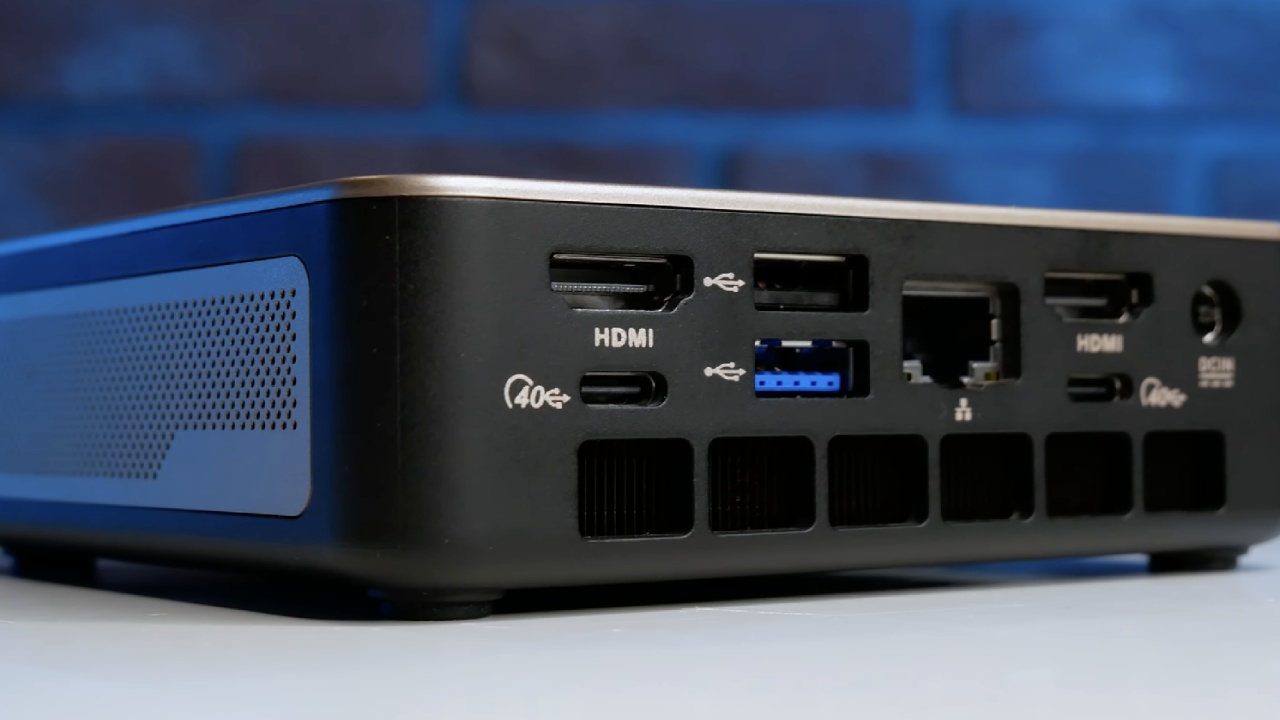
With a total volume of only 0.39L, the system is very small—117x111x30mm —and even smaller than the GeekCom A9 Max. Venting is on both sides, with intake at the bottom and exhaust at the back. This makes sure that air flows properly, even though the size is very small.
Connectivity Options
For a small PC of this size, the connections are strong. There is a power button, an audio jack, and two USB 3.2 Gen 2 ports on the front panel.
The power button, two HDMI 2.1 ports, two USB4 40GB/s Type-C plugs, one USB 3.2 Gen2 port, one USB 2.0 port, and a 2.5GB Ethernet port are all on the back panel. A USB-C port and an SD card reader on the front would have been Easy Access to Internals.
The sticky top panel makes Sapphire stand out by making it easy to access the insides. Two memory slots can hold up to 96GB of memory, and two M.2 Gen4 slots in 2280 and 2242 form factors are shown below.
Because the magnetic lid snaps into place, it's easy to make changes or improvements. This machine is much easier to service than the GeekCom A9 Max, which is something we hope more mini PCs do.
Processor, Graphics, and BIOS
HX370 processor is based on the Zen 5 design and has 12 cores and 24 threads. However, only four of the cores are full Zen 5, and the other eight are Zen 5C cores, which are slower and less powerful. The Z2 Extreme line uses the same Radeon 890M GPU, with 16 CUs, built in.
Before testing, we changed the BIOS from version 2.07 to version 2.10. You can also choose between three power modes in the BIOS: Balance, Quiet, and Performance. With Zen 5 cores running at 3.3–3.4GHz and Zen 5C cores at 2.6GHz, the total power is just below 35W in Balance mode.
In performance mode, the power goes up to 45W, which speeds up the Zen 5 cores to 3.6–3.7GHz and the Zen 5C cores to 2.9GHz. This means the Edge AI has slightly less sustained power than GeekCom's A9 Max, but the speed difference isn't very big.
Noise Levels
Even when it's busy, the Edge AI stays quiet. In Balance mode, the volume is about 37dB, and in Performance mode, it's 43dB. The A9 Max, on the other hand, went over 50dB in performance mode, which means the Edge AI is much better for places with a lot of noise.
How the system works in general
In general, the method works very quickly. It's more than enough for the HX370 to handle everyday work tasks like texting and word processing. If that's all you need, you might be able to save money by choosing a Ryzen AI 5 or 7 model that isn't as powerful.
The Wi-Fi speed is slightly below expectations. We got speeds of just under 300 Mbps down and 85 Mbps up on a 1 Gbps link with the RZ616 Wi-Fi 6E chip from MediaTek. It's still good enough for everyday use, but GeekCom's MT7925 Wi-Fi 7 chip is much faster. The system's 2.5GB Ethernet connection is still a good choice.
AI Performance and iGPU VRAM
An XDNA 250 top NPU is built into the HX370 APU, significantly accelerating AI tasks. Tests conducted by Proon AI Vision showed that performance with the NPU was much better than with either the CPU or the GPU alone.
For AI jobs, giving the built-in GPU more VRAM is very important. The iGPU VRAM can be raised from 4GB to 24GB through the BIOS. When 16GB was provided, the Stable Diffusion XL and LLM workloads ran properly, and Llama 2.113 b's performance increased by more than 20%.
Higher single and half-precision scores were seen in Geekbench AI tests when the Onyx runtime was used on the Radeon 890M. In OpenVINO quantized tests.
Gaming Performance
- The Radeon 890M performs well at 1080p on low settings with FSR enabled when needed, even though it is an iGPU.
- Counter-Strike 2 always runs at frame rates above 120 fps and often reaches 140–150 fps.
- Without FSR, Cyberpunk 2077 runs at mid-30s frame rates. FSR Balance raises those frames to around 50fps.
- At the lowest settings, Call of Duty: Black Ops 6 gets 40-50 frames per second. FSR Balance boosts speed to 70-80 frames per second.
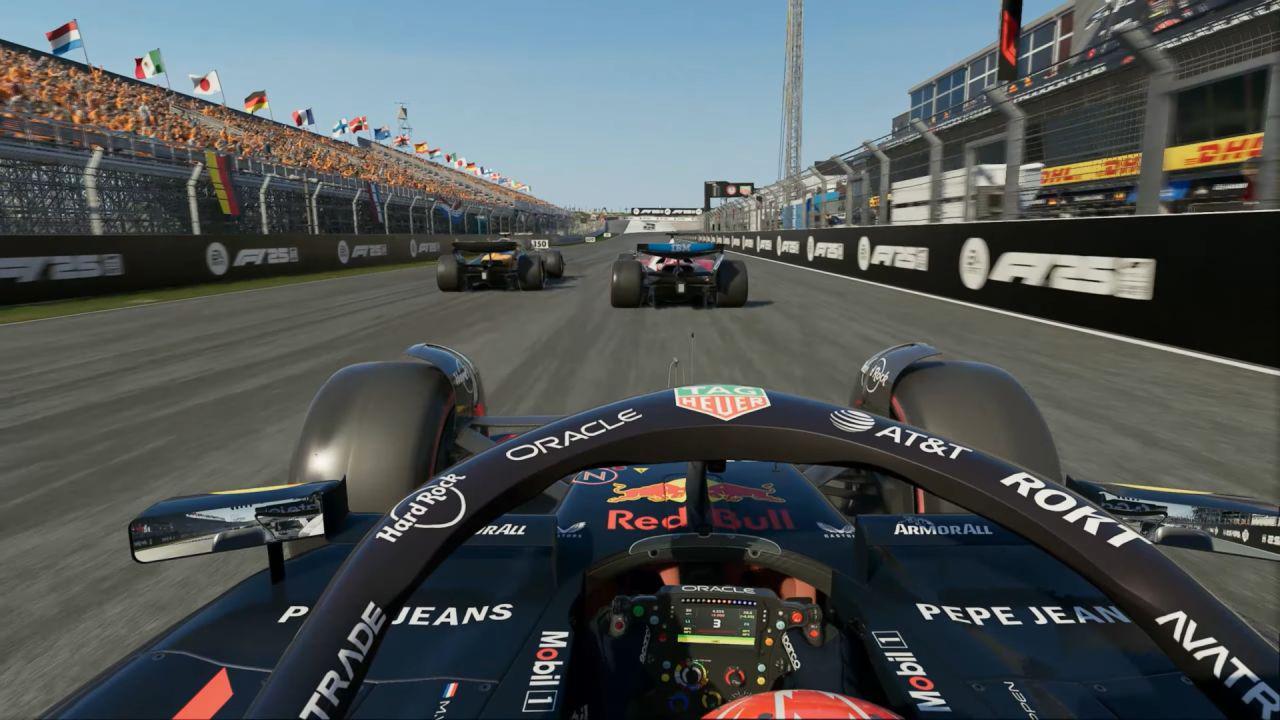
- On ultra-low settings, F1 25 still gets close to 100 frames per second, and on high settings, it drops to 50 frames per second.
- Kingdom Come: Deliverance 2 has even more problems; on low settings, it drops to 40 fps. FSR Balance improves performance but at the cost of picture quality.
- Marvel Rivals' frame rate goes below 30fps during intense scenes. FSR Balance raises it to 40–45fps.
- Thermals
The thermal performance is great. The CPU reaches 76°C in Balance mode and 82°C in Performance mode during Cinebench runs, even under long-term stress. Images taken with a thermal camera show a hotspot on the top panel that is about 50°C. The sides that let air in stay cooler. The exhaust at the back is the hottest, but that's not a problem.
Final Thoughts
The Sapphire Edge AI HX370 mini PC is a great small system that strikes a good mix between performance, heat, and noise. The sticky top panel is the best part because it makes it easy to add more memory or storage.
It's possible to improve things by adding a front USB-C port or an SD card reader. Still, the barebones kit method lets you set up storage and memory however you like.
With a base kit that starts at $649, you can put together a system with a 2TB SSD and 32GB of DDR5 5600 memory for less than $900, which is a great deal compared to other brands. The Edge AI is a great choice for anyone looking for a simple, small PC that can run AI programs and play games.
Also, check our other AMD articles:
- AMD Ryzen 9 9950X3D Review: Setting The Standard For 2025 Gaming CPU
- AMD Ryzen 7 9800X3D Review: 3D V-Cache Goes God Mode with Stunning Gaming Performance
- AMD RX 9070 Performance Review: Thermals, Clocks, and Real-World FPS
- AMD Ryzen 5 7600 Review: Best Budget Gaming CPU of 2025?
- AMD Radeon RX 7800 XT Review: RDNA 3 Power For Midrange Gaming
- Sapphire NITRO+ AMD Radeon RX 9070 XT Review: The Ultimate 4K Gaming GPU
- AMD Ryzen 7 7800X3D: Delivers Gaming Performance Far Beyond Expectations
- AMD Ryzen 9 7900X Review: Powering the AM5 Era with DDR5 & PCIe 5.0
- ASRock Radeon RX 7800 XT Challenger OC Review: Best Price-to-Performance GPU of 2025
- Intel Core i9‑14900K vs. AMD Ryzen 7 7800X3D: Power Profiles & Gaming Benchmarks
Contributor, NoobFeed
Gaming Hardware Updates
No Data.