
Why the Steam Deck Is Struggling in 2026 With Modern Games and Compatibility Issues
Aging Steam Deck hardware and compatibility limits create growing concerns for running modern AAA games smoothly in 2026.
Hardware by Shinji Okazaki on Mar 16, 2026
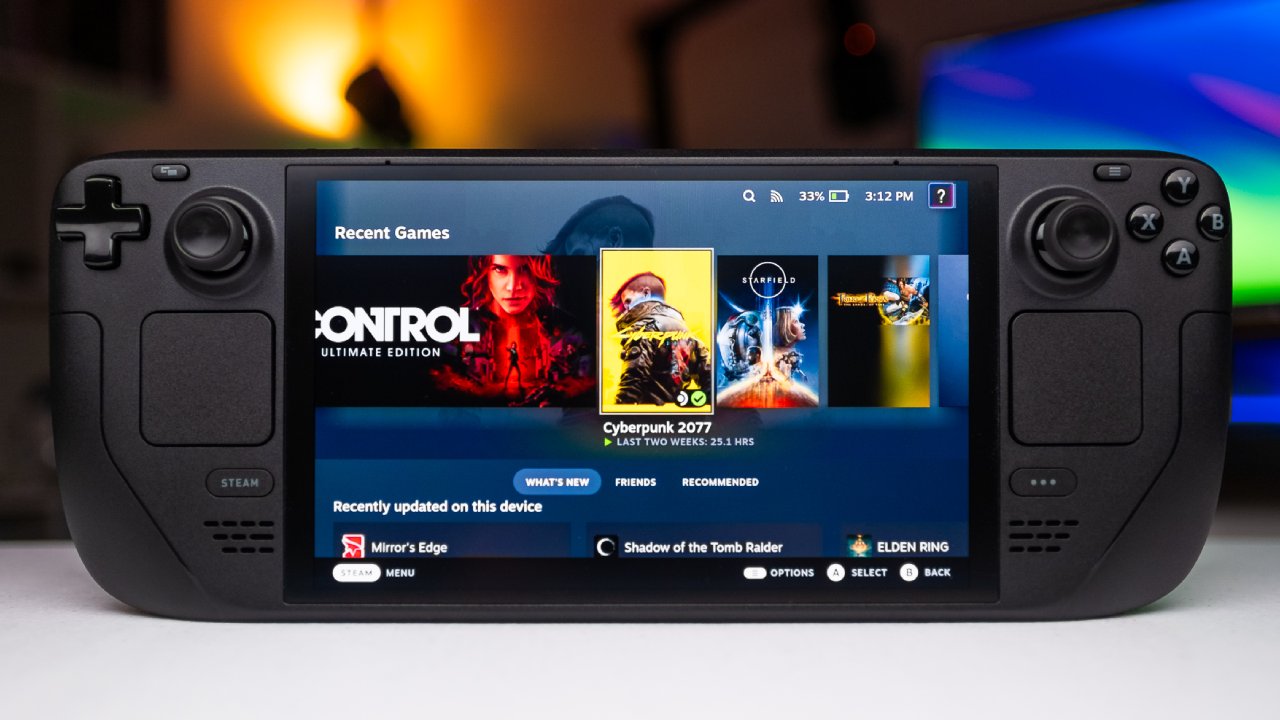
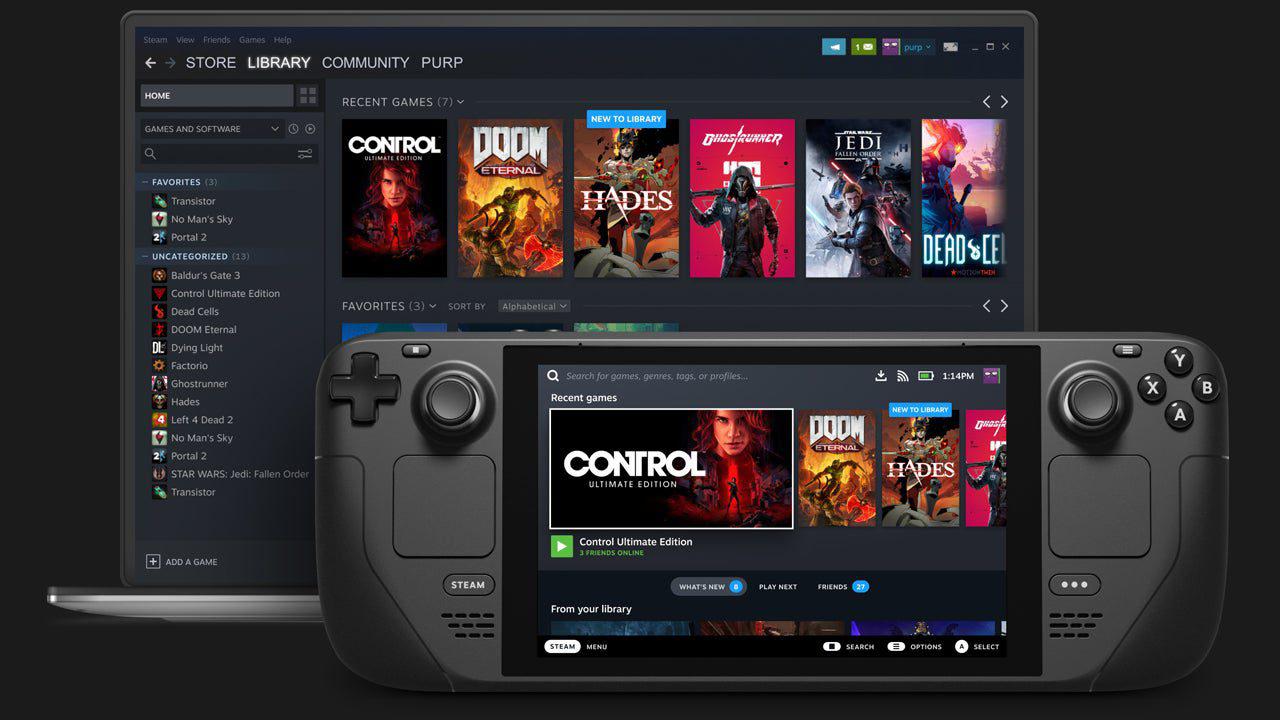
Since its launch, the Steam Deck has been a big deal for handheld PC gaming. It came out with SteamOS, an interface for PC games that looks like a device. It was a portable device that let you browse a large Steam library. In 2023, the device got an OLED update that made the screen better and made it more efficient, but it didn't make a big difference in how well it worked.
By 2026, the hardware design that originally launched in 2022 will begin to show limitations as new games increase in system requirements. Availability issues, compatibility problems, and rising performance demands are now shaping discussions about whether the Steam Deck remains a practical option for modern gaming.
Early Signs of Hardware Limitations
But the OLED update was mostly about making the screen better rather than changing how well it worked. The internal chip is still based on the original 2022 design, with only minor changes to make it more efficient and to speed up the OLED memory a little. When it first came out, that setup worked well, but by 2026, the tech was getting old.
Availability Problems and Memory Shortages
It's also getting harder to buy a new Steam Deck. A lot of the time, the Steam Deck OLED is sold out, and Valve has stated this is due to limited storage and memory supplies. The older LCD type was discontinued at the end of the previous year, leaving buyers with few choices.
Because of the shortage, the market prices are increasing. Valve remains a relatively small participant in hardware manufacturing, and competing with larger PC manufacturers for memory supply is challenging. These supply constraints contribute to the limited availability of new Steam Deck units.
Testing New Games on the Steam Deck
The question now is not whether the Steam Deck works, but whether it can run the games people want to play in 2026. We started thinking about this when launching Expedition33 on the device.
After about 15 minutes of gameplay, the visuals appeared rough. Opening the graphics settings revealed that many options were locked. Performance hovered around 30fps, but the visual quality during character close-ups looked similar to older console visuals. The combination of low visual quality and locked settings made the experience less appealing.
Switching to another handheld device showed an immediate improvement in image quality. However, not everyone can easily switch hardware, which makes the Steam Deck's limitations more important for many players.
Graphics Settings and Image Quality
Some newer games don't let you change the colors on the Steam Deck. There aren't any detailed configuration choices; only basic ones, like upscaling method and resolution, can be chosen. Most of the graphics choices are hidden behind preset filters, which makes setting up the game feel like setting up a console.
Upscaling methods can improve performance but often introduce visual artifacts. Fast motion scenes produce flickering and blurring. During conversations and close-up scenes, the image can appear unstable or grainy. Even at around 30 fps, the image quality can become distracting during gameplay.
Performance Testing With Monster Hunter Wilds
Monster Hunter Wilds initially had significant performance issues on the Steam Deck. Later patches improved performance on PC, so we tested the game again with graphics settings reduced to the lowest possible values.
With settings lowered, the game reached around 40 fps, and in certain scenes it briefly climbed to 60 fps. However, the visual quality became extremely degraded. The image looked heavily filtered, and camera cuts introduced film-grain-like artifacts. Motion scenes appeared very blurry, almost like an extremely low-resolution rendering. While the frame rate could occasionally stabilize, the visual quality made the experience difficult to recommend.
Mixed Results With Indiana Jones and the Great Circle
Indiana Jones and the Great Circle presents a different situation. The game carries a Steam Deck verification label, meaning it is officially listed as compatible with the device.
When launching the game, the default configuration was already set to the Steam Deck preset. The image showed signs of upscaling, but the gameplay felt responsive at first. Performance hovered around 30 fps, though frame rate stability varied. Adjusting the frame rate limit improved consistency slightly.
Testing Black Myth: Wukong
Black Myth: Wukong is another difficult game that some players say can be played on the Steam Deck with some settings changes. Since the device is basically a portable PC, you can make changes by hand that can sometimes make the results usable.
During testing, frame rates initially dropped below 30 fps. In some places, though, performance improved, and in less demanding scenes it even reached 60 or 70 fps. Even though the frame rate was higher, graphic artifacts remained noticeable due to heavy upscaling. The picture looked hazy, and sometimes it seemed painted when it was moving quickly.
Even with these limitations, the game remained technically playable in several sections.
Increasing Hardware Demands in Modern Games
There are still many titles that run well on the Steam Deck. Games such as Baldur's Gate 3, Elden Ring, and Hades II continue to provide good experiences on the hardware. Many older games and indie titles also perform reliably.
The challenge comes from newer releases. Modern game engines increasingly target stronger baseline hardware. As system requirements rise, the performance gap between the Steam Deck and current minimum requirements widens.
Anti-Cheat Compatibility Problems
Performance is only part of the issue. Compatibility problems caused by anti-cheat systems are also growing.
Some multiplayer titles cannot run on SteamOS at all. Fortnite requires Windows to run properly on the device. Cloud gaming services can offer workarounds, but they introduce the usual limitations of streaming.
Electronic Arts introduced a new anti-cheat system called Javelin, which removed compatibility for several titles on SteamOS. Games like Battlefield 6, Battlefield V, and Battlefield 1 stopped working after updates introduced the new system. Similar compatibility problems affect several sports titles from the same publisher.
Other games also block SteamOS due to anti-cheat restrictions. BlackOps 7 uses Activision's Ricochet system, which does not support SteamOS.
These restrictions reduce the number of multiplayer games that function on the Steam Deck.
Considering More Powerful SteamOS Devices
Some newer handheld devices attempt to address the performance gap. One example is the Legion Go 2 running SteamOS. The device offers significantly stronger hardware than the Steam Deck and features an OLED display, among other improvements.
Legion Go S SteamOS edition launched earlier with moderate improvements, but the performance increase was limited. Legion Go 2 provides a much larger jump in processing capability.
Testing Monster Hunter on this device showed immediate improvements. The game maintained a stable 60 fps, which was significantly higher than on the Steam Deck. The image quality still relied on upscaling from a lower internal resolution, but the overall experience became much smoother.
However, the Legion Go 2 is significantly more expensive, at around $1350. Increased performance alone does not solve compatibility problems caused by anti-cheat systems.
Final Thoughts
The Steam Deck still works well for many situations. Indie games, older titles, turn-based RPGs, and other less demanding games perform reliably. For players who already own the device, it remains a useful gaming platform.
A next-generation Steam Deck could address many of these issues, but there is no confirmed release date or price. Until new hardware appears, the current device continues to operate within the limitations of its original design.
For now, the Steam Deck remains usable, but many players are beginning to consider what the next upgrade will look like.
Also, check our other hardware articles:
- AMD Ryzen 9 9950X3D Review: Setting The Standard For 2025 Gaming CPU
- Amazon Luna 2025 Review: Is Prime Gaming's Cloud Service Your Go-To For Casual Fun?
- AMD RX 9070 XT Review: AMD's RDNA 4 Champion for 1440p Gaming
- GeForce Now Ultimate: Ditching Your Gaming PC For Cloud RTX 4080 Power?
- NVIDIA GeForce RTX 5080 Review (2025): Still A 4K Gaming Powerhouse?
- Intel Core Ultra 9 285K Review And Performance Breakdown (2025)
- AMD Ryzen 7 9800X3D Review: 3D V-Cache Goes God Mode with Stunning Gaming Performance
- Intel Core Ultra 9 285K vs AMD Ryzen 7 9800X3D: In-Depth Gaming Performance and Benchmark Comparison
- NVIDIA GeForce RTX 5080 Super Performance In Cyberpunk 2077: Path Tracing & DLSS 4.0 Tested
- AMD Radeon RX 9070 XT In Cyberpunk 2077: Ray Tracing & FSR 4.0 Tested
- Intel Arc B580 Review: The $250 GPU Revolutionizing 1440p Gaming
- Intel Arc B570 Vs. B580: Value, Specs, And Real-World Gaming Performance
- RTX 5090 Laptop Vs. M4 Max MacBook Pro: Ultimate Raw Performance Vs. Battery Endurance
- Intel Arc b580 Vs. RTX 4060: Game Performance And Value Analysis
- RTX5090 Hell Is Us Demo 4K Ultra Benchmark: DLSS Vs. Native Performance Guide
- NVIDIA RTX 5070 Review: Mid-Range Muscle or Marketing Hype?
- Nintendo Switch 2 Review: Handheld Performance, Features & Value Breakdown
- RTX 5070 Ti Review: Performance, Thermals & Power Efficiency Tested
- Samsung Odyssey OLED G81SF Review 2025: Ultimate 32-Inch QD-OLED Gaming Monitor
- AMD RX 9070 Performance Review: Thermals, Clocks, and Real-World FPS
- AMD Ryzen 5 7600 Review: Best Budget Gaming CPU of 2025?
- AMD Radeon RX 7800 XT Review: RDNA 3 Power For Midrange Gaming
- Asus ROG RTX 5090 Astral OC Vs. Founders Edition: The 4K Gaming Benchmark
Editor, NoobFeed
Gaming Hardware Updates
No Data.