
Arknights: Endfield Guide | How to Use Portable Originium Rig
Here’s a guide on how to use the Portable Originium Rig in Arknights: Endfield.
Game Guide by Ragib Rawnak on Jan 27, 2026
In Arknights: Endfield, you eventually reach a point where you need to collect more Originium. To get this resource, you have to set up the Portable Originium Rig. It can be a bit tricky because the game lacks clear instructions, but you can get it done using two different methods.
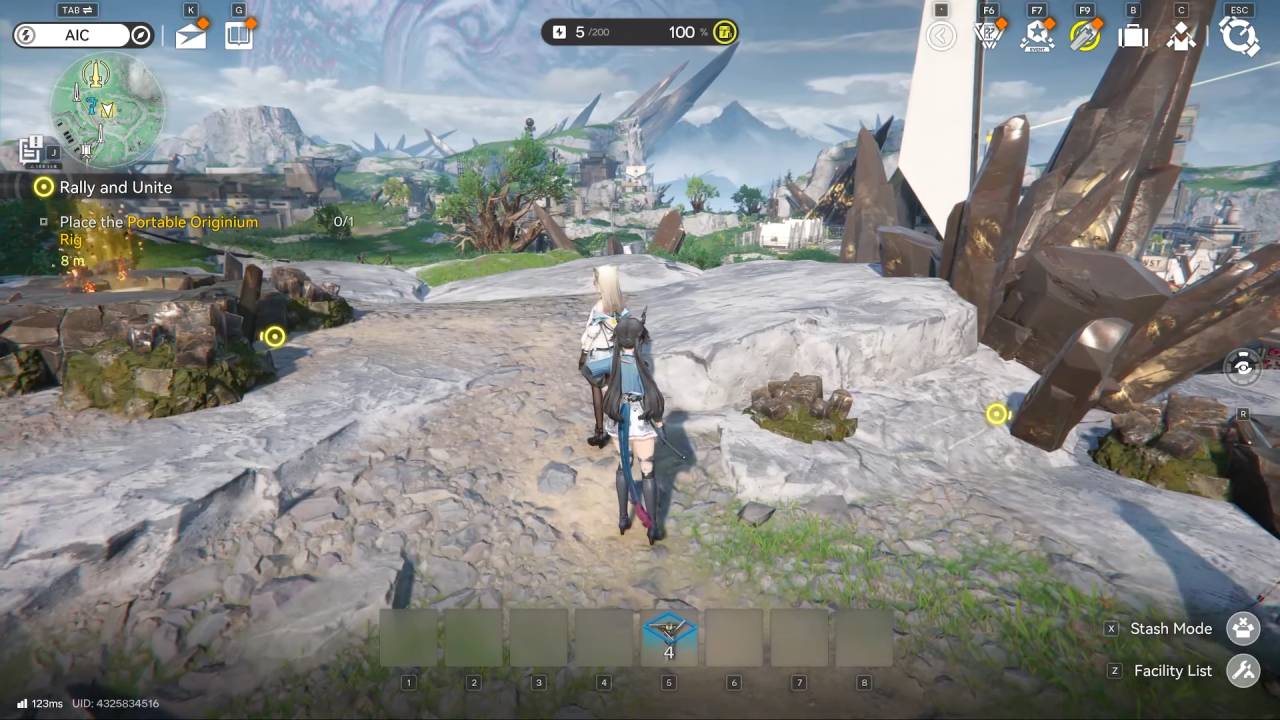
Setting Up Through Build Mode
The first way is to enter AIC mode by hitting the Tab key. This puts you into the building screen in Arknights: Endfield.
If the Portable Originium Rig is already set in your hotbar, you can just press the number on your keyboard that matches its spot. This selects the tool so you can put it on the ground and start mining.
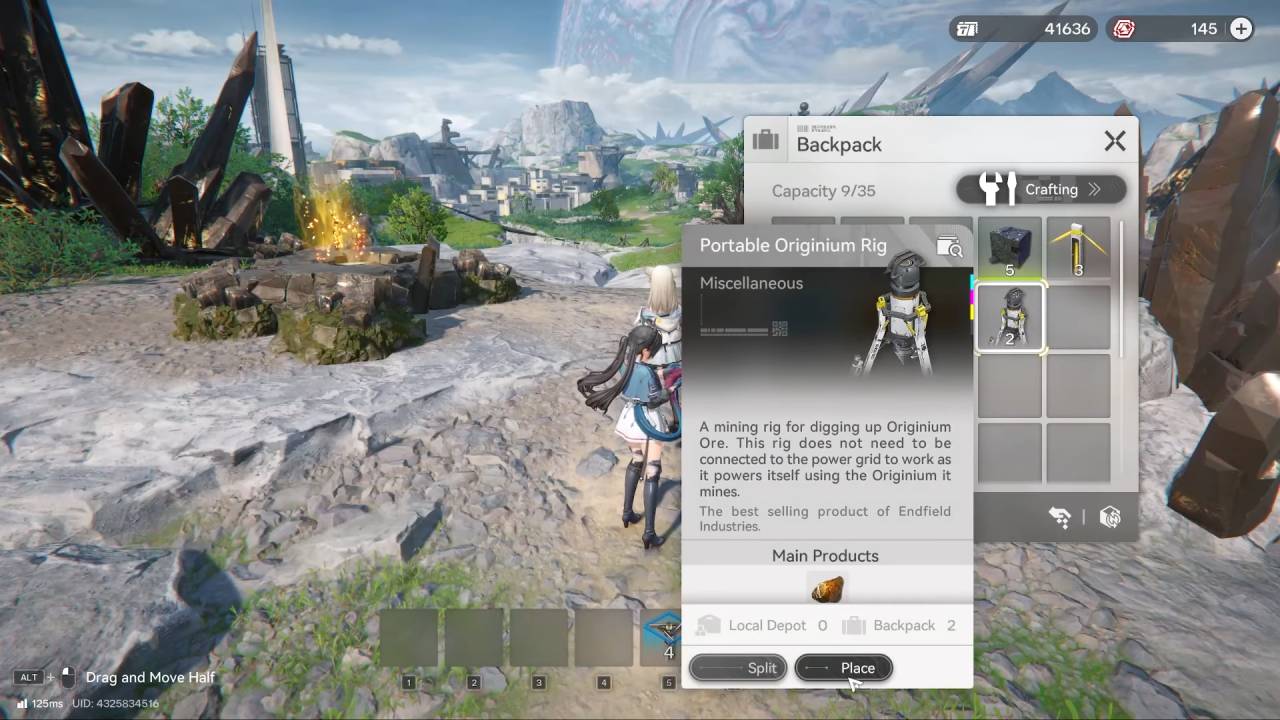
Managing Rigs from the Inventory
You can also use your inventory if you do not want to go straight into the building screen. Hold down Alt and click the Briefcase symbol or the B icon in Arknights: Endfield.
Find the Portable Originium Rig in your items. You have the choice to click Place immediately or drag the rig into one of your active slots. If you put it in a slot, you can just click it and set it down whenever you switch back to AIC mode.
Also, check our Arknights: Endfield Review and other guides below:
- Arknights: Endfield Guide | How to Get Snowshine & Greatsword
- Arknights: Endfield Guide | How to Increase Base Size
- Arknights: Endfield Guide | How to Get Blueprints Fast
- Arknights: Endfield Guide | How to Get More Power for Base
- Arknights: Endfield Guide | How to Craft Portable Explosive
- Arknights: Endfield Guide | How to Get Auronyx
- Arknights: Endfield Guide | How to Get Kalkonyx
- Arknights: Endfield Guide | How to Get Bolete
- Arknights: Endfield Guide | How to Get Steel Blueprints
- Arknights: Endfield Guide | How to Make Purple Quality Meds Buck
- Arknights: Endfield Guide | How to Get Cryston Component
- Arknights: Endfield Guide | How to Make Steel Battery Build
- Arknights: Endfield Guide | How to Farm Valley Stock Bills
- Arknights: Endfield Guide | How to Get Sandleaf
- Arknights: Endfield Guide | How to Use Turrets
- Arknights: Endfield Guide | How to Get Aerospace Material
- Arknights: Endfield Guide | How to Decrease World Exploration Difficulty
- Arknights: Endfield Guide | How to Increase Base Storage Space
- Arknights: Endfield Guide | How to Power Originium
- Arknights: Endfield Guide | How to Make Liquid Xiranite
- Arknights: Endfield Guide | How to Farm Yazhen Syringe
- Arknights: Endfield Guide | How to Get Wuling Stock Bills
- Arknights: Endfield Guide | How to Make Auto Buck Capsule Farm
- Arknights: Endfield Guide | How to Atrifice Gears
- Arknights: Endfield Guide | How to Make Xiranite Component Build
- Arknights: Endfield Guide | How to Make Compact LC Wuling Battery Build
- Arknights: Endfield Guide | How to Beat Triaggellos Boss
- Arknights: Endfield Guide | How to Farm Crops Automatically
- Arknights: Endfield Guide | How to Get Ferrium Ore
- Arknights: Endfield Guide | Device Activation Correct Sequence
- Arknights: Endfield Guide | How to Solve SOS Puzzle
- Arknights: Endfield Guide | How to Get Amethyst Components
- Arknights: Endfield Guide | How to Mine Ore & Craft Automatically
- Arknights: Endfield Guide | How to Power the Bridge
- Arknights: Endfield Beginner’s Guide | Gameplay Tips & Tricks
Senior Editor, NoobFeed
Latest Articles
No Data.