
DLSS 4 vs. DLSS 3: How Transformer‑Based Upscaling Sharply Outpaces the Old AI Model
Exploring sharper textures, reduced ghosting, and balanced‑mode frame‑rate gains without hardware upgrades
Hardware by Masaru Hoshino on Jul 20, 2025
Upscaling technology has become one of the most significant advancements in modern GPU development, offering gamers the promise of higher apparent resolution without the hardware cost of native rendering. NVIDIA’s latest iteration, DLSS 4 Super Resolution (DLSS 4), replaces the previous CNN-based model with a larger Transformer model designed to substantially improve visual fidelity.
We tested various scene elements—from textures and edges to particles and foliage—and determined where DLSS 4 shines, where it still struggles, and how it impacts performance on RTX GPUs.
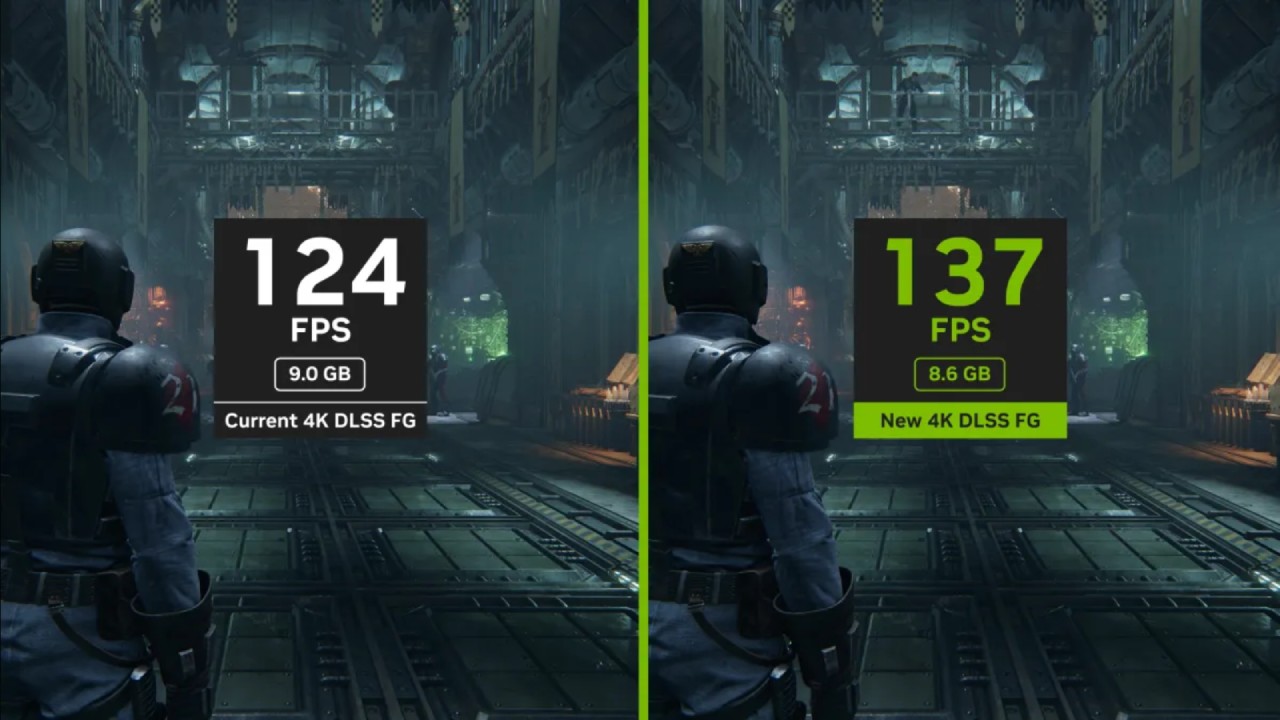
Texture Quality and Clarity
One of the most striking improvements with DLSS 4 is its ability to eliminate the signature blur introduced by temporal anti-aliasing (TAA). Over the last decade, TAA has reduced texture sharpness to suppress aliasing, leading to a soft, smeared appearance in motion. DLSS 3 improved on this, but DLSS 4 nearly eliminates TAA blur, giving the impression of higher-resolution textures even in performance mode.
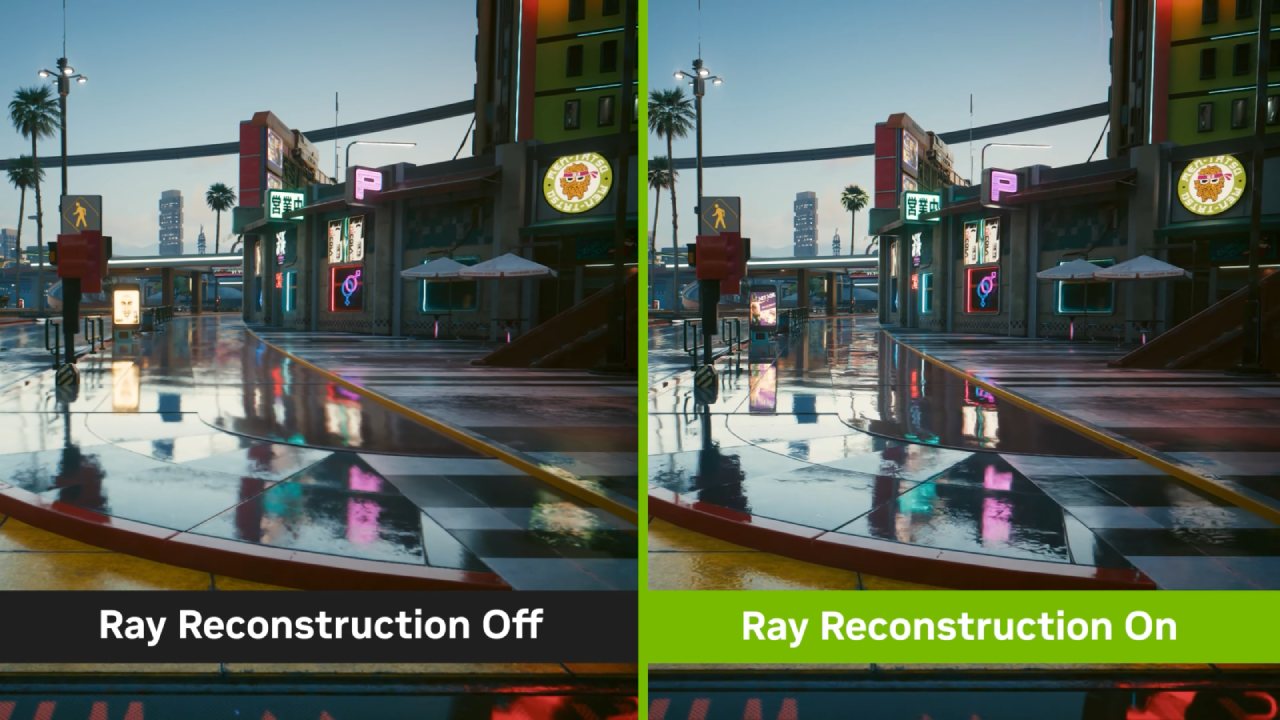
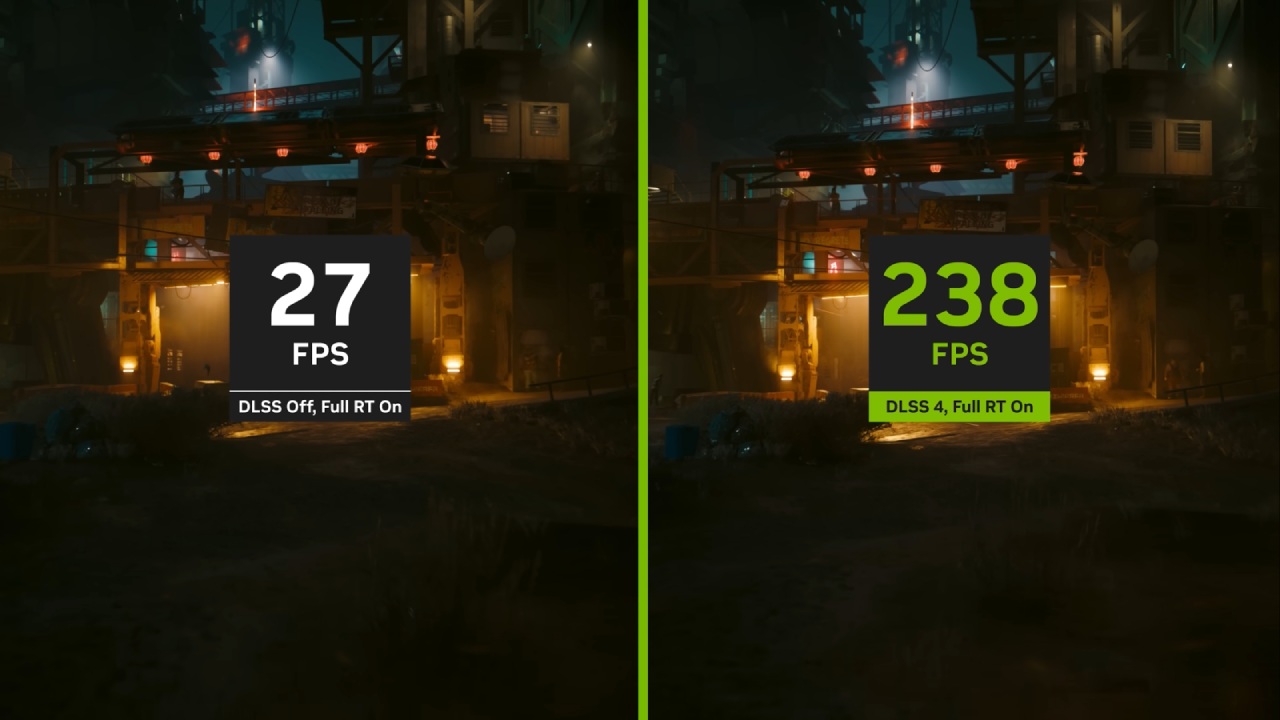
When we compare Cyberpunk 2077 at 4K, you’ll notice that DLSS 4 quality maintains crisp detail while stationary and preserves sharpness during movement, unlike DLSS 3 quality, which still exhibits lingering blur.
In games like Ratchet & Clank, DLSS 4 performance rivals or even surpasses DLSS 3 quality, delivering textures with remarkable fidelity, including leather, rock, and ground textures. Even against native TAA, DLSS 4 often feels like ultra-texture settings, making your world look and feel sharper without requiring any in-game texture adjustments.
Edge Stability
Beyond static textures, maintaining consistent edge definition between frames is crucial for a stable image. DLSS 4 excels here as well. Fine geometry lines—whether in wood grain, fencing, or architectural details—remain locked down, reducing sizzling and shimmering artifacts that plagued earlier upscalers.
In Horizon Zero Dawn Remastered, the wooden bridge beams retain their form even when panning, with DLSS 4 performance outperforming DLSS 3 quality. When minor scene movements occur, such as a character’s subtle sway in Black Myth: Wukong, DLSS 4 quality holds edges steady, whereas DLSS 3 quality jitters.
Though DLSS 4 performance isn’t always better than DLSS 3 quality, overhead wires in Cyberpunk 2077 sometimes benefit from the higher render resolution of DLSS 3 quality. Overall, DLSS 4 delivers more consistent stability in equal modes.
Ghosting
Ghosting artifacts are relatively uncommon in both DLSS 3 and DLSS 4, but when they do appear, DLSS 4 generally reduces them. In Cyberpunk 2077 night‑time street scenes, DLSS 4 quality cuts down light ghost trails from overhead lamps and tailpipes.
However, DLSS 4 isn’t immune to regressions: in Forza Motorsport, ghosting remains unchanged between DLSS 3 and DLSS 4, and in Ratchet & Clank, small ghost trails can emerge with DLSS 4 where none existed before. For most games and scenarios, though, you won’t notice significant ghosting differences, and the improved texture clarity often outweighs any slight regression.
Disocclusion
Disocclusion artifacts occur when new background regions appear between frames, leaving upscalers without temporal data to reconstruct the scene. DLSS 4’s sharper output sometimes makes these artifacts more visible, as it attempts to preserve more detail in the newly revealed areas.
In The Last of Us Part One, Joel’s head movement reveals grass and water behind him, and you’ll spot more sizzling in DLSS 4 quality compared to DLSS 3. Similar issues arise in Horizon Zero Dawn and Black Myth: Wukong when fast motion uncovers detailed backgrounds. In milder cases, such as Dragon Age:
The Veilguard or Star Wars Jedi Survivor, disocclusion artifacts are minimal and hard to see in real-time gameplay. DLSS 4 bounce mode (balanced) typically matches DLSS 3 quality here, but you may still find a slight edge for DLSS 3 in some frames. Since these glitches last only a frame or two, they rarely distract during regular play.
Hair and Fur
Hair rendering remains a perennial challenge for upscalers. In titles with intricate hair systems like Dragon Age: The Veilguard, DLSS 4 and DLSS 3 produce nearly identical results, with fine strands still prone to aliasing. Occasional sharper patches appear in The Last of Us with DLSS 4, but overall, aliasing persists.
Fur in Ratchet & Clank similarly sees little benefit; DLSS 4 Balanced can sometimes approach DLSS 3 quality, but it does not eliminate the underlying temporal instability. Until upscalers achieve better single-frame hair analysis, native rendering with high-quality TAA remains the gold standard for hair.
Particle Reconstruction
Particles—small, fast, and inconsistent—pose another tough test. DLSS 4 shines by cleaning up ghost trails that sneak through DLSS 3. In Starfield, streaky trails behind debris vanish with DLSS 4 quality, and even DLSS 4 performance offers significantly cleaner particles.
Ratchet & Clank benefits similarly, and airborne spore effects in The Last of Us show reduced ghosting. However, at lower render resolutions, DLSS 4 performance can lose particle resolution compared to DLSS 3 quality. Balanced mode typically provides a good compromise: similar resolution to DLSS 3 quality with almost no ghosting.
Transparency
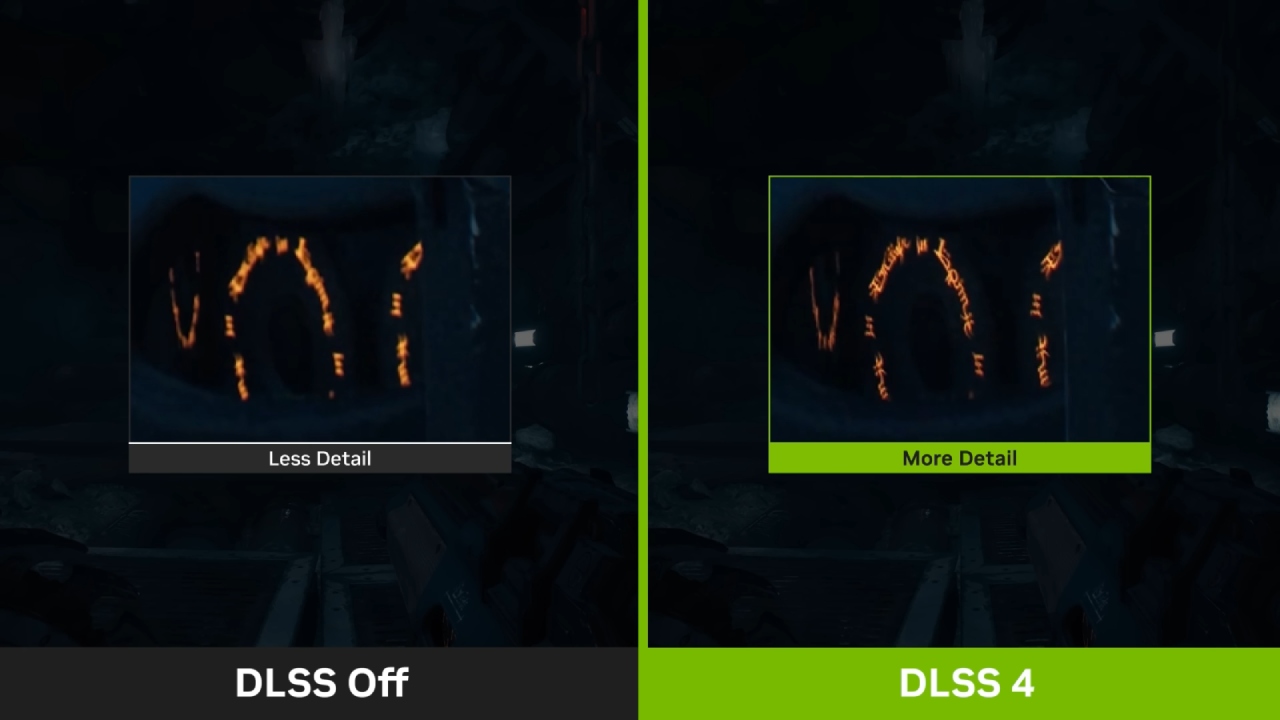
Transparent effects like holograms or overlapping geometry depend heavily on render resolution. In most games, DLSS 4 and DLSS 3 yield comparable transparency details, with sharper still-frame results in DLSS 4.
In Cyberpunk 2077, holographic maps are somewhat improved under DLSS 4, balanced, but general transparency fidelity aligns more closely with the render resolution than the upscaling model. For static scenes, DLSS 4 has a slight advantage, but dynamic motion often erases that benefit.
Fine Detail Reconstruction
Pixel‑level details—wires, grates, meshes—often sizzle under low render resolutions. DLSS 4 handles these patterns more gracefully than DLSS 3, reducing unwanted moiré and aliasing. In Cyberpunk 2077, grates and wire meshes in Indiana Jones show fewer artifacts under DLSS 4 balanced than DLSS 3 quality.
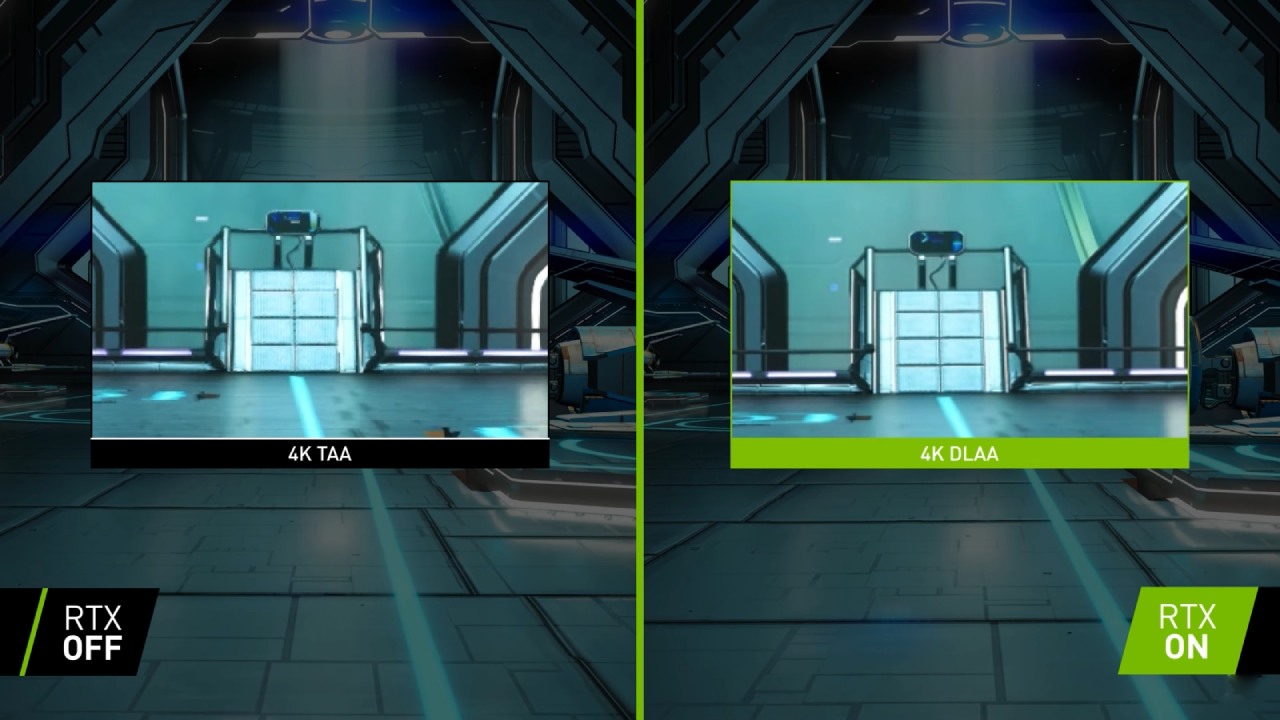
You still get edge sizzling in motion, but the new model’s improved pattern recognition closes the gap. For ultimate fidelity, you’ll opt for native DLAA, but DLSS 4 quality offers a meaningful boost for those sticking with upscaling.
Foliage and Grass
Vegetation tests reveal two categories: still foliage and dynamic motion. Static trees in The Last of Us and Horizon Zero Dawn look significantly sharper under DLSS 4, with performance mode matching DLSS 3 quality in many cases.
Fast‑blowing branches test the limits: Star Wars Outlaws and Black Myth: Wukong sometimes render finer twigs better under DLSS 3 quality, but even here, DLSS 4 balanced delivers more stable lines.
Grass stands out: DLSS 4 performance smooths grainy motion, making grass blades appear less noisy than DLSS 3 quality. In Indiana Jones and Horizon Zero Dawn, DLSS 4 performance often feels more polished, though balanced mode remains the go‑to for the finest grass detail.
Fences and Meshes
Repeating patterns like fences and mesh grids highlight DLSS 4’s reconstruction prowess. In The Last of Us, DLSS 4 performance out-resolves DLSS 3 quality fences, preserving fine mesh detail and avoiding ugly moiré patterns.
Starfield mesh structures benefit similarly, and you won’t see the same blocky artifacts common to older upscalers. This improvement extends to the visibility of background elements through fences, which remain more precise and more stable, even when you’re moving.
Cloth and Water
Cloth textures—capes, banners, and character garments—show consistent gains under DLSS 4. Motion-induced moiré patterns that plagued DLSS 3 performance are eliminated in DLSS 4, making the performance mode a viable alternative to DLSS 3 quality for enhancing cloth detail. Water, however, remains largely unchanged.
In Star Wars: Jedi Survivor and Horizon Zero Dawn, water surfaces look nearly identical across both versions; in rare cases, DLSS 4 performance is slightly less stable, but differences are trivial and often unnoticeable in real gameplay.
Rain and Snow Effects
Particle‑based rain and snow are difficult to upscale. DLSS 4 quality matches DLSS 3 quality in terms of raindrop clarity, and Balanced mode closely approximates the higher settings. DLSS 4 performance, however, loses some detail when compared to DLSS 3 quality, making balanced or quality modes preferable for precipitation effects.
Snow flurries behave much like rain, with DLSS 4 balanced offering a slight uplift in stability without compromising detail.
Performance Analysis
We briefly evaluated performance on an RTX 5080 at 4K with max settings. Over six titles, DLSS 4 quality incurred an average 7% frame‑rate drop compared to DLSS 3 quality—a half‑tier impact, placing DLSS 4 balanced between DLSS 3 quality and balanced modes.
DLSS 4 performance mode improved frame rates by about 14% over DLSS 3 quality, translating older quality‑mode speeds into a lower‑tier performance‑mode uplift. In Starfield, DLSS 4 performance outpaced DLSS 3 quality by a full performance tier; in Cyberpunk 2077, the drop was only 5%, demonstrating title-dependent variance.
Across the board, DLSS 4 provides roughly one and a half tiers of visual improvement at the cost of half a performance tier, equating to about a one-tier net gain thanks to the software update alone.
Final Thoughts
DLSS 4 Super Resolution represents a significant leap forward for 4K gaming. We now get the clarity once exclusive to high‑resolution native rendering at much lower performance cost, making performance mode genuinely usable.
Texture detail, edge stability, foliage, and particle fidelity see remarkable gains, while ghosting and transparency hold steady. Hair and water remain areas for future improvement, and some disocclusion artifacts persist, but these are minor in real‑world play.
Overall, DLSS 4 delivers the visual quality of DLSS 3 at DLSS 3 balanced speeds—or better—ushering in sharper, clearer gameplay without requiring hardware upgrades.
Looking Ahead
With FSR 4 on the horizon, competition is expected to intensify. Current FSR 3.1 and FSR 2.2 cannot match DLSS 4 in terms of quality or speed, so AMD must close the gap rapidly. NVIDIA’s driver-level upgrade infrastructure ensures broad DLSS 4 support across games, giving RTX users an immediate boost.
As upscaling tech evolves, we anticipate further refinement of hair and disocclusion handling—areas where DLSS 4 hints at potential but doesn’t fully deliver. For now, if you own any RTX GPU, enabling DLSS 4 is the best way to enhance your gaming visuals and performance.
Check Our Other NVIDIA Articles:
- GeForce RTX 5090 Unleashed: Is NVIDIA's New Flagship the Ultimate 4K Gaming GPU?
- NVIDIA GeForce RTX 5080 Review (2025): Still A 4K Gaming Powerhouse?
- RTX 5090 Performance Testing In GTA 5 – 1080p, 1440p, and 4K Max Settings Benchmark
- RTX 5090 Laptop Vs. M4 Max MacBook Pro: Ultimate Raw Performance Vs. Battery Endurance
- NVIDIA RTX 5070 Review: Mid-Range Muscle or Marketing Hype?
- RTX 5070 Ti Review: Performance, Thermals & Power Efficiency Tested
- Asus ROG RTX 5090 Astral OC Vs. Founders Edition: The 4K Gaming Benchmark
- ASUS ROG Astral RTX 5090 OC Edition Review: 32GB GDDR7 & 4K Gaming Benchmark
- ASUS GeForce RTX 5090 LC Liquid Cooled GPU Review: Unmatched Silence & Speed
- MSI GeForce RTX 5090 32GB SUPRIM SOC Review: Power Efficiency, Cooling, and Gaming Performance
- NVIDIA GeForce RTX 5050 Review: Specs, Gaming, and Pricing Versus Rivals
- Colorful iGame GeForce RTX 5050 Review: Price, Specs, Power Efficiency, Gaming
- INNO3D RTX 5060 Ti 16 GB X2 Review: Gaming Benchmarks, Temps, and Power Efficiency
Editor, NoobFeed
Latest Articles
No Data.