
Steam Machine First Impressions: Setup, Storage, and the MicroSD Trick Nobody Talks About
Early use of the Steam Machine covers unboxing, setup, and daily performance across several days of casual gaming.
Hardware by Shinji Okazaki on Jul 27, 2026
Valve's Steam Machine has generated years of anticipation as a compact SteamOS living room console, and early hands-on time with the device reveals what it feels like to actually set up, use, and live with day-to-day, from unboxing through the first few days of gaming.
The invite process for the Steam Machine has been rough, and while we think Valve has generally done a reasonable job of distributing invites, the wait for our own invite was long. Fortunately, a friend already had an invite ready, so we stepped into that purchase instead, with payment going through the prior week and the unit arriving at the door three to four days afterward.
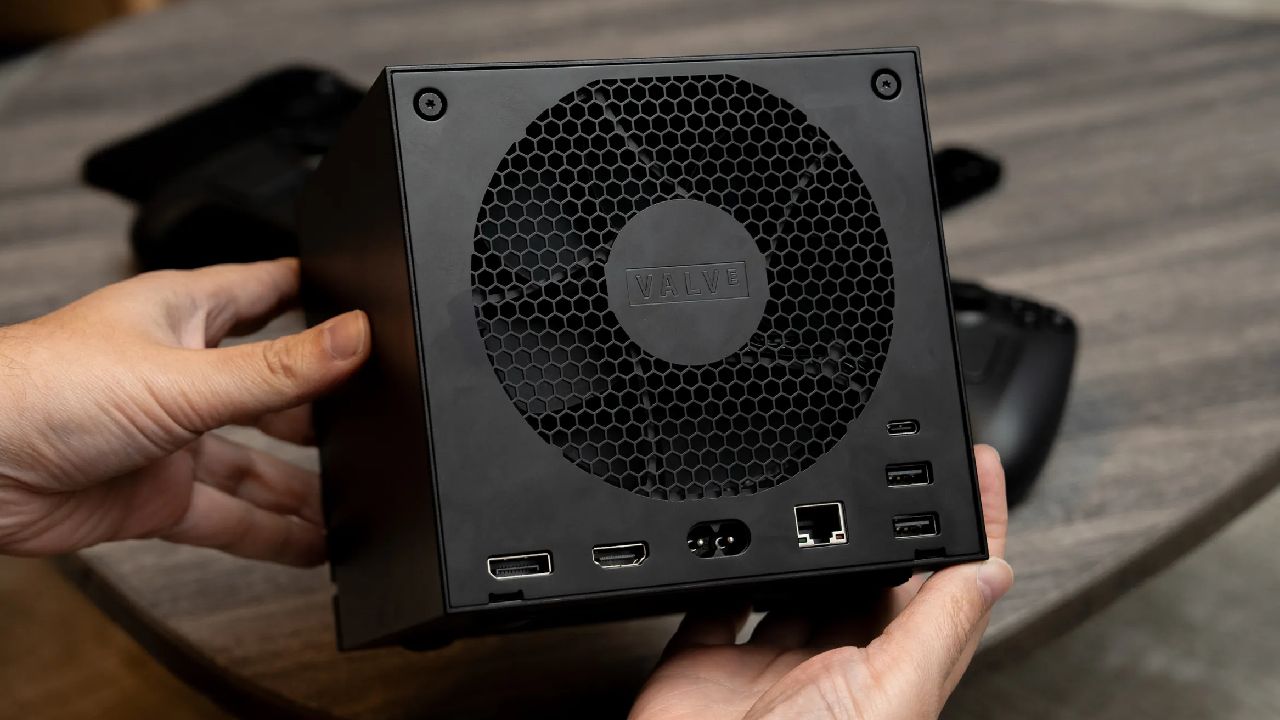
Unboxing the Steam Machine
The experience of opening the box stood out right away. It comes in fully reusable boxes, and the machine is inside in a fabric sleeve. Once the box is opened, all that's left is an HDMI cable and power cables. The power cables come with both US plugs and plugs from other regions, so you can use the device anywhere. With that added feature, the Steam Machine becomes a worldwide gadget, which we liked.
Setup only requires two cables to get going. Compared to our small-form-factor gaming PC, a Fractal Terra case, the Steam Machine measures roughly a third of the size, closer to the footprint of a GameCube.
The size is one of the biggest draws of the device and one of the main reasons we wanted one in the first place. Despite its compact size, the unit carries real weight and density for something so small.
The Steam Machine takes up almost no desk space, which matters if you are working with limited room. Setup follows the same process as on the Steam Deck, scanning a QR code to sign in to a Steam account.
We have primarily been using the machine in Big Picture mode alongside a secondary display, though that secondary display draws power through a USB connection routed through our main gaming PC. Out of the box, a secondary monitor will not function unless the Steam Machine is switched into desktop mode.
For most setups, where the machine sits connected to a TV, that limitation likely will not matter much. We plan to test the machine further as a desktop unit running SteamOS in the coming weeks. Watching SteamOS boot and update on screen for the first time was satisfying, and the overall setup process was simple from start to finish.
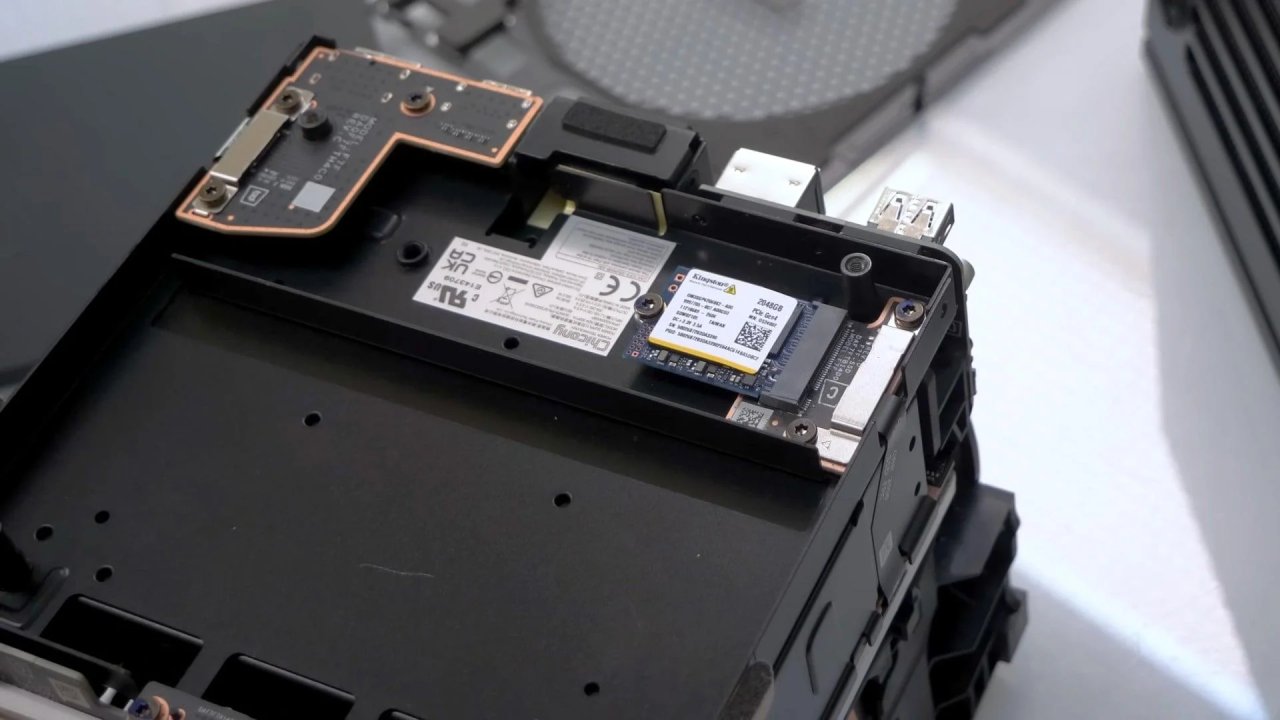
MicroSD Card Feature Nobody is Talking About
One detail about the Steam Machine that seems to be missing from most coverage involves the microSD card slot. If you already own a Steam Deck and are setting the Steam Machine up as a bridge to television gaming, you can remove the microSD card from the Steam Deck and insert it directly into the front of the Steam Machine, and every game stored on that card becomes available immediately.
This came as a genuine surprise. With no games installed locally and several downloads still in progress, inserting the Steam Deck's microSD card made the entire library appear instantly. Even without a wired connection, the Steam Machine has been able to download files quickly. The Wi-Fi card inside the device looks like it will work well.
With gigabit internet at home, we usually get about 1.3 gigabits per second in the office and 600 to 700 megabits per second in a known dead zone of the house. To connect a game PC to this spot, you usually need to use external antennas or signal-boosting dongles.
It was a pleasant surprise that the Steam Machine could reach similar speeds without any extra hardware. Our review unit is the 512GB model, and given the cost of upgrading the internal drive, offloading games onto microSD storage as needed looks like the practical approach for anyone choosing not to pay for the higher storage tier.
Initial Performance and Boot Speed
Performance out of the gate feels notably fast, faster than the Steam Deck by a clear margin and even faster to boot than our own gaming PC, a machine with roughly double the raw power on paper. Resolution came set to 1080p by default with no adjustment needed, and after installing one update, the machine was ready to use.
From unboxing to having games running through the inserted microSD card took about 10 minutes total, which is a strong result for an out-of-box experience.
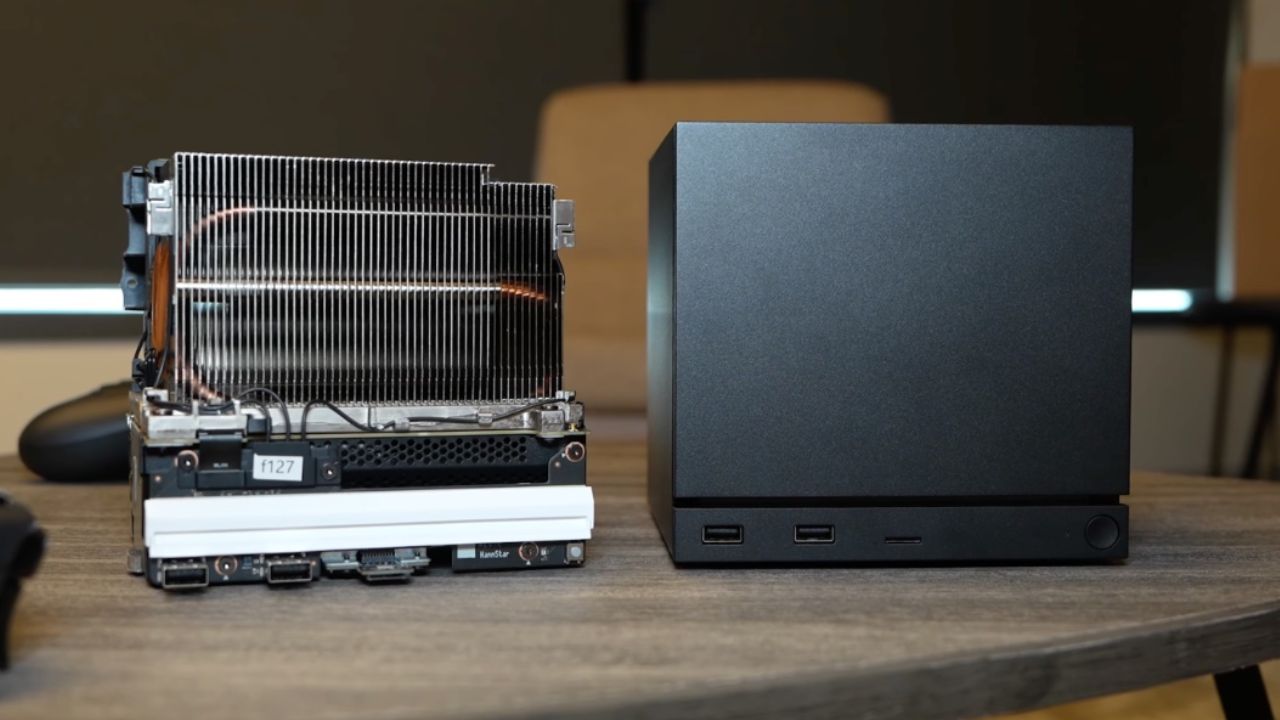
The simplicity of just plugging in the controller and powering the machine on and off adds to that impression, though our monitor lacks HDMI CEC support, so it does not power on automatically alongside the Steam Machine. Running a gaming PC as a dedicated emulation machine works, but it lives in an office, which makes casual use less appealing.
Positioned under a television and combined with the microSD card sharing feature, the Steam Machine looks like one of the more capable emulation setups available in a box this size, matching the convenience of a console while offering more power than something like a Raspberry Pi, which comes with its own compromises around processing power.
The plan going forward includes deeper testing across specific areas of the device.
Time with the Steam Machine so far has mostly consisted of casual, on-and-off sessions rather than dedicated testing, and the experience has been positive throughout. It clearly will not match a full gaming PC in raw output, and that was never the expectation.
Instead, it functions as a bridge for games that would otherwise be played at a desk, moved instead to a television downstairs, which may reduce how often the Steam Deck gets used for the same purpose going forward.
There is also a reasonable case for the Steam Machine as a travel device for some buyers. Its size allows it to connect to a hotel television if needed, and while it carries real weight for something so small, it still fits into a bag.
Several smaller details about the device, including its front lighting, have made a stronger impression than expected, especially since many early reviews and pre-release coverage did not focus on them.
Editor, NoobFeed
Gaming Hardware Updates
No Data.