

DLSS 4 Ray Reconstruction: Elevating Ray Traced Visuals with AI
Analyzing performance across RTX 2000–5000 series to show you the real-world impact of NVIDIA's transformer-based denoiser
Hardware by Nakiro on Jul 25, 2025
Recent advancements in ray tracing technology promise to elevate visual fidelity in modern games, yet many titles still suffer from visible noise, surface grain, and texture blurring. An AI-based denoiser—launched initially as DLSS Ray Reconstruction—aimed to address these issues, but early implementations fell short in scenarios with heavy noise or rapid lighting changes.
With the release of DLSS 4, NVIDIA has upgraded the ray reconstruction neural network from a convolutional model to a larger, transformer-based architecture.
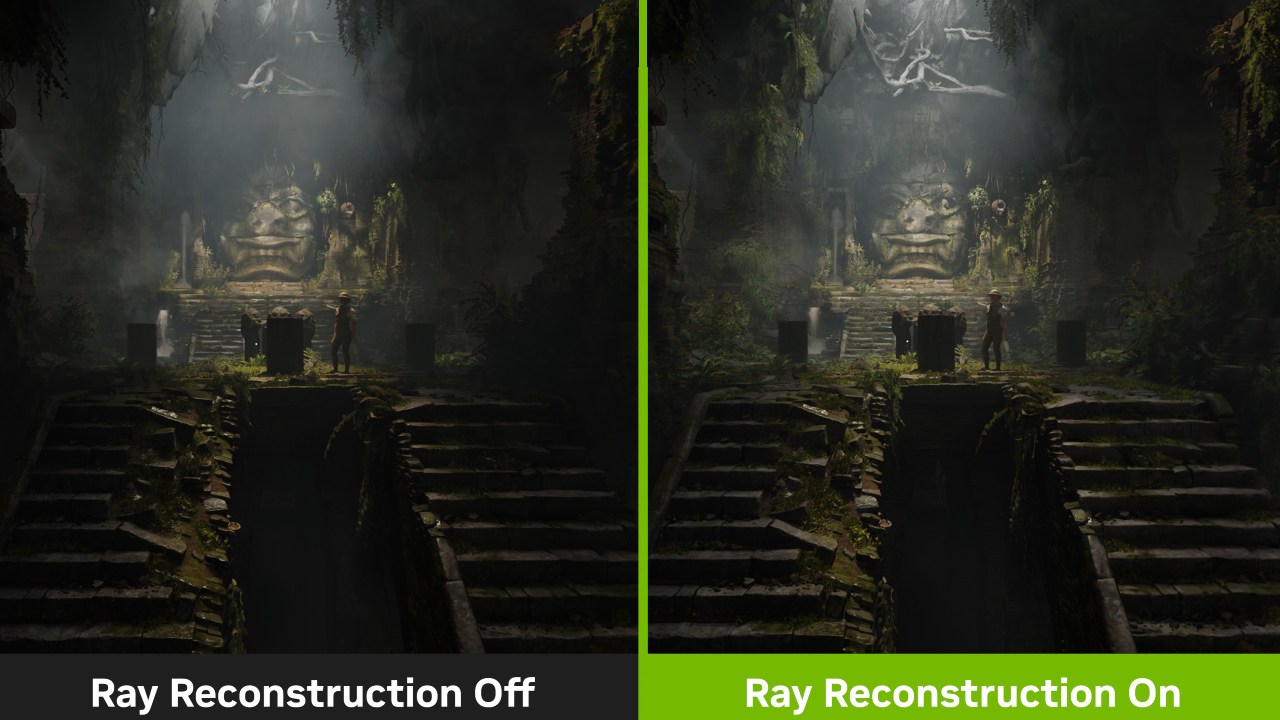
We set out to compare the image quality and performance impact of DLSS3 versus DLSS 4 Ray Reconstruction across several high-profile titles to see whether this update truly delivers on its promises. What Is Ray Reconstruction?
Ray reconstruction is an AI driven process that denoises ray traced effects—such as reflections, global illumination, and ambient occlusion—by intelligently filling in missing information frame by frame.
NVIDIA's original implementation (DLSS3 Ray Reconstruction) used a convolutional neural network (CNN) to smooth noisy ray traced renders, but it often resulted in surface boiling, loss of fine details, and noticeable differences between stationary and moving scenes.
DLSS 4 replaces the CNN with a transformer model, offering a more powerful AI denoiser that remains compatible with all RTX enabled GPUs back to RTX 2000 series, since it relies only on tensor cores rather than newer architectural features.
Image Quality Improvements
In Star Wars: Outlaws, DLSS3's ray reconstruction regularly caused bubbling on static surfaces, making them appear to "boil" when they should be absolutely motionless. Upgrading to DLSS 4 significantly reduces this artifact, resulting in much cleaner and more stable surfaces.
In motion, titles like Cyberpunk 2077 show fewer instances of noise flicker and more consistent global illumination, thanks to the transformer's better handling of temporal information.
Reflections in Alan Wake 2 benefit similarly: metal surfaces retain defined edges, and spinning fans reveal sharper details behind each blade without the ghosting that plagued DLSS3. Even rippling water appears smoother without introducing new artifacts.
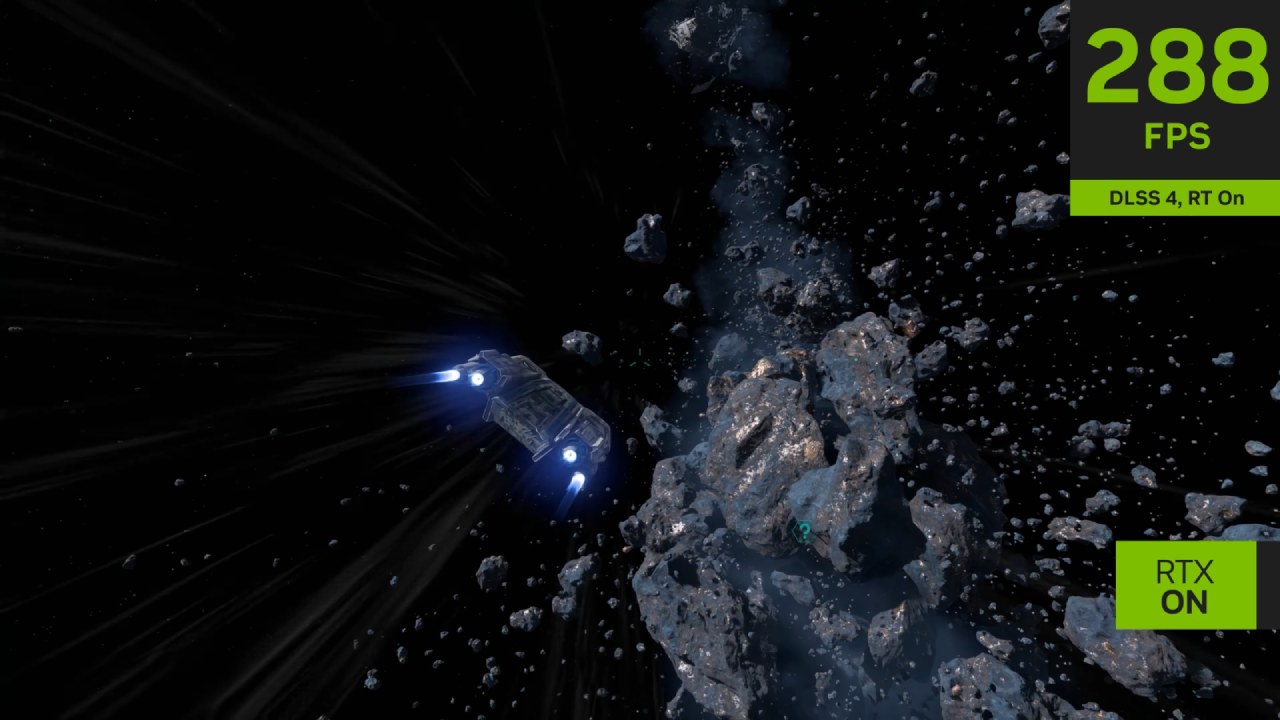
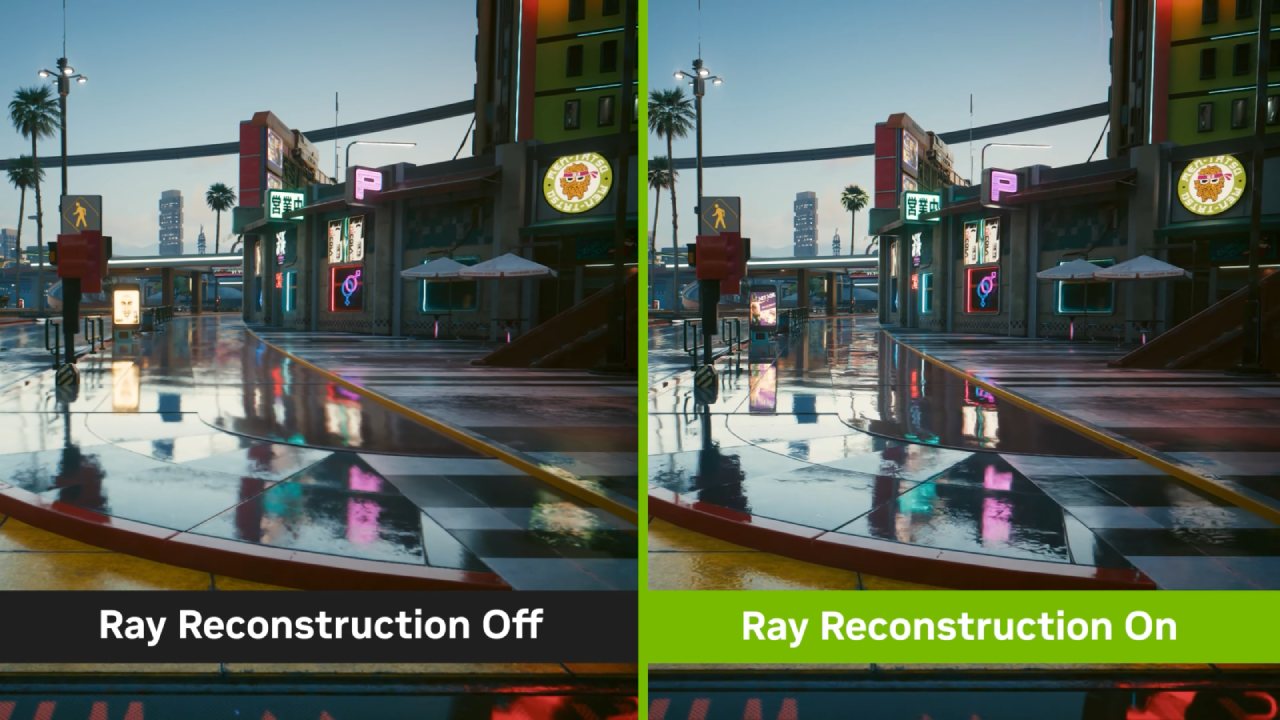
Texture preservation has also improved. DLSS 3 often smoothed over marbling in polished tiles or brushed metal finishes, leading to a muddy, low-resolution appearance. With DLSS 4, we observed clear retention of surface detail—even in motion—making scenes look much closer to native 4K quality.
In Cyberpunk 2077's tile-floored interiors and Star Wars Outlaws' starship corridors, textures remain crisp and lifelike under DLSS 4, eliminating the excessive blur that characterized earlier denoising.
Remaining Artifacts and Regressions
Despite overall gains, DLSS 4 is not flawless. In some scenes of Star Wars Outlaws and Cyberpunk 2077, a faint grid pattern can appear over static ray traced effects, visible even at typical viewing distances on a 32-inch 4K display. Certain dark or low contrast areas in Alan Wake 2 saw a slight softening of textures compared to DLSS3.
Around 20% of the time, minor regressions occur, though the majority of the frame still benefits from enhanced stability and detail.
Additionally, temporal accumulation still favors stationary shots: when you stop moving, the denoiser refines detail over a second or two, but rapid camera pans can momentarily reduce clarity, producing a subtle "floaty" feel in changing lighting.
Performance Impact
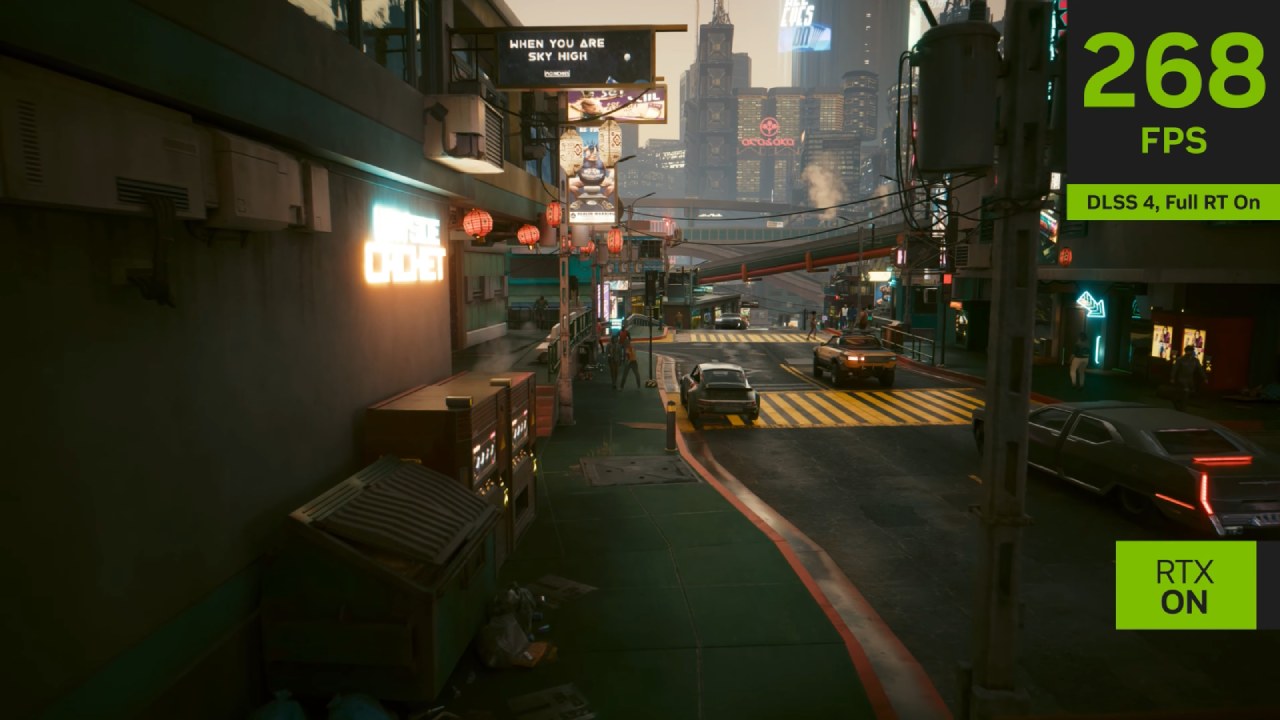
Across our tests, the performance cost of DLSS 4 Ray Reconstruction varied depending on the GPU architecture and resolution. On RTX 5090, enabling the transformer based denoiser resulted in a modest frame rate reduction of 4% to 7% when running titles like Alan Wake 2, Cyberpunk 2077, and Star Wars Outlaws at 4K in DLSS Quality mode.
Even at these demanding settings, frame rates generally remained in the 80fps–90fps range, making the visual improvements well worth the small fps hit.
RTX 4070 Super, tested at 1440p, showed a comparable performance penalty—around 4% to 6% fps drop—demonstrating that Ada Lovelace's enhanced tensor core efficiency handles the larger transformer model with little extra cost.
In contrast, RTX 3090 experienced a more pronounced penalty on heavily ray traced scenes, losing roughly 18% fps in Alan Wake 2 and Cyberpunk 2077, although Star Wars Outlaws automatically reverted to older CNN denoiser on Ampere hardware, resulting in no measurable change.
On older RTX 2080 Ti, the transformer based approach proved too taxing: at 1080p with DLSS Quality, we observed frame rate reductions of 27% in Alan Wake 2 and 32% in Cyberpunk 2077, pushing performance below comfortable levels for modern ray traced workloads.
Given the Turing generation's limited ray tracing throughput, the high computational demands of DLSS 4 Ray Reconstruction make it impractical on these cards.
In summary, RTX 4000 and 5000 series GPUs incur an average performance cost of around 5%, which is easily offset by the substantial gains in surface stability and texture detail.
Ampere class cards can still benefit if you accept a larger FPS penalty. Still, Turing users will likely want to stick with the CNN based model or disable ray reconstruction to maintain playable frame rates.
Final Thoughts and Recommendations
We found DLSS 4 Ray Reconstruction to be a significant step forward, delivering cleaner, more stable ray traced visuals with far fewer instances of boiling, ghosting, and texture loss. While a handful of artefacts and temporal inconsistencies persist—and some regressions crop up in darker scenes—the overall visual uplift makes ray tracing far more enjoyable in motion.
On RTX 4000 and 5000 series GPUs, the roughly 5% performance cost is well worth the improvement; Ampere cards can still benefit if you're willing to accept a higher fps penalty, but Turing users should stick with the CNN model or disable ray reconstruction altogether.
For developers, we recommend integrating DLSS 4 Ray Reconstruction into your titles and providing separate toggles for denoising and upscaling models, allowing you to fine tune performance on older hardware.
NVIDIA should continue refining the transformer, focusing on eliminating grid artifacts and improving responsiveness to lighting changes. We look forward to seeing what DLSS5 brings, but for now, DLSS 4 makes ray traced games more accessible and visually compelling than ever.
Check Our Other NVIDIA Articles:
- GeForce RTX 5090 Unleashed: Is NVIDIA's New Flagship the Ultimate 4K Gaming GPU?
- NVIDIA GeForce RTX 5080 Review (2025): Still A 4K Gaming Powerhouse?
- RTX 5090 Performance Testing In GTA 5 – 1080p, 1440p, and 4K Max Settings Benchmark
- RTX 5090 Laptop Vs. M4 Max MacBook Pro: Ultimate Raw Performance Vs. Battery Endurance
- NVIDIA RTX 5070 Review: Mid-Range Muscle or Marketing Hype?
- RTX 5070 Ti Review: Performance, Thermals & Power Efficiency Tested
- Asus ROG RTX 5090 Astral OC Vs. Founders Edition: The 4K Gaming Benchmark
- ASUS ROG Astral RTX 5090 OC Edition Review: 32GB GDDR7 & 4K Gaming Benchmark
- ASUS GeForce RTX 5090 LC Liquid Cooled GPU Review: Unmatched Silence & Speed
- MSI GeForce RTX 5090 32GB SUPRIM SOC Review: Power Efficiency, Cooling, and Gaming Performance
- NVIDIA GeForce RTX 5050 Review: Specs, Gaming, and Pricing Versus Rivals
- Colorful iGame GeForce RTX 5050 Review: Price, Specs, Power Efficiency, Gaming
- INNO3D RTX 5060 Ti 16 GB X2 Review: Gaming Benchmarks, Temps, and Power Efficiency
- HP Omen 45L Review: RTX 5090 Performance, Thermals, and Value Analysis
- ASUS TUF Gaming GeForce RTX 5060 Ti Review: DLSS 4, Power Efficiency, and Gaming
- ASUS Prime RTX 5060 Ti OC 16GB Review: DLSS 4, Ray Tracing, & Thermals Tested
- NVIDIA GeForce RTX 5060 Review: Specs, Gaming, and Cost per Frame
- MSI GeForce RTX 5090 GAMING TRIO OC Review: A Monster Power GPU
Editor, NoobFeed
Latest Articles
No Data.