
FSR4 on Steam Machine: Real Gameplay Results Across Five Demanding Games
Frame generation introduced noticeable pacing problems in Crimson Desert despite delivering higher raw frame rates.
Hardware by Nahe Yan on Jul 12, 2026
Benchmarks tell part of the story, but actual gameplay reveals how FSR4 holds up once you're moving through real levels rather than fixed test sequences. With FSR4's machine learning-based upscaling now available on Steam Machine, testing across a handful of demanding titles shows where the technology shines, where it struggles, and how much tuning it takes to get a living room experience that actually feels right on a 4K TV.
Cyberpunk 2077 was the first game to be tested. It was set to 1620p, which is about 75% of full 4K on both axes and has been tested successfully on consoles before. Instead of locking to a fixed FSR4 scaling factor, the goal was to keep the frame rate at 60 fps and let the game's dynamic resolution scaling handle the rest.

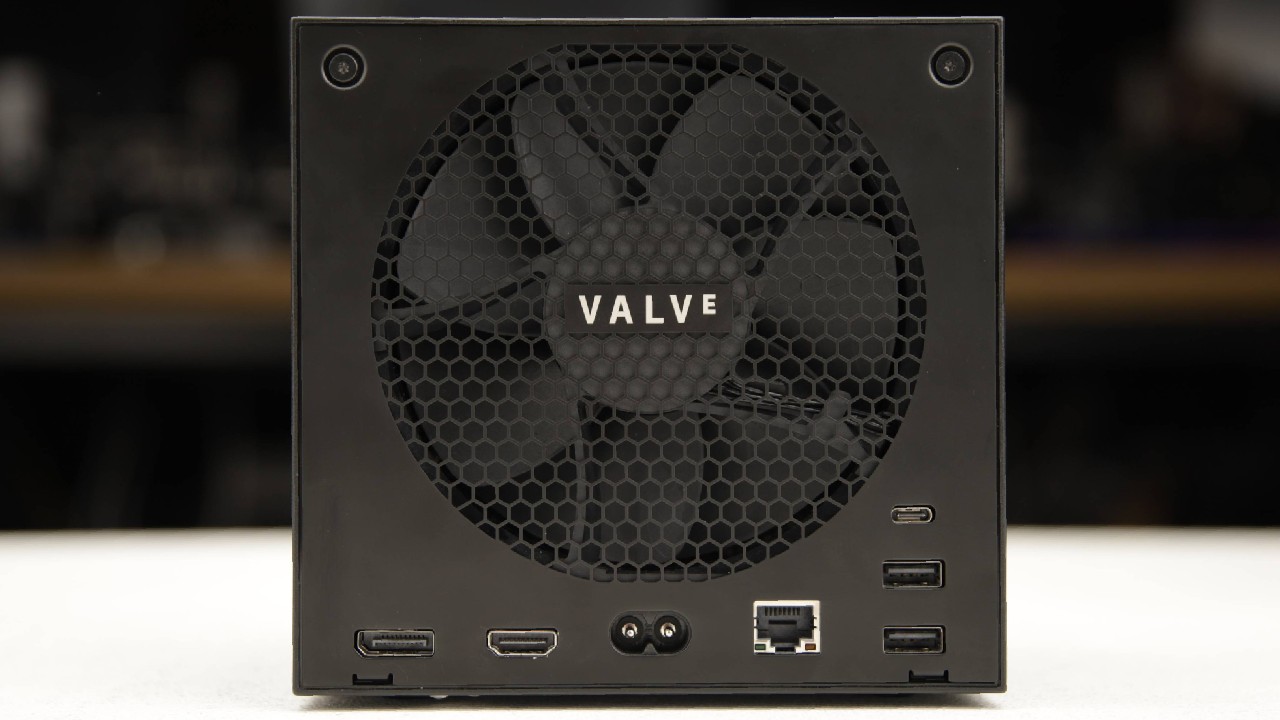
FSR4 on Steam Machine
The internal resolution varied with GPU load, ranging from 810p to 1620p before FSR4 upscaled the image. The GPU then did the final stretch up to 4K. There is one catch, though: dynamic resolution scaling can make lighting effects flicker from time to time. Still, a locked 60 fps was mostly maintained, even during the cherry blossom marketplace sprint, which drops frames even on PlayStation 5 in performance mode.
This is likely because the CPU in the Steam Machine is stronger. In other places, especially in the Phantom Liberty expansion, speed drops and some stuttering while moving around were caused by streaming. These issues were less noticeable when VRR was turned on, though.
Frame rates could still drop into the high 50s from some points of view in the black market area. Overall, the results were good, and they served as a good lesson that graphics scale and the best way to get the most out of them is to adjust the settings to match your hardware.
Alan Wake 2 Quality Mode at 30 fps
Testing moved on to Alan Wake 2, using FSR 4 through Optiscaler via DLSS inputs, with the goal of replicating both PlayStation 5's quality mode, which targets 30fps, and its performance mode, which targets 60fps. Quality mode roughly mirrors the PC's medium preset, using FSR4 balance mode with a 2160p output.
Performance mode uses 1440p with balance mode, low settings overall, aside from bumping texture quality to high and dropping scattered object density from high to medium. Steam Machine includes a genuinely useful feature here: a system-level option to lock the frame rate to a properly paced 30 fps, which works well and introduces only a mild latency penalty that rarely feels obtrusive, especially in a slower-paced game like this one.
Comparing four configurations in a particularly demanding area: PlayStation 5's quality mode dropped to an average of around 27 fps, which is already demanding even on consoles. FSR4 performance mode lost a couple more frames but delivered noticeably better image quality, since a 2x upscale to 4K is often a strong spot for machine-learning upscalers.
Ultra performance mode maintained a locked 30 fps but introduced noticeable specular shimmer, a reasonable trade-off for stress-test content, but not an ideal setting overall, given it's upscaling from a native 720p.
A fourth option, dropping output to 1800p, 83% of full 4K, from FSR4 performance mode, delivered a locked 30 fps with enough headroom to raise settings from medium to high, and held up cleanly across a range of forest content in the early chapters, looking clean on a 4K living room display.
Outside of the specific benchmark hotspot, simply running 2160p output with FSR 4 performance mode on medium settings works without real issues, though the render cost of that full 2160p upscale is clearly significant given the Navi33 GPU's relatively modest power.
Dropping to a 1080p internal resolution frees up enough headroom to support machine-learning upscale to 4K, and the result actually outperforms the console's own quality mode experience despite starting from a lower internal resolution.
Alan Wake 2 Performance Mode at 60 fps
Reaching a stable 60 fps proved more difficult. FSR4 is more demanding on the GPU than the FSR 2 balance mode PlayStation 5 already uses in performance mode at 1440p output. Comparing PS5-equivalent settings against FSR 4 performance mode on Steam Machine, FSR 2 ran about 14% faster, meaning FSR 4 delivers roughly 88% of that frame rate, in exchange for a substantial jump in image quality.
Dropping to ultra performance mode wasn't realistic here, since that would mean upscaling from 480p to 1440p. Moving away from the most demanding stress-test area, the game's town section ran well, with the frame rate limit rarely challenged, aside from occasional drops in specific spots like the diner.
The real challenge remains the Cauldron Lake area, where general gameplay actually held up reasonably well, settling into a 50fps to 60fps range rather than a hard lock, a slightly less stable version of the PlayStation 5 experience, but with a meaningful image quality advantage in a game known for having quality issues.
HDMI 2.1 VRR support, which Valve and AMD worked to bring to Linux, works correctly here and helps smooth out the remaining dips. Overall, this holds up as a legitimately better way to experience the game on a living room display than the PS5 version, which is notable given that the image is upscaled from just 720p using a fully unofficial FSR4 implementation.
Crimson Desert Using PS5-Style Settings
Crimson Desert didn't require any of that extra setup. FSR4 works out of the box here. Based on earlier benchmark results, the priority was to reach the highest possible base frame rate, so testing stuck with 1440p output using FSR4 performance mode, adopting Pearl Abyss's own PlayStation5 balance mode settings to capture an extra 8% performance rather than relying on custom-optimized settings.
In the game's demanding opening fight scene, frame rates settled into the low 40s with occasional spikes toward 50, about as low as feels comfortable with a solid VRR display. After the prologue, the tutorial section locks to 60 fps and shows off what FSR4 is capable of, aside from one issue: noticeably heavy sharpening in the image.
This configuration runs at 720p natively, upscaled to 1440p via FSR4, then further upscaled to 2160p via either a capture card or a 4K television. Minor frame drops into the 50s appeared, but overall, the game looked solid. Open-world performance held up well, too, mostly in the 50s and well-suited to VRR, though drops into the 40s appeared in village areas, and fast camera movement wasn't particularly flattering in some scenarios.
Performance bottlenecks in Crimson Desert aren't always GPU-related; the notoriously demanding Bug Hill area can still push frame rates into the 30s due to CPU limitations. With no dynamic resolution scaling option available to soak up unused GPU cycles in that scenario, testing instead tried frame generation, switching from FSR4 performance mode to balance mode to improve image quality while adding frame generation into the mix.
However, frame times were noticeably worse with frame generation enabled than without it, regardless of whether AMD or Intel's frame generation technology was used in this specific title, with poor frame pacing undermining the intended smoothness benefit.
Visually, despite every other frame being interpolated, the result looked reasonably acceptable, though frames still dropped even from a 30fps base, and this occurred even with FSR4 performance mode. Ultimately, running without a frame rate lock and without frame generation remains the more consistent way to play this particular title.
With VSync disabled, frame generation produced the expected frame rate boost.
Overall, FSR4 on Steam Machine works well: it looks great, and while it's more demanding on the GPU than FSR3, more aggressive upscaling factors can recover most of that lost performance while still delivering better image quality. These findings should generally carry over to the RX7600 running on Windows as well, with a similar performance benefit.
There is a catch, however. Metal Gear Solid Delta: Snake Eater running on Steam Machine with FSR4 performance mode at 1440p looks genuinely good in terms of image quality, but frame rates are inconsistent. This is a game that ran at a 720p minimum on PlayStation 5 to begin with, and combining Steam Machine's GPU performance deficit with a more demanding upscaler results in frame rates dropping into the low 40s in the most demanding test content, a disappointing result overall.
Titles like Metal Gear Solid Delta and Crimson Desert remain playable and generally solid overall, but the results make it clear that Steam Machine would benefit from higher baseline performance. Even matching the output of a full RX 7600, rather than the cut-down Navi33 GPU actually used, would likely make a meaningful difference across some of these more demanding titles.
Editor, NoobFeed
Gaming Hardware Updates
No Data.