
Gigabyte M27Q3 Review: The Best Budget 320Hz 1440p Gaming Monitor
Gigabyte M27Q3 delivers exceptional 320Hz performance at an affordable 1440p price point for competitive gaming.
Hardware by Tanvir Kabbo on Oct 14, 2025
Gigabyte M27Q3 stands out as one of the cheapest high-refresh-rate 1440p monitors available. Acting as a successor to the widely popular M27QX, it brings an impressive 240Hz refresh rate at an even lower price.
However, this isn't merely a 240Hz monitor — it's actually a 300Hz panel with an overclock mode that pushes it up to 320Hz. That means faster performance and a lower cost, making it an exciting entry in Gigabyte's 2025 lineup.
.jpg)
Gigabyte continues to use a 27-inch 1440p IPS LCD panel in the M27 series. While it holds DisplayHDR 400 certification, it lacks local dimming, making it effectively an SDR-only display. It still includes the essentials for competitive gaming, such as adaptive sync, G-Sync compatibility, and backlight strobing.
With a $270 US MSRP, the M27Q3 is aggressively priced, undercutting competitors like LG's 27G83Q and coming in at nearly half the original $500 launch price of the M27QX.
Design and Build Quality
M-series from Gigabyte has been updated for 2025, and the M27Q3 has a better design. The former wide V-shaped base has been replaced with a sleek, six-sided aluminum plate that doesn't take up as much desk space and lets you move the keyboard about. The flat base also gives you room to put things on top, which makes it more useful.
The metal stand pillar is thin yet strong, and it can be adjusted for height, tilt, swivel, and pivot. Its maximum height range isn't too great, but it's still enough for most setups. The whole thing, from the metal base to the pillar, feels robust and high-end, which is a big improvement over older Gigabyte displays.
On the front, the display is dominated by the screen itself with a slim chin featuring the Gigabyte logo. The rear is boxy and made of matte black plastic, resembling OLED monitors in style, though thicker to house the LCD components. The design uses subtle lines and vents for aesthetics, and there's no RGB lighting, keeping the look clean and professional.
Connectivity and OSD
Port selection is excellent. We get one DisplayPort 1.4 with DSC, two HDMI 2.1 ports (48Gbits/s), and a USB-C port supporting DP Alt Mode with 18W power delivery. There's also a 2-port USB 5Gbits/s hub and an audio jack.
The HDMI 2.1 implementation ensures full 320Hz operation at 8-bit color, while 4K60Hz downscaling is supported for non-PC inputs.
The OSD (on-screen display) is controlled through a responsive directional joystick and offers multiple display modes, crosshairs, shadow boosts, FPS counters, and various performance readouts. Navigation feels fast and intuitive — a feature we always appreciate in Gigabyte's monitors.
Display Coating and Visual Clarity
The M27Q3 uses a matte screen coating typical for IPS displays, effectively minimizing reflections while maintaining good image clarity. The surface grain is balanced—sharp without appearing gritty—ensuring that both gaming and productivity visuals remain clean.
Response Time and Gaming Performance
In high-speed gaming, response time is critical. Gigabyte offers five overdrive settings: Off, Picture Quality, Balance, Speed, and Smart OD.
- Off Mode: Native panel performance at around 10ms, no overshoot.
- Picture Quality Mode: Reduces response time to 6.6ms, though not ideal for 320Hz.
- Balance Mode: Delivers 4.5ms averages with low overshoot — a solid middle ground.
- Speed Mode: Too aggressive, resulting in noticeable overshoot.
- Smart OD: The best choice, using variable overdrive tuned across refresh rates.
At 320Hz, Smart OD mirrors Balance mode's performance, averaging 4.5ms with excellent consistency and minimal artifacts. Even as refresh rates drop (e.g., 240Hz, 144Hz, 100Hz, and 60Hz), response times scale appropriately, maintaining artifact-free visuals.
This single overdrive mode experience is a highlight — we can simply "set and forget" Smart OD for all uses. Overall, the M27Q3 outperforms several 240Hz monitors, such as LG's 27G83Q and Gigabyte's M27QX, and matches the 300Hz ASUS XG27AQMR in tuning quality.
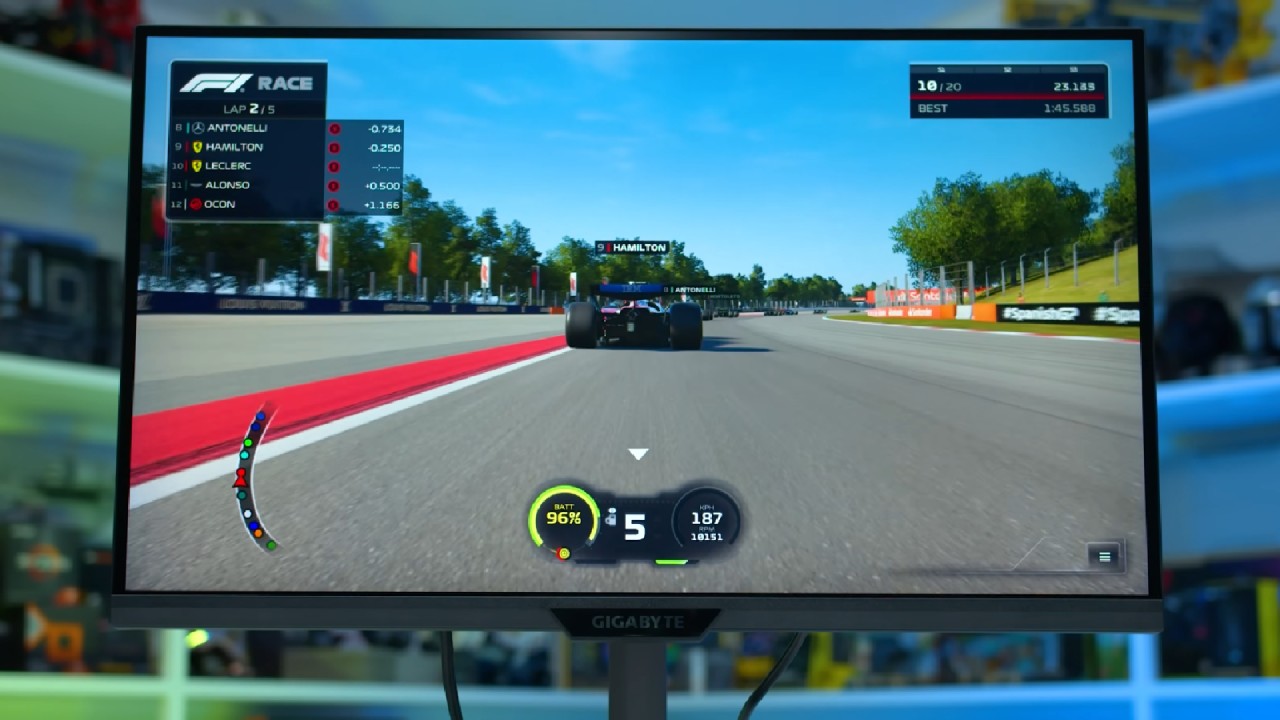
At 320Hz, it delivers ultra-smooth motion with an average response time of 4.5ms and negligible overshoot. The input lag is also impressive, with a processing delay of only 0.3ms. This makes the display feel very responsive in fast-paced games.
Backlight Strobing and Input Lag
The M27Q3 supports backlight strobing via Aim Stabilizer Sync, compatible with or without adaptive sync. Unfortunately, customization options are limited — brightness is locked, and you can't adjust strobe length or timing.
When used with VRR enabled, it offers minimal clarity improvement, while disabling VRR produces sharper motion but introduces strobe crosstalk and red fringing. For the best experience, we prefer to keep strobing disabled.
Color and Image Quality
Color-wise, the M27Q3 covers 96% of DCI-P3 and 76% of Rec . 2020, the standard for wide-gamut IPS panels. Out of the box, colors show a slight red tint but decent gamma adherence. Since there's no sRGB emulation enabled by default, you'll notice mild oversaturation in SDR mode. Factory calibration is average but acceptable for gaming.
Using Windows 11 Auto Color Management effectively emulates sRGB without restricting OSD settings. At the same time, the built-in sRGB mode improves gamma but doesn't fully fix white balance issues. After full software calibration (e.g., with Calman), color accuracy becomes excellent, making it suitable for color-critical work.
Brightness peaks at 434 nits and dips to 57nits at minimum. The contrast ratio sits around 1262:1 — average for IPS technology, but still decent enough for general use. Black levels aren't OLED-deep, yet better than some previous Gigabyte models. Viewing angles are fine, though slightly below the best IPS panels.
Power Consumption and Efficiency
Power use is low, however it is a little more than the M27QX, by about 18%. Still, it's still within the average range for 27-inch IPS monitors that run at very high refresh rates.
HDR and Uniformity
Despite its DisplayHDR 400 badge, the M27Q3 lacks local dimming and cannot properly display true HDR content. It's best viewed strictly as an SDR monitor.
Panel uniformity is decent in the center, though slight luminance falloff appears near the edges — again, typical for midrange IPS panels.
.jpg)
Final Thoughts
In summary, we find the Gigabyte M27Q3 to be an excellent performer among 1440p high-refresh-rate monitors. It offers outstanding motion clarity at 320Hz, well-optimized overdrive tuning, and a smooth gaming experience with minimal input lag.
While contrast, brightness, and color accuracy are average, they're completely acceptable at this price. The real value lies in its speed, connectivity, and refined design. With a sturdy metal stand, USB-C input, and wide-gamut coverage, it's not stripped down like other budget monitors.
At its $270 US target price, the M27Q3 outclasses many 240Hz competitors, such as the LG 27G83Q, offering better speed and similar visual quality at a lower cost. It even holds up well against older 300Hz options like the ASUS XG27AQMR.
For anyone seeking an affordable, high-refresh-rate 1440p display for fast-paced gaming without compromising too much on image quality or design, the Gigabyte M27Q3 is an easy recommendation. Gigabyte has truly nailed the balance of performance and value here.
Check our other Monitor Articles:
- ASUS ROG Strix XG27AQWMG Review: 280Hz 1440p OLED Gaming Performance
- ASUS ROG Strix XG32UCWG Review: 32-inch OLED with 4K 165Hz and HDR
- Samsung Odyssey OLED G81SF Review 2025: Ultimate 32-Inch QD-OLED Gaming Monitor
- Adaptive Sync Explained: FreeSync vs. G-Sync for Modern Gaming Monitors
- Gigabyte MO27Q2 QD OLED Review: Performance, HDR, and Gaming Experience
- ASUS ROG Swift PG27UCDM Review: Blazing Fast 240hz 4K OLED Performance
Senior Editor, NoobFeed
Gaming Hardware Updates
No Data.