
Intel Arc B580 Finally Runs SteamOS With 1440p Gaming Performance
Intel Arc B580 gains official SteamOS support with 1440p gaming, while XMX limitations affect XeSS and frame generation performance.
Hardware by Nahe Yan on Aug 19, 2026
Intel Arc B580 can now run official SteamOS directly, a big change from where Intel's Arc support stood just months ago. Recent updates have added SteamOS support for Intel Arc GPUs, letting you boot SteamOS directly on the B580 without workarounds and play games at 1440p. Support isn't perfect yet, but the B580 can already deliver playable performance in several games.
Intel Arc B580 can now run official SteamOS directly. Recently, Valve updated SteamOS to include support for Intel Arc GPUs, and the current beta version boots directly on the B580 without any workaround. Intel Arc B570 also works with SteamOS, but we chose the B580 for higher raw performance. B580 comes with 12GB of VRAM, and the B580 and B570 remain interesting options.
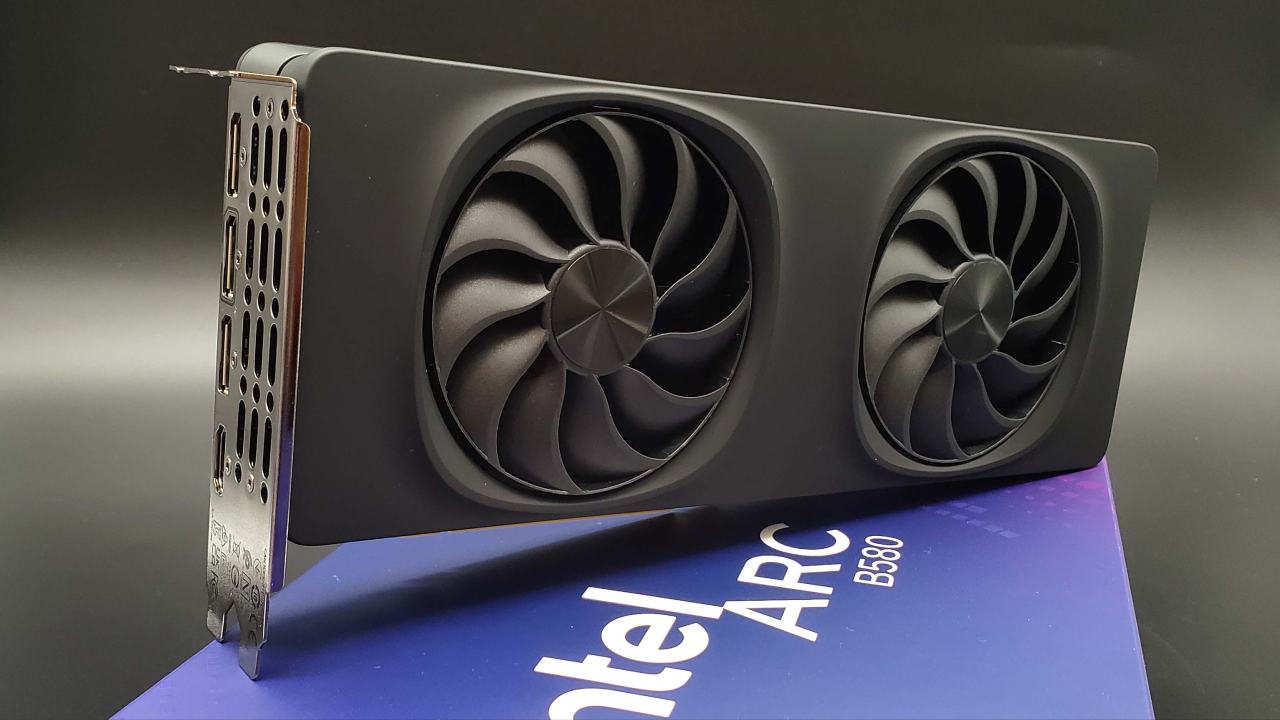
Intel Arc B580 Runs SteamOS Directly
The higher-end B580 offers more performance, which matters because SteamOS support still isn't perfect and there are several issues to consider. The system is running official SteamOS 3.9 on the main beta branch. The operating system detects the Intel Arc B580 directly.
The CPU is an Intel Core Ultra 5 250K Plus with 18 cores and 18 threads. The setup uses an all-Intel configuration because the system is built around an Arc GPU. B580 has 160 XMX AI engines. These XMX engines can handle a range of AI tasks, but for gaming, the main concern is upscaling through XeSS, Intel's scaling technology.
XeSS lets a game render at a lower resolution and then uses an AI model to estimate what the higher-resolution version should look like. The XMX engines handle these calculations in real time.
However, on SteamOS or Linux in general, Intel's open-source graphics driver currently lacks the code needed to communicate with the XMX engines. XeSS still works, but not in the same way it does when the XMX engines are available. In most cases, image quality is worse.
At 1440p, using the Quality setting, the difference is not very noticeable. Once you move the setting to Performance, the degradation becomes easier to see than with XeSS using the XMX engines in Windows. The same limitation affects XeSS Multi-Frame Generation.
Multi-Frame Generation is one of the features of Intel Arc GPUs, especially considering the price of these cards. Since the XMX engines don't work in SteamOS, Multi-Frame Generation also doesn't work. For frame generation, FSR Frame Generation is currently the available option, and it works well with these cards.
Cyberpunk 2077 at 1440p
We tested Cyberpunk 2077 at 1440p using the High preset with XeSS 2.0 set to Quality. XeSS still works in SteamOS with the B580, but the GPU cores handle the upscaling instead of the XMX engines. FSR also works with the Arc B580. FSR 2.1 defaults to Quality at the tested settings.
XeSS remains the preferred option, but moving to Performance makes image quality less consistent. At 1440p High with XeSS Quality, performance sits in the mid-70fps range. With the same CPU and GPU on Windows, performance ranges from around 75 fps to 90 fps depending on the area of the game.
Cyberpunk 2077 is well optimized, and that also appears to carry over through the Proton layer used by Linux and SteamOS. We tested Horizon Zero Dawn Remastered at 1440p High with XeSS set to Balanced. More scaling was needed here, but XeSS introduced some issues with particle effects.
Every once in a while, a visible glitch appears in the particle effects. The issue is noticeable with the flame arrow. Performance sits in the mid-60 fps range, while the same setup running Windows 11 reaches the mid-70 fps range with the same settings, CPU, and Arc B580.
Switching from XeSS to FSR removes the particle effect issue. FSR remains an option, but the test continues with XeSS to examine the current Arc experience under SteamOS.
Fallout 4 at 1440p
Fallout 4 was tested at Ultra settings and 1440p. Running the game at 60fps is not a problem for the B580. The refresh rate needed adjustment because the display was initially set to 144Hz, while the game defaulted to 48 Hz.
When changed the display settings in SteamOS to 1440p at 60 Hz instead of 1440p at 144 Hz. A similar issue has appeared with Radeon cards before, suggesting that it may be related to SteamOS.
Fallout 4 does not put much load on the B580. At 1440p Ultra, GPU power consumption ranges from around 35W to around 79W. Newer AAA games can push the GPU up to around 120W. Elden Ring also runs well at 1440p on maximum settings.
The game has no built-in scaling, so you don't need to configure XeSS or FSR. At native 1440p and maximum settings, performance is smooth. The game also looks different compared with running it on lower-end integrated GPUs at Low or Medium settings and resolutions around 800p to 1200p.
B580 can therefore run Elden Ring at 1440p with maximum settings without relying on upscaling. We tested Forza Horizon 6 at 1440p High settings without scaling. Performance dips occasionally, but the game never drops below 60fps.
Adding XeSS, or FSR in this case because the XMX engines are not working, could help reduce those dips. Average performance is around 74 fps with the B580 running SteamOS.

SteamOS support has room for improvement.
Intel Arc B580 can run SteamOS right now, and the support is already enough for 1440p gaming across several games. The main limitation is the lack of XMX engine support, which affects XeSS image quality at lower scaling settings and prevents XeSS Multi-Frame Generation from working.
FSR and FSR Frame Generation provide alternatives, and several games perform close to their Windows results. Cyberpunk 2077, in particular, shows how well the current setup can work when the game and Proton layer are optimized. B570 should also be worth testing.
It has 10GB of VRAM and less performance than the B580, but the current SteamOS support could still make it a usable option. In the past, running SteamOS with the full feature set generally meant using a Radeon card.
With Intel Arc support now arriving, the B580 and B570 can provide another option. Further SteamOS updates and proper XMX support could improve XeSS and frame generation, making Intel Arc a more complete choice for SteamOS gaming.
Editor, NoobFeed
Gaming Hardware Updates
No Data.