
Jurassic World Evolution 3 Guide | How To Get More Dinosaurs
A simple step-by-step path to unlock dig sites, sequence genomes, and hatch new species faster.
Game Guide by Jubair Baky on Feb 14, 2026
Getting more dinosaurs begins inside the Science Center. This building is required because it is where you manage the two things that matter most: Fossils and Research. If the Science Center is missing, build it first so dinosaur progression can start properly.
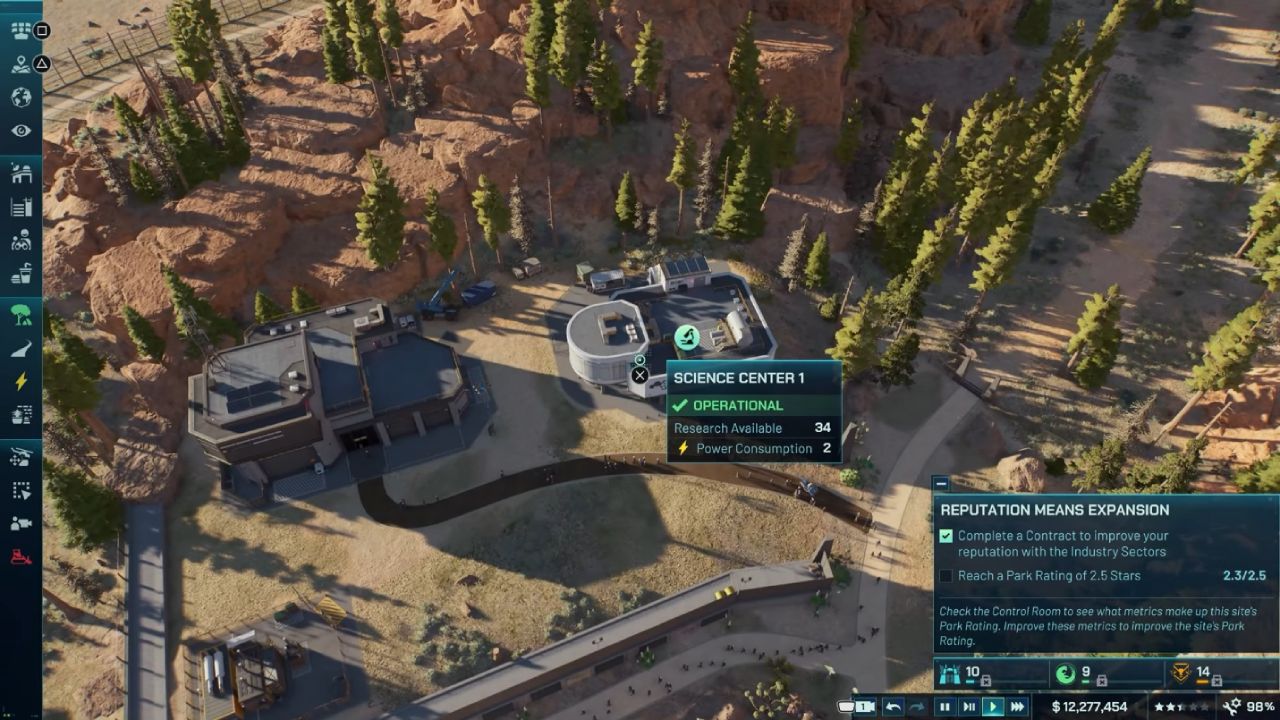
From Research, you unlock additional options and dinosaur categories. From Fossils, you process what your teams bring back. These two tabs work together, so it helps to think of the Science Center as the “hub” that feeds your park with new species.
Build The Expedition Center To Unlock The Expedition Map
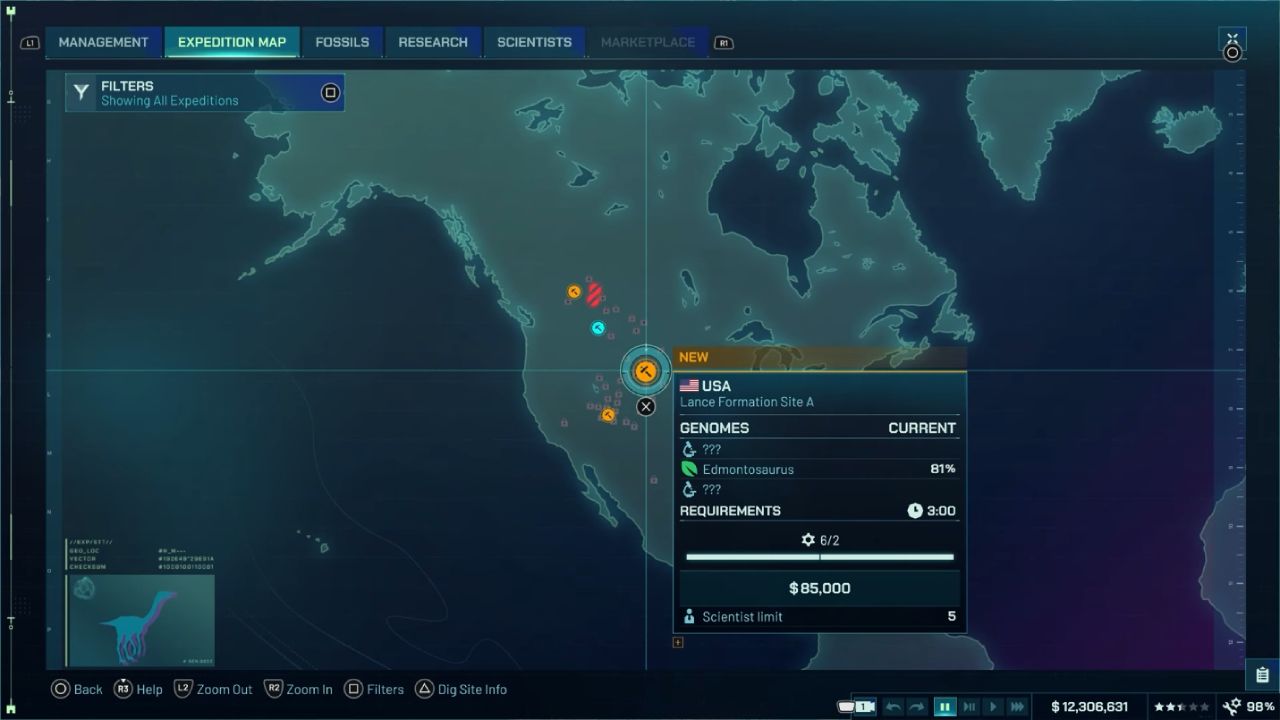
To find new dinosaurs, access the Expedition Map. If the Expedition Map tab is not visible, it means the Expedition Center has not been built yet. Build the Expedition Center to unlock the map and start sending Scientists to dig sites.
If the Expedition Center is not available in the build menu, research it first. Once it is built, the Expedition Map becomes available, showing multiple locations across the world. Some locations are open immediately, while others show Unlocks Required.
How Expeditions Turn Into New Dinosaurs
After opening the Expedition Map, choose an available location and send your Scientists on an expedition. Expeditions return with fossil samples. Those fossils are then used to decode genome data, which is what you need to create dinosaurs.
The flow stays consistent:
You pick a dig location on the Expedition Map, send Scientists, collect fossils, decode fossils into genome data, and then synthesize the dinosaur once enough genome progress is available. If genome progress is too low after one expedition, repeat the process and collect more fossils until the dinosaur becomes available.
Research Dig Sites To Expand What You Can Find
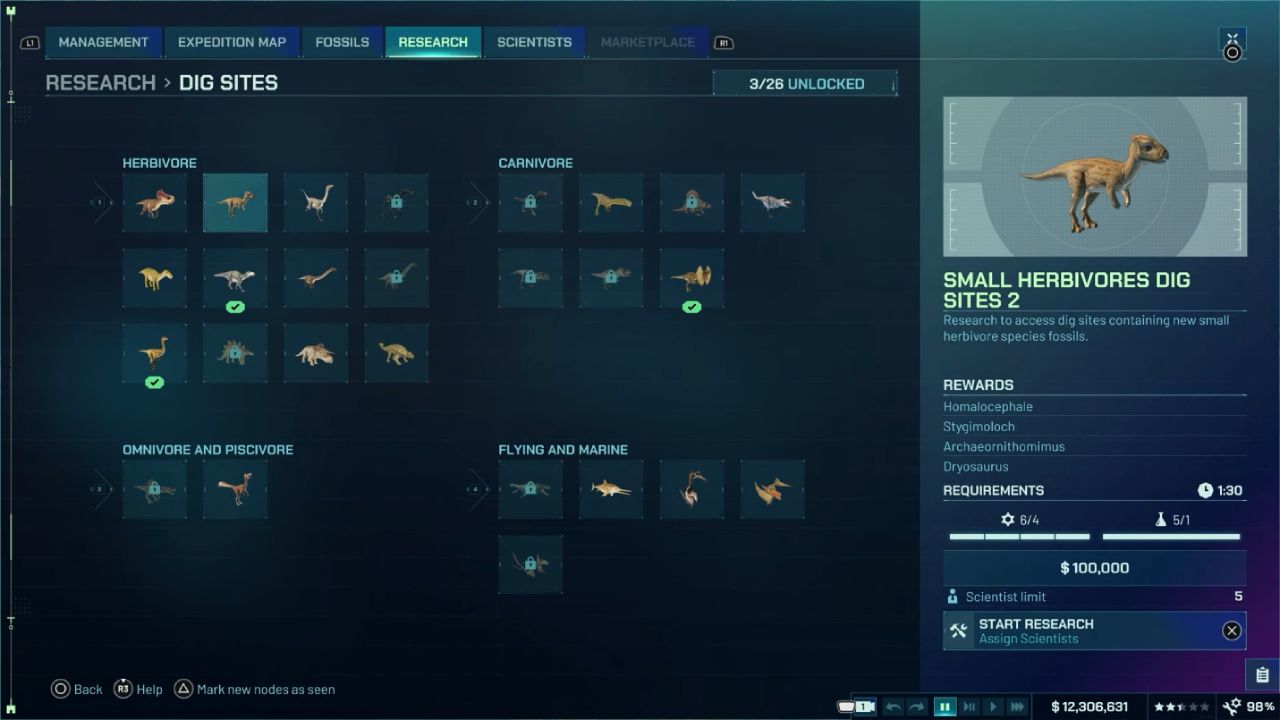
If the goal is to unlock more dinosaurs instead of repeatedly finding the same group, spend time in Research under Dig Sites. This section lists dinosaur categories you can unlock. Each category shows what is needed to access it.
Some categories are locked behind campaign progression. Others require reputation thresholds or staff skill requirements. Examples of common requirements include expanding into new regions, such as China, achieving a certain park rating, or meeting specific skill thresholds for your Scientists.
Understanding Reputation Requirements
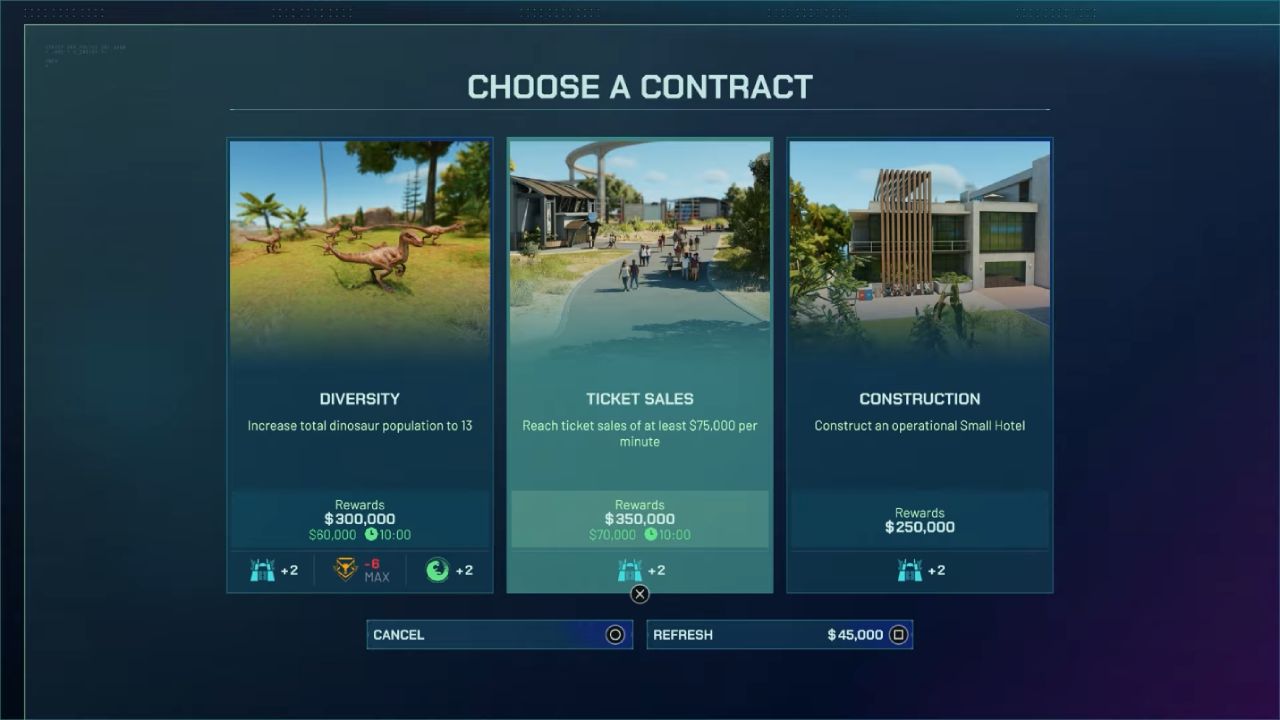
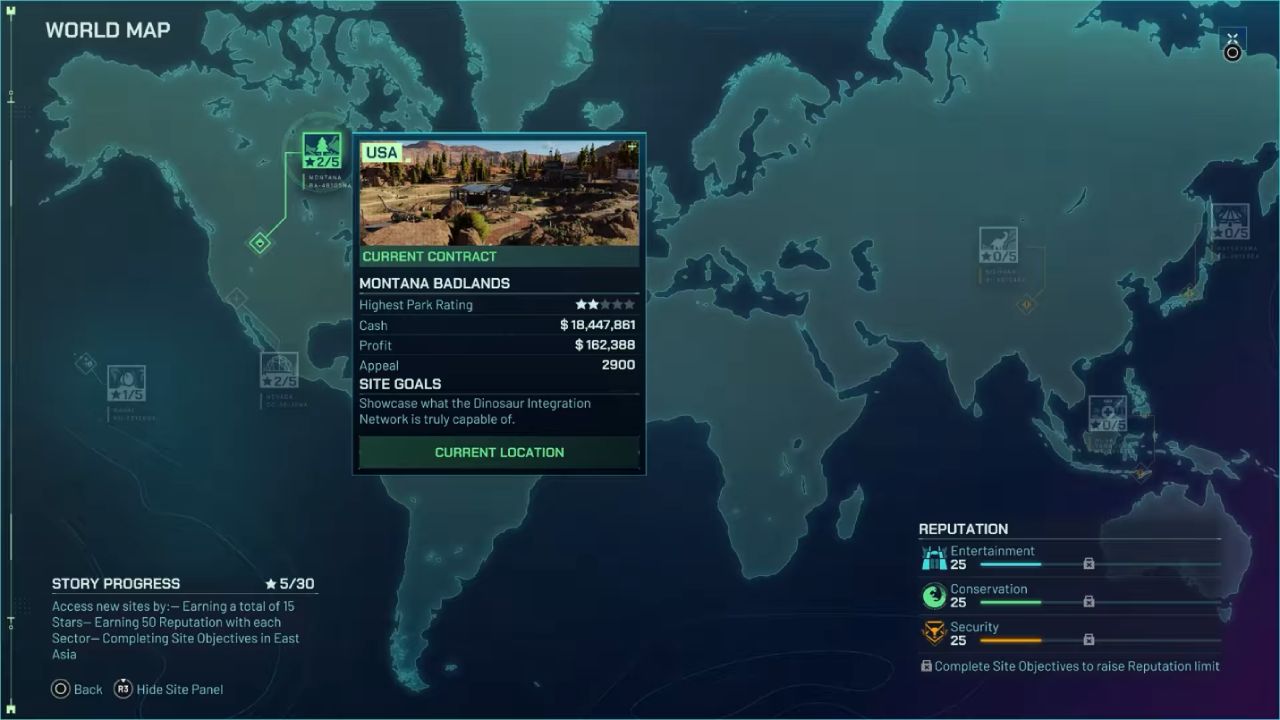
A few dig site unlocks are linked to reputation. The main reputations shown are for entertainment, safety, and conservation. You can get reputation points by finishing contracts and letting dinosaurs go.
Each Contract shows how many points it awards for each type of reputation. Letting dinosaurs go also helps you build your reputation. If a dig site claims it needs something like Security Reputation 15, the fastest way to get it is usually to finish the contract and keep releasing dinosaurs.
What To Do When Reputation Is Capped
Sometimes, reputation stops increasing because it hits a limit. This is a cap that blocks further gains until it is raised. When this happens, the fix is not more contracts. The fix is completing Site Objectives.
Site Objectives apply to the entire site, not just a single task. Completing them raises the reputation limit and allows reputation to grow again. Campaign progression can also matter because new regions and sites become available only after meeting broader requirements.
For example, progression can require targets such as a total star rating across locations, reputation goals across all sectors, and completion of regional objectives. Once these goals are met, reputation caps rise, and new locations—such as China—can be unlocked, giving access to new dig sites and dinosaur options.
Handling Tougher Unlocks
Some unlocks are simply harder and take longer. A dig site for Large Carnivores can require a very high Security Reputation, such as 55. That usually means more contracts, more dinosaur releases, and more completed site objectives across multiple locations.
The best approach is to pick one unlock target, focus on contracts that award the reputation you need, and release dinosaurs steadily as you work through site objectives. This keeps progress consistent without feeling random.
Meeting Scientist Skill Requirements
Sometimes, research cannot be selected because your team does not meet the skill requirements. A common blocker is a lack of logistics skills among your Scientists.
When that happens, open the Scientists tab and hire new Scientists with the right skill levels. Once the requirement is met, return to Research and start the dig site research. After the research finishes, new dig sites appear on the Expedition Map for that category.
This is also how you unlock groups like Armored Herbivores. Once the right research is completed, you can find species such as Ankylosaurus through newly available dig sites.
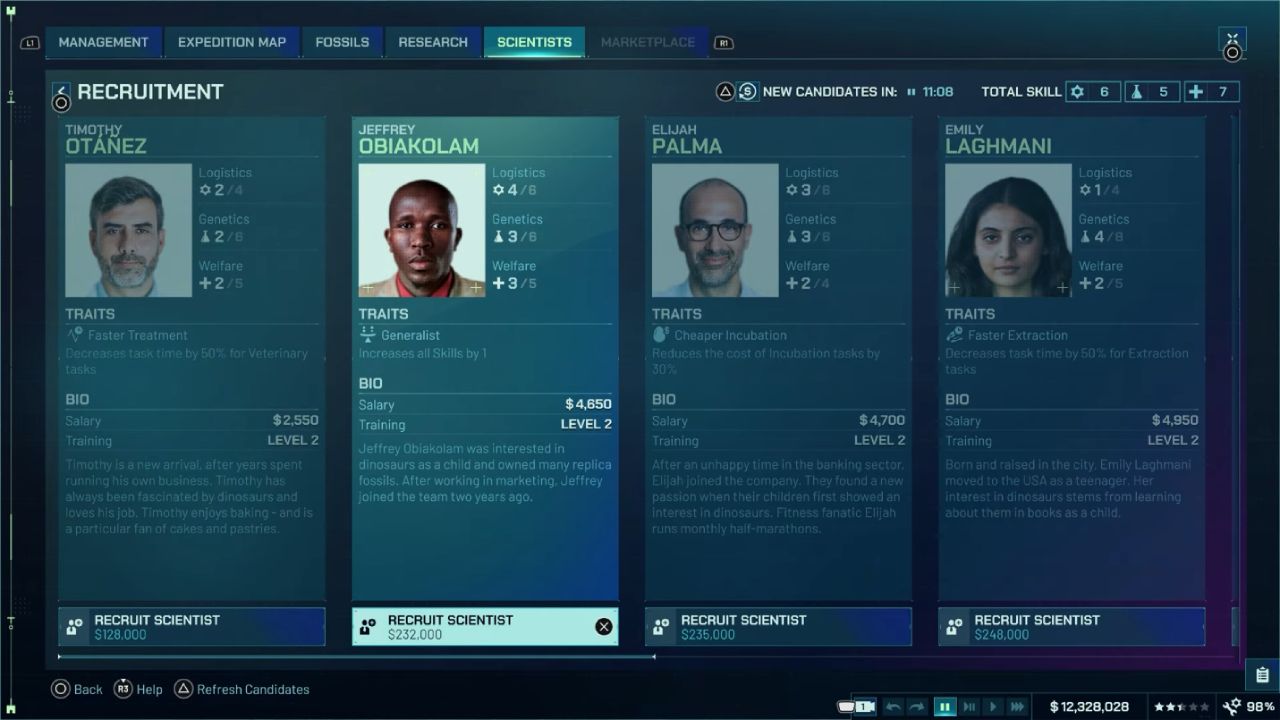
Managing Unrest With A Staff Center
Hiring more staff can increase unrest. To manage that, use a Staff Center. Research it if it is not available yet, and then build it to stabilize staff conditions.
A Staff Center also offers another option: training existing Scientists rather than hiring new ones. Training can help hit skill requirements faster, but higher skills usually increase wages. Either way, expanding your scientific capability is part of unlocking more dinosaurs, so plan your budget around staff growth.
Process Fossils And Sequence Genomes In The Science Center
Once expeditions return, go to Fossils in the Science Center. You will see the fossil samples from your dig site runs. Select fossils until the processing slots on the right side are filled, then assign Scientists to decode them.
This decoding process converts fossil finds into usable genomic data. If there are not enough Scientists available to run the fossil work, hire more. The goal is to keep decoding moving because synthesis depends on it.
Hatch New Dinosaurs In The Hatchery
After genome progress is high enough, move to a Hatchery. If there is no Hatchery, build one attached to an enclosure. The Hatchery is where dinosaur creation happens once genome requirements are met.
Inside the Hatchery, select the dinosaur you want to synthesize. This only works if enough genetic coding has been decoded. If synthesis is locked, return to expeditions and collect more fossils until the genome threshold is reached.
After synthesis completes, choose which dinosaurs to release into your park and enclosure. Release timing still involves a short scientific process, so keep staff available and avoid overloading your team with too many tasks at once.
Getting Hybrid Dinosaurs
Hybrid dinosaurs work the same way. As the genome progresses, more dinosaurs can be unlocked. If general dinosaur unlocks are working well, the same expedition, fossil decoding, and synthesis loop will also work for hybrid progression.
The most important thing is that the genome grows steadily. Keep going on trips, keep figuring out what fossils mean, and keep finding new places to dig through research to make more things available.
Sandbox Creative Shortcut
In Sandbox Creative, dinosaurs are available much earlier. Once a Hatchery is built, dinosaurs can be selected right away. Build the Hatchery, open the species list, and release what you want without needing the same campaign-style unlock steps.
Also, check out our other guides:
- Jurassic World Evolution 3 Guide | How to Use the New Island Generator
- Jurassic World Evolution 3 Guide | How to Adjust Slopes and Create Waterfalls
- Jurassic World Evolution 3 Guide | All Attractions
- Jurassic World Evolution 3 Guide | How to Set Up Attractions on Enclosures
- Jurassic World Evolution 3 Guide | Best Attractions of the Game
- Jurassic World Evolution 3 Guide | How to Build Structures Piece by Piece
- Jurassic World Evolution 3 Guide | How to Build Circles in Jurassic World Evolution 3
- Jurassic World Evolution 3 Guide | How to Set Up Expeditions
Editor, NoobFeed
Latest Articles
No Data.