
ROG Ally X in 2026: Performance Gains Undermined by Software Design
High-end specifications meet a desktop operating system that still resists a seamless handheld-first experience.
Hardware by Nahe Yan on Feb 08, 2026
In 2026, the ROG Ally X is one of the best Windows-based handheld gaming devices on the market. It shows that portable gaming gear is still improving and becoming more flexible.
The main concern about the device is whether improved hardware significantly improves the overall handheld experience when used exactly as intended out of the box, without any changes to the operating system, tweaks, or workarounds.
.jpg)
Setting Up and First Impressions Right Out of the Box
The first time you open the package, it feels both simple and high-end. The packaging has a 65W USB-C charger, some simple cardboard stands, and the handheld itself. Setting up the encounter sets the mood right away. Setting up Windows on a 7-inch touchscreen takes time and is more like setting up a small PC than a console-style device. Desktop-style prompts, minimal interface elements, and frequent confirmations make it clear that Windows hasn't altered much for use on handheld devices.
Armory Crate starts automatically after Windows is first set up. Even if Windows says it's fully updated, there are still other firmware and device upgrades hidden in Armory Crate that need to be checked manually. These updates add further restarts and delays before the gadget can be used normally. You also have to install Steam manually and download games, which makes things even more difficult. This lack of immediacy stands out for a high-end handheld, especially when compared to handheld-first operating systems.
Price Expectations and Hardware Setup
Ally X is definitely a high-end product. At this pricing, people demand more than just good performance; they also expect polish and completeness. The new setup has the Z1 Extreme APU, 24GB of RAM, and a much bigger 80Wh battery. It is the most powerful portable Windows hardware currently available.
Alternative operating systems can improve some aspects of usability. However, the focus here is still on the default experience. A high-end handheld should feel complete without needing users to change or upgrade the operating system.
How it Looks, how it Feels, and how it Works
Ally X looks good on the outside. The design is simple and inviting, which makes people want to participate. The device is well-balanced and is comfortable even after extensive use. It doesn't fit around the hands as well as other competitors, yet it never gets in the way. The bigger buttons feel solid, and the muted color scheme gives the gadget a unique look.
There may be minor hardware issues, like ornamental lights not working consistently, but these don't make the device less useful. The speakers sound good, and the silent cooling system keeps sound from intruding while you play.
How well do Games Work in Real Life
Ally X starts to make sense of its hardware performance. When you set Kingdom Come: Deliverance 2 to 1920x1080 and medium detail, it runs at about 25–27 fps. The situation isn't perfect, but it does matter. The resolution and settings are higher than most handhelds offer. When you lower the detail level to low while keeping 1080p, the frame rate jumps to the mid-30s, sometimes hitting 40 fps, while the picture quality stays the same on a 7-inch screen.
At 1600x900 with medium settings, the experience is the most balanced. Even in crowded in-game situations, performance stays above 40 fps. The quality of the visuals stays high, and stability improves significantly.
Cyberpunk's default settings are too ambitious, combining 1920x1080 resolution with ray tracing. The average frame rate is about 25 fps. When you switch to the built-in Steam Deck setting, ray tracing is disabled, but the resolution and texture quality remain the same. This gives you benchmark averages of 46 fps and real-world gaming averages of 40 fps. Ally X keeps these results going without making too much noise, even when it's under strain.
How Software Works and Daily Friction
Even though the software works well most of the time, it still has some problems that make it hard to use. Game starts don't always provide visual feedback, which can make short waits feel longer. When you close a game, it returns you to the desktop.
Background software adds to the friction. AMD Adrenaline starts up on its own and can slow down performance. To turn it off, you have to use system tools manually. Additional prompts talk about keyboard shortcuts that don't make sense on a portable without a real keyboard.
Before starting some games, you have to install extra redistributable files, which can cause delays and require an online connection. Launching each game at least once before you play it becomes a useful safety measure.
Using a Dock and External Displays
When docked, the Ally X shows that it can accomplish more than you may anticipate. When connected to a 15-inch external monitor, the gadget still has enough power to run demanding games on battery power alone, at least for a short time. In CPU-intensive games like city-building simulations, performance remains good in the early stages of gameplay. More demanding, poorly designed games run at about 25–30 fps at lower settings. This isn't ideal, but it's still impressive for a handheld that runs an external display on battery power.
After around 40 minutes of playing while docked, the battery level can drop from 89% to 60%. Once this point is reached, gaming on an external display for extended periods without external power becomes unreliable. Even with these constraints, being able to drive an external display on battery is an improvement over similar devices.
Controller Handling, Power Behavior, and Sleep
Some usability problems stem directly from the system's design. Pairing an external controller can turn off the built-in controls. In certain circumstances, they don't turn back on immediately after being disconnected. To fix this, you need to make changes by hand in the Armory Crate, and there is no apparent notification about the problem.
Power management works the same way as on a regular PC. Long-pressing the power button doesn't show a menu; instead, it forces the device to shut down. To shut down properly, use the system menus. The sleep and wake capabilities usually work, but the time to wake up is longer than on handheld operating systems. Sometimes the fans turn on while the machine is sleeping, indicating it is not completely idle.
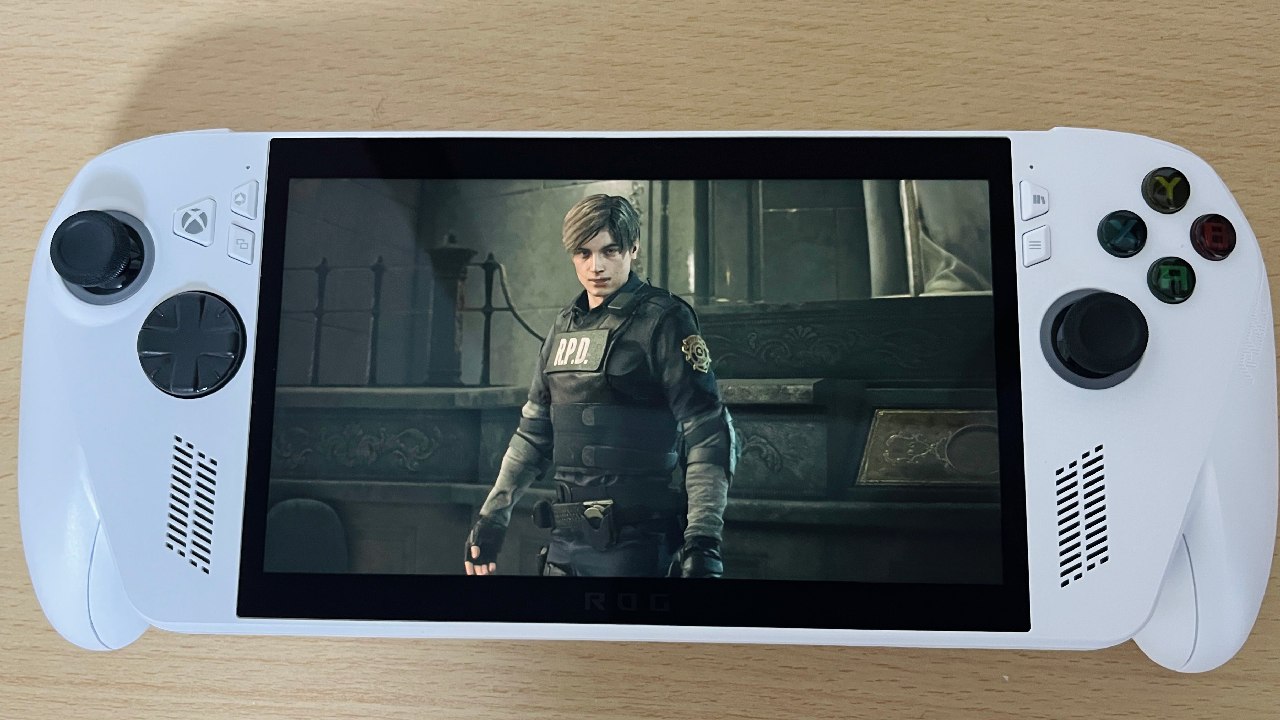
What you Expect Versus What you Get
There is a correlation between newer hardware and improved functionality. When compared to earlier handhelds, the Ally X is capable of handling better resolutions, larger workloads, and a greater number of use cases. The price, however, alters what consumers anticipate. Handheld devices that are less expensive to use because they instill a sense of trust and predictability in individuals. Interactions remain the same, games run with the appropriate settings, and the user interfaces have the impression that they were designed specifically for the game.
With the Ally X, you get good performance, but you have to be responsible. Users are keeping their software up to date, managing background processes, and resolving system issues. The hardware works, but the experience requires you to be involved and patient when problems arise.
Final Thoughts
Ally X is strong, silent, and easy to operate. It encourages frequent play and gives great results once everything is set up. At the same time, turning on the device, checking for updates, and ensuring background functions run smoothly all contribute to the hesitation that makes the experience unique.
A game is said to function smoothly and without any issues when all of the components are in sync with one another. The distinction between friction and ability is what creates the overall impression. Ally X represents a significant technological advancement in the industry. Nevertheless, the experience that surrounds it has not completely lived up to the promise that the technology made.
Also, check our other articles below :
- ASUS ROG Ally X Handheld Review: Double the Battery, Double the Comfort
- Nintendo Switch 2 Vs. Original Switch 1: A Full Comparison
- How To Connect A Camera And Join Voice Chat With Nintendo Switch 2
- Nintendo Switch 2 Review: Handheld Performance, Features & Value Breakdown
- ROG Xbox Ally X Vs. ROG Ally X: Display, Battery & Controls
- ASUS ROG Ally X vs. Steam Deck OLED: Display, Battery & Gaming Benchmarks
- MSI Claw 8 AI+ Review: Display, Controls & Gaming
- Nintendo Switch 2 vs. Steam Deck OLED: Gaming, Performance, Battery, Display and Value
- PlayStation Portal Review: Remote Play, Cloud Streaming & Travel Gaming
- PlayStation Portal vs. Lenovo Legion Go: Best Portable Gameplay
- Cyberpunk 2077 Patch 2.3 FPS Test on MSI Claw 8 AI+
Editor, NoobFeed
Gaming Hardware Updates
No Data.