
Why Some Skins Look Better in-Game Than in Marketplace Screenshots
Other by Aisaka Taiga on Nov 26, 2025
In the match, you could not always obtain what you see on the market. One preview image is typically displayed by the marketplace, particularly on Steam or third-party websites, and it is either a clean render or a high-float sample that does not accurately depict the wear of the item you will get.
Your real skin, however, has its own wear value, lighting, and motion in-game, which can significantly change how it appears.
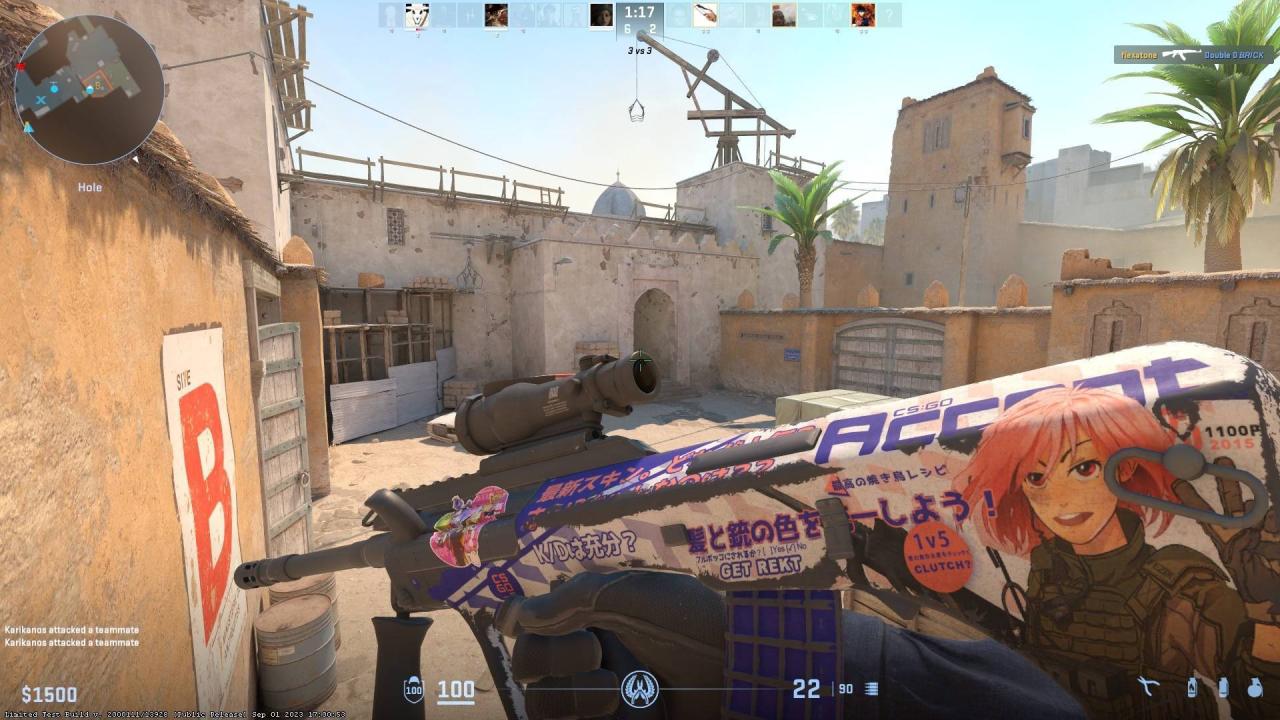
Why Do Skins Look Different?
You're looking at a flat, static sample image when you're on the market, typically in dim or neutral lighting. No light reflection, no motion, and no examine animations. It's similar to viewing a car in a parking garage with poor lighting.
However, the Source 2 lighting engine activates when you equip that same skin in-game. Ambient reflections, dynamic shadows, and natural map lighting are all there, and the examine animations really bring out the textures.
Additionally, the graphics in CS2 are far cleaner than in CS:GO; skins stand out more, metallics reflect light, and even minor wear appears more detailed. Certain skins, such as Asiimov or Printstream, shine brilliantly in map illumination, making something that was mediocre on the market feel fantastic in a rush.
Lighting is a major factor since maps in CS2 have different ambient lighting, reflections, and shadow intensity. A bright, shiny skin might look god-tier on Overpass, but kinda boring on Mirage under warm tones.
The marketplace preview doesn't capture any of that. And don't even get me started on Inspect lighting, it's way cleaner than actual match lighting, so skins look crisp and glossy there.
How To Inspect CS2 Skins In Game
The most effective method is to use the examine option on Steam Market or third-party websites. CS2 allows you to see the precise float, pattern, and wear of the skin inside your client when you select "Inspect in Game." The lighting on the little preview that appears on your character model is already far more accurate than the static market image.
The thing most novices are unaware of is that you can manually switch maps while in examine mode. You may wander about, examine it in various lighting conditions, and get a good sense of it by loading up your own server or a workshop map and keeping the inspect open.
The interesting part is the workshop maps section. Certain maps and other community-made ranges are designed specifically for examining and comparing skins. You may test the skin in various lighting conditions, angles, and reflections on those maps. In a way, it's similar to trying on the skin in a fitting room before making a purchase.
The interesting part is the workshop maps section. Certain maps and other community-made ranges are designed specifically for examining and comparing skins. You may test the skin in various lighting conditions, angles, and reflections on those maps. In a way, it's similar to trying on the skin in a fitting room before making a purchase.
And if you’re shopping on third-party marketplaces, they can show you how to inspect CS2 skins in game since they offer 3D real-time previews. You can rotate, inspect, and sometimes even view the wear under simulated lighting. It’s not 100% identical to a live match, but it gets damn close.
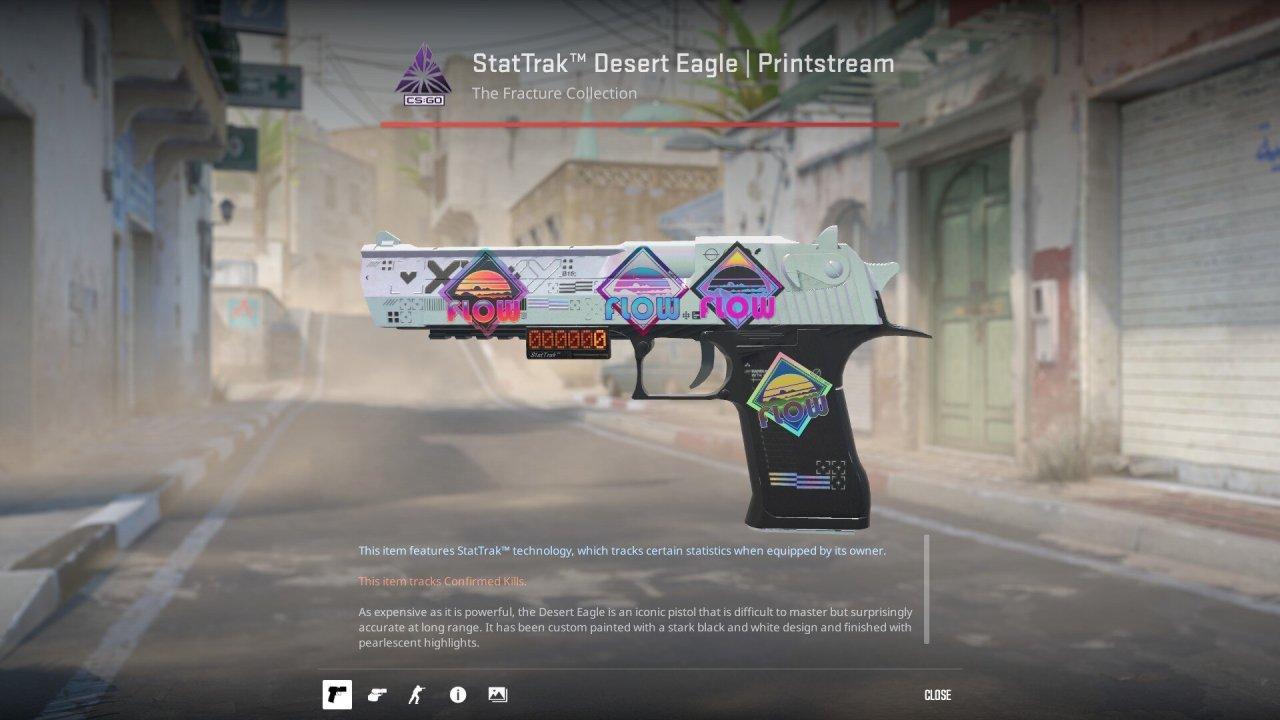
Skins Which Look Better in CS2
For instance, consider USP-S | Cortex, which was available in CS:GO. Now it glows like a nightclub sign at two in the morning, sharp neon crack. With the right lighting, the glitch effect known as AWP | Chromatic Aberration finally melts retinas. Then there's AK-47 | Neon Rider, which is already amazing, but when you peek in mid-game, it looks like a cyberpunk rave.
The purples and blues of the M4A1-S | Decimator sparkle like a Tesla dashboard, and it hits differently as well. And Glock-18 | Vogue quickly rose from comic book skin to wealth. That crisp Source 2 rendering is the reason for everything.
Conclusion
Because CS2's lighting system handles all the work, skins appear better in-game than they do on the marketplace. You get a flat, lifeless glimpse in the marketplace, but in-game, those identical pixels are struck with actual motion, clear reflections, and dynamic light, and everything is different.
Even inexpensive skins feel more expensive because of the CS2 effect, which gives metallics a more brilliant sheen, colors a stronger punch, and movement that a static image can never provide. This is why, if you hold it in a battle, something that appears "okay" on Steam might feel like a god-tier pull.
Moderator, NoobFeed
Latest Articles
No Data.