
Top Budget Graphics Cards for Gaming in 1440p
Budget-friendly graphics cards deliver reliable 1440p gaming performance with enough VRAM for modern titles.
Hardware by Shinji Okazaki on Jun 18, 2026
The best resolution for gaming on a computer is 1440p. It delivers better visuals than 1080p and requires less hardware than 4K resolution. With modern mid-end GPUs, 1440p is a good resolution to consider for many builds, as these GPUs can maintain high settings at that resolution. Meanwhile, the rising price of GPUs, driven by demand for AI VRAM, has made value a major factor. It's more important than ever to choose the right graphics card without overspending.
Intel Arc B580 is one of the best entry-level 1440p cards on the market, delivering 60-90 fps performance in most modern titles at high settings and offering 12GB of GDDR6 VRAM for games with high texture requirements. It hit 96 fps at 1440p and 54 fps at 4K in Shadow of the Tomb Raider. Activity in this price range is still competitive.
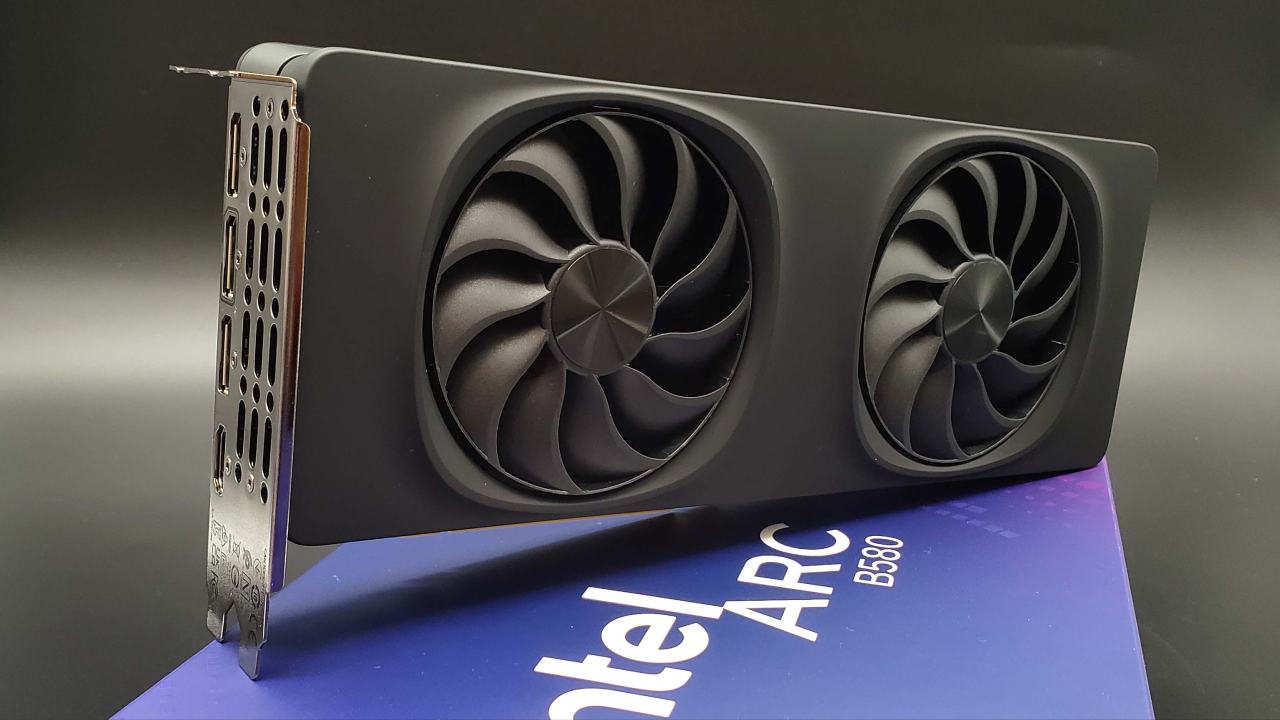
ASRock Intel Arc B580 Challenger 12GB
B580 also outperforms the RTX 5050, RTX 5060, RX 7600, and RTX 3060. The 12GB GDDR6 memory on a 192-bit bus at 19 Gbit/s is an advantage at this price. The memory is 8GB, on a narrower memory bus, which is becoming too low for today's AAA games.
ASRock Challenger variant includes a 2740 MHz engine clock, dual-fan cooling with striped axial fans, and Zero dB Silent Technology, which keeps the fans silent under light loads for a quieter desktop experience. Up to Intel XeSS2 upscaling support is also there.
AMD Radeon RX 9060 XT 16GB is a mid-range VRAM card well-suited for modern games. It is designed to run the game at 1440p and averages 130fps, with some help from FSR4 upscaling to keep the game playable at the highest settings. RX 9060 XT features 128 texture units, 1,408 stream processors, a 128-bit memory interface, PCIe 5.0 x16 connectivity, and a Navi 44 chip.
Its 16GB VRAM capacity plays an important role. There is also the possibility of using more than 12GB with games like Alan Wake 2, which is why a larger buffer will help prevent stutters caused by memory limitations at 1440p and high texture settings.
The Sapphire Pulse model features boosted clock speeds up to 3290MHz, Dual-fan Dual-X cooling with AeroCurve fan blades, and Honeywell PTM7950 thermal interface material for long-lasting performance.
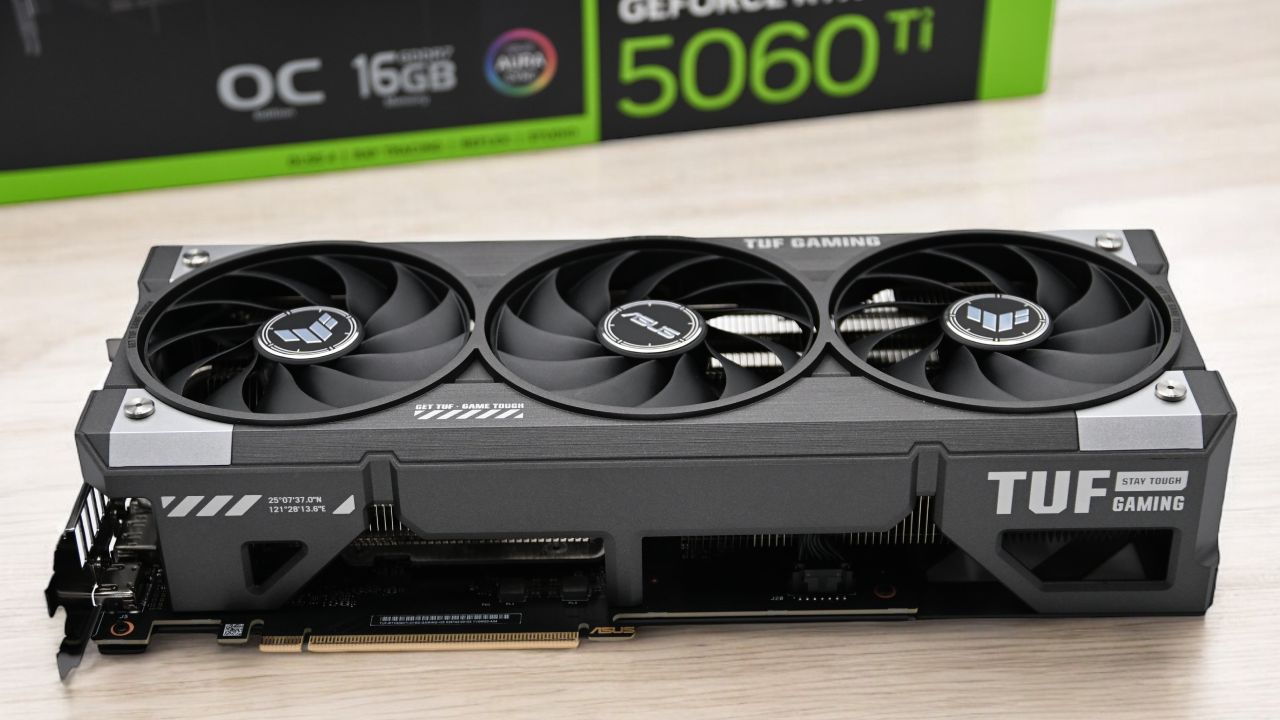
ASUS Dual GeForce RTX 5060 Ti 16GB
If you have the money, the RTX 5060 Ti 16GB is the more complete option. It can be used for content creation and gaming, and its DLSS4 Multi-Frame Generation and enhanced NVENC encoder support its efficiency. With DLSS4 activated, the card can reach up to 220 fps at 1440p, offering some of the best performance for high-refresh-rate gaming.
ASUS Dual variant features 4608 CUDA cores, 16GB of GDDR7 memory on a 128-bit bus running at 28 Gbps, for 448 GB/s of bandwidth. It features a 180W TDP and 2.5-slot dual axial fans with Zero dB technology for quieter operation under light load. DLSS 4.5 Multi Frame Generation enhances supported games with AI to boost frame rates.
The Blackwell NVENC encoder can generate cleaner output at lower bit rates than previous generations for streamers. There is also an 8GB version of the RTX 5060 Ti. When buying this card, be sure to get the 16GB version. RTX 5060 Ti 16GB is a comprehensive graphics card for 1440p, especially with its ray tracing and upscaling performance.
Sapphire Pulse Radeon RX 9070 16GB
Radeon RX 9070 enables players to enjoy both 1080p and 1440p Ultra resolutions with decent performance. It has 16GB of GDDR6 memory (256-bit bus) with a boost clock up to 2520 MHz. Across 23 games, the RX 9070 averaged 13% faster at 1440p, with and without upscaling. The card also has an advantage in terms of future titles with 16GB VRAM versus the 12GB of the RTX 5070.
RX 9070 features 3,584 stream processors, with enhancements in AI acceleration and ray tracing over RDNA3. For challenging games, FSR4 offers cleaner upscaling. Sustained temperatures during long gaming sessions are maintained by the Sapphire Pulse model's Dual-X cooling, Honeywell PTM7950 thermal interface material, and AeroCurve fan design. RX 9070 is a significant upgrade over cards like the RTX 2070 and RX 5700 XT, offering ample memory for future titles.
Gigabyte Radeon RX 9060 XT Gaming OC 16GB
Gigabyte Gaming OC is one of the most common gaming computer manufacturers for the RX 9060 XT 16GB from a reputable AIB manufacturer. The card is equipped with PCIe 5.0, HDMI 2.1b, and DisplayPort 2.1a outputs, and a factory overclock to 3320MHz. They feature Gigabyte's Windforce cooling system with three fans and server-grade thermal gel to maintain steady performance during extended gaming sessions.
RX 9060 XT 16GB tends to be 10% to 20% faster than the RTX 5060 on average across different resolutions, according to third-party tests. RDNA4 architecture now features better hardware ray tracing and AI acceleration than RDNA3, plus FSR4 support with AMD's newest upscaling technology.
RX 9060 XT 16GB is the top budget GPU for 1440P gaming.
Offering the best value for money and sufficient performance compared to higher-end GPUs. For strict budget constraints, ASRock Arc B580 is still the most affordable option. ASUS RTX 5060 Ti 16GB is a streaming powerhouse and DLSS leader, and the RX 9070 is a good mid-range option and VRAM future-proofing winner. Those looking for a more affordable option will find the Gigabyte RX 9060 XT Gaming OC a popular choice.
GPU prices remain high across the market, and street prices fluctuate. It is best to compare the prices and performance of the GPUs before buying, and select the one you can afford within your budget and that best suits your performance needs. The entry-level Arc B580, the RX 9060 XT's performance, and the DLSS technology of the RTX 5060 Ti will all enable smooth 1440p gaming without ballooning the price into high-end territory.
Editor, NoobFeed
Gaming Hardware Updates
No Data.