
CONTROL Resonant on RTX 5080 Benchmarks Reveal 4K Path Tracing Limits
CONTROL Resonant pushes the RTX 5080 to its limits with demanding path tracing, DLSS upscaling, and advanced frame generation.
Hardware by Masaru Hoshino on Oct 28, 2026
CONTROL Resonant delivers breathtaking visuals thanks to sophisticated path tracking, realistic lighting, accurate reflections, and environmental damage. However, these capabilities will demand significant GPU power, and it's unclear whether the NVIDIA RTX 5080 can maintain 60 fps or reach 90 fps at 4K.
By experimenting with DLSS upscaling, graphics settings, and frame generation, you may find the ideal balance between visual quality and performance.
RTX 5080 Performance With Optimized Settings
The RTX 5080 starts above 60 fps with optimal graphics settings. Most settings are still near Ultra, with volumetric lighting, volumetric spotlight quality, and shadow map fidelity somewhat dialed back. These tweaks have a small visual impact but improve performance.
Ray tracing is set to high, and DLSS performance upscaling is set from 1080p to 4K. The DLSS Quality option sharpens things up a little, but you'll have to make further graphical compromises to keep the same performance. The setting strikes a good balance between image quality and frame rate.
Path tracing still gets realistic lighting and stunning reflections. VRAM usage stays around 12GB, well below the RTX 5080's 16GB limit.
Frame Generation and Maximum Ray Tracing
With 2x frame generation enabled, the visible frame rate is around 120 fps; actual performance is significantly degraded due to the processing cost. The base frame rate is already above 60 fps, so it's already smooth. Frame generation is optional, not needed.
With graphics settings cranked to maximum and Ultra ray tracing enabled, performance drops to around 50 fps, sometimes below. NVIDIA DLSS Ray Reconstruction improves image quality by denoising and reconstructing reflections, but it can't eliminate the performance penalty of maxed-out ray tracing.
Enabling 2x frame generation boosts displayed performance to around 90 fps, up from about 45 fps natively. The controls remain responsive; therefore, this setting is great for gamers who want the highest visual quality.
The 4x Multi Frame Generation setting maxes out the on-screen performance at around 160 fps. But camera motion makes visual distortions around character edges more apparent. Crank the multiplier up to 6x, and you're running over 200 fps on screen, but the underlying frame rate drops to roughly 40 fps, making controls feel less responsive.
DLSS Performance, Balanced, and Quality Compared
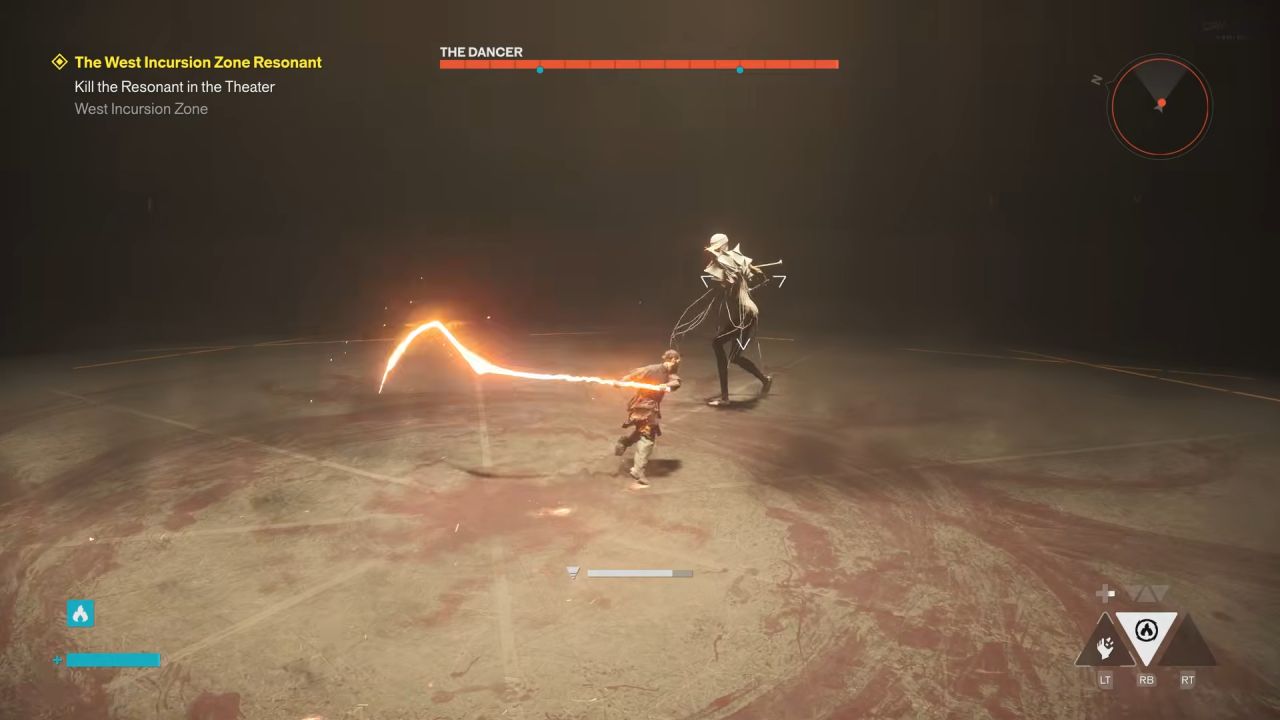
DLSS Performance mode with High ray tracing settings gives around 81fps in the tested scene. DLSS Balanced reduces performance to around 68-69 fps, while DLSS Quality offers around 58-59 fps. Native 4K rendering with NVIDIA DLAA is noticeably worse, dropping to around 27-30 fps, with 1% lows dipping below 20 fps. The end result is a really choppy experience.
DLSS Quality gives you an image close to native 4K, while DLSS Balanced is a more realistic compromise if you want to stay close to 60 fps. CONTROL Resonant also features DLSS 4.5 and the latest DLSS Ray Reconstruction technology to help maintain image quality while upscaling.
DLSS Balanced with 2x frame generation gets us to near 100 fps on screen, with around 48–51 fps of actual performance. The controls remain fully functional, and the visual artifacts are minor.
RTX 5080 at 1440p With Ultra Ray Tracing
With optimal settings and High ray tracing, the RTX 5080 will reach near 60 fps at native 1440p, although it will often dip into the 50 fps range. Switching to DLSS Quality boosts performance to around 90 fps, a significantly smoother experience.
Most crucially, DLSS Quality lets max graphics settings with Ultra ray tracing run above 60 fps in the scenes we examined. With 2x frame generation on, performance exceeds 100 fps; however, frame rates occasionally drop to 57-58 fps.
RTX 5080 Is Becoming a 1440p GPU for Path Tracing
CONTROL Resonant shows how far modern path-traced games have come. Even the RTX 5080 struggles to regularly hit high frame rates at 4K without upscaling and careful optimization. DLSS Performance is the best option for 4K gaming, while DLSS Balanced is a superior combination of clarity and smoothness. DLSS Quality makes maximal ray tracing much more viable at 1440p.
The RTX 5090 is still the better choice for heavy 4K gaming, but its very high price makes it hard to justify if you only game. Ultimately, the RTX 5080 still delivers stunning visuals, but 1440p is increasingly the realistic target for maxed-out ray tracing in modern games.
Editor, NoobFeed
Gaming Hardware Updates
No Data.