
Dell XPS 14 Review: Panther Lake Performance and Battery Life Impress Despite Premium Pricing
Dell’s premium XPS 14 lineup combines refined aluminum construction with dramatically different performance and battery life experiences.
Hardware by Tanvir Kabbo on May 23, 2026
The latest Dell XPS 14 lineup enters a fiercely competitive premium ultrabook market where design, battery life, display quality, and performance are all under intense scrutiny. Dell's refreshed models share the same elegant CNC aluminum chassis and minimalist aesthetic, but dramatically different hardware configurations create two very different experiences despite nearly identical appearances.
One model pushes premium OLED visuals and stronger graphics performance, while the other prioritizes unprecedented battery longevity at the cost of raw power. With prices ranging from just above $2,000 to over $3,000, the real question is whether either configuration truly delivers enough value in the face of increasingly aggressive competition from Apple, Lenovo, Asus, and other premium laptop makers.
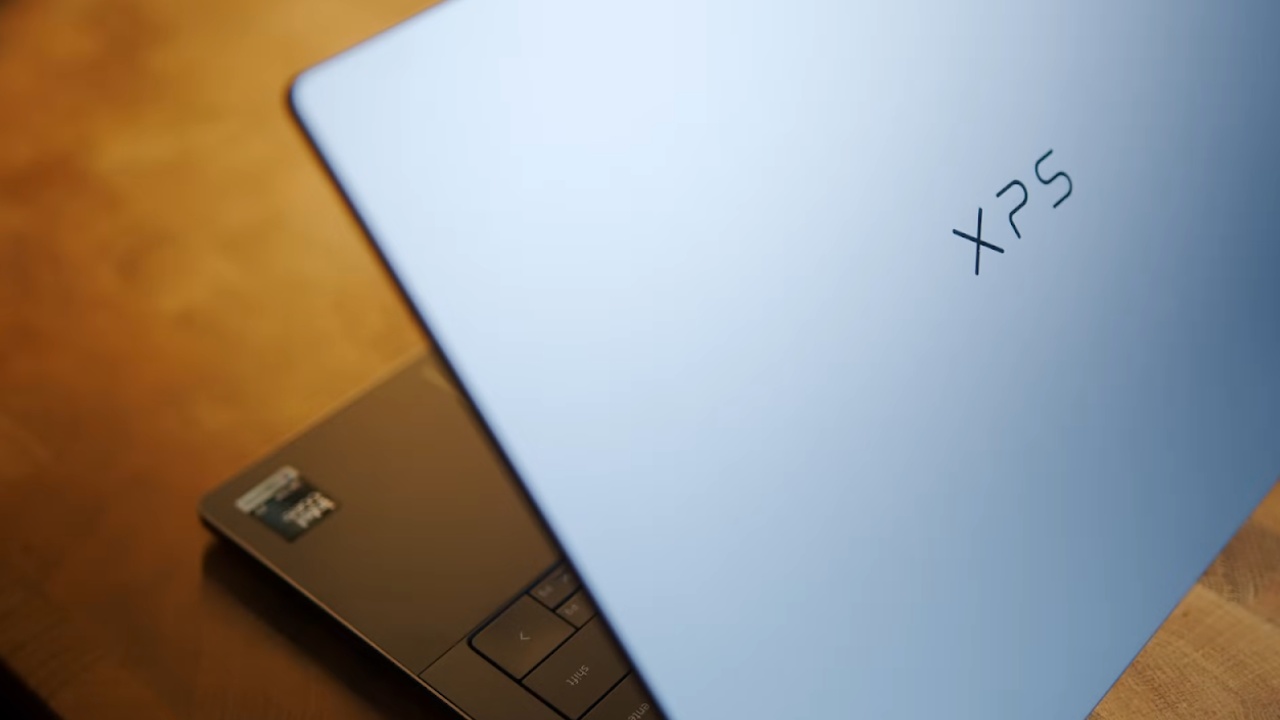
The brand-new Dell XPS 14 and the other brand-new Dell XPS 14 look nearly identical at first glance.
They share the same chassis, design language, and beautifully machined CNC aluminum body. One model costs over $3,000, while the other costs around $2,069. One of them gets absolutely destroyed in benchmarks, while the other delivers a feature that feels unlike anything ever experienced on a modern laptop.
The chassis immediately feels premium. Picking it up gives the impression of a fully finished luxury product, and it remains impressively light for a 14-inch laptop. The OLED model weighs only 3lbs, while the LCD version comes in at 3.05lbs. For a machine with this level of build quality, those numbers are genuinely impressive.
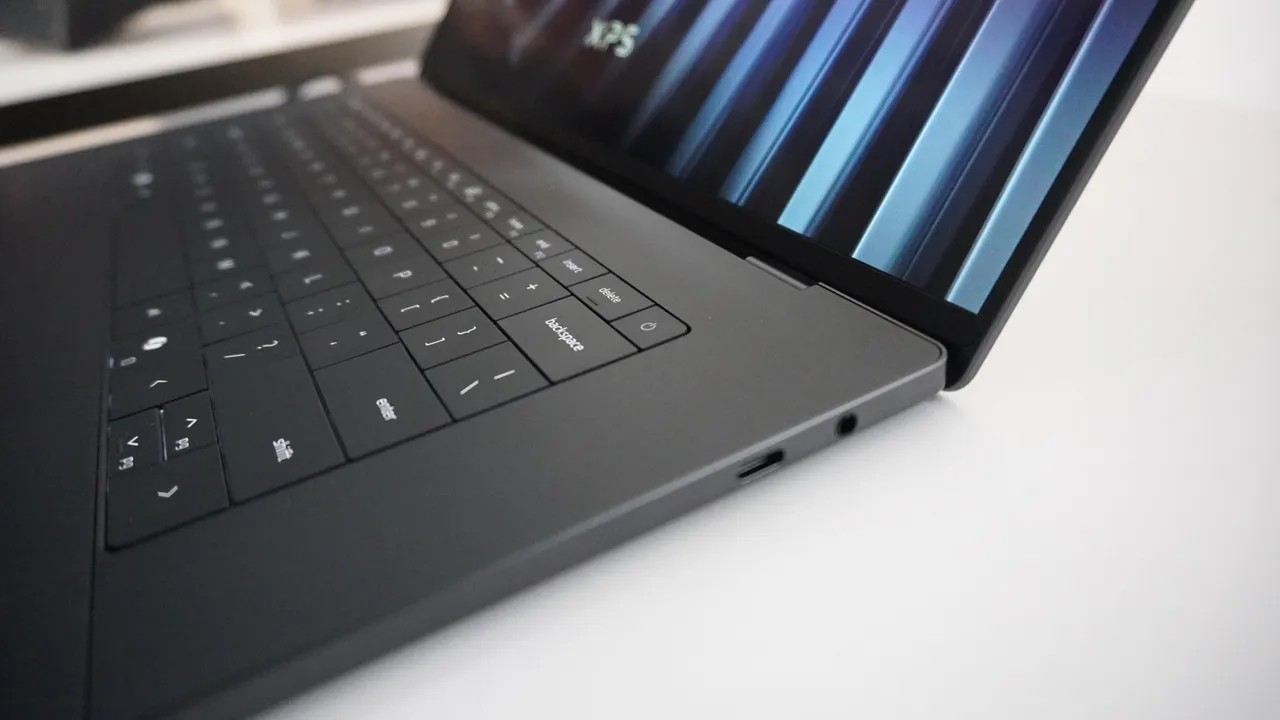
The port selection, however, is disappointing considering the pricing. Dell includes two Thunderbolt 4 ports on the left side, while the right side houses another Thunderbolt 4 port alongside a combo audio jack. That is the entire selection. There is no USB-A, no HDMI, and no SD card slot. Creators and professionals are forced to rely on dongles for basic connectivity.
Build quality remains excellent throughout. The lid opens easily with one hand, and although there is a slight display wobble, it feels tighter than most laptops currently available. The hinge mechanism feels smooth and refined, even if it does not quite match the rigidity of a MacBook or Razer laptop.
The Keyboard and Touchpad Feel Premium, but Aren't Perfect
The keyboard almost stands out as a standout feature because its layout looks incredibly clean and modern. The backlighting appears crisp, the actuation feels satisfying, and the keys themselves carry a premium texture. However, typing accuracy becomes an issue after longer sessions.
The spacing between keys feels slightly too tight, resulting in noticeably more typing mistakes than on devices like the Lenovo Slim 7i Ultra or Apple's MacBook lineup.
The touchpad design looks stunning. Dell uses a seamless glass surface stretching across the bottom deck, giving the laptop a futuristic appearance. Both models feature a haptic touchpad, which delivers a good overall experience, though it still falls behind the Surface Laptop and Apple's MacBook trackpads. Lowering the haptic intensity setting to level two noticeably improves the feel during everyday use.
IPS vs. Tandem OLED Creates a Massive Divide
The differences between the two XPS 14 models become much more apparent once the displays enter the conversation. The cheaper Ultra 5 configuration does not receive the tandem OLED display. Instead, it ships with a 14-inch IPS panel. The display is serviceable, but it does not stand out among premium ultrabooks. Viewing angles feel mediocre, though the matte coating does an excellent job of reducing reflections.
Dell equips the IPS panel with a 120Hz variable refresh rate display, but oddly enough, users cannot manually control the refresh rate settings. The system automatically handles everything behind the scenes.
Surprisingly, the IPS model actually delivers higher SDR brightness than the significantly more expensive OLED version. That detail alone feels bizarre considering the price gap between the two laptops.
The X7 model introduces a tandem OLED panel with 3K resolution and a variable refresh rate ranging from 20Hz to 120Hz. OLED technology still delivers its expected advantages, including punchy colors, perfect blacks, strong color gamut coverage, and excellent reflection handling.
The biggest issue becomes brightness. The OLED panel tops out at only 500nits. Competing tandem OLED devices have already surpassed that figure. Asus recently introduced a tandem OLED laptop reaching 1400 nits, while Lenovo's Slim 7i Ultra AE delivers 1100 nits despite not even using tandem OLED technology. Even Apple's iPad Pro delivers significantly higher brightness.
.jpg)
Panther Lake Performance Feels Artificially Limited
Performance becomes one of the most controversial aspects of the Dell XPS 14 lineup. Most competing Panther Lake laptops allow Intel processors to operate at 40W-45W in performance modes. Dell caps the XPS 14 at just 27W, even in Ultra Performance mode.
That limitation heavily impacts benchmark numbers. The X7 configuration reaches around 3,721 in Cinebench R26 multi-core testing. Meanwhile, Lenovo's Slim 7i Ultra with the exact same processor achieves roughly 4,315 despite using a thinner and lighter chassis. That creates a 16% performance gap entirely caused by Dell's power restrictions.
Single-core performance remains competitive, though it still trails Apple's latest MacBook Pro hardware. The X7 scores around 510 compared to the MacBook Pro M5's 726.
The Ultra 5 configuration performs far worse than expected. Multi-core Cinebench results drop to roughly 2,282, while Firefox compile times stretch to 54 minutes. The X7 completes the same workload in 34 minutes, while Apple's MacBook Pro M5 finishes in only 14 minutes.
The Ultra 5 does not simply lose to newer competitors. In some workloads, it even falls behind previous-generation Lunar Lake chips, which feels deeply disappointing considering the pricing.
Adobe-focused workloads continue telling a similar story. The X7 reaches approximately 9,960 in Photoshop benchmarks, while the MacBook Pro M5 pushes to 13,590. Premiere Pro widens the gap even further, with the X7 scoring around 33,940 while the MacBook reaches 62,981.
The X7 still performs well overall, but Dell clearly leaves performance untapped. The Ultra 5, meanwhile, feels severely underpowered for a laptop costing more than $2,000.
Intel's Graphics Performance Saves the X7 Model
Graphics performance completely changes the conversation surrounding the X7 configuration. Equipped with Intel's B390 graphics, the Panther Lake platform delivers genuinely impressive gaming capability for a thin-and-light laptop without dedicated graphics.
Modern titles become surprisingly playable with some adjustments to settings. Cyberpunk 2077 runs well enough to enjoy, Black Myth: Wukong becomes playable using frame generation, Marvel Rivals performs smoothly, and Overwatch can hit around 120fps for a genuinely enjoyable experience.
In 3DMark Steel Nomad, the X7 scores 1,393, even surpassing Apple's MacBook Pro M5 result of 1,057.
The Ultra 5 model tells a very different story. Instead of Intel Arc or B390 graphics, Dell includes basic Intel graphics with only four graphics cores. Steel Nomad scores collapse to just 432, which is worse than previous-generation hardware. Paying over $2,000 for graphics performance that loses to year-old systems becomes extremely difficult to justify.
For anyone considering gaming or GPU-heavy workloads, the X7 configuration becomes absolutely essential.
Speakers, Fan Noise, and the Most Shocking Battery Life Yet
Dell includes a quad-speaker setup firing through the keyboard and downward through the chassis. Audio quality sounds surprisingly good overall, delivering strong clarity and decent fullness for a compact ultrabook.
Fan noise levels are around 44-46dB in Ultra Performance mode. The laptops are not loud gaming laptops, but their cooling systems remain audible under load. The fan tone itself sounds somewhat hollow, almost resembling a kettle beginning to boil. Fortunately, quieter performance modes significantly reduce noise during everyday tasks such as browsing, video calls, office work, and classroom use.
Battery life becomes the most shocking aspect of the entire lineup. The X7 model delivers approximately 15 hours and 33 minutes of mixed usage, which already represents strong endurance for a premium ultrabook.
The Ultra 5 model completely defies expectations by delivering over 39 hours of battery life across mixed-use workloads, including Zoom calls, Microsoft Office tasks, idle time, and general productivity. That figure feels almost impossible compared to the rest of the laptop industry because virtually nothing else currently approaches those numbers.
Dell's Biggest Problem is Pricing
The final purchasing decision largely comes down to pricing. The fully specced X7 configuration with 32GB of RAM exceeds $3,000, while the Ultra 5 configuration comes in at around $2,069.
Part of the issue stems from Intel's Panther Lake X-series chips themselves. The X7 and X9 processors remain expensive to manufacture, supply remains limited, and many competitors still have not launched their own X7 configurations. Dell deserves some credit for securing early inventory.
Still, the value proposition becomes difficult to defend at current prices. Spending over $3,000 puts the XPS 14 directly against Apple's MacBook Pro lineup, where buyers can configure a MacBook Pro M5 Pro with more RAM, stronger performance, brighter displays, superior speakers, better keyboards, and additional ports while still spending less.
Even the Ultra 5 configuration struggles to justify itself against similarly priced alternatives. Buyers can purchase a base MacBook Pro M5 Pro or several premium Windows laptops with dedicated GPUs for comparable or lower pricing.
The Ultra 5 configuration only truly makes sense for users who prioritize battery life above all else.
Nothing currently competes with its nearly 40-hour endurance. Meanwhile, the X7 becomes attractive for users who want a beautifully designed Windows laptop with strong integrated graphics and a premium OLED display, even if the performance feels artificially limited.
The Dell XPS 14 lineup ultimately delivers gorgeous hardware, only to be trapped behind aggressive pricing. The design remains one of Dell's best efforts in years, the build quality feels exceptional, and the OLED panel still looks beautiful despite brightness compromises. However, the broader Panther Lake X-series market currently faces high costs, supply constraints, and intense competition.
Waiting may ultimately become the smartest move. More Panther Lake X7 laptops are expected to arrive soon, competition will increase, and pricing will likely settle over time. These are genuinely excellent laptops, but they currently exist at the wrong price point.
Senior Editor, NoobFeed
Gaming Hardware Updates
No Data.