
Intel Arc Pro B50 Gaming: Tested With 16GB VRAM
A compact workstation GPU combines low power consumption, 16GB VRAM, and unexpected gaming performance capabilities.
Hardware by Shinji Okazaki on Jun 16, 2026
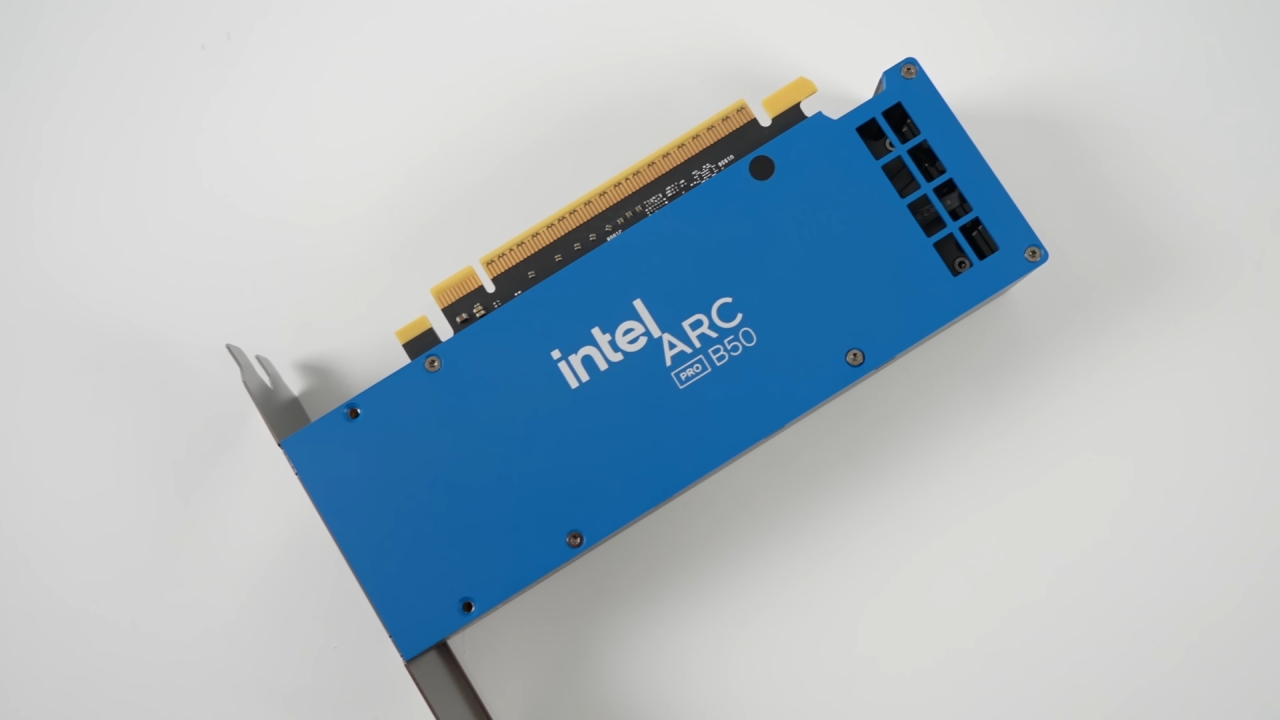
Intel Arc Pro B50 stands out for its compact size, low power consumption, and 16GB of VRAM; even though these cards aren't usually the best for gaming, they work great for workstations and AI jobs. Arc Pro B50 doesn't require an external power connector and doesn't draw much power. This makes it an interesting choice for players who want a small graphics card.
The test machine for the Intel Arc Pro B50 was configured with an AMD Ryzen 9 7945HX processor based on the Zen 4 architecture. The CPU has 16 cores, 32 threads, a maximum boost clock of 5.4 GHz, and a base clock of 2.5 GHz. There was also 96GB of 5600 MT/s memory for the system. It would be beneficial if this had faster memory, but this setup provided more than adequate space for gaming and workload testing.
Test Bench Specifications
Intel Arc Pro B50 has 16 Xe cores, 16 ray tracing units, 128 XMX engines, a base clock frequency of 1700 MHz, and a boost clock frequency up to 2600 MHz. The card also comes equipped with 16GB of GDDR6 VRAM. On paper, the GPU looks impressive, given its specs and size. The price of the card has risen to over $400, but it still cost about $370 when purchased.
Forza Horizon 6 was the first game to be tested. Gaming tests were conducted at 1440P to maximize VRAM usage. Intel Arc Pro B50 averaged 30 fps with the Ultra Ray Tracing preset. This experience could still be enjoyed in regular play. The benchmark results were in good agreement with real-world driving performance during gameplay.
One of the more interesting findings was the performance of Forza Horizon 6, as this was the first time testing an Intel GPU. BeamNG delivers solid results.BeamNG is fairly effective. The FPS of the game for the Low preset at 1440p was tested. The game was visually impressive and seemed very smooth during testing.
VRAM consumption was between 6GB and 7GB, well below the 16GB the card has. The Arc Pro B50 averaged 52 fps on the test map. Even the Ultra preset was potentially playable at 30-40 fps, based on performance. Rather surprisingly, BeamNG was one of the best experiences on the Intel Arc Pro B50.
In the graph below, ARC Raiders shows variable GPU usage. The graph below displays varying GPU usage in ARK: Raiders. ARC Raiders has been tested with the Epic preset at 1440p. Going into the benchmark, expectations were higher, but the result was slightly lower than expected. The GPU clock speed hovered around 1900 MHz, suggesting these cards were not being used to their full potential.
One of the more common performance-impacting problems was eliminated during testing by enabling resizable BAR. BeamNG was clocked at the same rate, while Forza Horizon 6 consistently hit around 2200 MHz. This was an inconsistent Arc Pro B50. Even then, though, ARC Raiders managed an average of 35 fps, which meant it was still playable overall.
LEGO Batman Emphasizes the Significance of VRAM
This is the most recent LEGO Batman game, which was tested with the High preset at 1440p. VRAM usage was immediately noticeable, varying between around 7.5GB and 8GB while playing. GPU speeds ranged from 2GHz to 2.2GHz, and they were noticeably higher than in ARK: Raiders. The benchmark highlighted the increasing demand for more VRAM in today's games.
Arc Pro B50 showed the impact of memory capacity by comparison with an RTX 5060 with 8GB of VRAM. The requirement for VRAM is increasing across recent releases, as seen in a LEGO game that uses almost 8GB of VRAM at 1440p. However, Bannerlord II remains smooth with high settings. But Bannerlord II is still smooth with high settings.
Very High was used for testing Bannerlord II at 1440p. The game is very CPU- and GPU-intensive, but it still plays a role. At an average of 61 fps, the Arc Pro B50's performance is smooth and playable. If even larger battles or late-game sieges were to be played, the in-game frame rate would drop to 40-50 fps, but overall performance would still be strong.
The ArmA Reforger is now pushing the GPU. Now the ArmA Reforger is pushing the GPU. For ArmA Reforger, it was tested on the Medium preset at 1440p. The game remains hard to beat as a graphics testing tool. Memory usage ranged from 6.6GB to 7GB, and GPU frequencies were around 2200 MHz. The average frame rate the Intel Arc Pro B50 achieved was 30 fps.
Playability and consistency were maintained during testing despite the relatively low frame rate. The game's maximum clock speed is now reached. The game is now clocked at maximum speeds. The only esports game used in testing was Counter-Strike 2. The game was played at 1280x960 with the minimum graphics settings.
Curiously, this app has clocked the Arc Pro B50 to its maximum clock speeds.
GPU utilization was around 50%, which could be a major factor in the increased clock speeds and reduced thermal output. The temperature recorded during testing was a remarkable 60°C to 70°C, an impressive result for a low-profile graphics card. It was not possible to play without any issues, but those looking for even more fps would benefit more from a processor with more V-Cache.
Intel Arc Pro B50 graphics card offers a unique performance level between workstation and gaming graphics cards. It's clearly geared towards professional workloads, AI applications, and smaller systems, but it can also provide a good gaming experience. The card used up its 16GB of VRAM at 1440p and played at playable frame rates in a variety of modern games.
Play-critics would also be able to drop resolution to 1080p and get many more fps. Arc Pro B50 is likely best suited for users who require a compact workstation-style GPU for productivity and AI workloads and wish to play the latest games. It's also relatively inexpensive, offers 16GB of VRAM, and is an interesting low-profile option compared to other low-profile graphics cards.
Editor, NoobFeed
Gaming Hardware Updates
No Data.