
Ryzen 7 7700X and RX 9070 XT Sleeper Build: Performance on a Budget
A combination of Ryzen 7 7700X and RX 9070 XT delivers smooth 1440p performance across modern gaming titles.
Hardware by Tanisha Aria on Oct 19, 2025
You never know where you'll find the best gaming setups. It can be both fun and surprisingly useful to turn an old eBay find into a powerful gaming machine.
An old system can easily become something special with the right mix of new parts and a little creativity. This project brings an old case back to life and equips it with modern AMD hardware for modern gaming. It combines nostalgia with performance.
The Idea Behind the Build
The goal was simple: turn a very old gaming PC that cost only $90 on eBay into a powerful "sleeper" system.
Most people think a sleeper PC should look simple and hide its power, but ours was more of a resto-mod style, with an old case and new, high-end parts that combine modern performance with vintage charm.
The case, which was a rebranded Lian Li aluminium model, had a lot of personality and was perfect for this rebuild.
We started the project with a sponsor, Okinos, and their new Airross case. There are three 140mm fans and two reverse-blade 120mm fans that send air directly to the GPU. To do this, Okinos smartly moved the power supply and hard drive rack, making it easier for air to flow.
The case can hold 360mm radiators and BTF motherboards. Its side panels don't require tools to remove, making maintenance easy. The brushed-gold power button and real walnut wood on the front panel give it a high-end look. The Airross is a great deal for the features it has, starting at $79.99.
Building the Sleeper PC
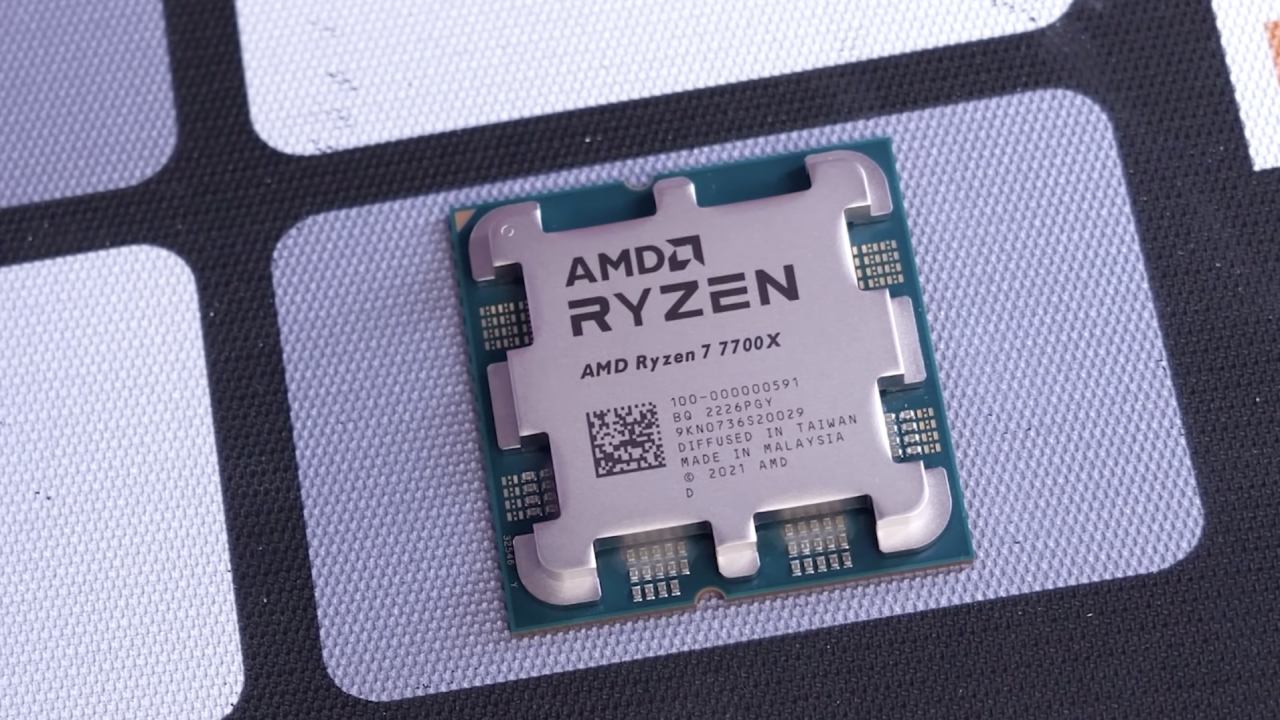
We began by putting in a Ryzen 7 7700X CPU, which has 8 cores and 16 threads and costs $264. It works well, but you could save some money by getting the 9600X or 7600X instead. We bought the Thermorate Peerless Assassin 120 SE ARGB cooler for $36.59 to go with the 7700X because it doesn't come with one. We removed one of its fans so the RAM would be easier to see and there would be more space.
We picked the ASRock B850 Live Mixer for the motherboard. For $189, this board stands out for its 23 USB ports and works well for both gaming and creative work. The Team Group T-Force Vulcan Eco 32GB kit we chose for our RAM features recycled-aluminum heatsinks that complement the brushed-metal look of the build. It cost $91.99 and was both good-looking and environmentally friendly.
The Clevvercraft C910 1TB Gen4 NVMe SSD, which costs $57.99, has a heatsink that hides fast storage.
Powerful Graphics and Modding
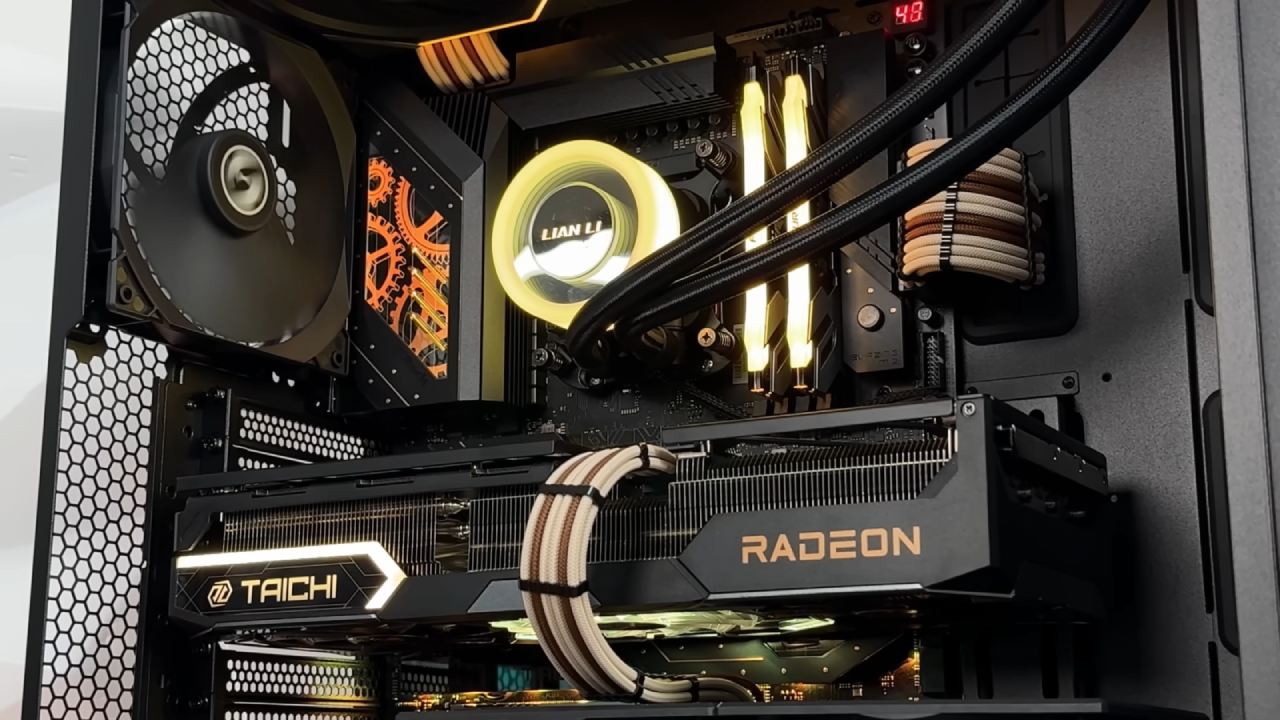
PowerColor gave us the PowerColor RX 9070 XT Reva Edition GPU, which was the most important part of the build. The blue glow from this triple-fan card matched the rest of the build.
We used tin snips to cut part of the hard drive cage to make it fit because the GPU was so big. This small change went well. The price for this model hasn't been set yet, but it's expected to be around $800, about the same as other high-end RX 9070 XT models.
We installed the Rosewell VMG 750W 80+ Gold power supply, which costs $79, to power it. It is fully modular and supports ATX 3.0. It is reliable and efficient, with plenty of room for upgrades.
The case itself, which is an old Velocity Micro prebuilt shell from a previous video, costs only $90. It took some work to install, like removing old fans, installing new RGB fans, and changing the power supply, but it all worked out great. We spent about $1,600 on this sleeper build in all.
Testing and Performance Results
Looks are important, but performance is what really matters. We put the system through a lot of tests, starting with Call of Duty: Black Ops 7 Beta at 1440p on extreme preset with FSR 4 balanced mode. Even without frame generation, the game ran smoothly at 180–190 fps.
The CPU was warm but stable, and the fan curves were set to run more quietly.
We then ran Borderlands 4 at 1440p with very high settings and FSR balanced. The average frame rate was between 80 and 90 fps, but it dropped to the 70s during heavy action. When frame generation was enabled, frame rates rose to a smooth 144 fps.
We suggested changing to "high" settings and turning off frame generation for more consistent gameplay.
Benchmark Results
We ran more tests with several other games and benchmarks to see how well they worked in the real world:
- Silent Hill F: 1440p, high settings, FSR balanced, and an average of 100 frames per second.
- CS2 at 1440p on low settings averages 644 fps, with 1% of frames dropping to 195.8 fps.
- 3DMark Time Spy: 29,738 points, which is about 5 cents per point.
These numbers show that the build not only looks good but also performs well for modern 1440p gaming.

Final Thoughts
A $90 eBay find became a powerful, stylish gaming machine. A Ryzen 7 7700X and RX 9070 XT made a system that could easily handle any modern game. It's a unique mix of old-school style and cutting-edge power, even though you can see inside it.
If you want to try something like this, looking for old, unused prebuilt systems can be a great way to find what you need. Those cases can be turned into homes for modern hardware with some changes and imagination. This build shows that you can have both performance and personality, which gives new life to old tech.
Also, check our other AMD articles:
- AMD Ryzen 9 9950X3D Review: Setting The Standard For 2025 Gaming CPU
- AMD Ryzen 7 9800X3D Review: 3D V-Cache Goes God Mode with Stunning Gaming Performance
- AMD RX 9070 Performance Review: Thermals, Clocks, and Real-World FPS
- AMD Ryzen 5 7600 Review: Best Budget Gaming CPU of 2025?
- AMD Radeon RX 7800 XT Review: RDNA 3 Power For Midrange Gaming
- Sapphire NITRO+ AMD Radeon RX 9070 XT Review: The Ultimate 4K Gaming GPU
- AMD Ryzen 7 7800X3D: Delivers Gaming Performance Far Beyond Expectations
- AMD Ryzen 9 7900X Review: Powering the AM5 Era with DDR5 & PCIe 5.0
- ASRock Radeon RX 7800 XT Challenger OC Review: Best Price-to-Performance GPU of 2025
- Intel Core i9‑14900K vs. AMD Ryzen 7 7800X3D: Power Profiles & Gaming Benchmarks
Contributor, NoobFeed
Gaming Hardware Updates
No Data.