
DDR5 Refresh Modes Explained on AM5: Normal vs FGR vs Mixed Mode Performance
DDR5 refresh mode updates on AM5 introduce new performance tradeoffs between bandwidth and latency behavior.
Hardware by Nahe Yan on Feb 17, 2026
AM5 motherboards are getting new DDR5 refresh modes. The settings are now available on ASUS and Gigabyte boards, and they should be coming to MSI boards soon. However, it is still uncertain if ASRock boards will support them.
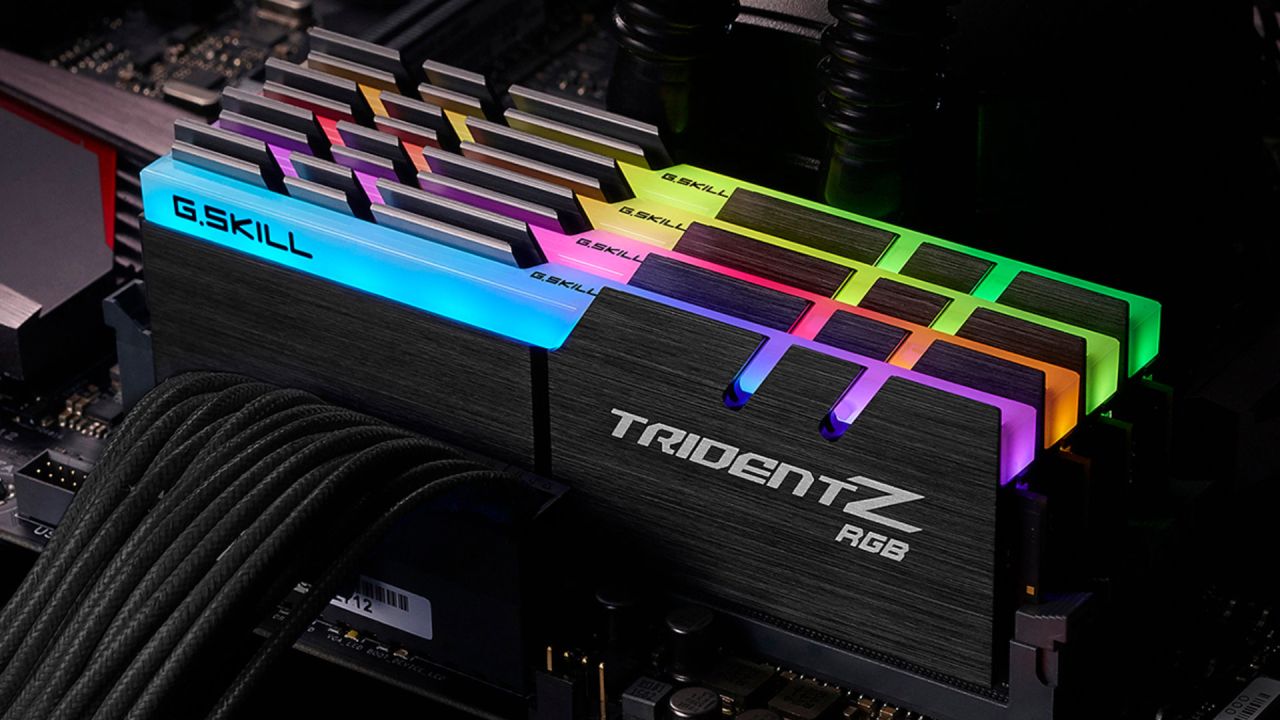
We test an ASUS Crosshair X87 Hero with BIOS version 20004 and AGESA 1.3.0.0. The memory kit being used is a GSkill 6000CL28 Expo kit. The new bank refresh mode option under DRAM timing management is the main point of interest.
What is Bank Refresh Mode?
There is a new setting called bank refresh mode that shows up under DRAM timing control on ASUS boards. AGESA has a built-in refresh function, and this setting lets you choose which refresh mode to use.
When AM5 came out, it worked in normal mode. Normal mode works in a manner akin to DDR4-style refreshing. When memory needs refreshing, all its banks are refreshed at once. That means all ranks are refreshed at once, making them unavailable for the entire tRFC period. No reading or writing can happen during that time.
DDR5 added a new mode called fine granularity refresh . Intel supported FGR from the start of the Z690, and AMD added more support with AGESA 1.3.0.0. Some older beta BIOS versions had limited support, though. Instead of refreshing all banks at once, FGR lets the memory controller refresh the same bank across all bank groups. FGR refreshes only 1/4 of the memory at a time because each bank group has 4 banks. The other three-quarters are still open for reading and writing. In principle, this could improve things in some situations.
You can also choose mixed mode. When the memory controller is in mixed mode, it alternates between normal mode and FGR based on the workload. When it comes to performance, mixed mode can be a better alternative to FGR, depending on the configured timings.
Problems with Posting and Timing Behavior
Normal mode just uses tRFC1 and the refresh interval timing. In this setup, tRFC2 and tRFC from the same bank don't do anything. We don't use tRFC1 anymore if we move to FGR. FGR, on the other hand, depends on tRFC2 and tRFC from the same bank. The system might not post if those values aren't set up right.
Some Expo DDR5 kits do not have the correct tRFC2 and tRFC same-bank values set up. When AGESA returns to FGR mode, some kits may stop uploading even though Expo used to operate. If a machine that worked with prior BIOS versions suddenly stops posting after an update, it's likely because the tRFC2 and tRFC identical bank values are wrong.
tRFC1 is likewise not used in mixed mode. It still uses tRFC2 and tRFC same bank instead of tRFC1 when transitioning between modes.
FGR's Refresh Interval Division
Handling refresh intervals is a big distinction between standard mode and FGR. In FGR, the time between refreshes is cut in half. If we set a refresh interval of 65000, the effective value becomes 32500. This division follows the JEDEC standard.
When Expo is turned on, and the motherboard is set to FGR by default, the refresh interval behavior changes. On ASUS boards, mixed mode is the same as auto mode. If a board just uses FGR, the half-refresh interval can degrade performance because Expo refresh times are already rather low.
Testing and Observations of Performance
Testing was done with a single-rank 16Gbit Hynix M-die to exaggerate the performance differences, since it may run very low tRFC with identical bank settings. This isn't a complete picture of all users, but it does show how the modes work with varying time conditions.
With Expo timings, ASUS's auto mode works as well as mixed mode. FGR and normal mode are both slower than mixed mode. FGR often has a delay bias. Normal mode usually prefers bandwidth.
In tasks that use a lot of bandwidth, like Geekbench 3 memory and Y-cruncher, FGR doesn't do as well as regular mode or mixed mode. FGR can perform better than regular mode on latency-sensitive workloads, like Pi Prime, but it still lags behind mixed mode. Mixed mode always offers a better overall balance, since it uses fewer refresh cycles in normal-mode regions while maintaining FGR flexibility.
Mixed mode gets this benefit because it uses tRFC2 rather than tRFC1 when reverting to typical refresh behavior. Because tRFC2 is shorter than tRFC1, refresh cycles finish faster, reducing the total time spent waiting.
Overclocking and Long Refresh Intervals
When the refresh interval is raised to 65000, the disparities between modes get reduced. When the refresh interval is longer, refresh events occur less often, so the effect of the refresh cycle duration becomes less important.
But a poorly configured system can still degrade performance. It's not a good idea to set all tRFC values to the same value, especially under FGR. Intel platforms use FGR by default, and transferring the same tRFC settings between modes can make things less efficient.
When set up correctly, mixed mode usually gives the best results. Mixed mode gets an edge if the RFC from the same bank can be adjusted much lower than the RFC2. When tRFC2 and tRFC for the same bank are almost the same on memory ICs, mixed mode doesn't help much more than normal mode.
Things to Think about With Several Ranks
Refresh behavior may be different in multi-rank setups. Documentation indicates that regular mode might refresh all ranks at once, but further examination of the specifications is needed to be sure. Compared to single-chip behavior, multi-rank refresh interactions are more complex and less well documented.
Final Thoughts
FGR alone is usually not the best choice because it divides the refresh interval and affects bandwidth. When correctly calibrated, mixed mode is better. When you use Expo settings, mixed mode gives you a better balance of performance than either regular mode or FGR alone.
If you set the refresh interval manually to a high value and don't want to tune tRFC2 and tRFC to the same bank, regular mode is still an option. In many cases, the performance differences between dialed-in mixed mode and normal mode are minimal.
For most setups, utilize Expo in mixed mode. If you don't want to manually tune, use standard mode. Don't use FGR that isn't properly configured.
We need to run more tests to determine how low tRFC the same bank can be pushed on different memory ICs. This value is very important because it decides if mixed mode is better than standard mode.
Also, check our other hardware articles below:
- AMD Ryzen 9 9950X3D Review: Setting The Standard For 2025 Gaming CPU
- Amazon Luna 2025 Review: Is Prime Gaming's Cloud Service Your Go-To For Casual Fun?
- AMD RX 9070 XT Review: AMD's RDNA 4 Champion for 1440p Gaming
- GeForce Now Ultimate: Ditching Your Gaming PC For Cloud RTX 4080 Power?
- NVIDIA GeForce RTX 5080 Review (2025): Still A 4K Gaming Powerhouse?
- Intel Core Ultra 9 285K Review And Performance Breakdown (2025)
- AMD Ryzen 7 9800X3D Review: 3D V-Cache Goes God Mode with Stunning Gaming Performance
- Intel Core Ultra 9 285K vs AMD Ryzen 7 9800X3D: In-Depth Gaming Performance and Benchmark Comparison
- NVIDIA GeForce RTX 5080 Super Performance In Cyberpunk 2077: Path Tracing & DLSS 4.0 Tested
- AMD Radeon RX 9070 XT In Cyberpunk 2077: Ray Tracing & FSR 4.0 Tested
- Intel Arc B580 Review: The $250 GPU Revolutionizing 1440p Gaming
- Intel Arc B570 Vs. B580: Value, Specs, And Real-World Gaming Performance
- RTX 5090 Laptop Vs. M4 Max MacBook Pro: Ultimate Raw Performance Vs. Battery Endurance
- Intel Arc b580 Vs. RTX 4060: Game Performance And Value Analysis
- RTX5090 Hell Is Us Demo 4K Ultra Benchmark: DLSS Vs. Native Performance Guide
- NVIDIA RTX 5070 Review: Mid-Range Muscle or Marketing Hype?
- Nintendo Switch 2 Review: Handheld Performance, Features & Value Breakdown
- RTX 5070 Ti Review: Performance, Thermals & Power Efficiency Tested
- Samsung Odyssey OLED G81SF Review 2025: Ultimate 32-Inch QD-OLED Gaming Monitor
- AMD RX 9070 Performance Review: Thermals, Clocks, and Real-World FPS
- AMD Ryzen 5 7600 Review: Best Budget Gaming CPU of 2025?
- AMD Radeon RX 7800 XT Review: RDNA 3 Power For Midrange Gaming
- Asus ROG RTX 5090 Astral OC Vs. Founders Edition: The 4K Gaming Benchmark
- Intel Core i5-13400F Gaming Performance: Still Worth It in 2025?
- ASUS GeForce RTX 5090 LC Liquid Cooled GPU Review: Unmatched Silence & Speed
- ASUS ROG Ally X Handheld Review: Double the Battery, Double the Comfort
- Lenovo Legion Go S Review: The Ultimate Steam Deck 2 Alternative
Editor, NoobFeed
Gaming Hardware Updates
No Data.