
DRAM vs. DRAMless SSD: Performance, Reliability and What Actually Matters
SSD controllers mapping systems and DRAM presence influence data access speed wear leveling and overall system responsiveness.
Hardware by Nahe Yan on Apr 09, 2026
When it comes to intriguing PC parts, storage is toward the bottom. A lot of gamers just add up their Steam backlog, set a target capacity in the filter menu, sort by price, and buy. It seems like an SSD doesn't always improve game performance. But it can.
The difference between a simple SSD and a better one can be bigger than you might think just by looking at the specs. It's not just about how well they work. DRAM cache is a crucial feature that some popular SSDs lack, making them less reliable.
.jpg)
What the DRAM Cache Really Does
That little DRAM chip can make a big difference. Many SSD manufacturers don't clearly state whether their product has it, so it's hard to determine for sure without looking at the drive. We are really talking about two kinds of "cash": the cost savings from removing DRAM and the impact it has on performance and dependability.
An SSD is a little computer that lives within your computer. It has its own energy-efficient SoC, called a controller, with a CPU, firmware, and its own memory. It controls how your system communicates with the NAND flash chips that store data. If an SSD has a DRAM cache, it stores the flash translation layer in it. This layer is like a map that shows the system where the data is physically stored on the NAND.
This mapping improves performance by making data easier to access, especially as the disk fills up. It also helps the SSD keep data organized by selecting which blocks to delete and where to add new data, helping the drive wear out more slowly.
SSDs without DRAM and other Options
Not every SSD has DRAM. Modern drives, on the other hand, employ different approaches. Host Memory Buffer is a common way to do this. It uses some of the system's RAM to hold the mapping data. It isn't as fast or as big as onboard DRAM, but it can still work well because the PCIe interface has a lot of bandwidth.
Another way is to store the mapping data right on the NAND. These methods work, but they aren't as good as having a separate DRAM chip. This is why DRAM cache was originally considered a key feature and was clearly demonstrated.
Names and Specs that are Hard to Understand
Product labels are not always the same these days. Even within the same product line, we often see models where one version has DRAM, and the other does not. For instance, one version of a drive might have DRAM, whereas a version with a similar name might not, and this isn't always evident.
There can be capacity variances even within the same lineup. A 2TB model may include DRAM, whereas smaller models do not. This makes things confusing, and we have to find more information from other sources or look at the hardware ourselves.
Does DRAM Matter All the Time?
An SSD without DRAM is still usable and good. Modern drives with Host Memory Buffer can work well, especially for gaming or as auxiliary storage. Specifications alone aren't as important as how well something works in the real world.
We should still know exactly what we're buying, though. You may need to do extra research or get the actual device to determine whether an SSD has DRAM.
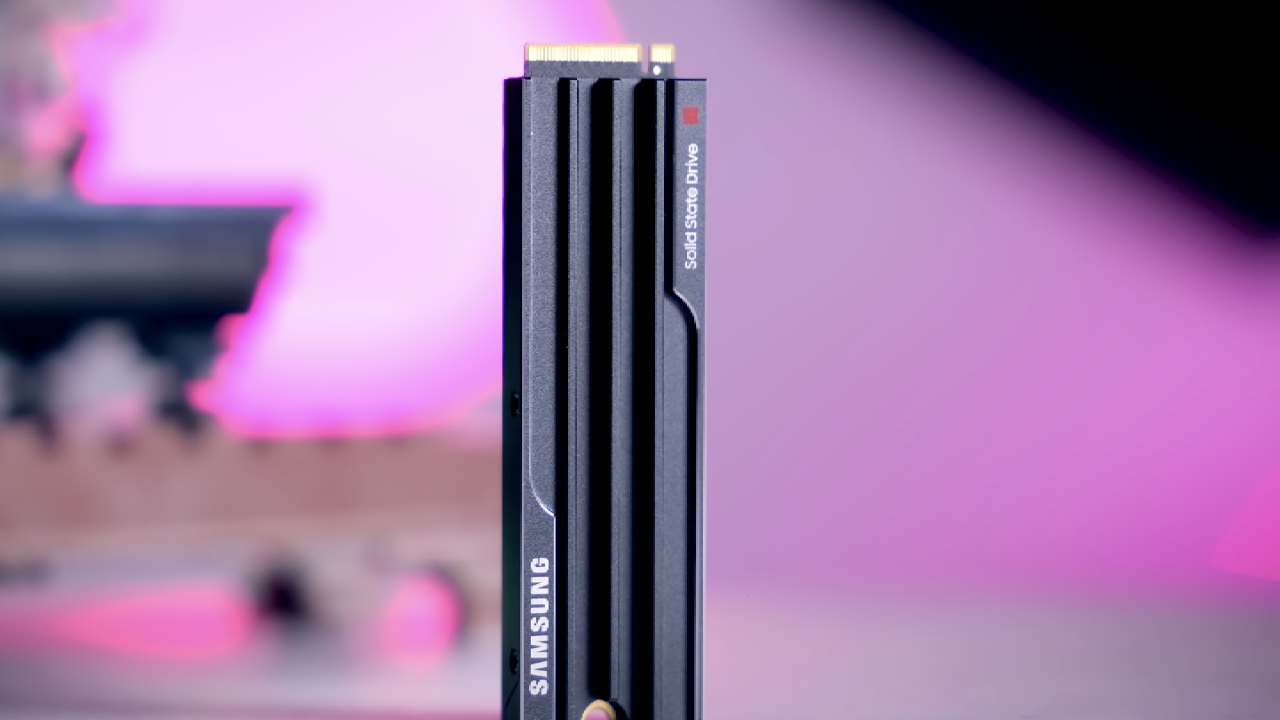
When DRAM Cache Matters
When using an SSD as an operating system disk, we strongly suggest getting one with DRAM. As the drive ages and fills up, the difference in how quickly it responds becomes clear, especially when running background tasks like virus scans or system updates.
Final Thoughts
Some companies make it clear if their SSDs have DRAM and some don't. It's easier to buy when this information is available. When it's hidden, it causes problems that aren't necessary.
We can answer by choosing goods that meet certain requirements. If it's hard to find information about a product, you can also leave a review. It's important to be open, as this shows. As new versions of SSDs come out, it's important to pick ones that have clear information about them so you can make better decisions and have a better experience overall.
Also, check our other hardware articles:
- AMD Ryzen 9 9950X3D Review: Setting The Standard For 2025 Gaming CPU
- Amazon Luna 2025 Review: Is Prime Gaming's Cloud Service Your Go-To For Casual Fun?
- AMD RX 9070 XT Review: AMD's RDNA 4 Champion for 1440p Gaming
- GeForce Now Ultimate: Ditching Your Gaming PC For Cloud RTX 4080 Power?
- NVIDIA GeForce RTX 5080 Review (2025): Still A 4K Gaming Powerhouse?
- Intel Core Ultra 9 285K Review And Performance Breakdown (2025)
- AMD Ryzen 7 9800X3D Review: 3D V-Cache Goes God Mode with Stunning Gaming Performance
- Intel Core Ultra 9 285K vs AMD Ryzen 7 9800X3D: In-Depth Gaming Performance and Benchmark Comparison
- NVIDIA GeForce RTX 5080 Super Performance In Cyberpunk 2077: Path Tracing & DLSS 4.0 Tested
- AMD Radeon RX 9070 XT In Cyberpunk 2077: Ray Tracing & FSR 4.0 Tested
- Intel Arc B580 Review: The $250 GPU Revolutionizing 1440p Gaming
- Intel Arc B570 Vs. B580: Value, Specs, And Real-World Gaming Performance
- RTX 5090 Laptop Vs. M4 Max MacBook Pro: Ultimate Raw Performance Vs. Battery Endurance
- Intel Arc b580 Vs. RTX 4060: Game Performance And Value Analysis
- RTX5090 Hell Is Us Demo 4K Ultra Benchmark: DLSS Vs. Native Performance Guide
- NVIDIA RTX 5070 Review: Mid-Range Muscle or Marketing Hype?
- Nintendo Switch 2 Review: Handheld Performance, Features & Value Breakdown
- RTX 5070 Ti Review: Performance, Thermals & Power Efficiency Tested
- Samsung Odyssey OLED G81SF Review 2025: Ultimate 32-Inch QD-OLED Gaming Monitor
- AMD RX 9070 Performance Review: Thermals, Clocks, and Real-World FPS
- AMD Ryzen 5 7600 Review: Best Budget Gaming CPU of 2025?
- AMD Radeon RX 7800 XT Review: RDNA 3 Power For Midrange Gaming
- Asus ROG RTX 5090 Astral OC Vs. Founders Edition: The 4K Gaming Benchmark
Editor, NoobFeed
Gaming Hardware Updates
No Data.