
Forza Horizon 6 ROG Ally X Benchmark Shows Smooth 1080p 60 fps Gameplay
High graphics settings maintained stable 30 fps gameplay at 1080p on the ROG Ally Xbox Ally X.
Games by Nahe Yan on May 20, 2026
Forza Horizon 6 is a game that runs at 1080p resolution, with a flexible graphics setting, and is stable on the ROG Xbox Ally X. Playability is offered from 30 fps up to 60 fps, and higher frame rates are achieved in more demanding areas, like in city environments, thanks to AMD FSR 3.1.5. The medium and high settings are also valid and can be used if desired to achieve a higher quality/performance balance.
To begin with, we ran the game on the ROG Xbox Ally X in turbo mode at 35W, 120 fps locked. We began with the ROG Xbox Ally X in turbo mode at 35W with 120fps locked. This is when RSR was enabled, and the system resolution was adjusted to 1080p. The in-game benchmark tool automatically sets graphics settings based on hardware performance analysis.
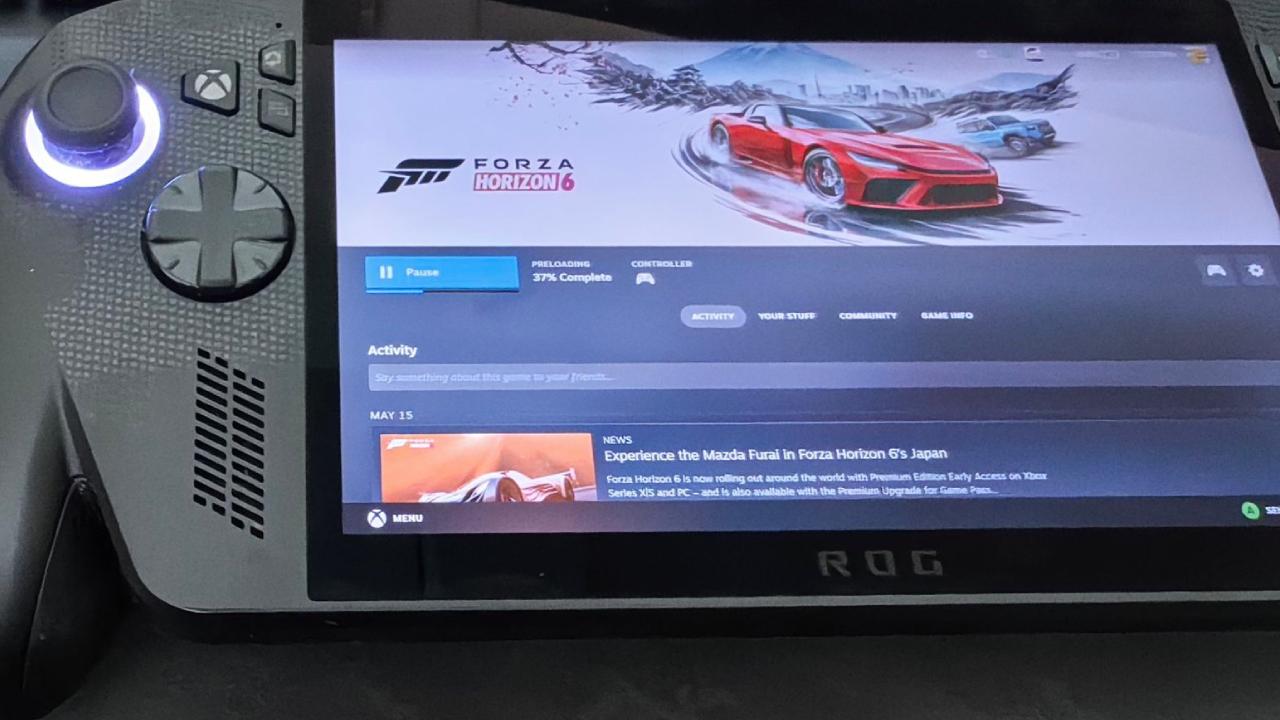
Initial Device Settings - Benchmark Configuration
The benchmark has chosen the 1920x1080 resolution, and the frame rate is fixed at 30 fps. Vsync was on, fullscreen was on, and motion blur was long. Anti-aliasing was applied via TAA, while AMD FSR 3.1.5 AA and resolution scaling were disabled. Intel XeSS was also turned off. The game was set to 1080p maximum and 30 fps, and gameplay worked fine. Whenever driving around the map, we remained very close to 29fps-30fps.
Playing in the country at high settings revealed the game's optimization for handheld devices. The game's frame rate remained stable even in large environments and at high speeds. The images were clean and clear, and the game was optimized right away. Playground Games is known for making races that work well, and Forza Horizon 6 was no different. Without making any changes to the settings, the game was already smooth enough to play for fun.
For those who just want to start the game and enjoy it without adjusting the graphics settings, the default benchmark setting worked. We still wanted to get the device closer to a smoother 60 fps, though.
Switching to 60 fps with Minimal Changes
Changes to the game were limited to a couple of adjustments to achieve 60 fps. The frame rate was raised from 30 fps to 60 fps, and the resolution remained at 1080p. Long to short, but still a personal preference for me, was the motion blur.
The biggest improvement was the addition of AMD FSR 3.1.5 and the ability to configure it to Quality mode. Anti-aliasing was disabled because FSR performed image reconstruction. All other settings were left on the high graphics setting. The game then began running at a steady 60 fps with those changes. The overall gameplay was smoother, particularly when driving around and exploring.
The City Areas Feature a Higher GPU Load.
Driving in less demanding countryside sections saw no change in performance, whereas city driving environments saw a heavier GPU load. The frame graph was less stable as we entered dense urban areas than on open roads.
The game was sometimes in the mid-50fps range in the city when FSR Quality was enabled at high settings. While performance remained playable, there was greater variation in driving situations at higher speeds or in busier urban areas. This has been verified, highlighting that parts of the city in Forza Horizon 6 are much more graphically demanding than open countryside areas.
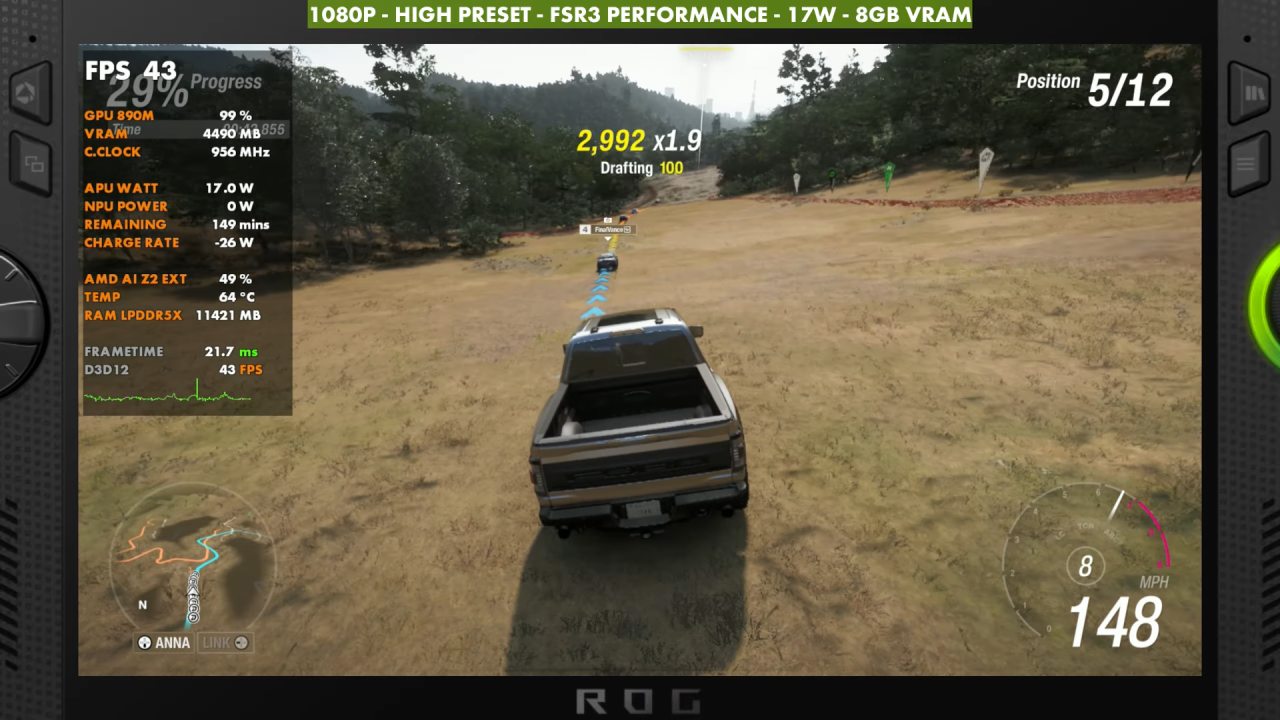
Medium Settings Improved Frame Stability
We reduced the graphics preset from high to medium to make it more consistent; the resolution has not been changed. At first, we set AMD FSR to Quality mode, but we ultimately moved it to Balanced mode for better performance. The medium preset and AMD FSR 3.1.5 gave me a definite improvement in frame pacing within city environments.
Stability in the game is still quite a bit below 60 fps, but it has improved significantly from before. Medium settings, along with FSR Balanced, produced a nice balance between picture quality and performance. This is a good option for those looking to play consistently at 60 fps, as it will be faster than the high preset.
ROG Xbox Ally is a great addition to your Xbox collection. ROG Xbox Ally is an excellent add-on to your Xbox collection. After a long period of testing, the final configuration was well defined. Forza Horizon 6 is best played at 60 fps, 1080p resolution, with VSync enabled. Short, you can leave the motion blur as you prefer.
Anti-aliasing should be off for the Balanced preset that AMD FSR 3.1.5 uses to reconstruct images.
The medium graphics preset performed best in the countryside and in the city. For extra stability, if you are looking for it, drop a few of the more challenging settings, like shadows, for even more stability. Xbox Ally X from ROG is paired with a Japanese baseboard that is quite limited in its capabilities, but Forza Horizon 6 is fine on it. At 1080p, both the high and medium presets were playable with minimal graphical changes, and the game's performance improved significantly with AMD FSR 3.1.5.
The high preset is for players who want to keep gameplay at 30 fps, while the medium preset is a good choice for those who want to keep gameplay at 60 fps with FSR Balanced enabled. The game's optimization is clearly visible, making it one of the better racing games on handhelds right now.
Editor, NoobFeed
Latest Articles
No Data.