
Gears of War: E-Day Guide | How to Revive Teammates
Here's a guide on how to revive teammates in Gears of War: E-Day.
Game Guide by Navid Kabbo on Oct 06, 2026
Keeping your squad alive is just as important as eliminating the Locust in Gears of War: E-Day. During difficult encounters, teammates can be knocked into a Down But Not Out (DBNO) state, giving you a limited opportunity to get them back into the fight before they're eliminated.
Reviving someone might sound simple, but rushing toward a downed teammate without checking your surroundings can easily result in two players going down instead of one. This becomes especially important in co-op and Horde Siege, where teamwork and squad survival play a major role.
This guide explains how to revive teammates in Gears of War: E-Day, how to safely reach downed allies, and how reviving works differently in Horde Siege.
How to Revive Teammates
When a teammate takes enough damage, they can enter the Down But Not Out (DBNO) state instead of immediately dying.
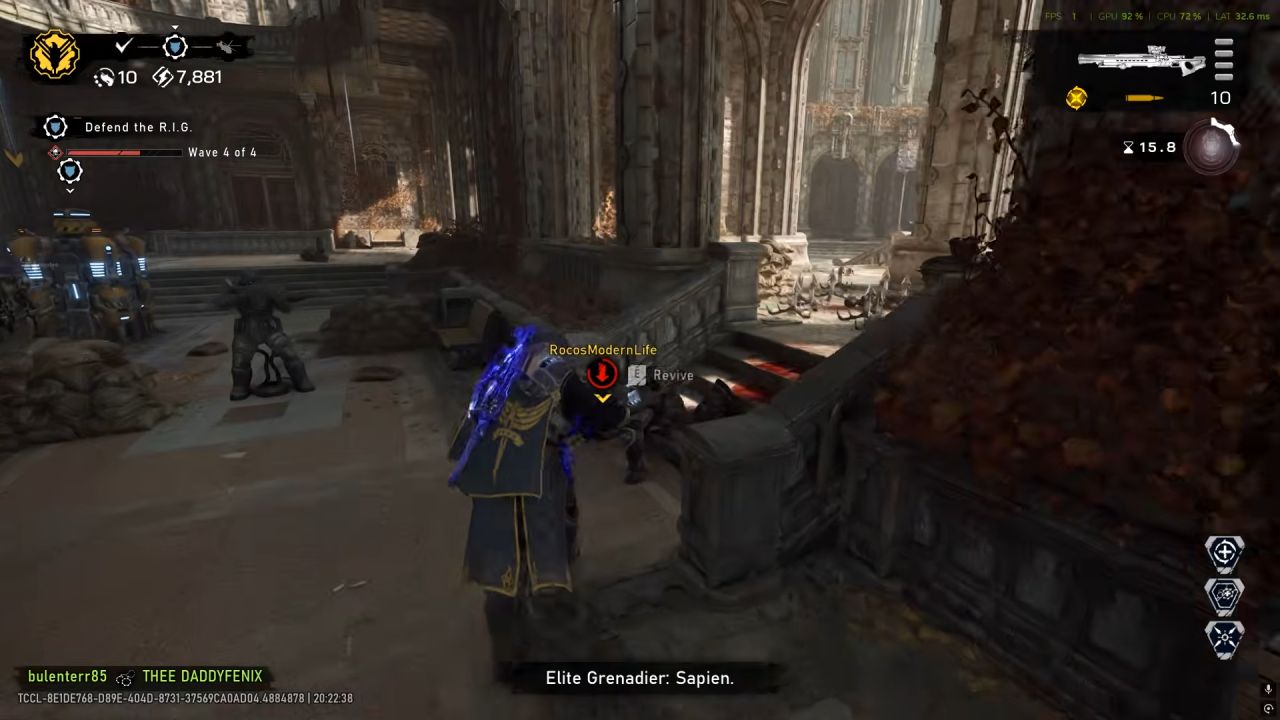
A downed teammate can no longer fight normally and needs assistance from another player. To revive them, approach the downed player and use the revive interaction shown on the screen.
The basic process is:
- Locate the downed teammate.
- Check the surrounding area for enemies.
- Move close enough to the teammate.
- Use the revive prompt when it appears.
- Remain close while completing the revive.
- Once revived, regroup before returning to the fight.
The most important part isn't pressing the revive button. It's reaching your teammate without getting yourself down in the process.
Clear Nearby Enemies Before Reviving
Your first instinct might be to immediately run toward a downed squadmate, but that's not always the safest option.
If the enemy that downed your teammate is still covering their position, blindly rushing in can result in you taking heavy damage as well.
Instead, quickly assess the situation.
If possible, eliminate nearby threats or force them behind cover before moving toward your teammate. You don't necessarily need to clear the entire battlefield, but you should create enough breathing room to complete the revive.
Pay particular attention to close-range Locust units. An enemy pushing toward a downed teammate can make attempting a revive extremely dangerous.
Use Cover to Reach Downed Teammates
E-Day's cover system can help you reach teammates without exposing yourself unnecessarily.
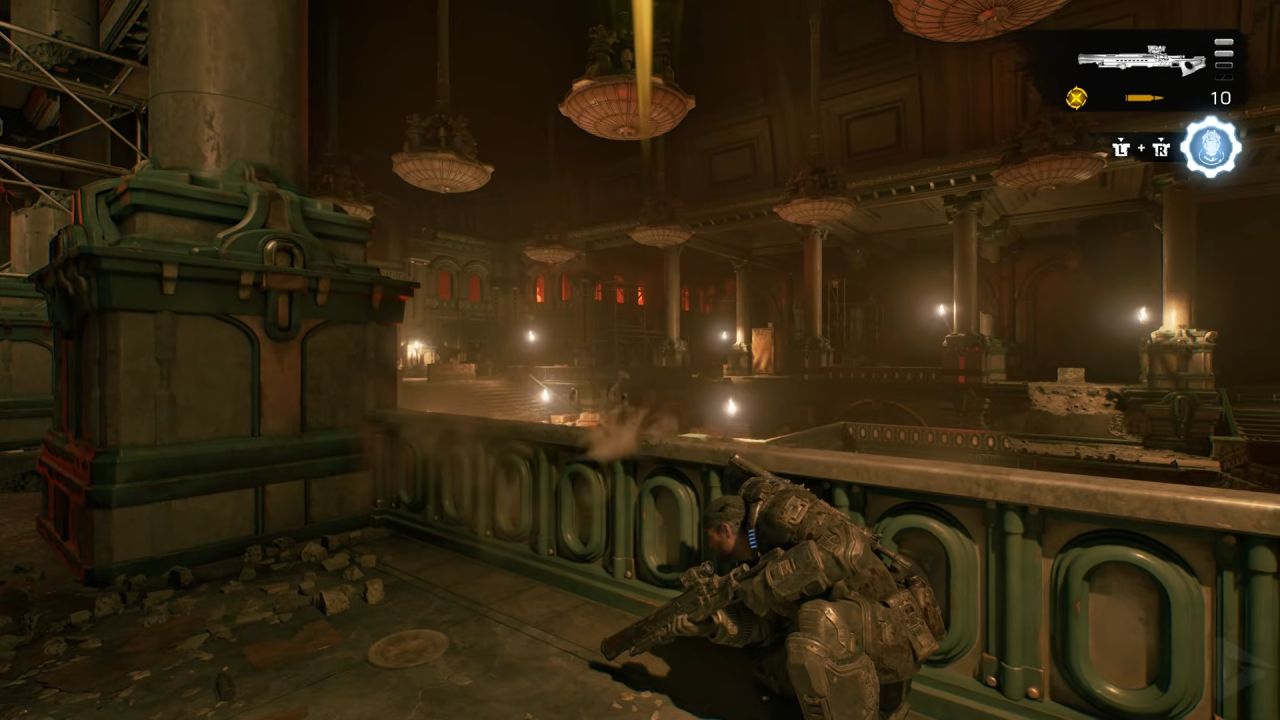
Rather than sprinting directly across an open area, move between pieces of cover until you're close enough to revive them. Sliding, vaulting, and other movement options can also help you quickly cross dangerous sections of the battlefield.
Look for the safest route instead of automatically choosing the shortest one.
A slightly longer path through cover can be much safer than running directly through enemy fire.
Once you've revived your teammate, avoid standing in the same exposed position. Move back toward cover and allow both players to recover before continuing the fight.
Don't Risk the Entire Squad for One Revive
Sometimes a teammate goes down in a terrible position.
They might be surrounded by locusts, lying in an open area, or directly beside a powerful enemy. In situations like these, immediately attempting the revive can make things worse.
If you can't safely reach the teammate, deal with the immediate threat first.
One player going down is manageable. Several players going down while attempting the same rescue can quickly turn a difficult encounter into a squad wipe.
Communicate with the downed player when possible and let them know whether you're approaching or need time to clear the area.
Communicate During Co-Op
Communication makes reviving much easier when you're playing E-Day with other players.
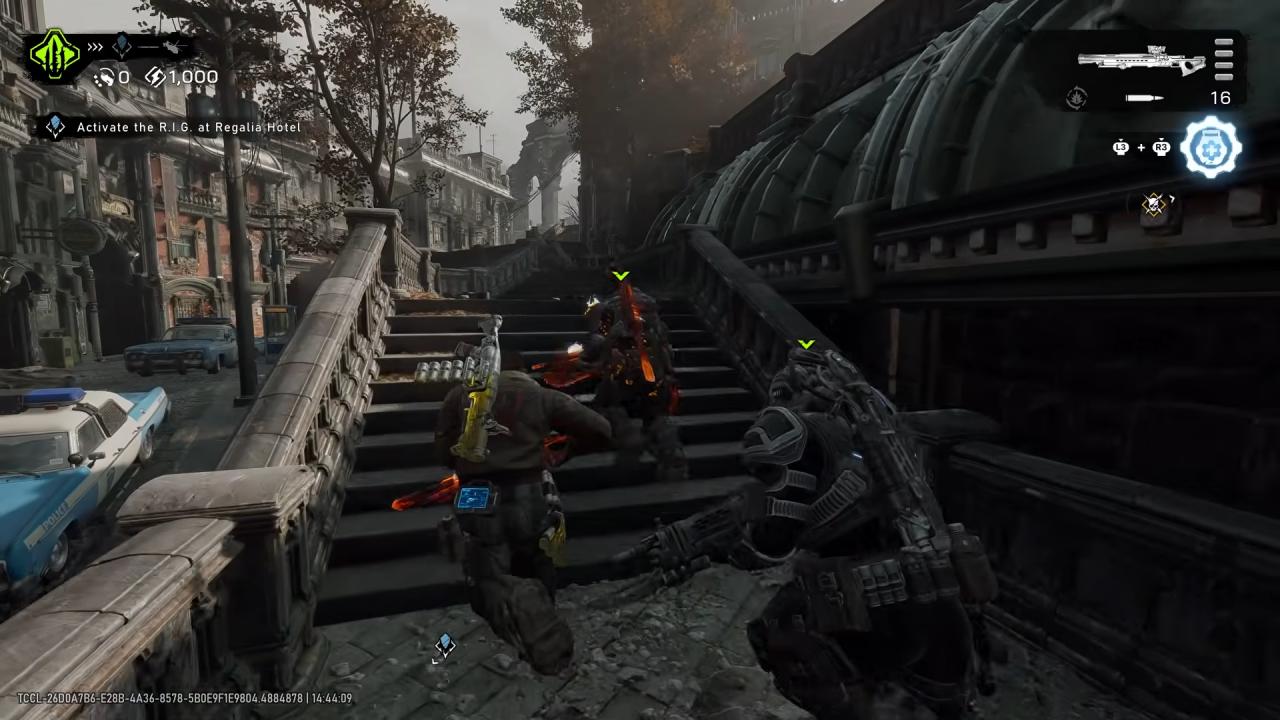
A downed teammate should call out their position and warn the squad about nearby enemies. Meanwhile, the player attempting the revive should communicate whether they're moving in or dealing with another threat first.
Avoid having every player rush toward the same downed teammate.
Instead, one player can attempt the revive while the others provide covering fire. This prevents enemies from freely attacking the player performing the revive and allows the rest of the squad to maintain control of the encounter.
Simple coordination can turn a risky revive into a straightforward recovery.
How Reviving Works in Horde Siege
Reviving becomes even more important in Horde Siege, E-Day's large-scale PvE mode.
Horde Siege features three squads of four players fighting across larger battlefields. Supporting your squad is essential because losing every member of your squad can cost a Squad Life. If all available Squad Lives are consumed, the mission ends.
Standard DBNO revives remain important, but Horde Siege also introduces additional ways to bring players back into the battle.
This makes reviving more than a simple interaction. Managing squad survival becomes part of the overall strategy of a Horde Siege mission.
Use the Medic Class for Easier Revives
If you enjoy supporting teammates, the Medic is the class designed specifically around healing and reviving.
The Medic's Tactical Gear is the Stim Vaporizer, which can heal and revive Gears within its effective range. It can even revive downed soldiers belonging to other squads.
This makes the Medic extremely useful when several players go down during a difficult objective.
Instead of exposing yourself to revive every player individually, the Stim Vaporizer can help recover teammates while allowing you to maintain a safer position.
Medic players should therefore pay close attention to the battlefield and avoid using their Tactical Gear unnecessarily. Saving it for a dangerous push or multiple downed players can make the difference between recovering and losing a Squad Life.
Recover COG Tags in Horde Siege
Being killed in Horde Siege doesn't necessarily mean you're out of the mission.
When a player is killed, they drop their COG Tags. Squadmates can collect those tags and take them to a Supply Cache to bring the eliminated player back.
Players belonging to other squads can also help. If another squad picks up your COG Tags, they can provide an immediate revive, making cooperation between squads valuable during larger battles.
Because of this, don't automatically abandon an area when a teammate dies.
If retrieving their COG Tags is reasonably safe, recovering them can restore an important member of your squad and help preserve your remaining Squad Lives.
Prioritize Revives During Difficult Objectives
Horde Siege encounters can become chaotic, particularly when multiple squads are fighting around the same objective.
During these situations, it's easy to focus entirely on dealing damage and overlook downed teammates.
Keep an eye on your squad's status.
If someone goes down, determine whether you can safely revive them before continuing to attack. Losing a player reduces your squad's firepower, making the encounter even harder.
However, don't ignore immediate threats. Sometimes clearing an enemy or moving into better cover before reviving is still the safer choice.
Best Tips for Reviving Teammates
- Keep these tips in mind whenever a teammate goes down:
- Check for nearby enemies before attempting the revive.
- Use cover while approaching a downed player.
- Don't run directly through heavy enemy fire.
- Communicate with your squad during co-op.
- Have one player revive while others provide covering fire.
- Move back into cover after completing the revive.
- Don't risk multiple squad members for one unsafe rescue.
- Medic players should use the Stim Vaporizer during difficult situations.
- Recover COG Tags when a player is killed in Horde Siege.
- Keep track of your remaining Squad Lives during Horde Siege missions.
A successful revive isn't simply about reaching your teammate quickly. It's about getting them back into the fight without creating another casualty.
Final Thoughts
Reviving teammates in Gears of War: E-Day is straightforward, but knowing when and how to attempt a revive is what separates a safe recovery from a squad wipe.
When a teammate enters DBNO, check nearby threats before moving toward them. Use cover to close the distance, coordinate with other players, and avoid exposing multiple squad members just to complete one revive.
Horde Siege adds another layer through the Medic's Stim Vaporizer, COG Tag recovery, and Squad Lives. Learning these systems becomes increasingly important as missions become more difficult.
Keep your squad alive, maintain good positioning, and remember that sometimes clearing the immediate threat before attempting the revive is the best way to save your teammate.
FAQ
Q. How do you revive teammates in Gears of War: E-Day?
A. Approach a teammate who is in the Down But Not Out state and use the revive interaction shown on the screen. Try to clear nearby threats or find cover before attempting the revive.
Q. Can you revive teammates in Horde Siege?
A. Yes. Players can revive downed teammates normally in Horde Siege, while the Medic class can also use its Stim Vaporizer to heal and revive Gears within range.
Q. What happens when a player dies in Horde Siege?
A. Killed players drop their COG Tags. Their squadmates can collect the tags and deliver them to a Supply Cache to revive them. Players from other squads can also recover the tags and provide an immediate revive.
Q. What happens if your entire squad dies in Horde Siege?
A. If the entire squad is killed, the team loses a Squad Life. Using all available Squad Lives causes the mission to fail.
Q. What is the best class for reviving teammates?
A. The Medic is the best revive-focused Horde Siege class. Its Stim Vaporizer can heal and revive Gears within range, including downed players from other squads.
Editor, NoobFeed
Latest Articles
No Data.